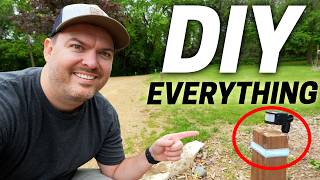

Black Light Pool Table Transformation
60sThe dramatic visual of a normal pool table turning into a glowing black light experience is highly shareable and visually captivating.
▶ Play Clip"Delivers a genuine full tour of an impressive smart home, though the 'jealous' angle is subjective."
This video is a full tour of an impressively automated smart home and Airbnb resort in Minnesota, showcasing a wide range of custom-built smart home projects. The owner, Jeremy, has integrated everything from a black light pool table and voice-controlled spa jets to solar-powered driveway lights and a heated dog house, all managed through Home Assistant. The tour highlights the creativity, technical problem-solving, and practical benefits of a fully automated home.
A normal pool table is transformed with smart lights and a black light mode. A single button activates a black light strip inside the light shade, turning off normal bulbs and revealing glow-in-the-dark billiard balls and UV-reactive fishing line marking the table edges. A delay was programmed to avoid abrupt darkness.
Instead of buying an expensive commercial pool controller, Jeremy built his own for a few hundred dollars using Shelly smart relays. It controls spa jets, heating, and sensors, and includes physical buttons for diagnostics and manual control.
Guests can turn on spa jets by saying 'Alexa, spa jets,' which activates them for 15 minutes via a Shelly controller. This avoids the need to get out of the hot tub to keep it running.
An ozone sensor was added for safety (wife's request) to detect leaks and shut off the system. A humidistat in Home Assistant controls an exhaust fan and furnace fan to manage humidity (currently 86%) in the indoor pool room.
Jeremy can remotely adjust the hot tub temperature via his phone, even an hour away. He once lowered the temperature for children by pumping cold water and setting a lower limit.
When the dryer finishes, a Sense device connected to the electrical panel detects it and triggers all kitchen light strips to turn red, alerting that laundry is done.
Outdoor lights use COB LED strips for even diffusion. Solar panels charge batteries that power controllers, making the lighting sustainable and reducing energy costs.
A regular PIR motion sensor fails when people sit still by the fire. A millimeter wave sensor detects small movements, keeping lights on. It's powered by batteries in a 3D-printed box, charged via solar.
A spacious dog house features a motion-activated light and a heated corner box with an electric coil, fan, and temperature sensor, all managed through Home Assistant. It's solar-powered.
A 3D-printed mailbox door with the family logo is backlit using solar-charged 18650 batteries, turning on at night via a simple solar controller.
Driveway lights guide guests along the path. They stay dim (5%) until a motion sensor detects a car, then brighten to illuminate the area. They use ESP32 with WLED and are solar-powered.
With 160m of wire, the WLED data line couldn't reach. Jeremy converted to serial communication using microchips, but they were frying due to inrush current. He added an RC circuit to keep power for a second after shutdown and a thermistor for slow power-on to prevent voltage spikes.
To run lights all year in Minnesota, a Shelly Ooni monitors battery voltage and triggers a Home Assistant automation to charge the battery via a garage charger when needed.
Jeremy's smart home is a testament to the power of DIY automation, combining creativity with practical problem-solving. The tour showcases how smart home technology can enhance comfort, convenience, and sustainability, inspiring viewers to implement similar ideas in their own homes.
What type of sensor is used to detect motion when people are sitting still by a fire pit?
A millimeter wave sensor, because it can detect small movements even when a person is stationary.
07:23
How does the smart home detect when the dryer is finished?
A Sense device connected to the electrical panel detects the dryer's power usage and triggers an automation.
06:01
What is the purpose of the ozone sensor in the pool room?
To monitor ozone levels for safety, and if a leak is detected, it turns off the system to protect the house.
04:10
How did Jeremy solve the issue of frying serial communication chips in the driveway lights?
He added an RC circuit to keep power for about a second after shutdown and a thermistor to allow slow power-on, preventing voltage spikes.
12:12
What is the default brightness of the driveway lights when no motion is detected?
5% brightness to conserve energy.
10:51
Voice-Controlled Spa Jets
Demonstrates a practical, hands-free convenience that enhances guest experience.
03:12Safety Monitoring with Ozone Sensor
Shows how smart home tech can address safety concerns, increasing spouse approval.
04:10Millimeter Wave Sensor for Fire Pit
Highlights a clever solution to a common motion sensor limitation.
07:23Solving Inrush Current Problem
Illustrates advanced troubleshooting and electronic engineering in a DIY project.
12:12Year-Round Solar Power Management
Shows a sustainable approach to powering outdoor smart devices in harsh climates.
12:36[00:09] really cool smart home tech for his family and Airbnb guests, which is where of really cool stuff here. But let's start off with the pool table. So, it looks like a normal pool table at first glance, but the smart lights completely
[00:25] transform it. We wanted to add an additional experience here and so we added a black light where you can push just a single button. Black light pool is activated. In 5 seconds, all lights will shut off and only the pool table
[00:37] black light will turn on. The black light is a light strip on the inside of the light shade that turns on while the bulbs that are normally on are now off. The billiard balls are glow-in-the-dark versions and to take it
[00:51] up a notch, there's UV reactive fishing line to mark the edges of the table. And it looks so good. And you might have noticed all the lights didn't change It was immediately apparent that it was maybe a little alarming that all the
[01:05] lights turn off. So I programmed to have a a delay to turn the lights off. So it happens cuz then when it is night in here, it is really black except for the table itself. I'm having so much fun playing Black
[01:20] I could get creative with a black light in my own smart home. Normally, we just use black lights to find scorpions in Arizona, but this is way better. videos saying, "Hey, Reed, you're just doing the tour videos to get a break
[01:36] from your kids and talk smart home tech all day." Hey, I'm working hard here, okay? Yeah. The Airbnb here isn't just some little extra room. It's like a fullon resort. There's a sauna and there's an indoor pool which guests have
[01:52] there's an indoor pool. We're here in Minnesota. It's really cold and it' be slightly annoying for Jeremy to have to manage all this with guests over like controlling the spa jets, the humidity, temperature, and all of that. So, he
[02:06] mechanical room. As you can see, there's a lot going on in here. And so, it's these things. So, I wanted to put a pool controller in. But I didn't want to just expensive and they have a limited amount of things that they can do. So I decided
[02:20] to make my own. So this is my pool controller. This I built for just a few hundred dollar on the inside here. Uh it's a it's a bit of a rat nest of reasonably simple. It's a handful of Shelly smart relays that just turn
[02:34] have everything connected through Wi-Fi and through Home Assistant, I actually put mechanical buttons on the front so I could run things in here for diagnostics and if I'm, you know, down here managing it. So, these buttons actually come in
[02:47] and they feed into the Shelly smart relays as an input to say, "Hey, turn physical buttons to my own house. It's just so satisfying to press a physical button, have it do something. And Jeremy added another one of these physical
[03:00] buttons for guests, too. So, of course, the typical way you would expect to turn the typical way you would expect to turn on spa jets, there's a button right here that you can press, and that's kind of like the button on the control panel for
[03:12] the pool pump. It goes all the way over there and can manually turn it on. Or if you don't want to get out of the hot tub, you can just say, "Alexa, spa jets." The spa jets are active for 15 minutes.
[03:27] That's pretty sweet. I can turn on the spa jets with a voice command. So, the way it works is it's connected to one of these Shelly controllers that tells the spa jet to turn on. Family, uh, it might be a few more days till I come home. How
[03:41] awesome is that? No one ever wants to get out of the hot tub to keep it going. This is so much better. And you can play music and whatnot on the Echo Dot. So, monitoring a whole bunch of things uh also into the Shelly where I can read
[03:56] sensors and humidity sensors, but also I've added an ozone sensor because my wife is a little bit nervous about chemicals and uh for safety, she she had me put this in. So, I didn't know anything about ozone, but apparently
[04:10] it's super dangerous, but it does a really good job at cleaning the pool because you can use a lot less chlorine, but like I said, very dangerous. So, I'm monitoring the ozone level in this room. So, if it ever does spring a leak, it'll
[04:23] turn the system off um to keep the house safe and uh you don't have to smell ozone. Ozone sensor, super high spouse approval factor. So, as you can imagine, indoor pools can get really humid. Like right now, the humidity is at 86%. So,
[04:40] unreasonable to have guests manage like the humidity in this room. So I'm running humidistat in home assistant which is connected to a exhaust fan. So when it measures that the humidity is too high, it turns on the exhaust fan
[04:55] and it turns on the furnace fan to circulate the air to keep that humidity down and exhaust it out. So much better to have the smart home automatically manage everything. And if anything needs to be manually adjusted, that's easy,
[05:08] too. We only have one heater in this room. So, I actually am controlling this valve right here with my controller. So, I can actually heat the pool or the hot tub. And when we have guests here, I had a guest once that wanted to lower the
[05:21] temperature of the hot tub. I was able to with my phone an hour away from here switch it so that I could pump cold water into the hot tub to cool it down and then set the temperature limit to be a lower number so that the hot tub would
[05:33] be at a lower temperature for children. As a dad of three kids, I appreciate this. And it's fun to see how a smart home can help manage an Airbnb. Plus, it list of different voice commands they could use. So, if I said cocktail time
[05:47] to the Echo Dot, it would turn the bar lights red and play music found in a speak easy. This is so much fun. So, as you can imagine, running an Airbnb, there's a lot of laundry. So, one of the automations that Jeremy has here is once
[06:01] the dryer is finished, all the light strips in the kitchen turn red. And the way Jeremy Smartome knows that the dryer is finished is the sense that's connected to the electrical panel. And so, the dryer isn't smart, but the sense
[06:15] and then it triggers the automation. Pretty awesome. So, we have some outside make it very easy so that guests didn't have to fumble around with switches. So, there's some patio lights here that are just motion activated off of one of the
[06:30] all the lights out here are Cobb style, diffusion. The LEDs are really close together, so they look really nice even if you're looking directly at them. To increase the spouse approval rating, uh
[06:43] very sustainable. So, all the outdoor lighting, and you'll see in a couple spots, we are running solar panels to charge a battery that also runs a controller that turns on all these lights. So down this way, we actually
[06:56] but at night it's really dark. So we added a handrail and lit the handrail with the cob lighting that you saw under the patio lights. So down here by the fire pit, well, first off, it's extremely beautiful
[07:10] here. Very, very green. But as you can imagine, if you're sitting by the fire and not moving around much, you can't use a motion sensor, regular P motion sensor, because you're sitting still. It'll say that there's no motion and
[07:23] even realize this, but Jeremy says if the fire is going, a P sensor is just going to be completely thrown off. So, you have to use a millimeter wave sensor. That way, it can detect the small movements if you're sitting here
[07:38] by the fire and keep all the lights on. Yes, I'm a huge fan of using millimeter wave sensors, but how do you power one way down here? So, one of the challenges down here is that you have 12 volts, but only when the lights are on. So, the
[07:50] own power source. So, there's actually batteries inside that box. Now, the millimeter wave sensor can turn the lights back on without needing power from the low voltage lights. So, no one
[08:02] keep the battery charged up. And it's awesome that Jeremy just 3D printed this box and came up with this entire solution himself. Very smart. You're not going to guess who lives in it. The dog. So, we're like a 100 yards
[08:18] out here in the morning to let the dog out, it's very dark. So, we have it set the motion sensor on the blink camera will turn on this light and the light on the inside of the dog house. Look how spacious it is in here. It's massive.
[08:33] This dog is definitely loved and you won't believe what's over in this corner. This little box over here is actually heated. Um, so how that works is there's power that goes to a little electric coil and then there's a little
[08:46] that can circulate air, but then there's also a temperature sensor in here that's monitoring that and that's all run through home assistant. This dog house is a million times better than the kids playhouse in our backyard. Even these
[08:59] light strips are motion activated. We have a controller here that's a Shelly the house and that's what's going to turn the lights on. So, it's uh connected in with the home assistant. So, like most of our outside stuff, this
[09:13] solar panel out in the yard that charges this battery and it runs this whole building. And it doesn't stop there. You have to see the mailbox. Yes, the mailbox. So, we're at the mailbox and I 3D printed a a new door with our logo in
[09:28] it. And it actually is backlit. So you can see this at night. Now it's running the solar panel so that it could charge some 18650 batteries and then at night turn on. So I'm using just a real simple solar controller and it when there's
[09:42] there's no sunlight it uses the battery to light the lights. That's awesome. He's able to kill two birds with one stone with that solar panel and battery. Genius. Yeah, Jeremy is out of control and I'm all for it. Walking around the
[09:55] house, there were a ton of cool lights in the bedroom that could get really bright or dim. Pretty much everything is using addressable light strips, using WLED, so he could do any kind of lighting animation he wants, which is a
[10:07] this room is really challenging because it's a really long strip of lights. So, using power injection on the front end and the back end so that they can all stay the same brightness. So, yeah, there's tons of really cool
[10:22] smart lights in the house, but out here, this is on a whole another level. These smart lights are amazing. So, we added these driveway lights so that our Airbnb it's really dark, they would know where to go as they have to come down the
[10:36] driveway and drive around the back of the house. Uh, so these lights really kind of guide that path in a fun way. Yes. Each of these posts have light post can be a different color at the same time. It looks incredible. So, the
[10:51] So, to conserve energy throughout the night, we actually have the lights at a very dim level, like 5%. Until someone actually enters the driveway, which is sensed by a motion sensor here at the bottom of the driveway and at the
[11:04] know someone's in the driveway, and they go brighter and illuminate the area. So, check this out. We're driving up to the house right now, and the motion sensor detects us, so the lights get way brighter. It makes such a big difference
[11:17] to see where to go, especially for Airbnb guests. Normally, solar powered lights are very dim and lame, but these are the complete opposite. And when through different light scenes at a low brightness. So, all these lights are
[11:32] running off of an ESP32 running WLED. It's a 12vt system, and all the lights are 5 Vs. But because of how far they're apart, I ran into a major issue. So, the fact that the the lights are so far apart. But I have about 160 m of wire
[11:46] and so the data line coming out of the WLED can't go that far. So I have to convert to serial communication which I have little microchips for. Problem is those are very sensitive electronics and when you turn on the power or turn off
[11:58] I was frying those chips. So when I got scratching my head like I don't know what to do with this cuz I keep burning bucket full of these boards. But then I realized it was that inrush current and
[12:12] the the power off. So, I actually have a RC circuit here that keeps it powered for about a second after you turn it off. And then I have a thermister that allows the system to turn on very slowly so I don't get those voltage spikes. So,
[12:24] once again, all this is solar powered with a battery. We actually want to run these lights all year round and in Minnesota in January, we might not get enough sun to charge the battery up. So, I'm actually using a Shelly Ooni to not
[12:36] also measuring the battery voltage. And then I have an automation setup in Home charger that's actually mounted in my garage that'll charge this battery on out. It's impressive Jeremy was able to install everything himself. He even dug
[12:52] the trench for the wires. And there's no way I would have been able to figure out how to set up these lights, but they turned out great. I had a lot of fun here. I learned how to play the game Crokenol, which was a blast, even though
[13:04] I got destroyed. and all the smart home tech just made hanging out here all the all the cool lighting projects at Jeremy's house. Like I want to add a ton of these ideas to my own home. So, thanks Jeremy for letting me tour your
[13:18] I'm glad your viewers can check this out. And also, if you want to check out yourself, book us at JW Resort on Airbnb. That's right. And thanks for [Music] Spa Jazz.
[13:33] Spa Jazz. playing jazz music on music. Oh, and if there is info in the video description of what to do. I promise I won't break anything while visiting. I was just trimming the trees. Just a
[13:47] I was just trimming the trees. Just a slight trim.


⚡ Saved you 0h 13m reading this? Transcribe any YouTube video for free — no signup needed.