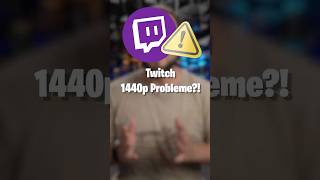

Twitch 1440p Myth Busted
40sDebunks a common myth about 2K streaming, sparking curiosity and engagement from streamers.
▶ Play Clip"Title promises to address viewer problems, and the video delivers a clear, technical explanation—though it's brief and could be more detailed."
This video debunks the myth that streaming in 2K (1440p) on Twitch causes problems for viewers. It explains the actual requirements for streaming in 1440p, including OBS settings, upload speed, and server-side transcoding, and clarifies that viewers can always adjust quality based on their internet connection.
The video addresses the circulating myth that viewers will experience problems when a streamer broadcasts in 2K (1440p).
To stream in 2K, you must enable '2K Streaming' in Twitch settings under Stream, and set your base canvas to 2560x1440 in OBS under Settings > Video.
Connecting your Twitch account under Stream settings and activating 'Enhance Broadcast' automatically streams in 1440p (2K).
Streaming in 2K requires at least 20 Mbit/s upload speed to convert and send all different resolutions to Twitch. Insufficient upload speed or hardware can cause problems.
If your Twitch Creator Dashboard shows support for server-side transcoding, the required upload speed decreases drastically. This reduces bandwidth demands for the streamer.
Viewers do not need fast internet. They can select their preferred quality under the Quality option. If their connection is slow, they watch in lower quality; if fast, they get full 2K.
Streaming in 2K on Twitch is feasible without causing viewer problems, provided you have sufficient upload speed (or server-side transcoding) and proper settings. Viewers can always adapt quality to their internet connection.
What is the minimum upload speed required for 2K streaming on Twitch?
20 Mbit/s
00:43
What setting in OBS must be set to 2560x1440 for 2K streaming?
Base canvas resolution
00:15
What feature, if supported, drastically reduces the required upload speed for 2K streaming?
Server-side transcoding
01:08
How can viewers watch a 2K stream if their internet connection is slow?
They can select a lower quality under the Quality option.
01:22
Debunking the 2K Myth
Directly addresses a common misconception, providing clarity for streamers.
00:02Upload Speed Threshold
Gives a specific, actionable number (20 Mbit/s) that streamers need to know.
00:43Server-Side Transcoding Benefit
Explains a key feature that can significantly reduce bandwidth requirements.
01:08Viewer Quality Flexibility
Clarifies that viewers are not forced to watch in 2K, addressing the core concern.
01:22[00:02] your viewers will experience problems. Yes, this myth has been circulating for quite some time. But let's get to the bottom of this . To see if you can stream in 2K, go to Twitch settings > Stream, and 2K Streaming must be
[00:15] enabled there. If you then set your base canvas to 2560 x 1440 in OBS under Settings and Video, under Settings and Video, resolution, and if you have connected your Twitch account under Stream and
[00:31] activated Enhance Broadcast, you will automatically stream in 1440p. So, 2k, but your viewers wo n't necessarily have any problems.
[00:43] If you have any problems at all, it's if your upload speed isn't sufficient or your hardware can't handle it, because you need 20 Mbit upload or more so that all the different versions, i.e., resolutions of your
[00:56] stream, can be converted and sent to Twitch . Unless your Twitch Creator Dashboard also shows support for server-side trend codes under Stream settings, in which case the
[01:08] required upload speed will also decrease drastically. So if you're streaming in 2K, you need a lot of upload bandwidth unless you have server-side trend codes. Your viewers don't need fast internet, because regardless of whether you have server-side
[01:22] trend codes or not, your viewers can set the quality they want to watch in under Quality. And if their internet connection is too slow, they watch in lower quality. But if it's fast enough,
[01:36] quality. But if it's fast enough, they get the full 2k.

⚡ Saved you 0h 01m reading this? Transcribe any YouTube video for free — no signup needed.