

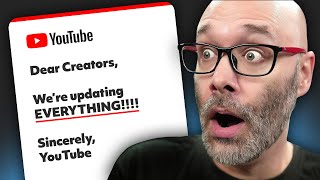
YouTube Just Increased Thumbnail Size!
44sThe surprising stat that YouTube TV viewers outnumber Netflix viewers and the change to 50MB thumbnails is a timely, attention-grabbing hook for creators.
▶ Play Clip"Delivers a free tool and clear steps, but the 'NOW!' urgency is overhyped."
YouTube has increased the maximum thumbnail file size from 2 MB to 50 MB to accommodate the growing number of viewers on TV, where YouTube now outperforms Netflix. This video explains the change and offers a free tool to upscale existing thumbnails to meet the new requirements.
YouTube has increased the maximum thumbnail file size from 2 MB to 50 MB to support advancements in YouTube TV and the growing number of viewers watching on TV.
More viewers watch YouTube on TV than Netflix, and YouTube has been outperforming Netflix from a streaming perspective for a couple of years.
YouTube is also increasing thumbnail sizes on the platform, including suggested videos, which used to have small thumbnails but are now larger.
Creators should update their thumbnails to meet YouTube's new requirements to ensure they are ready for the TV experience.
Tuberschool offers a free tool at tuberschool.com/upscale to upscale thumbnails to the larger size.
Upload your thumbnail, choose the size. Works best when going from 1920x1080 to 4K, but also supports 1280x720. The bigger the starting quality, the better the result.
Adjust sharpening; a sweet spot is usually between 10% and 15% to avoid a soft image.
After setting up, hit generate and you're good to go. You can use it whenever you need.
Even though thumbnails are bigger, ensure key elements are large enough to be clear at small sizes so viewers can still tell the content is for them.
You can export 4K screenshots from Adobe Premiere, large files from Photoshop, 4K images from Canva, or use PowerPoint with a large canvas.
To stay ahead, creators should upscale their thumbnails to the new 50 MB limit using free tools like Tuberschool's upscaler, ensuring their content looks great on TV screens and maintains best practices for clarity.
What is the new maximum thumbnail file size on YouTube?
50 MB
00:01
Why did YouTube increase the thumbnail size limit?
To accommodate advancements in YouTube TV and the growing number of viewers watching on TV.
00:01
Which platform has more TV viewers: YouTube or Netflix?
YouTube has more TV viewers than Netflix.
00:17
What is the recommended sharpening percentage when upscaling thumbnails?
10-15%
02:02
What is the URL for the free thumbnail upscaling tool?
tuberschool.com/upscale
01:08
YouTube increases thumbnail size to 50 MB
This is a significant change that affects all creators and requires them to update their thumbnails.
00:01YouTube TV surpasses Netflix
This highlights the shift in viewing habits and the importance of optimizing for TV screens.
00:17Free upscaling tool available
Provides a practical, free solution for creators to meet the new requirements.
01:08Best practices remain important
Even with larger thumbnails, clarity at small sizes is crucial for viewer engagement.
02:34[00:01] news that YouTube has increased their thumbnail size. So, what this means is that in the past you could upload 2 MB thumbnails. Now, you can upload 50 MB change is because they are making way for all of the advancements in YouTube
[00:17] TV because so many viewers are watching YouTube on a TV now. In fact, more YouTubers are watching YouTube on TV than they are watching on Netflix. So, they've been outperforming them from a streaming perspective for a couple years
[00:29] is that YouTube is also increasing thumbnail sizes on the platform. So, for example, if you look at suggested videos, they used to be really small thumbnails. But now, even those thumbnails are getting bigger. And
[00:42] that you get your thumbnails up to speed because you want to make sure that you are publishing everything based on YouTube's new requirements. So, I'm going to show you a super quick and easy way that you can update your previous
[00:55] thumbnails or you can run your thumbnails through this for free in order to upscale your thumbnails to make them ready for that nice TV experience. of software you can use to make sure that you're exporting them at the right
[01:08] now. This is going to be a quick and dirty video right here. Woo! Okay, to take the thumbnails you currently have and upscale them to the larger size, you can go to tuberschool.com/upscale. Again, this is completely free and
[01:21] through Tuberschool. To use it, all you have to do is click on this box right here to upload your thumbnail. Choose the size. So, one of the things to let you know about for this part here is when you are choosing the size, this
[01:34] works best if you are going from 1920 by 1080 thumbnails up to 4K. But you can also take 1280 by 720 thumbnails and upload them as well. But the bigger quality gets the much better quality in the end result if it starts at an
[01:49] already decent size. But unfortunately, on YouTube's side, if you download it going to get it at 1280 by 720. Next is the sharpening. So, on this, because you can upload as many thumbnails as you want to, on this sharpening part right
[02:02] here, all you have to do is make the minor adjustments to it. And sometimes sometimes it might not be enough, and the image might be a little bit soft. based on yours, but I found usually between 10 and 15% is a good sweet spot
[02:19] Once you have all that set up, you hit generate, and you're good to go. And you whenever you need to. Now, remember, even though thumbnails are bigger now, following best practices when it comes to making sure that the things that you
[02:34] want your viewers to focus on at a small size are big enough to where when it is people can still clearly know your content's for them. But I know you're Now, if you're looking for software that lets you export at 4K, you can export 4K
[02:49] screenshots directly out of Adobe Premiere. You can export large files out of Adobe Photoshop. You can export 4K images out of canva.com. If you use PowerPoint for this where you [music] make your thumbnail in PowerPoint on a
[03:03] large canvas and then just export that. Now, if you want some other free and click into this playlist right here, and I'll see you in the next video. Thanks I'll see you in the next video. Thanks for watching.



⚡ Saved you 0h 03m reading this? Transcribe any YouTube video for free — no signup needed.