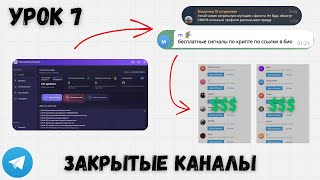
How One Account Made 3,000 Applications
44sHigh-profit potential with a specific impressive number sparks curiosity and desire for financial gain.
▶ Play Clip"The title promises a guide on launching mailings in closed channels, and the video delivers a detailed tutorial, though it includes some filler and self-promotion."
This video is the seventh lesson in a spam traffic course, focusing on how to effectively run mass messaging campaigns in closed Telegram channels. The instructor explains the advantages of closed channels over open ones, such as avoiding spam blocks, and provides a detailed, step-by-step guide on setting up software to automatically join channels and send messages. Key topics include configuring delays to prevent blocks, using templates for efficient account management, and selecting appropriate proxies and accounts.
Closed channels are the most profitable but complex topic in Telegram spam. A single account can generate hundreds or even thousands of applications, with a personal record of 3,000 applications from one account.
Open channels allow immediate access and commenting without subscription, while closed channels require submitting an application and waiting for admin approval. Closed channels cannot be joined in bulk via folders, requiring manual entry.
In open channels, sending many messages triggers spam blocks, but closed channels do not have this issue. Even with a spam block, you can continue sending messages in closed channels, allowing for longer and more effective campaigns.
The main downside is that you cannot instantly join all channels; you must manually join and wait for approval. This video demonstrates how to automate this process.
Use TGStat to collect links to closed channels. If a link is not directly available, use the 'attracting subscribers' feature to find the channel link in mentions. Closed channels are harder to collect, requiring more effort.
For closed channels, the database size is more important than the number of accounts. One account can monitor 500 channels, and with 10,000 channels, you can use 20 accounts to send mailings.
To avoid reconfiguring software each time, create a template folder with the software and a subfolder for each account. Use two software instances: one for joining channels and one for spamming.
In the software, add the channel list, enable 'Join closed channels', and optionally 'Join open channels'. Skip channel folders and blank messages. Enable 'Avoid unverified channels' and optionally shuffle the order of introductions.
Joining more than five channels at once triggers a 'Flood Wait' semi-block. Set a delay of 180 seconds (3 minutes) between joins to avoid this. With 500 channels, this results in a 24-hour cycle.
Enable two-factor authentication to protect accounts from being taken over. Also, adjust privacy settings to enhance account security.
If you have multiple databases, create separate templates for each. For example, even numbers use the first database, odd numbers use the second. This allows for parallel operations.
Rename software to 'intro' and 'spam' for clarity. Run the intro software first to join channels, then the spam software to send messages. This separation allows for parallel operation and easier management.
In the spam software, set profile changes (name, username), enable 'New posts' for mailing, and optionally 'Join linked chat'. Set a response delay of 5-15 seconds to avoid anti-spam bots.
You can download accounts from 'My Purchases' and check for validity. Even accounts with spam blocks can be used for closed channels, saving costs.
Use a clear naming convention: date + 'S' for spam and 'V' for intro, followed by a serial number (e.g., 14S1, 14V1). This helps track which software is for which account and channel.
A tool called 'Rename' automatically renames folders to match the date and serial number, saving time when managing multiple templates.
Set different proxies for each template to avoid all accounts crashing if one proxy fails. Use 'Proxification rules' to assign specific proxies to specific software instances.
Purchase accounts from WS, choosing regions like India or Bangladesh for cheaper options, but they last less (60-70 messages). CIS or European accounts are more expensive but last longer. Always buy accounts with a rest period to avoid immediate bans.
Add accounts by phone number for better performance, as sessions have already gone through multiple stages. Request a code and enter it to add the account.
Set the entry interval to 3 minutes (not 180 seconds) to avoid a bug that resets to 5 seconds. This ensures the software joins channels correctly.
After the intro software has joined channels, launch the spam software. Add the account, enter the two-factor password, and start the account. The software will send messages to the joined channels.
Monitor the software logs for errors like 'Couldn't join channel' (application pending). Turn off notifications to avoid spam from multiple Telegram instances.
Mastering closed channel spam requires careful setup of software, proxies, and accounts. By following the steps outlined, you can efficiently automate the process of joining and spamming closed channels, maximizing your reach while minimizing the risk of blocks.
What is the main advantage of closed channels over open channels for spam?
Closed channels do not have spam blocks, allowing for longer and more effective campaigns.
03:44
What is the 'Flood Wait' semi-block?
A semi-block that occurs when joining more than five channels at once, requiring a cooldown of 5-10 minutes.
10:41
What delay should be set between channel joins to avoid Flood Wait?
180 seconds (3 minutes).
11:52
Why is it recommended to separate intro and spam software?
To allow asynchronous operation and avoid restarting the software to switch between joining and spamming.
16:03
What is the recommended response delay in spam software to avoid anti-spam bots?
5-15 seconds.
21:40
What is the naming convention for software folders?
Date (e.g., 14) followed by 'S' for spam and 'C' for intro, and a serial number (e.g., 14S1, 14V1).
23:13
Why should you use different proxies for different templates?
To avoid all accounts being banned if one proxy is dirty or expires.
25:24
What is the advantage of adding accounts by phone number instead of session?
A fresh session is less dependent on proxies and has not gone through multiple stages.
33:57
What is the recommended entry interval setting in minutes?
3 minutes (not 180 seconds) to avoid a bug that resets to 5 seconds.
35:20
Closed channels bypass spam blocks
This is the core advantage that makes closed channels more profitable for spam campaigns.
03:44Flood Wait limit
Understanding this limit is crucial to avoid getting blocked when joining channels.
10:41Separate intro and spam software
This technique allows for parallel operation and avoids downtime.
16:03Proxy diversification
Using different proxies prevents a single failure from affecting all accounts.
25:24Phone number vs session
Adding accounts by phone number is more reliable than using sessions.
33:57[00:01] commenting in Telegram, using my software. Today we will deal with the topic of closed channels. In fact, this is probably the most difficult topic in complications, all sorts of nuances, in many places you will just have to wait until our software
[00:14] enters the channels and all that stuff. Ah, but it is the most profitable, the most fun in the sense that one account can bring us hundreds, even thousands of applications. Personally, my record account brought in 3,000 applications. Yeah, well,
[00:28] basically, it's cool. One account there costs 50 rubles. It was worth it, maybe even cheaper, and it brought in so many audiences. And today we’ll talk about all this. If you stumbled upon this video by accident, you can immediately exit it, go to the channel, and
[00:40] what it is, what spam traffic is, and how it works. And if you have already purchased the software from me, then go to the first lesson and go through these courses one by one. Oh, by the way, I've also started receiving some very funny
[00:55] comments. Now I also want to share something quickly. And it's really cool here, really cool. So, under some videos they started writing that they were selling non-working software and training, right? That is, the training that you are watching right now is either
[01:09] ineffective or non- existent. And also the software doesn't work and it turns out that I, oh, I don't know, am I showing it in the editing or, well, I don't quite , yes, it turns out that the commentators say that the software doesn't work
[01:23] , and he's been deceiving people for a long time, transferred 300 dollars to him, and then he immediately disappeared, and the software doesn't even work. Ah, also an interesting point, yes, the person, ah, transferred 300 dollars, ah, received the software, yes, as I understand it, because, well, he
[01:35] somehow concluded that it doesn’t work, ah, well, and at the same time I immediately disappeared. Hmm, it turns out to be interesting. Ah, well, in short, apparently the person didn't quite understand how commenting works and went to the wrong platform. But we need to
[01:47] target our audience. You can make money from this. Well, person probably hasn't thought through their funnel completely. But that's not the point. Let's return, in short, to closed channels. Let's briefly explain what it is and
[02:02] we have open channels in Telegram and closed channels. In open channels we immediately have our username, right? Let me open it right away like this. Ah, well, let's say, sh, yes, it seems like this is an open channel . That is, we immediately see
[02:17] channel. We don't need to subscribe to it to see any if we take commenting as an example, then we can immediately go in and write certain restrictions there, if, ah, conditionally you need to submit an application in the comments
[02:33] off topic, so to speak. Well, in short, we can easily go in, easily add this account, we can, or rather this channel, we can easily add 500 such channels using folders. If we have a premium, then 1,000 pieces is fine. But
[02:48] with closed channels our situation is a little different, right? Let's open some channel, for example. Well, let this one be. We see that we don’t have a just have it written "private channel", and when we go to it, we need to submit
[03:02] an application, right? So this particular link is open, right? That is, we can click join channel and just join right away, but the point is inside this channel until we join it. And in some
[03:15] channels you need to submit an application, and until the admin approves you for the channel, you also cannot get in. And, actually, what’s the point of these channels? the fact that we can't, well, go there in a second through folders, through immediately 500 channels.
[03:29] That is, we need to, well, roughly speaking, log in manually and wait until our application is approved. Only then do we have a comments section. Someone will say, like, what's the point of these channels, if it's much simpler, well,
[03:44] work through open ones, you go in right away, everything is clear, you don't have to wait, well , that is, it's fast, easy, accessible. But in open channels we have such a phenomenon as spam blocking, right? That is, we send 100 messages there,
[03:56] sometimes more, sometimes less, and our account gets spam-blocked, that is, either a temporary or permanent block on sending messages. So we can no longer send messages in closed channels
[04:09] , we just don't have that option, right? That is, even if we have a spam block on our account, we can still send out some messages, send out mailings to , it doesn’t matter here whether we have a spam block on the account or not. We can catch it,
[04:23] yes, when we do these mailings, but it will not influence us in any way. And, actually, what’s the plus, right? That is, we can, essentially, spam endlessly until the administrators of all these channels simply block us or until our
[04:37] account gets blocked. If we set everything up correctly in terms of proxies, in terms of the Geo account, yes, because here, in fact, it also plays a very big role . We won't be making any really crude creatives, but rather some straight-up
[04:51] Colt action. Although in reality, creativity has less of an impact here. Here, the main factor is actually the proxy and IP address from which we spam. But what's the set everything up correctly, our account can,
[05:03] is, it is clear that at some point we will be blocked in all channels, and the owner of the account may also get some kind of blocking. If this is a phishing account, then the account owner can kick us from
[05:17] IC. But the point is that we, well, can send out newsletters for a much longer period of time can send out newsletters for a much longer period of time than in open channels. Ah, well, that is, the advantage is obvious, yes, understandable, yes, that is, it’s cool, ah,
[05:29] downside is that we can’t get into all these channels instantly. In fact, in this video I'll show you how to join these channels, and the most convenient way to spam them, because if you just set up one account, well, it's a bit of a pain,
[05:42] a chore. Now I'll show you how to do it all much easier. Before we begin, let me remind you that if you haven't yet, well, purchased the software and you're wondering where you can find it, then follow the link in the description to my channel. There is a
[05:54] pinned bot here. You can get software here or you can just write to me about the software, yes, that is, this is not training, but software. Training is now free. You are observing it in the moment. And, actually, we move on to the remote server. Let me
[06:08] move on right away. I hope I haven't said anything unnecessary here. Ah, well, I hope I don't burn it. In short, if anything happens, we'll cover it up. Ah, and the first point we need to understand is that if we're going to spam, say, 20, 30,
[06:23] 4050 accounts through private channels, well, first of all, obviously, we need a database, yes, by the way, that's also the point, that we're collecting the database from TG Sstata, and then we're taking these links from a private channel or we're taking a link to a channel here. If you
[06:37] can't find the link here, you can click on attracting subscribers. Ah, and here it turns out that we can also find this link in the mentions. So we click here, feed, and here we just open where this post was, right? This means that closed
[06:49] channels are much more difficult to recruit. I didn’t just copy the usname here, I need to spend a little more time, well, fiddling around with this link. So, we're actually building a channel database from these closed links, and then we're uploading it
[07:02] to a remote server. And now what point did I want to say? What if, well, if we want to spam and close, yes, then we essentially don’t need so many accounts, because we essentially have one account that monitors 500 channels that
[07:16] we go into, it, in principle, will, well, perform its function. And in closed channels, the volume of the base is , so to speak, more important, right? That is, if we have 10,000 channels, we can launch 20 accounts that
[07:29] will send mailings to all of these channels. If we have open channels, yes, then we might not even have time to
[07:41] larger base, if we want from several accounts. Ah, and it turns out, ah, we’re starting, it turns out, to do mailings, yes. Actually, let me show you now, using, uh, file management, yes, using, uh, folders, how to properly
[07:55] if we just launch one software, well, that is, it will be inconvenient for us to configure the software every time . That's why we are now making, uh, a certain blank, within which we will constantly work. Let me just call it template,
[08:08] okay? Ah, well, here's just a blank. Now we throw the software here, just copy we throw the software here, just copy it and it turns out, ah, we create another folder here, uh, with just some serial number, yes, that is, usna first. And
[08:21] then we transfer the software itself here . And now we need to use the same software twice. Ah, we can, well, that is, it’s most convenient this way. You can do this with one software , but it is most convenient when we
[08:34] separate one software for the introduction, and the second software for the mailings themselves. So we copy this software, and, actually, we go into the first version, yes, that is, we launch it. Now we will simply make the settings, so to speak, execute them in any
[08:47] , this topic will pop up. Next, we open the software and we need to add the channels themselves to the list of channels. That is, we take it and simply click "Select file". We choose, and it turns out to be our
[09:01] addlist, right? Well, this folder, uh, these links, in short, which we indicated. That is, they loaded here and, actually, it turns out that we put them here according to the list of channels . Next, open the settings,
[09:16] look for the entry settings, and click Join closed channels. Well, in principle, you can also set open ones , that is, join channels. And then we skip the channel folders. We skip the bland message. Here, in
[09:28] principle, we have more, but we don’t really need anything else. The only thing is to avoid entering into unverified channels. We also turn it on and can press to shuffle the order of the introductions. And if we want it to
[09:44] channels that have the most reach to the channels that have the least reach, then we don't turn on the function about the order of introductions. If it doesn't matter to us, yes, that is, collected there, it doesn't matter to us which ones he joins first, which ones he
[09:59] joins later, then we can turn it on. And this function will help us if we , and after, I don’t know, a couple of months, Telegram starts to suspect that, well, some strange activity, the same, that is, the
[10:13] same IP address, for example, logs into certain channels in the same order . Therefore, for now, well, at first we can not use this function. Further, if accounts are deleted when entering channels, and when
[10:27] joining, then we can connect it later . So we leave it like this. And then, in principle, and, in principle, we don’t need anything else here except the delay mode. In terms of delay, it turns out that in closed channels we have certain
[10:41] limitations. If we go to five links at once, then everything is okay with us. But as soon as we try to go to the sixth one, and via the sixth link, it simply won’t open for us. That is, we will have a type of blocking
[10:54] called Food Weight. This is a kind of, well, semi-blocking, let's call it that. And until some cooldown passes, we will not be able to enter, continue to enter these channels. There you will have to wait approximately 5-10 minutes . In fact, in order to
[11:10] access these channels on a regular basis, we need to set a certain delay. with which it works out, and Telegram will, so to speak, keep up, and keep up, well,
[11:23] delayed food. Well, actually, that is, if we go into five channels at once, this if we go into five channels at once, this certain delay for introductions, for example, every 4
[11:37] minutes, then we won't catch this blocking, because for Telegram everything will be fine. Actually, this delay is 180 seconds. It's, well, there 179-180, something like that. And with
[11:52] set it to 3 minutes, or set it to 180 seconds. Let me we can enter with this delay on a permanent basis . That is, there will be one link
[12:04] every 3 minutes. And if you multiply 3 minutes by 500 channels, you get exactly minutes by 500 channels, you get exactly 24 hours. In fact, within 24 hours the software will automatically access all 500 channels. Again, let's take, say, a
[12:18] list of 500 channels. I added 73 here just for example, sit for 24 hours waiting for all the accounts to log in. Ah, and, actually, that's basically it for the only thing we do. You can also connect, uh, security settings and
[12:34] set up two-factor authentication, yes, so that while our account is logging in, well, you can also change privacy settings, you can also set that up right away. In the meantime, we have, uh, an account that goes into these channels, so that any, well, some other person, who, I don’t
[12:47] know, either bought, uh, our account, yes, and it turns out that someone there resold your account or something. Well, in short, for some reason, so that this account doesn’t get taken away from you, we just enter here, uh, some kind of two-factor password.
[13:00] That is, we can write it in ourselves, give you some other hint if you need it, yes, for example, like this. We can include it, or we can not include it. And basically, according to that is, again, we separate two programs: one that will spam, the
[13:14] second that will join, like an introductory program and spam, it turns out. So, ah, in terms of settings, basically everything is ready, right? This means we don't need to immediately change the account itself or add an avatar. That's all because
[13:27] our main goal now is to get this account into the top 500 channels. Well, need. And 500 is, so to speak, ideal. With this we close this software. And what other point? If we,
[13:40] for example, imagine that we don’t have one database for 500 channels, but we have, for example, two databases, then we just take and make a template not only with one, right? Let's create, for example, a second one. And, for example, all our even numbers are
[13:53] our first base for 500 channels, and the odd numbers are our second base for 501 to 1,000. And personally, when I was actively spamming, I had 2,000 channels in my database and there were, roughly, four of these blanks. Ah, and it turns out that if I did, ah, well, in short,
[14:10] let's, not to complicate things, there were simply four of these blanks, and when I started setting them up, I simply copied them all there, say, five times, I there, say, five times, I had 20 blanks in total and five of them
[14:22] were, or, more precisely, every fourth was unique, yes, that is, five on one base, five on another base, five on the third and five on the fourth. if you have just one database, you can
[14:35] do it purely based on it, or you can include, well, this mixing, yes, and conditionally set up several accounts at once on the same database, but they will log in to different, well, in different orders in these channels, yes. That is, let's say you
[14:48] set up 10 accounts and, well, they will all log into different channels from the same list. Then, of course, after 24 hours they will all have the same database, yes, but after 6 hours, you will be able to launch an account and there, well,
[15:04] you will be able to launch an account and there, well, these databases I'm explaining everything clearly, because, well, this topic is actually a bit confusing. And then we configured the software for our entry, it turns out . Let's
[15:19] which one exactly. Ah, yes, most likely this one, because here we have a date and an close it. We close it and it turns out that we rename it to the intro, yes, that is, to the software that will be introductory, rename it to the intro.
[15:35] We can write in Russian, in principle, too. And we which will now be responsible for our mailings. That is, I think, well, I’ll repeat myself again, the concept is like this. We start the introductory first. He enters a certain number of channels in 24
[15:50] hours or 20 hours . That is, ideally, 500 channels in 24 hours. And the very next day, when he entered these channels, we turn on the second spam software. Of course, we can do all this
[16:03] within one software, but what is the downside of such a strategy? What we do, for example, if the channel joins there are 400 channels, and we, in order to launch
[16:15] this software, we will need to turn off the joiner, restart it there, well, click, well, stop the process, add some settings again, then turn the process on again. Here we have it divided, here we have enabled the introductory message, here we have
[16:27] enabled spam. And besides, we have these two, these two softwares can work, and, simultaneously, in parallel with each other, that is, asynchronously. Or, more precisely, the opposite, synchronous. Ah, well, I think you get the idea.
[16:42] introduction is taking place, we will have other software spamming us. You can even enable both intro and spam at the same time. In principle, such a tag strategy also starts to join slowly, joins the first 10 channels, and the spam software
[16:58] starts tracking these channels and sending out mailings to them. But what's the problem with mailings to them. But what's the problem with that? The fact is that we have a higher probability of because our avatar has already changed , we are already sending
[17:11] some messages, and there is a possibility that we will not have time to join all 500 channels . We'll have an account there in about 3-4 hours. By the way, most often, 5-6 hours. That's how it is. Sometimes they last for two weeks, sometimes they
[17:25] crash at the twenty-minute mark, yes, but if you have something like that, well, or at the fifth minute, but if your software crashes at the fifth minute, then it's most likely a proxy issue, some creative issue, some moment from, well, that is,
[17:38] it didn't crash just like that. And, by the way, in, probably, the next, not the next, but the lesson after the next, in the next lesson I'll talk about creatives, and in the lesson after the next I'll talk about, uh, all the kinds of mistakes that can happen,
[17:52] and how to deal with them, that is, where you need to change the proxy, where you need to change the creative, where we have bad accounts. That is, we will talk about all this too. Ah, yes, there was such a long digression. Let's
[18:05] get back to the software. Now we launch spam and configure spam the way we need. One more point. Ah, okay, let's set up spam now, and then I'll explain this point. Right now we're just setting things up. Let
[18:18] 's start it again, just a little bit. We wait, wait, wait, wait for it to start. And then we set all the settings that we need for the account. More precisely, we don’t add an account the settings here. It turns out that we've already enabled
[18:32] we've already enabled two-factor authentication and aa privacy settings in the security settings, so we don't really need to enable them. Next, go to your profile and click "Change profile". We write here some data that we actually want the
[18:44] software to replace. That is, there is a first name, last name, all that stuff, right? I think it's clear here. username. Well, I don't know if there's any point in filling all this out . Let's just
[18:56] . Let's just do it this way. Well, that's how it is. Ah, so they ticked the box here. Next we set up, it turns out, the setting for new spam of new posts. Yes, we do a newsletter about new posts here. And, respond to new
[19:09] we want, we can put it, or we can not put it, but join the linked chat. We also because sometimes we even have situations where in closed channels there are, uh, comments, and in order to write more in the comments, you need to re-submit
[19:24] an application to the closed chat. And, in fact, this function will do it. And you this function will do it. And you same account to send mailings first through open channels and then switch
[19:36] to closed ones. And, in principle, it is even possible to do, uh, conditionally, mailings through open channels. you will still have, ah, it turns out, these accounts with spam blocks, and they can, so to speak, be released for a second cycle through closed
[19:51] channels. In principle, we did the same thing before. And, in principle, this is, well, a pretty good, effective strategy to cut your costs as much as possible and not spend money on closed channels at all. Oh, by the way, one more thing
[20:03] , yes, let me tell you about it too. And you can go to my purchases, and then go in, it turns out, and here you can download 8,500 accounts, or more precisely,
[20:15] not download, but an action on, well, some number of accounts and, uh, click click click check for validity. And some of your accounts may still if you have more than a thousand accounts, then at least 10 of them will definitely be alive. and
[20:30] you can, in principle, use them, because if they are alive and there is just a spam block, they can be used for closed channels. Oh, and by the way, regarding the fact that software doesn't exist, and, and all this, well, let's say, that I'm throwing
[20:44] people, and, and, well, spam doesn't exist. I wonder if, well, that's really true. Why did I buy almost 10,000 accounts on OZ, just from my main account on OZ, right? That is, my employees also bought from me there,
[20:58] . I had other accounts. Well, that's an interesting question. If all this doesn’t work, it’s all a scam, why did I do it? For 50 rubles. I bought accounts. do it? For 50 rubles. I bought accounts. Strange. Well, who knows. Ah, well, okay. And
[21:12] then you can, in principle, turn it on, turn it on, exit the ban channel. Well, enabled or disabled, they are not mandatory here. The same thing with premium, in don’t need this function. The spam text, actually, well, I think it’s already
[21:26] send, what kind of message we will send. If we have AI, then we write AI first and then the creative text. That is how it is. And the creative text. Or if we just have static text, then we actually
[21:40] write it here. Then there is a delay in response. And here I recommend setting it from 5 seconds, or even up to 15, because most often in two closed channels there are anti-spambots that simply don’t allow you to send messages for the first 5 seconds
[21:55] set it from 5 to 15:00. In principle, it's normal. Ah, and in principle, that is, through new posts, and, in principle, that’s all. More precisely, not through open, but through closed channels in new posts, they were set up. And then, if you need a linked
[22:10] channel there, then again, also according to the lesson that was there previous, or before the previous one, you create a linked channel. And everything here is, in principle, the same as in regular postcards, right? That is, just, well, the
[22:23] same settings. We just don’t add the database with folders anywhere. In have a ready-made template, but there is one point I would like to highlight so that we do not get
[22:35] confused by the names of these software. We will launch a bunch of them, yes, if, will launch a bunch of them, yes, if, for example, in new posts, yes, well, in open ones, I mean, we essentially don’t care what the software is called. We
[22:47] went in, looked, and if it had flown off, we closed it. Here it is important for us to understand what software they work with and what they work with, yes. I think this is, in principle, clear. That is, let's say we have 10 accounts there, yes, and we need to understand
[23:00] which of them joined which of the channels and which of the spam to launch. That's why it's necessary to adhere to such clear naming here. And actually, this is how I do it most often. That is, I write the date at the beginning, yes,
[23:13] because we, well, will not spam on one day, not only on one day. Therefore, we write conditionally today as the fourteenth. And if this is spam, spam software, we write the letter C, yes, it turns out to be spam and then we get a serial number. That
[23:27] is, in our case it is one. And then we go into the introduction. And here we do the same thing, only instead of the letter S we put the letter B 141.
[23:39] Everything, in principle, is ready for us. And then, if we want to make this template, for example, for 10 channels, for 10 accounts, yes, we just take it and copy it, it turns out, and 10 times it, right? Next, we can
[23:54] rename these folders like 1 2 3 there four, so as not to get confused. But here we have a problem now . Well, I'll change already. And if we go into the fourth, yes, for example, we go into the entrance, and we see 14 V1 here, although
[24:10] this is our fourth, right? That is, in order to avoid having to rename everything manually, we wrote it down and created a tool like this. And I hope I have it somewhere on my desktop now. And the tools, yes, I have them. And
[24:24] this tool will automatically rename itself. It's called Rename. I will also add it to the remote server if you don’t have it. We copy the path to the folder, and paste it here. Next we write down the number, that is, our
[24:39] today's fourteenth. And that's it, our console immediately closed . But now, if we go here, we see 14s4, we see 14V4 in the introduction. That is, all these functions do not work. 14V2.
[24:54] Ah, I think it’s basically clear here, right? That is, if we have, say, 30 such folders there, yes, then it’s convenient so as not to have to do all this manually. we haven’t launched yet, there are a lot of nuances here, but this is the most difficult thing at the
[25:08] all out. It will be easier later on, when you have all these blanks, all these templates copy them, throw them into this, well, this software tool, launch it, and you have everything ready. But what's the next
[25:24] four accounts, in principle, there is nothing to worry about. But if we launch 30 accounts and it turns out that the proxy we used, yes, that is, this IP address, it is, so to
[25:37] speak, expired, there is something wrong with it , it is already dirty for Telegram or something else , then, uh, well, we will face the problem that all 30 accounts that we launched, they have crashed. Well, it’s an unpleasant situation, yes, objectively.
[25:49] That's why we set different proxies. How to set different proxies? Go to proxification rules and enter the rule. That is, we select here, and then click add, and then we write here, it turns out, in the name 14, and then we actually
[26:05] write 14. Well, this is our number today, yes, 14. And, and we conditionally write there the introductory 1 dash and there, for example, 10, yes, there are 101 proxies for the first one, or, well, let's put two. In my case, they saw
[26:18] 10 or five pieces being placed there. And I copied it there four times. Let's just add two different four times. Let's just add two different proxies. We write 14V1 dash2. Oh yeah, I pressed something. Ah, and here in the application we select, it turns out, the
[26:31] applications themselves. We can manually write 14 v1 dot comma, or more precisely ex, I forgot to add dot exz exz then and forgot to add dot exz exz then and 14v2 like this we can write toz.
[26:46] And, by the way, now there’s one more thing. or simply select through the browser, click here desktop, template. Ah, so we choose, it turns out, the first one. And we have already set the introduction, we set spam, we just choose. Here we have 14 S1 being added.
[27:01] What other moment did you make in Word such a file so that you don’t have to write all this out manually? There is simply a file in Word with some number. It's just that it's a long search for me now, but I'll later throw it into some training group,
[27:15] well, in the community, in short, where all the software users are. And it turns out that in this Word file you simply press Ctrl F, yes, search by file. Next, like, where you have the search, the search bar, you will have this
[27:30] down arrow, click on it, and it will say replace and at the top, where you had Ctrl F, enter the number there 10 or whatever it is, it will be written in the document and change it to the number that you do not need. That
[27:44] is, conditionally the fourteenth number. And then you will have all these, well, in this blank, all the dates will be replaced with what you need. In short, I'll send this file to the community. I think you'll figure it out there,
[27:57] right? [clears throat] After we, ah, well, let's finish it already, ah, let's write 14s2 here. Oh, one more thing. If we, uh, it turns out, are going to split into two bases, it's better to set proxies so that one proxy, uh,
[28:13] proxy is on one base and on the second, so that if our first proxy turns out to be invalid, and so that we, uh , let's say, two blanks on different bases fly off, but two other blanks remain. Because if we do what
[28:28] imagine that we have different bases in the third and fourth, then it will turn out that while fourth, then it will turn out that while accounts in one base will survive, they won't survive in the second base . Yes, I think it's clear here. Next,
[28:43] in the action, we select one proxy. Next, we can conditionally clone this rule, and rename it there; we get a copy, so we remove this one. Let's rename here from the third to the fourth. And then here we simply write three
[28:57] And then here we simply write three instead of one, and four instead of two . Here too and here too we change. Now we have A so 14S4.
[29:11] And now we put another proxy here. I only have one proxy set up here, so we'll leave it. Click OK. That's it, we have it . And we also turn off defaults. We put yes, so that nothing interrupts our default rules. We do
[29:25] not change local host. Well, I've already explained that too. And now it turns out that we have it set up in such a way that there are 14, well, the first and second software have one proxy each, the third and fourth have a different one. Click OK. Ah, that's it,
[29:38] now we have, ah, now it's configured via proxies. That's it, now we can move on to launch. But here's another thing: so that we have this template, we don't have to make it again every time , we can just copy it,
[29:51] , we can just copy it, paste it onto the desktop, rename it, say, today's 14th, and write something there, for example, in the captions, yes, there, or, well, somehow mark it for ourselves , so that it's convenient to work with. And
[30:04] then we launch it, and we open this folder, it works. And I also forgot to push the cart in then. Let's do this now too. And where will I have it? I'll have a cart here. No, I don't have a cart here either. Let me
[30:19] show you now. If you don't have a Telegram executable file, simply press Search, type Telegram, and press Go to File Location. Next, click the file location again and copy the executable file, which
[30:31] copy the executable file, which weighs 180,000 KB. Next do this on the first software. And we insert a cart everywhere. Ah, although it is possible, in more convenient with a cart so that I can go there, double-check, and it’s also more convenient
[30:46] to see how many channels the software has managed to join and all that stuff. should also have Leha in your template so that you don't have to do all this every time. That is, you should have it inserted everywhere here, I wo n’t insert it everywhere anymore. Everything, I think, is
[31:00] basically clear. That's it, we've set up our template for today's work. That is, we have a template, we have have a template, we have separate and separate software for today's work. Now we
[31:12] start, so to speak, our working day by going to WS and buying accounts here. What's the nuance with accounts? If we buy India, Bangladesh, Nigeria and all that stuff , it will live much less,
[31:27] right? Lately these accounts have been living on 60-70 messages. If we purchase from some CIS regions or some European regions, these accounts last much longer. But what's the nuance? That they cost more. That is,
[31:39] nuance? That they cost more. That is, we press now A all filters, country, let's choose. Ah, well, you can't choose Russia here. It was removed, especially by Ukraine, Kazakhstan, and Belarus. Here are Belarusian accounts, I remember they used to be
[31:52] cheap and did well . Let's see what . Let's see what they cost now. Belarus search. This means that this can be done on Indian accounts as well. Well, it's not worth a thousand, the cheap ones aren't worth it. But
[32:05] you will have a higher risk profile. And here, for some reason, they are very expensive . I recently took 60, 60, 70. Maybe I didn’t set some settings . Ah, not everything, I installed everything. Okay , let's watch it with spambox, by the way
[32:18] . We don't really even care. If there is a spambox, then 75 rubles. Well, in short, the accounts are rather expensive, actually. Although in any case, this account will bring you more applications and it will be bought. Ah, well, let me just
[32:31] take, well, some India or some cheap account for the test. Search, well, you can enter European ones there. There the European ones are 40 rubles each. They seem to be worth it. And we see India. Only this with spam block. Spamblock no.
[32:45] Only this with spam block. Spamblock no. We see them for 6 rubles. So, let's load up. Ah, show 640,000 accounts on the market. Ah, well, let's take India and click buy. And here we enter our password and confirm it.
[33:01] And, of course, we immediately buy 10 accounts there, or as many as we need for work. And we always take accounts with a one-day rest period. , because these accounts will quickly disappear.
[33:17] The owners of these accounts themselves will be the ones. And I took the password to enter. Cool. Well [snorts] let's have another one. And the owners of these accounts will simply kick you out of sessions, so take them without, or rather with a break. So, I made
[33:30] one account, I’m already uploading it so that the video doesn’t stretch out, it turns out. We launch the account and see that yes, we have it . Ah, we click on settings, copy the account, it turns out, we copy, more precisely, the phone number, or you can
[33:43] add it through a session, it turns out, all this, well, more precisely, add it to the software itself through a session. Ah, but I’ll do it by phone number, whatever is more convenient for you. Ah, click on accounts, add an account, enter the number here,
[33:57] request a code. But actually, there's this funny thing: if we add a new fresh session, and it will, well, better, so to speak, perform better, or rather, it will be less dependent on our proxies than if we take a
[34:11] our proxies than if we take a session, and, s, it turns out, because the session is nause, it has already gone through, essentially, well, roughly speaking, three stages, yes, that is, the owner himself, then
[34:24] this panel that gets these fish, then uza. And you still change the API for the fourth time when you log in from the same session to the software. Therefore, ah, well, in principle, for new posts it is, or rather, for postcards it is
[34:40] would still recommend accessing by phone number. That's all, actually. So, Start," two-factor authentication is set up, privacy settings are configured, and the software
[34:52] starts accessing these channels, right? That is, he entered the channel, then, uh, it has a cooldown, a delay. We can go here and see that we have submitted an application. Here we are, well, we have entered into, ah, the axe, here we have entered into the channel of
[35:07] truthfulness. And, in fact, this is how the software will enter into these channels. Okay, guys, one more thing, we set this setting, or rather, the entry interval, preferably in minutes. That is, we put minutes here, and write 3
[35:20] minutes here. In principle, this is exactly 180 seconds. And then we add the account. Yes, let me show you on the next account . Click request code. Ah, then we accept this code. We're waiting for him. We're waiting . I think I misclicked. Or didn't
[35:34] misclick. Ah, let's copy. Add account. Click here. We are adding an account. And then we click run everything. And, actually, that's it. Now let's move it a little bit. Ah, and, actually, here we have two-factor authentication, it
[35:46] turns out, privacy settings are set and logs in. And then a pause. 180 seconds before entering the next channel, right? So, I made a small mistake in the first software, and then it started to come in every 5 seconds, even though I set the delay to 180, right?
[36:00] And a small bang, that is, in seconds up to 60 can be specified here, otherwise it automatically sets five. Therefore, if we need minutes, then we set a minute, 3 minutes, and then everything works perfectly. Here it
[36:12] enters the channel. Unfortunately, the axe cannot be accessed from certain geos. Well, that is, we can see here that it enters these channels like this. And if we happened to us in the first case due to an incorrect delay, and the software itself
[36:27] determines the time of this delay, yes, this foodweight, and waits a certain number of seconds and then continues to enter. But if we have precisely set up 180 seconds, then it will simply automatically join every 180 seconds and
[36:41] effective method is actually this second one, when we immediately set the second one, when we immediately set the correct delay in the channels. Oh yeah, I won't be reshooting anything there, right? That is, such a small bang. We
[36:55] don’t write 180 seconds, we write 3 minutes, and we set everything up like this. Next, after we've waited for everything to be logged into all of these accounts, into all of these channels, after the software has done all of this, we then go in,
[37:12] and it turns out to be spam, we launch the spam, we launch our software. And then, how many have entered the channel. Well, first of all , it’s software that writes, right? That is, here we have, well, one channel is closed, here we have, well, 38, but
[37:29] because there were some other channels , something else. To understand how many channels there are, click on settings, then go to folders, create a new folder, add chats, channels, and then save. Then we see how many
[37:44] channels we have in total, right? And with the topic, with those that were on the account before, with our new ones. And it turns out that when this number approaches 400, then we actually launch, well, 400, 500, as many as you like, you can also launch at 200
[38:00] . So, we launch the spam itself, yes, that is, we open the spam software, and add the account here in the same way. Click add account. Let 's take it and copy the settings number from here. Copy and add. Well, I think it's
[38:13] basically clear here. That is, everything is exactly the same as with regular mailing through open channels. Adding an account. And here we receive the code. By the way, this is all Photoshop, as you remember, right? That is, the software does not work. By the way, here we
[38:28] need to maintain the two-factor system that we introduced. And I wish I could remember her, right? Let's. And I won't watch it here. Let's look at it this way. Ah now Diana. Security software settings 002. Exactly.
[38:44] 0022 also don't forget about the two-factor. Add account. That's it, the account has been added. And then we click on “Start Account” there. We launch it in exactly the same way as, well, as is usually done with, ah, old, or rather, with new
[38:58] posts, right? That is, all of this, this mailing list, this message will be sent out, these profile settings. And I think, in principle, further on, all is, people are gradually entering our accounts, and we can navigate by these
[39:13] numbers. That is, we see 14 V1, what is happening here, and 14 V2, software. If I couldn't join the channel, I sent a request to join the channel. Yes, if we have such an error, it would seem that in the channel you first need to
[39:28] submit an application and after some time the admin will approve us and, well, more precisely, it is not the admin there, but the bot that usually accepts all these applications. And only then will we be able to actually channel. That is, the software in this case simply submits an application. Once we are approved,
[39:44] then we get into the channel. If you can immediately join the channel there , then the software will connect immediately. I also recommend turning off notifications immediately or even leaving these Telegrams altogether, because
[39:56] lot. Here, well, if you launch 10 TVs , there will be 10 TVs with messages here in the corner will be endless, so turn it all off immediately. That's basically it, right? That is, I explained the main points.
[40:12] Next, we simply launch how many accounts we need, yes, that is, we make here how many copies we need. And it turns out, it turns out, yes, that is, I explained the main points. Ah, thanks for watching. I hope I haven't
[40:25] missed anything. Thanks for watching, yes. And in the next lesson I’ll tell you how to create creatives. After the next one, we'll talk about bonuses and also about the mistakes that happen, right? That is, there is also a separate strategy for sending emails from premium
[40:38] accounts. There are some nuances there too. Let's talk about all this. Thanks for Let's talk about all this. Thanks for watching and stay tuned. y




⚡ Saved you 0h 40m reading this? Transcribe any YouTube video for free — no signup needed.