
Why ZenDrop Beats AliExpress
44sHighlights a clear pain point (slow shipping) with a compelling solution (5-15 day shipping), sparking curiosity and desire for a better dropshipping method.
▶ Play Clip"Title 'How to start dropshipping with Zendrop in 2025' matches content well; it's a detailed step-by-step tutorial."
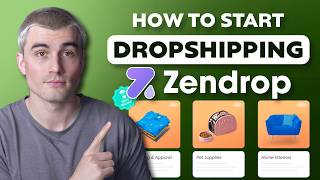
This video tutorials how to set up a dropshipping store using Shopify and the Zendrop app in 2025. It covers finding products, fulfilling orders, and customization options on premium plans.
Zendrop automates dropshipping from Shopify store, offers faster shipping (5–15 days vs AliExpress 20–30 days).
Step-by-step guide: set up Zendrop with Shopify, find products, fulfill orders, and custom branding.
Connects Shopify store, automatically fulfills orders, faster shipping reduces refunds and increases repeat buyers.
Premium plans include custom branding (thank-you notes, packaging) for professional feel.
Get Shopify with free 3-day trial, then $1/month. Install Zendrop app from Shopify app store. Create Zendrop account (free or Plus).
Link offers 50% off first month and $200 order credits.
Shopify is storefront; Zendrop is supplier/product source integrated via app.
Search inside Zendrop for products (e.g., resistance bands, yoga pants). Check pricing, shipping times, origin. Use trending section for beginners.
Before importing, edit title, description, variants (size/color), remove unnecessary images. Rewrite descriptions in own voice.
Use filters like 'ship from US' to avoid tariffs, adjust price range, and choose categories/suppliers.
After editing, click 'publish to store' to push product to Shopify.
Publish product from Zendrop to Shopify. Check product appearance on desktop and mobile. Set markup 2.5–3x for profit.
Make a test purchase to verify checkout and fulfillment process. Spot issues before real customers.
Free plan: manual click fulfill. Premium plan: auto-fulfill. Zendrop sends tracking synced to Shopify.
Check dashboard regularly, bulk fulfill, analyze product performance, adjust ads accordingly.
Premium plan: branded packaging/cards. Respond quickly to inquiries, be transparent about delays.
Zendrop Academy for training on products and ads. Premium users get advanced resources.
Yes – simplifies dropshipping, faster shipping, professional appearance. But requires effort in product selection and store building.
Zendrop is a worthwhile tool for dropshippers in 2025, automating fulfillment and enhancing customer experience, but success still depends on choosing products wisely and investing in store appearance.
What shipping time does Zendrop offer versus AliExpress?
5–15 days vs 20–30 days.
00:56
Name two premium features of Zendrop Plus.
Automatic fulfillment and custom branding (thank-you notes, packaging).
01:09
What is the recommended markup for product pricing?
2.5–3x the cost.
05:40
How does Zendrop handle tracking for orders?
It provides tracking numbers automatically synced to your Shopify store.
06:37
What should you do before publishing a product to check its appearance?
Check how it looks on both desktop and mobile.
05:26
What does Zendrop Academy train users on?
Picking the right products and Facebook/TikTok ads.
08:50
Key Benefit – Faster Shipping
5–15 days shipping reduces refunds and increases repeat buyers.
00:56Premium Branding Opportunity
Custom branding enhances professionalism and customer loyalty.
01:09Pricing Strategy Tip
2.5–3x markup covers costs and ensures profitability.
05:40Customer Experience Booster
Branded packaging and prompt replies differentiate from competitors.
08:12[00:01] If you've been thinking about starting a drop shipping store in 2025, chances are that you've heard of Zenrop, but maybe you're still a little fuzzy on how it works or how to actually get started with it. So, in this video, we're going
[00:14] to break it all down in a super simple step-by-step way. By the end of this, you'll know exactly how to set up Zenrop with Shopify, find products, start fulfilling orders, and even level up your store with custom branding. So,
[00:27] let's dive in. What is Zenrop and why do people use it? All right, let's start helps you run your drop shipping business more smoothly. Instead of using AliExpress and manually fulfilling every order, Zenrop handles that stuff for
[00:42] you. You connect your Shopify store to Zenrop, find the products that you want to sell, and then when someone places an order, Zenrop fulfills it automatically. Here's the key part. Zenrop ships way faster than AliExpress. We're talking a
[00:56] 5 to 15 day shipping compared to 20 to 30 days that you might get from other suppliers. That means happier customers, fewer refund requests, and more repeat buyers. And the process is automated. Once you set it up, you barely need to
[01:09] of their premium plans, you can include your own branding with the orders, like thank you notes or custom packaging, which gives you a more professional vibe. Step one, setting up Shopify and Zenrop. Now, before anything else,
[01:24] you're going to need a Shopify store. If you don't already have one, go ahead and head on down to the description below and get started with our Shopify link where you can get started with a free 3-day trial and then it's just $1 per
[01:36] that. This gives you plenty of time to set everything up. Now, once you've got your Shopify store up and running, it's time to install the Zenrop app. Just go to the Shopify app store, search for Zenrop, and click add app. Follow the
[01:50] After that, you'll want to create a Zenrop account, either the free or Zenrop Plus plan, which comes with extra perks like faster shipping, automatic fulfillment, and branded packaging. And if you use our link down in the
[02:04] description, you'll also get 50% off your first month and $200 in order credits, which is not bad. So, I have a Shopify store here that I went ahead and set up actually using storebuild.ai. And in that process, I
[02:18] also got Zenrop set up as well. So, here's a store that I have that has Zenrop connected to it. So, you have your Shopify store where your store lives and people buy stuff. And then you have Zenrop where you are sourcing your
[02:33] products from that you push over to your Shopify store. Step two, finding products to sell. So, this is where the fun starts. Inside of Zenrop, you can search for products just like you would on any e-commerce platform. Let's say
[02:45] you're building a fitness store or a clothing store. You can search for something like resistance bands or yoga pants and get a list of options with pricing, shipping times, and where the items ship from. Now, the goal here
[02:57] isn't just to pick any random product. Think about what people actually want to specific problem? Will people feel good about spending money on it? These are the kinds of questions to ask. Zenrop also offers a trending product section
[03:10] what's hot right now. It's a good shortcut for beginners. Now, once you add to import list. From there, you'll be able to edit everything, the title, And this is important. You don't want to use the generic product descriptions.
[03:25] Take a few minutes to rewrite it in your own voice, highlight the benefits, and keep it super clear. So, let's go over to Zenrop here. And if we come over to go on find products. Or if we go down
[03:38] So, for here, uh, since we have a clothing store, let's just type in hoodie. and click search. And over here on the right hand side, you can select some filters. So there's like ship from anywhere, ship from US, ship from China.
[03:51] With all the tariffs going on right now, maybe I'll select ship from US. Now, these will be a little bit more expensive costs, but you'll get there here on the right hand side, you can go ahead and select categories. There's
[04:05] also suppliers, so like specific suppliers, as well as a price range. So, of this hoodie here. What you can go ahead and do is you can go ahead and add
[04:17] you can go ahead and change all these descriptions. So, you can go ahead and select the language. You can select the product name. You can also use AI over here as well. There's also different product tags. You can add product type
[04:32] as well as collections. Next, there's the description here. So, this is the and rewrite this yourself. You can use something like chat GBT or you can use here's where you can add any different variants like size and color if
[04:47] that you can select if you want to import them all. These sort of look uh ahead and take off a couple because you don't need 17 of the same exact picture.
[04:59] publish to store, you can go ahead and click that right there. And now it'll go and push it over to your store. So if we go over to Shopify, we come here to products. We should see, yep, there's that cozy beachside hoodie. And if we
[05:11] hoodie that we just selected. Step three, pushing products to your store. product, it's time to publish it to your Shopify store. All you need to do is will do the rest. Now, your product is live and people can start placing
[05:26] orders. Here's a quick tip. Check how your product looks on both desktop and want to make sure that everything looks clean and easy to read. If it feels messy or confusing, people won't stick around long enough to buy. Also, make
[05:40] at how much Zenrop is charging you for the item and shipping. Then, set your leave room for profit. Usually, a 2 and 1/2 or 3x markup is a safe place to that everything looks okay, let's come to online store and we'll click on this
[05:56] little eyeball here to go ahead and view our store. And we can come to our catalog and we'll look for the product that we just uploaded here. And as you four, testing the order flow. Now that your product is live, it's time to make
[06:09] a test purchase. Seriously, don't skip this test. Testing your own store helps you spot issues before real customers experience them. Buy the product like a checkout, pay with your own card, and see how the process works. Then hop back
[06:23] sure that the order shows up. You'll want to confirm that Zenrop processed the order, sent a tracking number, and marked it as fulfilled once it's and help you understand how everything works behind the scenes. Step five,
[06:37] order fulfillment. If you're on Zenrop's free plan, you'll need to fulfill orders manually. This just means clicking fulfill in your Zenrop dashboard when new orders come in. Zenrop will charge your card and then ship the item out. If
[06:50] link down in the description to get 50% off, you can get it so it'll set to autofulfill orders. That means you don't even have to log in. Zenrop handles everything automatically as orders come in. This is especially helpful if you're
[07:03] getting lots of orders every day and you want to save time. Also, Zenrop provides tracking orders for every order and it gets synced to your Shopify store stay informed without you having to manually send them updates. So, if we go
[07:16] back over to Zenrop and we come over here, there'll be orders on the lefth they'll be right here. And if you're on the free plan, there'll be a little you'll just have to press that button every time an order comes in in order to
[07:30] upgrade to the plus plan, it does that all automatically for you. Step six, your store is up and running, you'll want to stay on top of things. Check your Zenrop dashboard regularly to track order statuses, make sure items are
[07:44] delivery times. And if you're getting multiple orders per day, you can use Zenrop's bulk fulfillment feature to fulfill them all at once. It saves a ton performing products, too. If something's selling well, you might want to run more
[07:59] ads to scale it. something's not getting any traction, don't be afraid to swap it boosting customer satisfaction. One of the easiest ways to separate yourself from other drop shippers is by improving your customer experience. Zenrop helps
[08:12] you with that, too. If you're on Zenrop Plus, you can add custom thank you cards, branded packaging, and even custom invoices. These little touches go a long way. When a customer feels like they got something thoughtful in the
[08:24] mail, they're way more likely to come back and tell their friends. Also, make quickly. Even if it's just to say, "Hey, that you care, and if there's ever a delay or issue, be upfront about it.
[08:37] Transparency builds trust. Step eight, going further with Zenrop tools. So, They've also got educational tools to help you grow your business. Zenrop Academy, for example, has training on things like picking the right products,
[08:50] Facebook or Tik Tok ads. They also offer premium users. It's a great way to stay sharp, ask questions, and get advice directly from people who know the game. So, is Zenrop worth using in 2025? If
[09:04] store that's simple, streamlined, and customerfriendly, the answer is a big yes. It cuts down your workload, helps you ship faster, and makes your business look more professional. Just remember, Zenrop is a tool, not magic. You still
[09:17] have to do the work of picking good products, creating a solid store, and the right approach, Zenrop can absolutely be the difference between a runs smoothly. But that's it for this tutorial. If you found it helpful, hit
[09:30] videos. And if you're ready to get started with Zen Drop, check out the advantage of the discounts and bonuses mentioned earlier. This is an affiliate link, which means if you use it, we earn a small commission at no extra cost to
[09:44] support the channel and allow us to continue to create free content just thank you so much in advance. And if you found this video helpful, don't forget to like, subscribe, and hit that notification bell so you never miss
[09:57] we're dedicated to helping you succeed with ecommerce by providing tips, online business. So, be sure to subscribe. But other than that, thank you so much for watching, and we'll see you here in the next video.
[10:11] you here in the next video. [Music]
⚡ Saved you 0h 10m reading this? Transcribe any YouTube video for free — no signup needed.