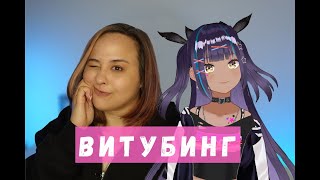

Stream Without Showing Your Face!
47sIt taps into the desire for anonymity while streaming, a hot topic for new creators.
▶ Play Clip"Title promises streaming without a face, and the video delivers exactly that with practical steps and software demos."
This video explains how to become a 'Vtuber' (virtual YouTuber) by using a digital avatar instead of showing your real face during live streams. The creator covers the basics of Vtubing, required equipment, and demonstrates two free programs—Magic Mirror and Face—for setting up a digital avatar with facial and hand tracking.
Vtubing combines 'virtual' and 'YouTube' to allow streamers to use a digital avatar instead of showing their real face.
Sites like Chaturbate and Stripchat allow Vtubing but require additional verification to prove you are the real person behind the avatar.
You only need a webcam or smartphone; a VR headset is optional. For full hand tracking, a Leap Motion device (15-20k rubles) is recommended.
Your computer must meet minimum specs to handle streaming with an avatar; otherwise, it may not work.
Three main programs: Magic Mirror (free), Face (free), and Bucket (paid). VTube Studio allows using a phone as a camera.
Shows how to load an avatar, enable hand tracking, and use OBS with chroma key to overlay the avatar on a background.
Face has a Russian interface, supports facial expressions and head turning, and includes built-in transparency for OBS.
Vtubing is an accessible way to stream without showing your face, using free software and basic equipment. The creator encourages viewers to try it and promises more advanced tutorials if there is interest.
What does 'Vtuber' stand for?
Virtual YouTuber, combining 'virtual' and 'YouTube'.
00:52
What additional verification do adult sites like Chaturbate require for Vtubing?
They require periodic verification to prove you are the real person behind the avatar.
01:30
What is the minimum equipment needed to start Vtubing?
A webcam or smartphone.
04:23
What device is recommended for full hand tracking in Vtubing?
Leap Motion, costing around 15-20 thousand rubles.
05:31
Name two free programs for Vtubing mentioned in the video.
Magic Mirror and Face.
06:15
How do you remove the green background in OBS for Magic Mirror?
Add a chroma key filter to the game capture source.
09:59
Does the Face program require a chroma key in OBS?
No, it has built-in transparency.
13:18
Definition of Vtuber
Clearly defines the term Vtuber as a fusion of virtual and YouTuber.
00:52Verification on Adult Sites
Reveals that adult streaming platforms allow avatars but require identity verification.
01:30Leap Motion for Hand Tracking
Specifies a dedicated device for full hand tracking, a key technical detail.
05:31Magic Mirror Setup
Provides a step-by-step demonstration of setting up a digital avatar with OBS.
07:06Face Program Advantages
Highlights that Face has a Russian interface and built-in transparency, simplifying setup.
11:38[00:05] eyeing some gaming streamers and streamers on DAL platforms for quite a long time streamers and streamers on DAL platforms for quite a long time who stream using a digital Avatar. This is another cool opportunity to stream without a face. But you
[00:21] don't need to show your real body throughout your entire stream. Or you can just use your digital model of a digital Avatar. And then there were also questions about what YouTube is, how to start streaming as a
[00:37] YouTube is, how to start streaming as a YouTuber. I decided that I would become that long-awaited hero that everyone has been waiting for for a long time.
[00:52] basics of YouTube or Tube. This is a name that literally came from name that literally came from the fusion of two words: virtual and YouTube. the fusion of two words: virtual and YouTube. Or YouTuber, if we talk clearly about
[01:06] what it is. This is an opportunity to insert your digital Avatar into the Stream frame instead of you, who will play the entire Stream for you, but it is very
[01:18] important that the Avatar will not work without you. I asked the question: Is it possible to stream using a digital Avatar using Vitubing on two sites? I
[01:30] I used Chatrubait and Stripchat and here is where the response from the sites appears. here is where the response from the sites appears. If you take it, they literally said that yes, of course, you can stream. We welcome this, but for this you will need to
[01:46] undergo additional verification at some time. That is, for example, you stream for two hours. And after that, you are thrown into the verification window, you
[01:58] go through it, showing that it is you who is streaming, that is, some other person is not acting in your place, which allows you to stream for this amount of time, promoting the page non-stop.
[02:13] You can also use the second option, where in parallel with your stream, you constantly turn on an additional Stream where your face is visible. For example, you create an additional account in it, you also
[02:29] verify yourself and stream in the show's passport so that you are not seen. But at the same moment, when support has questions about streaming or you really are, you can just streaming or you really are, you can just show them that yes, this is me streaming. The
[02:44] show them that yes, this is me streaming. The stripchat site is also very pleased that stripchat site is also very pleased that using their bodies but also introduces additional things that will just
[02:58] add to the popularity of the site. Therefore, if you are already interested in the possibility of becoming a YouTuber, then let's watch this video to the end. Because here I will show you two programs by which you can set up your
[03:14] can set up your digital Avatar today and start streaming with [music]. So, how to become a YouTuber? I want
[03:26] to say right away that if you want all your limbs to move and you literally your limbs to move and you literally do absolutely everything that you show on streams, then for this you will need a special headset. In this video, we
[03:40] will not touch on the use of a virtual reality headset for streams. But meanwhile, I will tell you about programs that will provide you with both facial expressions and the programs that will provide you with both facial expressions and the capture of facial expressions and
[03:55] hand capture. Therefore, in this video, we will limit ourselves to using your limit ourselves to using your webcam or smartphone. But if you want me to shoot you a video on how to use a virtual
[04:08] reality headset in order to become that very YouTuber who perfectly shows absolutely everything, then let's collect so many likes and so many views on this video that you really understand that this is what you want. So,
[04:23] what equipment will you need in order to start streaming in the future? YouTuber today, as I said earlier, you only need your you only need your webcam or your smartphone, but when
[04:37] using a smartphone, again, pay attention to what characteristics it will handle your Stream. If not, then you should not use it. You should also understand that your laptop or computer should be
[04:51] enough for your streams. Therefore, if it barely handles one or one and a half sites, do not even try, because most likely it will not handle this Stream. If you do not understand in principle what kind of
[05:07] computer is really suitable, then here I am providing you with this information so that you can also compare. Do you have these characteristics?
[05:19] You also do not have them, and immediately a disclaimer, these are the minimum characteristics that must be. To start streaming as a YouTuber, also for hand tracking so that
[05:31] your digital Avatar completely repeats all your movements, absolutely everything you do, you will need a special device. This device is called device. This device is called lipmotion. It costs around 15-20
[05:45] thousand rubles, but you can find it on Avito for 5-10 thousand [music]. So, what programs might be useful to you now? Every year more and more programs are released
[05:58] for YouTubers, for example, this is just the beginning. Only the tips of the programs that are the most popular on the Internet. Among these programs, 3 stand out the most; they stand out precisely because of their simplicity and functionality. Two
[06:15] simplicity and functionality. Two free ones are Magic Mirror or the last program, Bucket, this is a paid program, so the first two programs are much more popular than the last one.
[06:28] There is also a program in Top Studio. This program will give you the opportunity to use your phone as a camera for your digital Avatar, and if on iOS it is possible to enable the pupil tracking function, then on
[06:43] Android there is no such function. Unfortunately, there is no [music]. So, let's start looking at programs for YouTube, and the first programs for YouTube, and the first program is Magic Mirror.
[07:06] that there is no Avatar that could appear on our green background, so appear on our green background, so we upload a file in which we upload a file in which we created our digital Avatar
[07:20] ourselves, and here we press OK and our girl appears, she does not repeat at the moment, there is no she does not repeat at the moment, there is no need. But if I start moving the touchpad
[07:35] need. But if I start moving the touchpad or if I start something typing, she or if I start something typing, she will start to repeat the movements after me,
[07:47] also by going to the Hands tab, I can enable hand capture, but you and I can immediately enable hand capture, but you and I can immediately see how much our Stream has changed. How our streaming window has changed immediately, so we cannot
[08:00] use it for free. If you want to remove this, then you just need to pay for this option, and just like that, she starts to repeat and just like that, she starts to repeat the movements after me, what I do, but
[08:15] its functionality is quite weak. I don’t have lip motion, so she can’t, for example, turn her hands the same way as I do, and she captures the camera
[08:27] from the webcam. At the moment, I’m filming with another camera, so I’m just turned. But meanwhile, she can perfectly move her hands along with me more or less. That is, if you want to wave to your memory, it’s
[08:50] quite glitchy, but you can still do it. you don’t have screen capture, as you see with me now. And there was just a
[09:02] you see with me now. And there was just a capture of this model, for this, we open our OBS, click on the plus sign in the sources and select game capture, on the plus sign in the sources and select game capture,
[09:17] in the modes, select the capture of an individual. windows the modes, select the capture of an individual. windows under the window We select the program itself under the window We select the program itself and enable transparency and here is our
[09:29] and enable transparency and here is our girl here our window but we see that the VBS window is slightly larger than the
[09:44] program itself and here we open our program and enlarge the window slightly so that our frame is smooth and suitable for the frame of VBS we certainly don’t want to stream on a green background
[09:59] because it’s scary and not interesting for the member so we are now using chroma key and I’ll show you how to connect it to VBS To do this we go to sources right-click
[10:16] to sources right-click on game capture select filters plus chroma key
[10:30] background and I have prepared an image in advance that we can use And here she is beautiful standing against the background of some room a small life hack You can use small life hack You can use your room as a background but
[10:45] process it, for example, using a neural network so it will become more interesting and if you have just promoted Stream for your members You
[10:57] can use the entire room including for example You can start talking to the membrane about a week in advance that in a week there will be a not quite ordinary Stream and for example your nickname will soon be streaming using a
[11:13] nickname will soon be streaming using a digital Avatar, so Come everyone If you want to see me in the image of a digital Avatar and just your Stream will not digital Avatar and just your Stream will not change much, just the background, but the member
[11:26] will recognize you very quickly [music] and the next program that I want to show you This is the program the entire broadcast Face and
[11:38] here you can just pay attention to the fact that the interface is in Russian Therefore, it will be easier for you to interact with this program, we again choose our Avatar which we downloaded
[11:52] our Avatar which we downloaded in advance, click start and now we see that she is already basically repeating after how I speak She can also repeat and then how I blink, but only all her eyes together one after the other
[12:08] She does not pay attention to them plus she can turn her head in different [music] completely repeats how I do it, so this is also quite cool, you can integrate your Stream
[12:36] in order to connect it, we again go to the sources in the capture of the game, we again click on the capture of the game but choose instead of in We choose the magic world
[13:06] oops, and now I'll make it fit my screen a little bit. transparent, but it annoys us. There are additional blocks that we
[13:18] are additional blocks that we don't want to use for this. In the lower right corner, we click on the cross and Voila, it's already transparent. Therefore, there is no need to install a chroma key because it's already built into the
[13:34] chroma key because it's already built into the program itself, and we can just click on our room, and here it is, our baby, already against the background of the same room that we want to use. Well, then, in order to start
[13:50] the broadcast, you, as always, insert the stream keys and start insert the stream keys and start streaming. I really hope that this video will be useful to you, that you'll try it and become a YouTuber today. Be sure to
[14:05] give it a thumbs up, as it's fashionable here on YouTube, and if there is activity, if there is interest, then I will shoot the second part with other programs and tell you even
[14:17] other programs and tell you even more about you.
⚡ Saved you 0h 14m reading this? Transcribe any YouTube video for free — no signup needed.