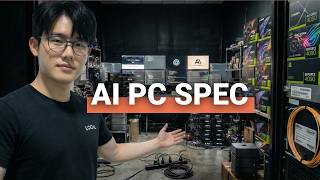

The #1 VRAM Myth for Local AI
45sChallenges common PC building wisdom with a shocking claim that VRAM matters more than GPU speed.
▶ Play Clip"Title accurately promises the bare minimum setup; video delivers detailed hardware tiers and software guidance."
This video explains that VRAM (graphics card memory) is the most critical factor for running local AI agents, not raw GPU speed. Using a kitchen analogy, the speaker describes how model size and conversation history consume VRAM, and provides three hardware tiers for different budgets, along with software recommendations.
VRAM (counter space) matters more than GPU speed (chef hand speed) for local AI. If the model doesn't fit in VRAM, performance drops from ~40 tokens/sec to 2-3 tokens/sec.
A 7B model takes ~5GB at 4-bit compression, 14B ~10GB, 32B ~20GB, 70B ~40GB. Conversation history adds to VRAM usage like dirty dishes piling up.
RTX 4060 Ti 16GB VRAM, Ryzen 5, 64GB RAM, 2TB SSD. Runs 7-8B models comfortably, can push 14B with trade-offs.
Two paths: RTX 4070 Ti Super 16GB (faster) or used RTX 3090 24GB (more VRAM). Runs 32B models well. Mac equivalent: Mac Mini M4 Pro 64GB unified memory.
RTX 4090 24GB, Ryzen 9, 128GB RAM. Runs 32B models like butter, can experiment with 70B. Mac equivalent: Mac Studio M3 Ultra 96GB.
Ollama (CLI) and LM Studio (GUI) are the main tools. Model formats: GGUF/MLX for Mac, AWQ for Nvidia. Using the wrong format leaves speed on the table.
Local AI is not a replacement for cloud frontier models (ChatGPT, Claude). Use local for privacy, cost control, uptime; cloud for heavy lifting. Hybrid setup is best.
For local AI, prioritize VRAM over GPU speed. Start with a $1200-1500 build (Tier 1) and upgrade later. Use a hybrid approach: local for daily tasks, cloud for heavy lifting.
What does VRAM stand for and why is it critical for local AI?
Video Random Access Memory; it determines how large a model can fit without slowing down.
What happens when a model exceeds VRAM?
Performance drops from ~40 tokens/sec to 2-3 tokens/sec as data spills to system RAM.
1:38
How much VRAM does a 7B model need at 4-bit compression?
About 5GB.
2:28
What are the two main software tools for running local models?
Ollama (CLI) and LM Studio (GUI).
11:59
Which model format is best for Nvidia GPUs?
AWQ.
13:03
What is the recommended RAM for Tier 1 build?
64GB of system RAM.
4:37
What is the key advantage of local AI over cloud AI?
Privacy: data never leaves your machine, no terms of service or training on your prompts.
14:35
VRAM is king
Directly contradicts common focus on GPU clock speed; core insight of the video.
Performance cliff when VRAM is exceeded
Quantifies the dramatic slowdown from 40 to 2-3 tokens/sec.
1:38Model size cheat sheet
Provides practical VRAM requirements for common model sizes at 4-bit.
2:28Local AI is not a cloud replacement
Honest assessment that frontier models still live in the cloud; hybrid approach recommended.
13:52[00:00] There's one number on the stats
[00:01] of your graphics card that
[00:03] matters more than
[00:04] everything else combined for
[00:06] local AI agents.
[00:07] And it's not the one you think
[00:08] most people build their AI
[00:10] computer the same way.
[00:10] They would build the gaming PC
[00:12] faster processor,
[00:14] bigger graphics
[00:15] cards and just more power.
[00:16] That's exactly why their setup
[00:17] runs like a garbage.
[00:18] In my previous business,
[00:19] I used to overcharge people for
[00:21] this stuff and made
[00:22] me just sick of it.
[00:23] So I had to quit.
[00:24] Now I just show you how to
[00:25] build it yourself for
[00:27] completely free.
[00:29] Let me explain this in a
[00:30] simplest way I can.
[00:32] We're going to stay in one
[00:33] analogy for most of this video.
[00:35] So stick with me.
[00:36] Your local AI setup is like a
[00:39] restaurant kitchen,
[00:40] the graphics card.
[00:41] That's the part of your
[00:42] computer that does
[00:42] all the heavy math.
[00:44] Think of it as the chef, how
[00:45] fast the chef's hands move,
[00:47] how quickly they
[00:47] can chop, stir, plate,
[00:49] but the memory on the graphics
[00:50] card called VRAM,
[00:52] that's the size of
[00:53] the kitchen counter.
[00:54] Remember that. And here's the
[00:55] thing nobody's
[00:56] really talking about.
[00:57] The counter size matters more
[00:59] than hand speed.
[01:01] Here's what actually happens
[01:02] when you run AI locally.
[01:04] The AI model is
[01:05] basically a giant recipe.
[01:07] When you see a model labeled
[01:09] 7B, that means 7 billion,
[01:12] a seven with
[01:12] nine zeros after it.
[01:14] That's 7 billion tiny
[01:16] instructions that
[01:17] tell the AI how to think.
[01:19] More instructions, smarter AI,
[01:22] but also a bigger recipe that
[01:24] takes up more and
[01:25] more counter space.
[01:26] That entire recipe needs to sit
[01:29] on the counter
[01:30] while the chef works.
[01:31] If it's this, the chef works at
[01:33] full speed, chopping, plating,
[01:36] no wasted movement at all.
[01:38] But the second the recipe is
[01:39] just too big for the counter,
[01:41] the chef has to keep running to
[01:43] the back storage room
[01:44] to grab ingredients.
[01:46] That storage room, is your
[01:47] computer's regular memory,
[01:49] we call it REM instead of VRAM.
[01:52] And it is just
[01:52] way, way much slower.
[01:54] We're talking about going from
[01:56] a smooth 40 words per second
[01:59] down to maybe two to three
[02:00] words, which is just unusable.
[02:03] Now you might be wondering how
[02:05] do people fit
[02:05] these massive recipes
[02:07] on a normal counter?
[02:08] They use shorthand.
[02:10] Instead of writing every
[02:11] instruction in full
[02:12] detail handwriting,
[02:13] they compress it down. We call
[02:15] it a 4 bit compression,
[02:17] which is the same recipe just
[02:19] in a smaller notebook.
[02:21] You lose maybe a
[02:22] tiny bit of a detail,
[02:23] but it's fits on way less
[02:25] counter space at
[02:27] four bit compression.
[02:28] Here's a cheat sheet for you.
[02:30] A seven billion instruction
[02:31] model takes about five
[02:32] gigs of counter space.
[02:34] At 14 billion takes about 10,
[02:37] 32 billion takes about 20,
[02:39] 70 billion takes about 40.
[02:41] That's just the
[02:41] recipe sitting there.
[02:43] The chef hasn't even
[02:44] started cooking yet.
[02:46] The moment you
[02:46] start a conversation,
[02:47] the conversation memory starts
[02:49] growing right?
[02:50] So think of it like dirty dishes
[02:52] piling up on the
[02:53] counter while the chef cooks
[02:55] longer conversation. There's
[02:57] obviously more
[02:58] dishes piling up,
[02:59] less room for the recipe.
[03:01] That's why a model that loads
[03:03] perfectly fine can
[03:04] still slow to a crawl 20
[03:06] minutes into a conversation.
[03:07] The counter ran
[03:09] out of that space.
[03:10] So the question here isn't how
[03:12] fast is my chef?
[03:13] The real question is supposed
[03:15] to be like, how
[03:16] big is my counter?
[03:18] The VRAM that one number VRAM
[03:21] dictates almost
[03:21] everything about your
[03:23] local AI experience. Okay.
[03:27] So now you know
[03:28] the real bottleneck,
[03:29] but here's where most
[03:30] people still mess up.
[03:31] They pick the right counter and
[03:33] then just cheap out.
[03:34] They decided to cheap out on
[03:35] everything else in the kitchen,
[03:37] or they just over buy because
[03:38] some Reddit random
[03:39] Reddit posts told them they
[03:41] need a $5,000
[03:42] setup. Neither is true.
[03:44] Let me walk you through exactly
[03:45] what to buy at
[03:46] every budget level.
[03:48] So this is where most people
[03:50] should start and it's way more
[03:51] affordable than you
[03:53] may have thought. The core of
[03:54] this build is just
[03:55] one graphics card.
[03:57] The RTX 4060 Ti
[03:59] with 16 gigs of VRAM,
[04:02] 16 gigs of counter space, not
[04:05] the eight gigs
[04:05] version. That's the,
[04:06] that's the wrong version.
[04:07] That's the trap. Eight gigs,
[04:09] one fills up the second you
[04:10] load a real model
[04:11] plus the conversation.
[04:12] It's just the haywire, right?
[04:14] So dishes start
[04:15] piling up immediately.
[04:16] You need at least 12 or 16.
[04:18] Yeah, 12 or 16.
[04:21] I'm running mine on, uh, I
[04:23] think mine is 16.
[04:24] Yes. Around that,
[04:25] you build a simple desktop, a
[04:27] and now Ryzen five processor.
[04:29] That's the brain of the
[04:30] computer for local
[04:31] AI. It matters way,
[04:33] way less than you think, but
[04:35] you still need a
[04:36] decent one though.
[04:37] 64 gigs of system RAM. That's
[04:39] the backstories room.
[04:40] You want it big enough that if
[04:42] things spill off the counter,
[04:44] there's somewhere for them to
[04:45] go, you know, now
[04:46] a two terabyte SSD.
[04:48] That's your think of it like a
[04:49] pantry where all your model
[04:51] recipes are stored
[04:52] before you pull
[04:53] them onto the counter.
[04:54] Now there should be a decent
[04:56] power supply as well.
[04:58] That's the electrical panel for
[04:59] the whole kitchen and a case
[05:01] with a good air flow
[05:02] to keep it cool. So total cost
[05:05] total damage is about 1200 to
[05:08] $1,500. Obviously that's USD
[05:10] though. What does
[05:11] this actually run?
[05:13] It could run seven and 8
[05:14] billion instructions
[05:15] model very comfortably.
[05:17] That's your Qwen3 8 billion
[05:19] parameters model that I covered
[05:21] in the last video.
[05:22] You may have watched it. So
[05:23] your deepseek
[05:25] distilled 7 billion,
[05:26] your llama 8 billion. These
[05:28] are, these are not toys.
[05:29] These model handle real coding
[05:30] assistant document
[05:31] summaries, private chat,
[05:33] and light, very light Asian
[05:35] workflows as well.
[05:36] You can push a 14 billion
[05:38] instruction model on
[05:39] this build as well,
[05:41] but you'll feel
[05:42] some kind of trade off.
[05:43] So shorter conversation before
[05:45] the dishes pilot,
[05:46] maybe a slower output.
[05:48] It's still usable, but you're
[05:49] like bumping against the edge
[05:50] of the counter,
[05:52] the end of it, right? Now,
[05:53] if you're already in the Apple
[05:54] world deep into the ecosystem,
[05:56] a MacBook pro or Mac mini with
[05:58] 16 gigs of unified
[05:59] memory gets you into the
[06:01] same exact tier.
[06:03] Here's why Apple is a little
[06:04] different from PC
[06:05] on a regular PC.
[06:07] The graphics card has its own
[06:09] own counter and the
[06:11] computer has a separate
[06:12] storage room in the back room,
[06:13] but on a Mac,
[06:15] there's no storage room.
[06:16] It's just all one
[06:18] big freaking counter.
[06:19] The graphics and the main
[06:20] computer share the
[06:22] same pool of memory.
[06:24] That's what unified means.
[06:26] So 16 gigs on a Mac is all
[06:28] usable counter space,
[06:30] but there's a trade off max at
[06:32] this level are a
[06:34] little bit slower on raw
[06:35] speed compared to the dedicated
[06:37] Nvidia graphics
[06:38] card, but you know,
[06:40] simplicity is just too
[06:41] difficult to beat, Ollama one
[06:44] download and just your
[06:45] running models and minutes.
[06:48] This is the sweet spot for
[06:50] anyone doing serious local
[06:52] work, coding agents,
[06:54] document analysis, multi-step
[06:55] AI workflows. There
[06:57] are two paths here,
[06:57] I think. So path one, you can
[06:59] grab an RTX 4070 TI,
[07:02] super with 16 gigs
[07:03] of counter space,
[07:05] which is much faster chef hands
[07:07] than the 4060 TI
[07:09] more headroom better for
[07:11] agent style loops where the
[07:12] model is thinking
[07:13] properly executing
[07:15] and kind of thinking again. And
[07:17] there's other paths,
[07:18] which I think this is the move
[07:20] a lot of experienced local AI
[07:22] user power user
[07:24] people make. You can buy a used
[07:26] RTX 3090 way for it.
[07:29] It's an older car obviously,
[07:31] but like I told you,
[07:32] when it comes to local AI, the
[07:34] graphics card doesn't really
[07:35] matter. It's all V
[07:36] run. It's all V run.
[07:37] So it has 24 gigs of VRAM in
[07:40] this older graphics card.
[07:42] So 24 gigs of counter space is
[07:44] just a freaking
[07:45] different world at 24.
[07:46] You can run 32 billion
[07:48] instructions model and
[07:49] shorthand and still have room
[07:51] left over for a
[07:52] long conversation.
[07:54] So models like quant three 32 B
[07:56] or deep seek R1 distilled
[07:56] or deep seek R1 distilled
[07:58] 32 B and there are new
[08:00] models. I haven't
[08:01] tested those yet,
[08:01] but these are the models that
[08:02] but these are the models that
[08:03] start rivaling cloud quality
[08:04] for most everyday
[08:06] use cases like task. Rest of
[08:07] use cases.Rest of
[08:07] the build stays kind
[08:08] of similar, you know,
[08:09] Ryzen seven processors, 64 gigs
[08:11] of RAM to terabyte SSD,
[08:13] bigger the better. But you
[08:15] know, on the Mac side though,
[08:16] a Mac mini M4 pro with 64 gigs
[08:19] of unified memory
[08:20] lands you here too.
[08:21] That big share counter means
[08:23] you can load a 32 billion
[08:24] instructions model this
[08:25] and still have reading room for
[08:28] it. Speed is slower
[08:29] than the Nvidia cards
[08:30] but how slow are we talking
[08:32] about like a 10 to 11,
[08:36] 12 words per second. We call it
[08:38] tokens per second
[08:39] is the official term.
[08:40] And it basically means how many
[08:42] words the AI spits
[08:44] out each seconds.
[08:45] You know, like when you type it
[08:46] in the GPT and it
[08:48] generates the output,
[08:49] the speed of the outputs being
[08:51] generated that's
[08:52] tokens per second.
[08:53] And usually 10 to 15 feels like
[08:55] a person typing very fast.
[08:57] 30 plus feels like very
[08:59] instant. So 11 to 12 is,
[09:02] you're at a comfortable range,
[09:04] not blazing fast, but you know,
[09:06] comfortable and the Mac runs
[09:08] quietly sips power and just
[09:11] works smooth like
[09:12] butter. Now onto the next one.
[09:14] butter. Now onto the next one.
[09:16] This is only worth it.
[09:17] If your workflow
[09:17] genuinely demands it,
[09:19] don't buy this because it
[09:20] sounds cool. You gotta, you
[09:22] gotta take this seriously.
[09:24] The centerpiece is RTX 40 90
[09:26] with 24 gigs of counter space
[09:28] paired with a Ryzen
[09:29] nine processor, 128
[09:31] gigs of system RAM,
[09:33] which is a massive storage room
[09:35] for overflow, right?
[09:36] And a beefy power supply. This
[09:38] runs 32 billion
[09:39] instructions models,
[09:40] like butter, just fast chef,
[09:42] big counter,
[09:43] long conversations,
[09:45] just complex Asian chains.
[09:47] You can probably also
[09:49] experiment with 70 billion
[09:50] instructions model at heavy
[09:52] compression, but something that
[09:53] I haven't done it by myself.
[09:55] So I can't really tell you like
[09:57] if it's actually
[09:58] runnable right?
[09:59] So, but I heard it's working,
[10:01] but it's likely you're covering
[10:02] the entire counter
[10:03] with recipe pages.
[10:05] Like you can expect trade-offs
[10:07] on conversation
[10:07] lengths because there's just
[10:09] barely room for the dishes.
[10:11] Now the Apple equivalent is the
[10:13] max studio with an
[10:14] M3 ultra chip and 96
[10:17] gigs of unified
[10:18] memory, 96 gigs of counter.
[10:21] This thing loads multiple
[10:23] recipes at once.
[10:25] A reasoning model on embedding
[10:27] model, a coding model,
[10:28] all sitting on the counter is
[10:29] simultaneously and it idles at
[10:31] under a hundred
[10:32] Watts. The 40 90 desktop will
[10:34] draw five to 10
[10:36] times that under load.
[10:37] One more thing.
[10:38] You'll see people talking about
[10:40] RTX 15 90 builds with 32 gigs
[10:43] of VRAM and dual
[10:44] GPU set up pushing 64 gigs
[10:46] total. That stuff exists,
[10:49] but we're talking like 10 K
[10:50] setup 10 K plus.
[10:51] So that's like,
[10:53] I say that's the highest end of
[10:55] consumer grade
[10:56] graphics, graphics card,
[10:57] the end the boss level.
[10:59] This is for like people who
[11:01] actually want to train their
[11:02] own AI model to do
[11:05] something with it.
[11:06] Like I don't know if you guys
[11:07] seen a recent PewDiePie video
[11:10] where he trained his
[11:11] own AI models for six plus
[11:13] months to cross the,
[11:15] I forgot the name of the
[11:16] benchmarks, but he did, which
[11:18] was pretty interesting.
[11:21] Anyway, quick note on a
[11:23] Raspberry Pi. I love the pie.
[11:25] I don't use it anymore, but I
[11:26] made videos
[11:26] about it in the past,
[11:28] but it's not a
[11:29] local AI daily driver.
[11:30] A PI five is great for like
[11:33] edge experiments,
[11:35] like running OpenClaw for
[11:36] sandbox agent execution,
[11:38] computer vision projects. But
[11:40] if you're trying to
[11:41] run a real language,
[11:42] large language model
[11:43] for chat or coding,
[11:46] you need one of the three tiers
[11:47] that I mentioned above instead
[11:49] of the Raspberry
[11:49] Pi. The PI is the garage
[11:52] workshop for small projects,
[11:54] but the tiers above are for the
[11:56] actual kitchen.
[11:59] If hardware is
[12:00] half the equation,
[12:01] here's the software side, and
[12:03] I'm going to keep
[12:03] this very tight.
[12:04] So for getting models running
[12:06] two options dominate right now.
[12:08] Olama. This is one that I use
[12:10] as a command line tool.
[12:11] So it's a little high learning
[12:13] cup, but it's dead simple. You
[12:15] type one command,
[12:16] the model downloads and loads
[12:17] onto your computer and it's
[12:19] just running there.
[12:20] Works on Mac, Windows and
[12:21] Linux. You can also download it
[12:22] off of their website.
[12:23] LM Studio, which is the next
[12:25] one, the same idea, but with a
[12:26] visual interface,
[12:28] what I mean by visual interface
[12:29] is like a chat GPT. There's a
[12:30] chat window there.
[12:32] So if the command line
[12:33] interface kind of
[12:34] make you nervous,
[12:36] you can start here LM Studio.
[12:38] Both of these handle model
[12:39] downloading graphics card
[12:40] detection and serving the
[12:41] model locally. So your others
[12:43] tools can talk to it.
[12:44] But as far as I remember, these
[12:45] two have different size of
[12:47] context window.
[12:48] Now here's a detail that'll
[12:49] save you real frustration here.
[12:51] Model files comes in different
[12:52] packaging formats.
[12:53] Think of it like how the same
[12:55] movie can be a
[12:56] DVD or if you know,
[12:58] Blu-ray, same content,
[13:00] different packaging optimized
[13:01] for just different players.
[13:03] There's GGUF, it's Guff. It's
[13:05] the format that
[13:06] plays best on Macs.
[13:08] So AWQ is the one built for Nvidia
[13:10] graphics card. If
[13:11] you're on a Mac,
[13:12] just grab GGUF or MLX. If you're on
[13:14] Windows using Linux server with an Nvidia card,
[13:16] you can look into AWQ because
[13:17] what I heard that there was a
[13:19] test that showed
[13:20] that it gave the faster
[13:22] response time and better
[13:23] quality output compared to
[13:25] GGUF on the same card. So most
[13:27] people don't know this.
[13:28] They just grab whatever model
[13:30] files has the most downloads.
[13:32] And if they're using the wrong
[13:33] format for their machine,
[13:35] they're kind of leaving speed
[13:36] on the table there. So for
[13:38] agent workflows,
[13:39] you can plug Ollama into tools
[13:41] like N8N for automation,
[13:44] crew AI for multi-agent setup
[13:46] or build custom pipelines.
[13:47] But that's a whole separate
[13:48] video I'll cover later.
[13:52] I want to be straight with you
[13:53] because I think most
[13:54] AI content online isn't.
[13:57] Local AI agent is not a
[13:59] replacement for cloud AI,
[14:01] closed frontier models. I'm
[14:03] talking about chat GPT,
[14:05] Claude, Gemini, just not yet.
[14:07] Maybe not even, not
[14:08] ever for everything.
[14:10] You know, the biggest, most
[14:11] powerful reasoning models to
[14:13] still live in the cloud.
[14:14] They're all U.S made. When I
[14:16] need frontier level
[14:17] thinking on a complex
[14:19] problem, I use Claude or GPT.
[14:21] Just that's the,
[14:22] that's the truth.
[14:23] But I now have a very high
[14:26] expectation of a new
[14:28] deep seek 4
[14:29] coming. I don't know when.
[14:31] But hopefully it doesn't crash
[14:32] the stock market
[14:33] this time. Anyway,
[14:35] here's what local does better
[14:36] than anything in the cloud.
[14:38] That's just the privacy side,
[14:40] right? Your data
[14:40] never leaves your machine.
[14:42] No terms of service, no
[14:43] training on your prompts,
[14:45] no training on your secrets,
[14:47] your private life.
[14:49] No API logs, cost control, no
[14:51] surprise bills,
[14:53] which is very important.
[14:54] No token meters running.
[14:56] You just pay once for the
[14:57] hardware and every conversation
[14:59] after that is just
[14:59] free. Up time, maybe your
[15:01] internet goes down.
[15:02] Your local model does not care.
[15:04] It just keeps
[15:05] working. That's how it works.
[15:06] It just lives in your device
[15:08] once downloaded.
[15:09] Think of it like this.
[15:10] Local AI is your home gym and
[15:13] cloud AI is like a commercial
[15:15] gym in downtown. Your home gym
[15:17] can handle maybe
[15:17] 80% of your workflows.
[15:19] It's always open, always
[15:20] private. You never
[15:21] wait for a machine.
[15:23] But once in a while you need
[15:24] the heavy equipment downtime.
[15:26] You might want to do some
[15:27] deadlifts. That's
[15:28] fine. You use both.
[15:29] The smartest setup in 2026 and
[15:31] probably beyond
[15:33] is just a hybrid.
[15:34] Local for the daily work cloud
[15:36] through the heavy lifting and
[15:37] the builds I just
[15:38] showed you are exactly where
[15:40] that local side starts.
[15:42] So I know you love summary. So
[15:43] here's the summary.
[15:45] Buy the counter
[15:45] space, not hand speed.
[15:47] VRAM is the number that you
[15:49] need to focus on.
[15:50] Everything else is just
[15:50] secondary budget, the whole
[15:52] kitchen, not just the chef.
[15:53] If you're new, you can start at
[15:55] tier one, 1200
[15:56] to $1,500 builds.
[15:58] It's real, it's capable, and
[15:59] you can always upgrade the
[16:00] graphics card later.
[16:02] Too easy, right? So if this
[16:03] helped you figure
[16:03] out your builds,
[16:05] why don't you drop a comment
[16:06] with a tier that
[16:07] you're going for?
[16:07] I read every single comment.
[16:09] And if you want the full part
[16:10] with links inside of it, I'll
[16:12] pin it in the comments.
[16:14] Thanks for watching. Bye now.
⚡ Saved you 0h 16m reading this? Transcribe any YouTube video for free — no signup needed.