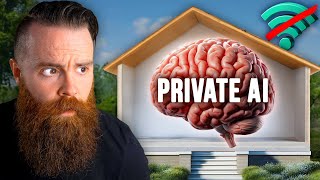

Run Your Own Private AI in 5 Minutes
42sShows how to set up a private AI on your computer quickly, appealing to privacy-conscious users.
▶ Play Clip"The video delivers exactly what the title promises: a clear guide to running your own private AI on a laptop."
This video demonstrates how to set up a private AI on your local computer using Ollama, allowing you to run large language models like Llama 2 without an internet connection. It then shows how to connect your own knowledge base, such as journals or documents, to a private GPT using RAG (Retrieval Augmented Generation). Finally, it discusses VMware's private AI solution for enterprises, which simplifies fine-tuning and deploying custom LLMs on-premises.
All processing happens on your computer, no internet needed, data stays private.
It takes about five minutes to set up your own AI on a laptop using free tools.
A community platform with a vast collection of pre-trained AI models available for download.
Trained on 2 trillion tokens, 6,000 GPUs, 1.7 million GPU hours, estimated $20 million cost.
A tool that installs easily and allows running models like Llama 2, Code Llama, and uncensored versions.
Use 'wsl --install' to set up Windows Subsystem for Linux, enabling Linux applications on Windows.
Running AI models on a GPU is much faster than on a CPU, important for real-time use.
Process of teaching an existing model new information using a small dataset, e.g., 9,800 examples.
For a 7B parameter model, only 65 million parameters are modified, making fine tuning resource-efficient.
Retrieval Augmented Generation allows the LLM to consult a knowledge base before answering, improving accuracy.
What is an AI model?
An artificial intelligence pre-trained on data, such as a large language model (LLM).
1:55
How many AI models are available on Hugging Face?
505,000 models.
2:25
What training resources were used for Llama 2?
2 trillion tokens, 6,000 GPUs, 1.7 million GPU hours, estimated $20 million cost.
3:01
What command installs WSL on Windows?
'wsl --install' in Windows Terminal.
5:27
How do you run Llama 2 using Ollama?
Type 'ollama run llama2' after installing Ollama.
6:18
What is fine tuning in the context of LLMs?
Training an existing model on new, specific data (e.g., company documents) to improve its knowledge for a particular use case.
9:49
In the video's example, how many parameters were changed during fine tuning?
65 million parameters, which is 0.93% of the 7 billion parameter model.
14:41
What does RAG stand for and what does it do?
Retrieval Augmented Generation; it allows the LLM to consult an external database before answering to improve accuracy.
15:42
Why might a company prefer private AI over public ChatGPT?
To maintain data privacy and security, especially when using proprietary information that cannot be shared with external services.
0:47
What was the hallucination example in the video?
The AI answered 'who is Network Chuck?' incorrectly, saying his name was Chuck Davis and channel was Network Chuck on Tech.
8:45
Local private AI
Shows that powerful AI can run entirely offline, preserving privacy and data control.
0:03Llama 2 training cost
Demonstrates the enormous resources required to train large models from scratch, highlighting the value of fine tuning.
3:34Minimal parameter change in fine tuning
Proves that adapting an LLM to new data can be done efficiently with very few resources.
14:41RAG explained
Introduces a practical method to connect an LLM to live databases without retraining.
15:42VMware simplifies private AI
Highlights that enterprise-grade private AI is becoming accessible through integrated solutions like VMware Private AI with Nvidia.
21:07[00:00] I'm running something called private
[00:03] except it's not. Everything about it
[00:07] Am I even connected to the internet?
[00:08] This is private contained and my data
[00:12] company. So in this video I
[00:15] I want to show you how to set this up.
[00:16] It is ridiculously easy and fast to run
[00:21] whatever. It's this is free, it's amazing.
[00:23] It'll take you about five minutes and
[00:26] I want to show you something even
[00:28] I'll show you how you can connect
[00:31] your documents,
[00:32] your journal entries to your own
[00:37] about your stuff. And then second,
[00:38] I want to talk about how private AI is
[00:42] Our jobs, you may not know this,
[00:44] but not everyone can use chat GBT
[00:47] Their companies won't let them mainly
[00:51] but if they could run their own
[00:54] That's a whole different ballgame and
[00:58] They're the sponsor of this video and
[01:01] companies can do on-Prem in their
[01:05] And it's not just the cloud man,
[01:07] The stuff they're doing is crazy. We're
[01:10] but tell you what, go ahead and do
[01:13] Just go ahead and open it and take a
[01:16] We're going to dive deeper,
[01:16] so just go ahead and have it open right
[01:20] on the side or minimize. I
[01:22] I dunno how many monitors you
[01:25] I can see before we get started,
[01:27] You can run your own private ai. That's
[01:34] So yeah, please don't do
[01:37] make sure you're paying attention
[01:39] I'm doing a quiz and if you're one of
[01:42] percent on this quiz, you're getting
[01:46] So take some notes,
[01:51] now real quick, before we install a
[01:55] what does it even mean? What's
[01:58] an AI model is simply an artificial
[02:02] provided. One you may have
[02:05] but it's not the only one out
[02:08] We're going to go to a website
[02:11] Just an incredible brand
[02:14] This is an entire community dedicated
[02:18] there are a ton. You're about
[02:21] I'm going to click on models up here. Do
[02:26] Many of these are open and free
[02:30] which is kind of a crazy
[02:32] We're going to search for
[02:35] one of the most popular models out
[02:39] I love the branding.
[02:40] LAMA two is an AI model known as
[02:45] open AI's Chat. GPT is
[02:48] this pre-trained AI
[02:51] AKA Facebook and what
[02:54] This model is kind of insane and the fact
[02:58] use it even crazier, check this out
[03:01] here we go. Training data.
[03:03] It was trained by over 2 trillion
[03:07] sources. Instruction data sets over
[03:11] data freshness. We're talking
[03:15] Data freshness and getting
[03:18] Step two is insane because this
[03:21] Mata to train this model put together
[03:25] It already sounds cool, right?
[03:29] It took 1.7 million GPU hours to
[03:34] costs around $20 million to train
[03:39] here you go kid. Download this
[03:43] I don't want to call it a being
[03:46] but this intelligent source of information
[03:50] laptop and ask it questions,
[03:51] no internet required and this is just
[03:55] They have special models like
[03:58] They even have uncensored ones. They have
[04:02] This guy George Sung,
[04:04] took this model and fine tuned
[04:08] took him 19 hours and made it to where
[04:11] Anything you wanted, whatever
[04:14] it's not going to hold back. Okay,
[04:16] so how did we get this fine tuned
[04:19] actually I should warn you, this
[04:22] more than you would expect. Our
[04:26] Let's go ahead and take a field
[04:28] We'll go to O lama.ai. All we'll have
[04:32] Alama,
[04:32] and then we can run a ton of different
[04:37] of llamas and there's others that are
[04:41] Llamas. Tdrl. I'll show you in a second.
[04:46] We can see right down here that we
[04:49] but oh bummer, windows coming soon.
[04:52] It's okay because we've got WSL,
[04:56] which is now really easy to set up.
[04:58] So we'll go ahead and click on
[05:01] You'll just simply download this
[05:04] applications for Linux.
[05:07] We got to fun curl command that will
[05:09] install WSL on Windows. This will
[05:15] go ahead and just run that installer.
[05:19] Now, if you're on Windows,
[05:20] all you have to do now to get WSL
[05:23] Just go to your search bar and search
[05:27] just happen. It used to be so much
[05:32] It'll go through a few steps.
[05:35] I'll go ahead and let that do
[05:39] I've got Ubuntu 22 0 4 3 lts installed
[05:44] now. So now at this point, Linux
[05:47] We're on the same path.
[05:49] I'm going to copy that curl
[05:52] jump back into my terminal, paste
[05:55] Fingers crossed, everything should be
[05:59] it'll ask for my pseudo password and
[06:04] Now this will directly apply to
[06:07] See right here where it says Nvidia
[06:10] you're going to have a better time
[06:13] I'll show you here in a second.
[06:15] We'll keep going. Now let's run an
[06:18] So we'll simply type in, oh Lama run,
[06:22] and then we'll pick one llama
[06:26] set go. It's going to pull the manifest.
[06:28] It'll then start pulling down
[06:31] And I want you to just realize this,
[06:34] we talked about all the money and
[06:38] This is the 7 billion
[06:42] It's pretty powerful and we're about to
[06:45] hands in like 3, 2, 1. Oh,
[06:49] it's almost done. And boom, it's done.
[06:52] We've got a nice success message
[06:56] We can ask you anything.
[06:59] Now the reason this is going
[07:01] is that I'm running A GPU
[07:05] So lemme just show you real quick.
[07:06] I did install alama on a Linux
[07:10] performance for you real quick. By the
[07:13] M two or M three processor, it actually
[07:17] I got to install it real quick and
[07:19] What is a pug? It's going to
[07:22] but it's going to be slower on CPUs and
[07:25] but notice it is a bit slower.
[07:27] Now if you're running WSL and you know
[07:31] I'll show you in a minute how you can
[07:34] just sit back for a minute,
[07:35] sip your coffee and think
[07:38] The tinfoil hat version of me
[07:43] the zombie apocalypse happens, right?
[07:47] but as long as I have my
[07:51] I still have AI and it can help
[07:55] Let's actually see how that would
[07:58] I could have it help me with the water
[08:01] right? It's amazing. But can
[08:04] You may have caught this
[08:09] What? Dude, I've always
[08:14] That is so fun, but seriously,
[08:17] It didn't have the correct information.
[08:19] It's so funny how it mixed the
[08:23] I love that so much. Let's try
[08:27] I'll try a really fun one
[08:30] if you want to know which ones you
[08:33] they get a page for their models right
[08:36] including llama two,
[08:39] I might give that to my kids
[08:41] Now who is Network Chuck?
[08:45] Now my name is not Chuck Davis and my
[08:50] Chuck on Tech.
[08:50] So clearly the data this thing was trained
[08:54] plain wrong. So now the question is cool,
[08:57] we've got this local private ai,
[09:02] but how do we teach it the
[09:05] How can I teach it to know
[09:08] and my channel is called Network Chuck.
[09:09] Or maybe I'm a business and I want it
[09:13] available because sure, right
[09:16] you could probably use it in your job,
[09:17] but you can only go so far without it
[09:22] maybe you're on a help desk.
[09:23] Imagine if you could take your help
[09:27] your documentation. Not only that,
[09:29] but maybe you have a database
[09:31] If you could take all that data and
[09:35] questions about all of
[09:38] Or maybe you wanted to help troubleshoot
[09:41] You could even make this LM
[09:44] You feed information about your product
[09:47] that chat bot you make.
[09:49] Maybe this is all possible with a process
[09:53] this AI on our own proprietary
[09:58] company or maybe our lives or
[10:00] whatever use case is,
[10:01] and this is fantastic because maybe before
[10:05] you weren't allowed to share your
[10:08] whether it's compliance reasons or you
[10:10] data because it's secret.
[10:12] it's possible now because
[10:15] it's local and whatever
[10:18] it's going to stay right there in a
[10:20] That idea just makes me so excited
[10:24] how companies and individuals
[10:28] Back to our question though,
[10:31] Training and AI on your own
[10:34] Because as we saw before with
[10:38] it took them 6,000 GPUs
[10:42] Do we have to have this massive
[10:46] Check this out, and this is such a fun
[10:50] what's the latest version
[10:52] Now the latest chat GPT
[10:55] but that wasn't helpful to VMware because
[10:58] on chat hadn't been released yet.
[10:59] So it wasn't public knowledge
[11:02] And they wanted information like this
[11:06] the public.
[11:07] They wanted this to be available to
[11:10] something like chat GBT, Hey, what's
[11:14] And they could answer correctly.
[11:15] So to do what VMware is trying to do
[11:19] data, it does require a lot. First of all,
[11:22] you would need some
[11:24] Then you would also need a bunch of
[11:29] and TensorFlow, pandas, MPI side
[11:33] The list goes on.
[11:34] You need lots of tools and resources
[11:37] That's why I'm a massive fan of
[11:40] They have something called the
[11:44] the gajillion things I just listed
[11:49] one combo meal, a recipe of
[11:53] So as a company it becomes a bit easier
[11:57] For the system engineer you have on
[12:00] they could do this stuff,
[12:01] they could implement this and the data
[12:04] actually do some of the fine tuning,
[12:07] So here's what it looks like to fine tune
[12:10] the curtain at what a data
[12:12] So first we have the infrastructure
[12:17] Now if you don't know what vSphere
[12:20] you got one big physical server. The
[12:23] touch and smell. You haven't smelled
[12:26] And instead of installing one operating
[12:29] you install VMware's, EA XI,
[12:31] which will then allow you to virtualize
[12:35] computers. So instead of one computer,
[12:37] you've got a bunch of computers all
[12:40] And that's what we have right here.
[12:43] a virtual machine.
[12:44] This by the way is one of their special
[12:49] I mentioned and many, many more
[12:53] Everything a data scientist could love.
[12:55] It's kind of like a surgeon walking in
[12:59] assistants or whatever have
[13:01] It's all in the tray laid out
[13:04] All he has to do is walk
[13:08] That's what we're doing
[13:10] Now talking more about hardware,
[13:11] this guy has a couple Nvidia GPUs assigned
[13:16] a technology called PCIE Passthrough.
[13:20] I notice they are V GPU for virtual GPU
[13:25] cutting up the PU and assigning some
[13:29] machine. So here we are in data scientists
[13:33] a common tool used by a data scientist,
[13:35] and what you're going to see here is a
[13:37] the data,
[13:38] specifically the data that they're
[13:42] model on. Now we're not
[13:44] but I do want you to see
[13:45] A lot of this code is all about getting
[13:48] it might be a bunch of the knowledge
[13:51] getting it ready to be fed to the LLM.
[13:55] Here's the dataset that we're training
[13:59] We only have 9,800 examples that we're
[14:04] pieces of data. And that
[14:06] like a simple question or a prompt and
[14:11] that's how we essentially
[14:14] we're only giving it 9,800 examples,
[14:16] which is not a lot at all and is
[14:20] model was originally trained.
[14:22] And I point that out to say that we're
[14:25] ton of resources to fine tune this model.
[14:28] We won't need the 6,000 GPUs we needed
[14:32] We're just adding to it,
[14:33] changing some things or fine tuning it
[14:37] what actually will be changed
[14:41] we're only changing 65 million parameters,
[14:46] But not in the grand scheme of things
[14:49] We're only changing 0.93% of the model.
[14:52] And then we can actually
[14:54] which this is a specific technique in
[14:58] simply feed up additional prompts with
[15:02] people asking you questions.
[15:03] This process will take three to four
[15:06] we're not changing a lot and that is
[15:10] is leading the charge with private ai.
[15:12] VMware and Nvidia take all the guesswork
[15:17] tune an LLM. They've
[15:19] which are insane VMs that
[15:23] everything a data scientist
[15:26] Then Nvidia has an entire suite
[15:29] taking advantage of some really exciting
[15:33] Now there's one thing I didn't talk about
[15:36] For right now it's this right
[15:39] post gray SQL box here.
[15:42] This is something called rag and it's
[15:46] personal GPT here in a bit. Retrieval,
[15:51] let's say you have a database of
[15:54] whatever it is, and you haven't fine
[15:58] So it doesn't know about it. You
[16:01] You can connect your LLM to
[16:05] this knowledge base and
[16:08] Say whenever I ask you a question about
[16:11] before you answer, consult the database,
[16:13] go look at it and make sure
[16:16] We're not retraining the LLM, we're
[16:20] go check real quick in this database to
[16:23] got your stuff right.
[16:25] fine tuning is cool and training
[16:29] but in between those
[16:31] you can have rag set up where
[16:34] your internal documentation and give
[16:38] that database. That is so stinking cool.
[16:40] So with VMware private AI
[16:43] they have those tools baked right in
[16:47] would otherwise be a very complex setup.
[16:51] like I said earlier,
[16:53] I actually connected a lot of my notes
[16:58] using RAG and I was able to talk
[17:03] journal entries and answering questions
[17:07] before we move on,
[17:08] I just want to highlight the fact that
[17:12] gives you some amazing and fantastic
[17:17] then fine tune and customize and deploy
[17:21] So VMware Cloud Foundation,
[17:22] they provide the robust infrastructure
[17:26] tools you need to develop
[17:29] Now it's not just Nvidia, they're
[17:31] So VMware is covering all the
[17:34] And then for the data
[17:36] Intel's got your back data analytics,
[17:38] generative AI and deep learning tools
[17:42] And they're also working with IBM, all
[17:46] VMware has the admin's back. But
[17:49] one of the first AI things I ever
[17:52] and I love this because what VMware
[17:55] If you want to run your own
[17:58] You're not just stuck with one of the
[18:00] run it with Nvidia and VMware,
[18:04] You got options. So there's
[18:06] It's not for some of the bonus section
[18:09] own private GPT with your own
[18:14] it is a bit more advanced,
[18:16] you should be able to get this up and
[18:20] Let's get this going. Now, first of
[18:23] This will be a separate project
[18:26] this is kind of hard to do.
[18:29] which they do it all for you,
[18:30] it's a complete solution for companies
[18:34] What I'm about to show you is not that
[18:37] It's a free side project.
[18:39] You can try just to get a little taste
[18:44] rag tastes like. Did I do
[18:47] Now L Martinez has a great doc on
[18:51] but you can do it. And if
[18:53] he does have a few lines of code for
[18:57] this is CPU only. You can't really
[19:00] which is what I wanted to do. So
[19:03] I've got a Windows PC with an
[19:06] Linux-based project. WSL, and I'm so
[19:11] He put an entire guide
[19:14] I'm not going to walk you through every
[19:17] below, but I seriously need to buy
[19:20] I don't know, Emil, if you're
[19:22] I'll send you some coffee. So anyways,
[19:24] I went through every step from installing
[19:27] drivers and using poetry to handle
[19:31] I landed here.
[19:32] I've got a private local working private
[19:36] browser and it's using my GPU,
[19:38] first I try a simple document upload,
[19:40] got this VMware article that details
[19:43] video. I upload it and I start asking
[19:46] I tried something specific like show me
[19:50] Bam, it figured it out,
[19:52] what's the coolest thing
[19:55] It told me I'm sitting here chatting
[19:58] let's try something bigger. I
[20:00] I've got a ton of journals on markdown
[20:03] about me. Now this specific step
[20:06] So here's how you do it. First,
[20:07] you'll want to grab your
[20:10] about and throw it onto your machine.
[20:12] So I copied over to my WSL machine and
[20:16] complete and I ran private GPT. Again,
[20:18] here's all my documents and
[20:21] So let's test this out. I'm going
[20:26] So I went to Japan in November of 2023.
[20:31] figure out when that was and what I did.
[20:36] That's awesome. Oh my goodness.
[20:41] Let's see, what did I eat in Tokyo?
[20:45] How cool is that? Oh my gosh,
[20:49] but I can see the potential here.
[20:53] Private AI is the future and that's why
[20:57] this to companies to run their own
[21:01] easy. If you actually did that private
[21:04] there's a lot to it. Lots of tools you
[21:07] But with VMware,
[21:08] they kind of cover everything like that
[21:11] their solution. It's got all the
[21:15] you're like a surgeon just
[21:17] You got all this stuff right there. So
[21:20] check out VMware private AI link below
[21:24] sponsoring this video. You made it to
[21:28] This quiz will test the knowledge you've
[21:32] people to get a hundred percent on this
[21:36] Chuck Coffee. So here's how
[21:38] Check the description in your
[21:41] If you're not currently signed into the
[21:43] If you're not a member, go ahead
[21:47] Once you're signed in,
[21:48] it will take you to your dashboard showing
[21:51] with your free academy account.
[21:54] go back to the YouTube video,
[21:55] click on that link once more and
[21:58] Go ahead and click on start now and
[22:03] That's it. The first five to get
[22:06] If you're one of the five,
[22:06] you'll know because you'll
[22:09] You got to be quick, you got to be smart.



⚡ Saved you 0h 22m reading this? Transcribe any YouTube video for free — no signup needed.