
AI Summary
This video demonstrates a complete AI-only workflow for creating dropshipping UGC ads, from generating a realistic AI actor to producing finished video clips. The creator walks through tools like Arc Ads, Nano Banana Pro 2, and VO3.1, then explains how to edit and scale the results using real creators.
Chapters
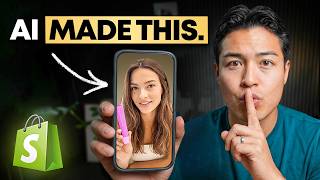
The example ad shows an AI actor, AI voice, and AI setting that viewers cannot tell is fake. The creator argues paying for traditional content no longer makes sense.
Hiring a creator means shipping the product, waiting 1–2 weeks, and spending $150–$500 per video. If the ad fails, you repeat the cycle with a new angle.
Use Arc Ads' UGC Studio to create a consistent AI actor. Keep the same actor across all clips because having 4–5 different people reduces authenticity.
For a Summer Fridays lip balm, target women in their mid-20s into skincare. The prompt drives the actor generation.
Use Nano Banana Pro 2 to merge a clean product image with the actor image. One variation is enough for the product shot.
Build three scenes: holding the product, applying the balm, and filming in the bathroom. Generate three variations of each scene.
Choose the best image, then use VO3.1 video model with a reference/start frame and a motion-and-dialogue prompt. One credit per generation yields realistic movement, cadence, and even mirrored product text.
The lip balm tube is clear, the Summer Fridays text is flipped like a mirrored iPhone selfie, and the voice cadence feels natural.
Use the remix button to tweak prompts. Sora 2 Pro also works but produces less consistent results than VO3.1.
A Notion document duplicates the whole workflow; you can swap in your own product and recreate it with Claude or ChatGPT.
Keep the iPhone UGC aesthetic. Emulate a competitor's winning ad from Meta Ad Library or your feed for structure, pacing, and product timings.
Real creators speaking authentically to their audience outperform AI. Use AI to test hooks and angles first, then hand the winning angle to a real creator to scale.
Mentioned in this Video
Tutorial Checklist
Study Flashcards (10)
What is the traditional cost and wait time for a creator-made UGC ad?
easy
Click to reveal answer
What is the traditional cost and wait time for a creator-made UGC ad?
$150–$500 per video and 1–2 weeks waiting for delivery.
00:31
Which tool and studio are used to create the AI actor?
easy
Click to reveal answer
Which tool and studio are used to create the AI actor?
Arc Ads, specifically its UGC Studio.
01:26
Why should you use the same AI actor across all clips?
medium
Click to reveal answer
Why should you use the same AI actor across all clips?
Consistency builds believability; 4–5 different people would make the ad feel fake.
02:08
What image generator is used to merge the product into the actor's hand?
easy
Click to reveal answer
What image generator is used to merge the product into the actor's hand?
Nano Banana Pro 2.
03:28
What is the purpose of creating three different scenes in the workflow?
medium
Click to reveal answer
What is the purpose of creating three different scenes in the workflow?
To produce multiple ad variants (holding, applying, bathroom) that can be tested.
04:23
Which AI video model gives the most consistent results in this demonstration?
easy
Click to reveal answer
Which AI video model gives the most consistent results in this demonstration?
VO3.1.
06:00
What does the Remix button in the video generation tool do?
medium
Click to reveal answer
What does the Remix button in the video generation tool do?
It lets you adjust the prompt and generate a new variation based on the initial reference.
08:39
According to the creator, why doesn't AI replace real UGC creators?
hard
Click to reveal answer
According to the creator, why doesn't AI replace real UGC creators?
Real creators speaking authentically to their audience still outperform AI; AI should be used to test angles first.
11:10
What is the recommended editing style for AI UGC ads?
medium
Click to reveal answer
What is the recommended editing style for AI UGC ads?
Keep it iPhone UGC style — not a Hollywood production — and emulate a competitor’s winning ad structure.
10:15
What free resource did the creator share to replicate the process?
easy
Click to reveal answer
What free resource did the creator share to replicate the process?
A Notion document that duplicates the workflow; you swap in your own product and use Claude or ChatGPT.
09:20
💡 Key Takeaways
AI UGC quality has reached a tipping point
The demo shows AI actors, voices, and product placement that are virtually indistinguishable from real footage.
00:59Consistency is the secret to realistic AI actors
Keeping the same actor across clips preserves believability — the detail that most beginners miss.
02:08Small realism details sell the illusion
The mirrored product text and natural voice cadence show how micro-details make AI content pass as genuine.
06:59AI changes when you use creators, not whether you need them
The final strategic point reframes AI as a testing layer before paying real creators, making creator spend more effective.
11:10Full Transcript
[00:02] shipped to anyone. >> I've tried literally every lip product >> The actor isn't real, the product in her hand was placed there by AI, the voice, the setting, all of it generated. And I guarantee you can't even tell. And the
[00:16] crazy part, you can do this for any product for a fraction of the cost in a still paying for content right now makes zero sense when this is what's possible. So, the traditional way of getting UGC, you find a creator, you ship them the
[00:31] product, you wait 1 to 2 weeks, and then you spend $150 to $500 per video, and by the time that you find out that that ad isn't working, you've already spent and then you have to go do it all over again with a different angle, a
[00:45] more time on your end. That cycle is what kills most people before they ever every product that you're testing right now and you can see how quickly that gets out of hand. Now, here's what actually changed in 2026. The quality of
[00:59] genuinely insane. Like, I'm going to show you guys the stuff in this video person holding a real product. And you can build it all yourself in a single sitting for a fraction of the cost. So, instead of waiting 2 weeks and spending
[01:13] something didn't work, you find that out today before committing to anything. exactly what I'm going to be walking you through today. All right, so the first actor and this is one of the most underrated parts of the whole workflow
[01:26] because getting this right is what makes everything else look real going forward. is go to the description of the video that you're currently watching and click this link right here from a tool called Arc Ads. Now, this is literally the tool
[01:39] happen for us. So, what you want to do is sign up for Arc Ads. So, once you are it should look like. What you want to do is press new project right here on the top left. And we're going to be creating our first project. So, you want to click
[01:53] see more right here, and then we're going to look for UGC Studio. Pretty is building our actor and we're going to use the same actor across every single clip that we make because if your clip has four to five different people, it's
[02:08] person that is watching the video. We want to keep things very consistent. So, this is the prompt that I gave the UGC Studio to describe my ideal customer. product. Let's just say that this is my brand right here, Summer Fridays.
[02:22] let's just say it is because we're going to use this as the example. So, who actually buys this product? Now, for a lip balm like this, it's probably going to be women in their mid-20s who are into, you know, their skin care routine.
[02:35] That is who we're building for. So, this is the prompt that I have used right we're going to create up to three generations. You can create as many going to charge you for it, which is really nice. And then we're going to
[02:48] press go. All right, because it does take a little bit of time for that to render, I have already done this and these are the three main variations that I got of my creator. So, you can see this is the same prompt that we used
[03:00] choose the image that you think fits best or the image that you think looks best, the most realistic. This is the one that I like and I'm going to go with this one. All right, so now that we have our actor built out, the next step is
[03:13] to take our actual product and place it directly into the actor's hand. So, in physically holding the product towards the camera. Let me just show you exactly going to be doing right here is creating another project. Then, we're going to
[03:28] switch over to the Nano Banana Pro 2. So, what you do first off is get a clear image of your product. You can download this image or you can, you know, screenshot it like this. And then I'm going to ask it to put this on a white
[03:41] balm clear. And we just need one variation of that. In the meantime, I'm going to get my actor right here. And then once this finishes up, we're going we're doing here is we're uploading two images, the actor that we just
[03:57] background product shot. All right, so it looks like we got our image right here. And then I'm going to insert it in here. And then after that, I'm going to insert this prompt, make the woman hold the Summer Fridays lip balm tube in her
[04:10] camera. So, that is the next step. We want her to actually showcase the product in use and put the two together. So, we're going to do three variations of that. All right, nice. So, we got our three images right here. All right, so
[04:23] now we're going to run three separate prompts with three different scenes so within uh this edit that we're going to be working on. So, I'm going to make three more projects so we can kind of organize this. This will be scene one.
[04:36] then I'm just going to create one more. All right, so scene one will be simply just her holding the product in front of her face just like this. Scene two, I'm going to then find that initial image of her. We're going to select Nano Banana
[04:52] her. We're going to select Nano Banana Pro as the main just like this. And now I'm going to switch up this shot to this prompt right here. So, the woman is applying the Summer Fridays lip balm to her lips. So, this scene I want her to
[05:05] what this one's going to be used for. I'm going to get three different variations of it and press go. All right, so here are the three variations. going to do the last scene. We're going to keep those same images. Make sure
[05:19] that we're choosing Nano Banana Pro. And then this last one, I want her to be in the bathroom showcasing the product, but in a different setting. All right, perfect. Now, we have this last scene right here. Now, the next step is to
[05:33] bring this whole thing to life. So, same thing, I'm going to create three more folders, but now for the video scenes. Okay, cool. So, for the first one, what I'm going to want to do is pick the image generation that I think looks the
[05:47] best. I'm just going to go with this one right here. I'm going to download it and then head right into video scene one. And then I'm going to select the model VO3.1. VO3.1 is going to get you the best, most
[06:00] consistent results. why we're going to use it. And then right here, we can either add a reference frame or start frame. I'm going to show you both. So, frame. Now, of course, we're going to want to select that image of the actor
[06:14] just like this. And so, this prompt right here is going to be describing the movement and what we want her to not only say, but also do. So, in this case, That's why we created all three of those folders. So, this is the prompt that I
[06:30] pasted in here. It's a woman that's holding the lip balm tube. And then I want her to say, "I put this on every single morning and my lips stay soft literally all day." It's going to charge me one credit. All right, it looks like
[06:42] it just finished rendering and we can take a quick look at it. >> I put this on every single morning and my lips stay soft literally all day. >> That's so crazy. It looks completely real. It's insane. Like, everything from
[06:59] the movement, the cadence of her voice, the actually like the product is even clear if you look at the image as well. It still says Summer Fridays and it's flipped. It's reversed as well as if she's taken it from her iPhone mirrored.
[07:12] Okay, so this is the first render. Now, we'll do the same thing for the scene two. So, first things first, I'm going to download the image generation that I want to use. And then I'm going to head into the video scene two folder. And
[07:27] then we're going to select VO3.1. I'm going to do this one as a reference image. And then I'm going to drag and drop and then apply my prompt. So, this balm to her lips and she says, "My lips have never felt this good." All right,
[07:42] so the generation has completed. Let's take a look. My lips have never felt this good. Like, actually hydrated for once. It's actually insane. And again, I can change the setting. I I can basically do whatever I want. So, that
[07:57] one's good to go. And then let's do the last one. Go ahead and do scene three. want to use. Head into video scene three. Make sure that we're selecting VO3. And then I'm going to do reference image, drag and drop. And then this
[08:11] time, it's a woman that's holding the tube and she's saying, "I've tried literally every lip product and nothing comes close." All right, so it just finished up. Take a look. I've tried literally every lip product and nothing
[08:25] comes close to this. Crazy. So, if I want to make any adjustments to this video right here, all you have to do is press this remix button right here, confirm, and then it's basically going to allow you to make any
[08:39] adjustments to the prompt itself. And it's going to use that initial reference another variation. And so, what you could also do, if you want, is play around with other types of models like Sora 2. You can see I've created a ton
[08:53] of different variations of this. This one right here is Sora 2 Pro. My lips have never felt this good. Like, actually hydrated for once. So, you can see it comes out a bit different and that's why I said it's a lot more
[09:06] consistent when you use VO3. Also, I put together a free Notion document that that I used in this video so that you can simply just duplicate it and then swap in your own product and then replicate this whole process yourself
[09:20] with either Claude or ChatGPT. And I'll make sure to leave a link to it in the creative, honestly, that used to be the hard part. Now, it's not. The hard part is knowing what's actually do [music] with it. Like, you run your ad, you get
[09:33] Most people, they kind of just guess their way through that and then burn And honestly, that is the whole reason why I built my mentorship program. Not clearly just learn how to do that in less than 20 minutes, but to help you
[09:47] actually turn this into a real business. Everything from product selection, structure, knowing what numbers mean what and what to do with them. Now, if mistakes, waste months guessing, and
[09:59] out, feel free to apply below and we'll see if it makes sense to work together. clips, this is where you actually turn it into a finished ad. I personally like be the best thing that you can use right now. You don't need any crazy editing
[10:15] software. Now, you're not trying to make this insane Hollywood production video, hence why we wanted to do this iPhone UGC style. You want something that looks and feels like a real person made this on their phone, your ideal customer. And
[10:28] the best thing that you can do is find a competitor ad that's already performing well, whether it's on the Meta Ad Library, whether it's an ad that popped up on your feed. You want to essentially emulate that ad. So, everything from how
[10:43] they cut between clips, when they show the product, the pacing. Now, remember, you're not copying it word for word or exactly, but you're using a structure that's already proven to work. If you really don't want to deal with it and
[10:56] then you could send it to some dude on Fiverr for like 20 bucks and he'll put the edit together for you. Just make sure to give him that reference video. probably thinking. If AI can make something that looks this real, why
[11:10] I just want to make this super clear. AI doesn't replace creators, it just changes when you use them. Because real creators are still better. Like when you your audience, that content is going to outperform AI pretty much every time.
[11:24] person talking authentically about a product that AI hasn't fully replicated people are paying for real creators before they even know if the angle that play is to use AI to figure that out first so you can test your hooks, test
[11:39] your angles, see what actually makes people stop, and then you can take that handing them a guess, you're handing them something that already works. Now, you're just telling a real person to do that in their own voice and make it even
[11:53] that you spend on a creator actually count, and that's the whole point of everything that I showed you today. Use AI to figure out what works first, then bring it to real creators to eventually scale it. So, that is the whole workflow
[12:06] everything that you need to go actually build this, and the people who are going to win with this are the ones who go out and test right now instead of watching [music] another 10 videos about it first. So, go build something and see
[12:18] what happens. I'll catch you guys in the next one. Peace.