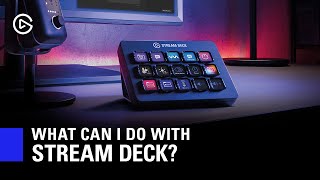

What is Elgato Stream Deck?
38sQuickly explains the core concept of Stream Deck as a stream controller with LCD keys.
▶ Play Clip"Title accurately reflects content; video thoroughly answers what Stream Deck can do."
Elgato Stream Deck is a USB keypad with customizable LCD keys that centralizes stream controls, making actions like muting, scene switching, and lighting adjustments more dependable than hotkeys or mouse clicks. It integrates directly with apps like OBS, Twitch, and Philips Hue, and features Multi Actions for complex sequences. While not essential to start streaming, users find it transformative.
A USB keypad with LCD keys that can be customized with icons for assigned functions, providing real-time feedback.
Stream Deck acts as a stream's controller, centralizing controls into a simple, glanceable tool, avoiding alt-tabbing or fumbling.
Hotkeys can have focus issues; Stream Deck's direct integrations ensure actions work reliably regardless of active app.
Integrates with Philips Hue, Nanoleaf, Elgato Key Light, and Eve Light Strip for programmable lighting effects.
Multi Actions allow combining multiple actions (e.g., launching apps and positioning windows) into a single button press.
Post pre-composed messages to Twitch, YouTube, or Mixer chat for emotes, links, or announcements.
Control mic mute on OBS and Discord via hotkey compatibility, even without direct integration.
Toggle sources like title cards, lower thirds, or memes with a button press for professional or fun effects.
Voicemod integration allows censor bleeps and voice changes triggered by Stream Deck.
Multi Action records last 15 seconds, plays intro, shows replay, and returns to game with one button.
Saves last 30 seconds, imports to Vegas, applies edits, renders, and uploads to Twitter automatically.
Stream Deck is not required to start streaming, but its reliability and versatility make it a game-changer for streamers who want to simplify control and enhance production value.
What is the Stream Deck?
A USB keypad with customizable LCD keys for controlling stream functions.
0:23
What advantage does Stream Deck have over hotkeys?
Direct integrations ensure actions work reliably regardless of active app focus.
1:10
Name three smart lighting brands integrated with Stream Deck.
Philips Hue, Nanoleaf, Elgato Key Light, Eve Light Strip (any three).
2:32
What is a Multi Action on Stream Deck?
A feature that combines multiple actions into a single button press, allowing sequences or simultaneous commands.
2:54
How can Stream Deck control Discord microphone?
Via hotkey compatibility, since direct integration is not available.
3:51
What does the Voicemod integration allow?
Censor bleeps and voice changes triggered by Stream Deck keys.
4:40
Give an example of a complex Multi Action mentioned.
Instant replay: records last 15 seconds, plays intro, shows replay, returns to game with one button.
5:23
Is Stream Deck required to start streaming?
No, it is not required like a microphone or camera.
7:30
Centralized Control
Defines Stream Deck's core value as a single tool for all stream controls.
0:43Reliability Over Hotkeys
Explains why direct integrations make Stream Deck more dependable than hotkeys.
1:10Multi Actions Power
Highlights the transformative capability of combining actions into one button.
2:54Instant Replay Example
Demonstrates professional-level automation achievable with Multi Actions.
5:23Limitless Creativity
Emphasizes that Stream Deck's potential is bounded only by user imagination.
7:05[00:00] Hi, I'm Steggy from Elgato, and in this video
[00:03] we're going to try and answer the question: what can I do with Elgato Stream Deck?
[00:08] Now, some streaming equipment is really simple to explain.
[00:12] You need a microphone to stream, so people can hear you.
[00:14] You need a camera so people can see you.
[00:17] But what does a Stream Deck do, and do I need it to start streaming?
[00:20] So first, we'll talk about what Stream Deck is.
[00:23] In short, it's a USB keypad that has LCD keys
[00:27] where you can upload custom icons to symbolize different functions
[00:31] that you have assigned to those keys.
[00:33] And also, there's a bunch of features that'll update those LCD keys to give you real-time feedback.
[00:39] Now as far as what Stream Deck does is, Stream Deck is your stream's controller.
[00:43] It centralizes all of the controls you need for your stream into a simple, glanceable tool.
[00:49] Instead of fumbling around with your microphone to mute it,
[00:52] alt-tabbing out of your game to change OBS scenes, etc.
[00:55] All of these can be controlled via Stream Deck.
[00:58] And then you have the added benefit of visibility on the states of certain things,
[01:01] because of those LCD keys.
[01:03] Now, how does Stream Deck compare with solutions such as hotkeys
[01:07] or physically clicking around with a mouse and keyboard.
[01:10] Well, the problem with hotkeys on a keyboard or a macro device is that
[01:14] you sometimes tend to have this tug-of-war with focus.
[01:17] Meaning that a hotkey might not work in a certain app
[01:20] if you're clicked away from it and using a different app,
[01:22] so they're not really dependable.
[01:25] If you're using your mouse or keyboard to control, the problem is if you're gaming on PC,
[01:29] in order to execute these controls, you most likely need to alt-tab from the game
[01:33] in order to leave that window and click on the scene or graphic you want to activate.
[01:38] So this is what's really special about Stream Deck, it's the software.
[01:41] Because our software is chock full of direct integrations with applications,
[01:45] so you know when you press a key, it's going to work.
[01:48] And these direct integrations is also what make it possible for Stream Deck to fetch statuses like:
[01:53] Am I live right now?
[01:55] Well, you'll know you're live if you have the start streaming key on Stream Deck,
[01:58] because it'll fetch the state from OBS and display that you're live if you're live.
[02:03] And so will your viewer count key as well.
[02:05] So ironically, the most popular actions that Stream Deck is used for
[02:09] are actions that could be achieved through mouse and keyboard clicks, or hotkeys.
[02:13] But because Stream Deck is so much more dependable and easier,
[02:17] people choose to use it over those other ways.
[02:19] So what else can you do with Stream Deck?
[02:21] Well we asked our community to give us examples of what their favorite actions are for their Stream Deck,
[02:26] so let's see what some of them had to say.
[02:28] AliasV said controlling her Phillips hue bulbs is her favorite thing to do.
[02:32] And this is a pretty cool feature of Stream Deck because we work with Phillips Hue,
[02:36] Nanoleaf, our own Key Light products and Eve Light Strip,
[02:39] to allow you to program different lighting effects at the press of a button.
[02:43] Or even combine this with Stream Deck Multi Actions which allow you to program a sequence of lighting effects
[02:49] to happen simultaneously or one after another, and you can end up doing some really cool things here.
[02:54] Sonuchi said that he likes to use Multi Actions to open up all of his programs.
[02:59] This is a really cool use case for Multi Actions because this feature can basically be combined with any action in Stream Deck.
[03:06] One of them being the Windows mover and resizer plug-in in the Stream Deck store
[03:10] which you can combine these two things to not only launch OBS,
[03:14] your chat window, and your Twitch dashboard,
[03:16] but you can even position them exactly where you want even in a multi-monitor setup.
[03:21] So when you're ready to start streaming you literally just have to press a single button.
[03:26] GuiltyCosplay said that her favorite action is to spam emotes in her chat.
[03:30] With our integrations on Twitch, YouTube and Mixer, you can post per-composed chat messages
[03:36] to your chats, which works great for things like spamming emotes,
[03:39] but you can also easily share links to your merch store, a giveaway you're hosting on Twitter, etc.
[03:45] Captain DreadBeard said he likes to control his microphone
[03:48] not just on OBS, but on Discord as well with his Stream Deck.
[03:51] And this actually takes advantage of hotkey compatibility with Stream Deck
[03:55] because while it's currently not possible to have a direct integration with Discord's microphone functions,
[04:00] using hotkeys you are able to.
[04:02] Basically we wanted to make sure that we have you covered in every way possible with Stream Deck
[04:07] so even though hotkeys might not be as great as direct integrations,
[04:10] it's still important to have that as a feature with Stream Deck.
[04:14] Now, ProBluesPlayer likes to toggle media effects and sources on his stream.
[04:18] This is a really simple feature built within streaming programs but makes a big difference when you have Stream Deck.
[04:24] You can add title cards or lower thirds graphics and launch them with Stream Deck
[04:28] for a really professional broadcast,
[04:30] or you can have some fun with it and use Stream Deck to post dank memes all day.
[04:34] NintendoFanGirl mentioned that she thought that adding bleep buttons to your stream
[04:38] using Stream Deck is really cool,
[04:40] which is made possible by our partnership with Voicemod
[04:43] which not only allows you to add a censor bleep to your mic when you press a key,
[04:46] but this integration also allows you to change your voice into a ton of different characters
[04:51] to have some real fun when you get a new donation, or a new follower,
[04:55] or you just want to have some fun with the people that you play with online.
[04:58] But what about myself? What's my favorite thing to do with Stream Deck?
[05:01] Well, my favorite action is definitely Multi Actions
[05:05] because they make so many things possible.
[05:07] The ability to combine any action in Stream Deck together is remarkable.
[05:13] Even actions that are just very simplistic on their own
[05:16] become so much more intricate and compelling once you combine them together.
[05:23] Some examples of things I've done with Multi Actions is, one
[05:26] I created an instant replay button on my stream where when I press a button,
[05:31] it records the last 15 seconds of whatever I was streaming.
[05:35] It plays this cool little intro graphic to introduce the replay that's about to be shown,
[05:41] and then it shows that replay, and then it goes back to the game that I'm playing.
[05:45] So, technically if you were willing to alt-tab out of your gameplay
[05:49] and then click a bunch of different things at once in OBS,
[05:52] you could have that happen but nobody would ever be able to do that
[05:56] and still focus on their gaming so when you can make that a Multi Action on Stream Deck
[06:02] and just press one button it makes those kinds of things possible
[06:06] that used to only be possible in the professional broadcasting space.
[06:10] Another way I've been able to use Multi Actions is
[06:13] I made one where I was able to save the last 30 seconds of whatever I was playing,
[06:17] actually import that into Magix Vegas,
[06:21] edit it with a couple of pre-done edits,
[06:24] so basically changing the aspect ratio to a square, adding some blurred borders,
[06:28] adding a little lower third with my Twitch channel on there,
[06:32] then rendering that out and then uploading it straight to Twitter.
[06:35] And again, this is stuff that if you were to do this with a mouse and keyboard
[06:40] would probably take five to ten minutes and good luck doing that when you're live.
[06:43] But because I have this programmed to my Stream Deck
[06:46] I just press one key and it does all the work for me
[06:49] so those are just some examples of why I think that multi actions are the best part about Stream Deck.
[06:55] But what's funny here is I've listed quite a lot of things and really, we've barely just scratched the surface.
[07:02] And that's because Stream Deck is only limited by your own creativity.
[07:05] Whenever people ask me what Stream Deck does at a convention
[07:09] I always like to say Stream Deck does nothing but controls everything.
[07:12] And honestly the possibilities are endless because of this.
[07:16] I posed two questions at the beginning of this video.
[07:19] What can Stream Deck do, and do I need it to start streaming.
[07:22] Well to answer question number 1, it's really: what can't Stream Deck do.
[07:27] And to answer question number 2, no.
[07:30] You don't need Stream Deck in order to start your streaming like you do a microphone or a camera.
[07:35] However from my conversations with our community, from those who have tried out Stream Deck,
[07:39] in their own words: they can't imagine having ever ran their stream without it,
[07:43] and there's no going back.
[07:45] So hopefully this clears up a little bit about what Stream Deck can do for you,
[07:49] and if you're interested in trying Stream Deck yourself
[07:52] be sure to check out Stream Deck Mobile which is available on iOS and Android
[07:56] and comes with a free 30-day trial so you can see for yourself.
[08:00] Once again, I'm Steggy from Elgato, and until our next video,
[08:04] good luck, and have fun.
⚡ Saved you 0h 08m reading this? Transcribe any YouTube video for free — no signup needed.