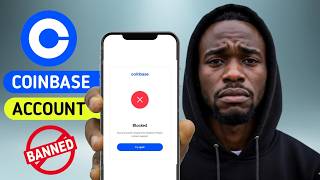

Coinbase Account Locked? Here's Why
40sHigh emotional impact as viewers relate to the frustration of being locked out of their funds, with a promise of a solution.
▶ Play Clip"Title promises to explain bans and delivers a detailed guide on causes, fixes, and prevention."
This video provides a step-by-step guide to understanding why Coinbase accounts get restricted or banned, how to fix the issue, and how to prevent it from happening again by using anti-detect browsers and proxies to maintain consistent digital signals.
Three types: Restricted (common, can log in but actions blocked), Suspended (under review, can take 10 days to 8 months), Blocked (permanent, hardest to recover).
Coinbase uses automated systems that flag inconsistent signals: switching devices/browsers, changing browser fingerprints, logging in from different IPs/countries, incomplete KYC, multiple personal accounts, failed payments, unusual transaction patterns.
Check email (including spam) for restriction reason. Log in and follow in-app prompts; sometimes this auto-lifts restriction. Take screenshots of all prompts.
If KYC-related, upload clear images of government ID, passport, driver's license, or proof of address. Submit one support ticket with all documentation; multiple tickets slow the process.
If no response in 5-7 days: submit new ticket with more evidence, contact Coinbase on X (especially if pending >30 days), or consult a cryptocurrency litigation attorney for large funds.
The real issue is inconsistent browser fingerprints and IP addresses. The fix is to control your digital identity using anti-detect browsers and proxies for consistent sessions.
Anti-detect browsers create isolated environments with unique fingerprints, cookies, and sessions. Assign unique proxies to each profile to avoid detection. Verify fingerprints using iphey.com before use.
Create profiles for each Coinbase account. Assign a unique proxy matching the account's country. Verify IP and fingerprint consistency using ip-address.com and Google 'my IP'.
IP not changing: check proxy assignment. IP-score suspicious: regenerate fingerprint or adjust location settings. Sessions logging out: use GoLogin's stop button to save session.
Use same browser profile per account, never clear cookies, avoid incognito, use stable proxy not VPN, keep KYC updated, respond quickly to verification requests, use trusted payment methods, one account per identity.
To avoid future restrictions, you must control your digital identity by using isolated browser profiles with consistent fingerprints and proxies, ensuring Coinbase sees a stable, trustworthy user.
What are the three types of Coinbase account restrictions?
Restricted, Suspended, and Blocked.
00:58
How long can a suspended account review take?
From 10 business days to 2-8 months.
01:28
What is the most common trigger for Coinbase restrictions?
Inconsistent digital signals like changing browser fingerprints, IP addresses, or devices.
02:11
What should you do first when your Coinbase account is restricted?
Check your email (including spam) for the restriction reason from Coinbase support.
04:19
Why should you submit only one support ticket?
Multiple tickets for the same issue can slow the process as the system may deprioritize duplicates.
05:48
What is the escalation path if Coinbase support doesn't respond after 30 days?
Contact Coinbase publicly on their official X account to accelerate a response.
06:31
What is the root cause of repeated Coinbase restrictions?
Inconsistent digital signals (browser fingerprints and IP addresses) that trigger automated detection.
07:14
What is an anti-detect browser used for?
Creating multiple isolated browser environments with unique fingerprints, cookies, and sessions to manage multiple accounts without detection.
08:13
How do you verify a browser profile's fingerprint before using it?
Open iphey.com inside the profile and check for consistent parameters and no red flags.
09:08
What should you do if your IP doesn't change in the anti-detect browser?
Close the profile, verify proxy assignment in settings, and try a different proxy server address.
12:40
Why should you avoid using incognito mode for Coinbase?
Incognito wipes cookies and changes your fingerprint every session, triggering fraud detection.
14:07
How many personal Coinbase accounts are allowed per individual?
One verified personal account per individual.
03:38
Automated Detection Systems
Explains that Coinbase's system judges signals, not intent, which is key to understanding bans.
02:11Root Cause: Inconsistent Signals
Identifies the fundamental problem behind repeated restrictions, not just the immediate fix.
07:14Anti-Detect Browser Solution
Introduces a technical solution (anti-detect browsers) to maintain consistent digital identity.
08:13Prevention Checklist
Provides actionable rules to prevent future restrictions, making the guide comprehensive.
13:52[00:02] your crypto, and instead of a transaction confirmation, you get this: "Account restricted, withdrawals unavailable, trading disabled." No clear explanation, no obvious fix, just your funds sitting there locked. This
[00:15] happened to me, and when I looked for answers, most of what I found was vague. review." This sounds okay, but what caused this problem in the first place? And more importantly, how do you make sure it never happens again? That's
[00:29] exactly what this video is. A real step-by-step walk-through on how to understand why your Coinbase account gets banned or restricted, how to actually fix it, and then the part most people skip, how to set up your account
[00:43] going forward so you don't run into this problem again. Watch this video till the multi-accounting setup for Coinbase account management, and how to get 2 gig of free proxies so you can protect your account and start with less risk. Before
[00:58] we fix anything, you need to know which situation you're currently in, because one. Restricted. This is the most common. You can still log in, you might even be able to view your portfolio, but specific
[01:12] actions like trading, sending, withdrawing are blocked until you complete a step Coinbase wants. Suspended. Your account is under active review. Coinbase compliance team is looking at something. A transaction, a
[01:28] payment method, an identity flag. You might still log in, but trading and withdrawals are paused. This can take anywhere from 10 business days to in some reported cases 2 to 8 months. Blocked. This is the worst one. Coinbase
[01:42] may have permanently disabled your access, usually because of suspected fraud, repeated policy violations, or unresolved compliance issue. Recovery is possible, but much harder. You'll will to contact support, and if large funds
[01:57] are involved, potentially a cryptocurrency litigation attorney. Quick decision rule. Pause here, look at what you can and can't do in your Coinbase account right now. Here is the thing about Coinbase detection systems.
[02:11] They are automated, and automated systems are not judging your intent. They are judging your signals. So, let's go through every major trigger because understanding this is how you stop this from happening again. Switching devices
[02:25] or browsers too often. If you log in from your laptop, then your phone, then your work computer, then a browser you use for other stuff, Coinbase system sees multiple identities accessing the same account, even if it is just you.
[02:40] Your browser fingerprint kept changing. Every time you clear cookies, use incognito mode, or switch to a different browser, your fingerprint changes. Coinbase tracks this. If your fingerprint looks different login after
[02:54] login, their fraud system treats it as a red flag. Logging in from different IP addresses or countries. VPNs and switching regions confuse Coinbase geolocation tracking. If your account logs in from the Netherlands, then the
[03:09] US, then Singapore, all within a short window, that looks like a compromised account. Incomplete or outdated KYC. Coinbase operates under financial regulation that require KYC verification. If your ID is expired,
[03:24] your address doesn't match, or you never finish the verification flow, restrictions will come, often without a clear warning. Multiple personal accounts. This is a hard rule. Coinbase terms of service allow one verified
[03:38] personal account per individual. If they detect you have more than one through matching IDs, SSNs, bank accounts, IP addresses, or browser fingerprints, they give you 15 days to close the extras. If you don't, all
[03:52] accounts can be suspended permanently. Failed or suspicious payment methods. A failed bank transfer, a rejected card, or a payment method that doesn't match your verified identity can trigger a security hold automatically. Unusual
[04:05] transaction patterns. If your trading volume, wallet activity, or transaction frequency falls outside what Coinbase algorithm considers normal, the automated system will flag it even if you have done nothing wrong. All right,
[04:19] now let's actually fix this. I'm going to walk you through this exactly as I would do it myself. Step one, check your email. Right now, open the email account tied to your Coinbase profile. Search for emails from Coinbase support. Check
[04:33] your spam folder, too. Some emails sometimes land there. The email should tell you what triggered the restriction and what they need from you. This is your road map. Step two, log in and follow the in-app prompts. Sign in to
[04:47] coinbase.com. Try to do the restricted action, a withdrawal, a trade, whatever is blocked. When the restriction alert appears, don't miss it. Click through it. Coinbase will often walk you through on-screen question. Answer them
[05:02] accurately. In some cases, this alone triggers an automatic review and lifts the restriction. Pause and do this now. Before you move to step three, take a screenshot of every prompt and message you see. This
[05:15] documentation matters if you need to escalate later. Step three, submit documents if asked. If the issue is KYC related, which is the case most of the time, you'll be asked to upload one or more of these: government-issued ID,
[05:31] passport, driver's license, or proof of address. Upload clear, high-quality images. Blurry or cropped documents get rejected and add days to your timeline. Step four, submit one support ticket, not multiple. I know it is frustrating
[05:48] when you don't hear back, but creating multiple tickets for the same issue actually slows the process down. Their system can deprioritize duplicate requests. Submit one ticket with all your documentation attached, then follow
[06:02] up on that same ticket if you haven't heard back in 5 to 7 days. Here are the checkpoints you should have. You should have reviewed your email for the restriction reason, completed all in-app prompts, submitted required documents
[06:16] with your support ticket, screenshots of everything. Let's be honest, sometimes Coinbase support doesn't move fast. Here is your escalation path. Submit a new ticket with additional documentation, more evidence, clearer explanations. A
[06:31] fresh submission sometimes reaches a different reviewer. Contact Coinbase publicly on their official X account. Public visibility can sometimes accelerate a response. This is especially useful if your
[06:46] account has been pending review for more than 30 days. If you have a significant amount of funds locked and weeks have passed with no response, consult a cryptocurrency litigation attorney. This is rare, but it is a real option that
[07:01] some users have used successfully for serious cases. Here is the part most people miss. You fix the current restriction, Coinbase lifts it, you go back to the same workflow, and a few weeks later you are back here watching
[07:14] this video again. Why? Because you haven't fixed the root cause. The root cause is almost always this: inconsistent digital signals. Think about it like this. Imagine showing up to your bank branch every week. One week
[07:28] you wear glasses, a beard, and a cap. Next week you are clean-shaven with no glasses. The week after that you are dressed completely differently, and you are coming from a different city. Even if it is you, the teller flags it
[07:43] because to their system none of these visit look like the same person. That's exactly what Coinbase system are doing with your browser fingerprints and IP address. The fix is not just to resolve the current restriction. The fix is to
[07:58] control your digital identity so your sessions look consistent, clean, and human every single time. And this is where Anti-detect Browsers come in. Let me explain this as a category first. An Anti-detect Browser lets you create
[08:13] multiple fully isolated browser environments. Each one has its own fingerprints, its own cookies, its own saved sessions, its own login states. They don't bleed into each other. For multi-accounting, meaning situations
[08:27] where you're managing more than one account, whether for different wallets, different team members, or different use cases, this is critical. Without isolation, every time you switch between accounts in a normal browser, you're
[08:39] dragging signals from one session into another. Cookies, login history, cache data, it all mixes. [clears throat] That mixing is exactly what platforms like Coinbase detect and flag. Anti-detect Browsers also let you assign
[08:53] a unique proxy to each profile. So, not only does each identity have a different fingerprint, it also has a different IP address. That's the combination that makes multi-accounting clean and consistent. Now, here is a rule I use
[09:08] with any Anti-detect Browser, and I recommend this regardless of which tool you pick. Before you do any real work in any profile, verify the fingerprint first. The easiest way to do this is to open iphey.com
[09:23] inside the profile and check that the fingerprint looks clean and consistent. What you are looking for is no obvious red flags, consistent parameters, nothing that looks like a mismatch or a technical anomaly that a platform
[09:36] detection system would notice. If something [clears throat] looks off, regenerate the profile settings or recheck your proxy before logging into anything real. Now, in my own workflow, I use GoLogin. I like how it keeps
[09:49] profiles organized, makes the setup repeatable, and the proxy integration is clean. So, I'm going to show everything on GoLogin, and I do recommend it. All right, let's build this out. I'm going to create three profiles, each one
[10:03] representing a separate Coinbase account. I'll name them clearly so you can follow along. Click new profile in the top right corner of the dashboard. This is going to be your primary personal account profile. Now, scroll
[10:18] down to the proxy section. Here is where you assign the IP address that this profile will always use. Click on the proxy drop-down. Select your country. For most users, this should match the country your Coinbase account is
[10:32] registered in. If your account is US registered, pick a US proxy. Hit check proxy to confirm it's live and working. Good, you can see the IP address it resolved to. That's the IP Coinbase will see when this profile logs
[10:48] Coinbase will see when this profile logs in.
[11:01] profiles. You should now have three profiles in your GoLogin dashboard. Each profile has a unique name tied to its purpose. Each profile has a unique proxy assigned. No two proxies share an IP. Now, let's run this and verify them
[11:16] properly. This is the part most people skip, and it is the most important habit you can build. Click run on Coinbase main. A new browser window opens. It looks just like Chrome, but it is fully isolated. Type ip-address.com in the
[11:31] isolated. Type ip-address.com in the address bar and press enter.
[11:45] You are checking a few things. Is the fingerprint consistent? Nothing should look like a mismatch between your browser data and your IP. Are there obvious red warnings or suspicious flags? Does the IP match the country you
[11:58] selected in GoLogin? If everything looks clean, you are good. If you see red flags, regenerate the profile's fingerprint settings in GoLogin or swap to a different proxy and run it again. Open a new tab, go to Google, type my IP
[12:14] and hit enter. Then click these results. This tool will show you the IP address this profile is representing. This should match the proxy you assigned. It should not be your real home IP. This is your proof
[12:26] that the isolation is working, that this browser window has a completely browser. You are now ready to log in to Coinbase inside this profile. Let me go through the most common issues you will hit and
[12:40] exactly how to fix them. IP doesn't change. The proxy isn't connected. Close the profile, go back to GoLogin settings, verify that the proxy is assigned and saved correctly. Run it again. If it still shows your real IP,
[12:55] try using a different proxy server address from your provider. IP-score shows suspicious or red flags. Don't log in to Coinbase yet. Go back to GoLogin, open the profile settings and look for the regenerate option on fingerprint
[13:10] parameters. Apply new fingerprint settings, run the profile again, then recheck IP-score. If it keeps showing red flags, the issue might be the proxy location conflicting with the fingerprint's language or time zone
[13:23] settings. Adjust them to match. Coinbase sessions log out every time you open the profile. Make sure you are letting GoLogin save the session when you stop. Don't force quit the browser window.
[13:37] Click stop in the GoLogin dashboard. This triggers the cloud session save. Next time you run the profile, the session will be restored automatically. Before you go, here is your complete prevention checklist. These are the
[13:52] rules that keep your accounts clean. Use the same browser profile every single time for each Coinbase account. Never log in from a different browser or a different profile. Never clear cookies inside an active account profile. Let
[14:07] the session stay intact. Never use incognito mode for Coinbase. Incognito wipes cookies and changes your fingerprint every session. Limit VPN use. If you need to protect your connection, use a stable proxy assigned
[14:22] to the profile, not a VPN that lets you switch countries freely. Keep your KYC documents updated. If you move, update your address. If your ID expires, upload the new one before Coinbase asks. Respond quickly to any Coinbase
[14:37] verification request. Delays increase the chance of automatic escalation to a harder restriction tier. Use trusted payments methods. Don't link and unlink bank accounts or cards frequently. One account per verified identity. If
[14:53] you legitimately need more, set up proper isolated profiles with unique IPs and separate credentials. If you want to replicate this Coinbase account management setup, the full multi-accounting workflow with isolated
[15:07] profiles, clean fingerprints, and stable proxies. To get 40% off GoLogin and claim the 2 gig free proxies, click my link in the description or the pinned comments below. The link is right there. 40% off
[15:23] 2 gig of free proxies included. Start with that, build your profiles, run the IP check, and you have got a setup that protects your accounts from the kind of messy signals that get accounts flagged in the first place.
[15:37] If this helped you, drop a like. It genuinely helps this video reach people who are stuck dealing with a restricted account right now. And if you have any question, feel free to leave them in the comment section below. Thanks for
[15:51] comment section below. Thanks for watching.



⚡ Saved you 0h 16m reading this? Transcribe any YouTube video for free — no signup needed.