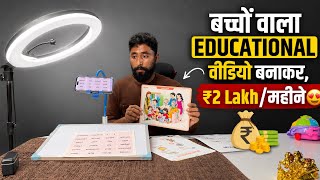

Why kids' educational videos get millions of views
43sReveals a niche with high demand and parental promotion, tapping into a lucrative and low-competition content strategy.
▶ Play Clip"Delivers on the promise of showing how to make faceless educational videos, but padded with repetitive encouragement and vague monetization claims."
This video teaches viewers how to create faceless educational content for young children, targeting LKG, UKG, and first-grade students. The creator demonstrates the entire process, from setting up equipment to editing videos with the VN app, emphasizing that such content can attract views and monetize quickly on YouTube.
Creating educational videos for small children can earn a lot of money because children's videos get many views and parents are willing to show educational content to their kids.
Target small children in LKG, UKG, and first grade. Short videos get many views and can be monetized.
The whole game is in editing. Without good editing, children will leave the video, so editing is crucial for engagement.
You need a ring light, a wire stand for the mobile (not a tripod), a whiteboard, and teaching materials like toys and flashcards.
Set up the light so it falls properly on the whiteboard, making the video bright. You don't need to show your face.
Record yourself teaching words or concepts, e.g., spelling 'BAG' or explaining traffic lights. Each video takes 3-6 minutes to shoot.
Open the VN application, import the video, rotate it, set frame rate to 16:9, and zoom in. Then add images corresponding to the words (e.g., a bag image when saying 'BAG').
Go to the Music section in VN, download a track or choose one from the app, and add it to the video.
Export the video and upload to YouTube. The content is original and can be monetized easily, potentially getting crores of views.
By following this simple process, anyone can create faceless educational videos for children at home, which can be monetized and potentially earn significant income on YouTube.
What is the target age group for the educational videos described?
LKG, UKG, and first-grade children.
00:43
What equipment is needed to create the videos?
Ring light, wire stand for mobile, whiteboard, and teaching materials.
01:24
Why is editing considered crucial for these videos?
Without good editing, children will leave the video, so editing is essential for engagement.
01:12
What frame rate is recommended for YouTube videos in the VN app?
16:9.
06:24
How long does it take to shoot one video?
3 to 6 minutes.
04:20
Educational Content for Kids is Lucrative
Highlights a niche with high view potential and parental support.
00:02Editing is the Key to Engagement
Emphasizes that editing determines whether children stay or leave.
01:12Step-by-Step Editing with VN App
Provides a concrete editing workflow using a free app.
05:57Monetization Potential
Claims that such videos can get crores of views and be monetized easily.
09:03[00:02] create educational content for small children, how to make an educational video which you can make sitting at home and which can earn a lot of money. Yes friends, there is a lot of earning and this video will be for small children because you know that
[00:15] videos with children get a lot of views and if you take advantage of this and make educational content then parents will also show your video to the children and because watch mobile a lot and parents remain very worried. So you should take
[00:30] advantage of this. You should create educational content for children so that parents can also show your videos to their children. This will bring a lot of views to your video. Your channel will also be monetized very soon and you will earn a lot of money.
[00:43] And let me tell you one thing, there is a lot of earning on educational content. So now I will teach you how to make this video and how anyone can make it at home. You have to target small children like LKG, UKG, one class
[00:58] children and in this, short videos get a lot of views and You can also monetize your channel through both methods. Let me tell you how the video is made. So friends, it is very easy to make this video
[01:12] and how to edit it ? The whole game is in the editing. Because if you make a video and do not edit it, then it will not be engaging. Children will leave your video, run away, and will not watch it. So, I am going to explain to you now
[01:24] So, first of all let me show you what all things you will need. It will not cost you much money. In this way you will have to take a ring light. You can see. In this way you do
[01:37] not need a tripod stand for the mobile. You don't need that stand. Ok? I do n't want that stand. You need a tripod like this. Look, I need that mobile stand. This means you need a wire stand so that you can fix it on the table like this.
[01:49] One you need is a white board like this. Here you can see that a white board is required. And these things are teaching things which are specially for children. How will I get these? Now you can see that I have a lot of them here.
[02:02] Look, I have ordered a box full of it. And here you can see that there are a lot of things in it. That's a lot of it. Look, this is also filled in. This is also full. Here you can see below, this is it. These are
[02:15] light. Children had to be told about traffic lights. So how will you tell? So all these things are very important for children are very important for children and every parent would want their
[02:29] children to learn all these things. So your parents themselves will promote your video. how my video will get views. Your video will automatically get views. You just have to do the editing well and make the video well. Only two are useful.
[02:42] So first of all let me tell you how to make a video. So you have to set up the light in this way so that this light of yours falls on it properly and your video becomes very bright. So right now
[02:55] I am turning it off because look here, the light is on in front and its close this one. But when you make a video, you will not have this light. You need this light and you don't even have to show your face in it. So
[03:09] I will make this video and show you how to make this video. So first of all I am closing this. Now look here, oh sorry, look here, you have to fix your camera in this way and after this, you have to
[03:25] fix the camera properly every day so that your video comes in the proper frame. So I'm going to adjust it like this here. Now see, in this way you will get one video every day, that is, shorts will also be made in this and your
[03:39] see, suppose you are teaching children, anyone can teach in this way. There are ladies in the house, you don't do any work at home. If you are a housewife, then this is a
[03:51] not even need much education. So how to make it? For example, How to teach? So you have to turn on the camera here and after this you have to say and after this you have to say read children BAG BAG DO DOUBLE L DOLL CRAA
[04:07] read children BAG BAG DO DOUBLE L DOLL CRAA CRAB PI DOUBLE Z A S PIZZ CRAB PI DOUBLE Z A S PIZZ ROSES ROSE B A N A N A BANANA,
[04:20] so see, you will have a video here, it will take you 3 to 4 minutes, 5 minutes or 6 minutes to make this one video, your video will be proper. Ok? What is written here after this? Then you remove it. One of your topics is done. Ok
[04:33] ? After this, now the next day you have to tell the children about traffic lights. So what do you have to do here? What is the meaning of stop ? So here you have to show it by coloring. For example, if it is red in colour then you have to show it in red colour.
[04:46] Ok? If it is of weight then you have to show it in yellow color. Green Go means like here there is Go, so it has to be shown in green colour. And after this you have to say stop. Look what is this? Read it, children. How to make a traffic light video? Look like
[05:01] video will be created again and ready in front of us. Look in front of you right now. So kids, in today's video we will learn about traffic lights. We will
[05:15] learn about train traffic lights. Stop. So here you have to do the raid. Yellow wait yellow go then green here. This is how you have to do it. Then what do you have to do the next day? Similarly, if you have to teach the colors to the children, then what do you have to teach here,
[05:28] like today we will teach the children about colors, so today we will teach the children about colors, so black, B, L, A, C, Black, C, L, A, P, black, B, L, A, C, Black, C, L, A, P, Clap, okay, F, L, A, G, Flag, sorry, there are
[05:42] many types of words in it, so here you have to demonstrate it. Now how to edit this video ? I am going to teach you how to edit this video. You will learn carefully. Here, first of all you have to edit the video that you have
[05:57] shot. Look here I come to my gallery. After coming to the gallery, look here, this video which I have shot is in front. Now how to edit it? Let me tell you. So first of all you have to open VN application.
[06:10] After opening the VN application, you have to click on the plus icon here. After coming here, you have to go to the video section and take that video. video is something like this. So first of all we rotate it. So look here,
[06:24] rotate it. So look here, we have rotated it and we are making its frame rate 16:9. We are zooming it a little bit which is the frame rate of YouTube. Ok? So we zoomed in. Now
[06:38] after zooming, look, listen carefully here where I have said BAG, look read children BAG back, now here I have
[06:50] said back, so what will I do now, I will put an image of the back here, so see what is it here, I went to this and after this I will add an image of the back here, see this and what will I do with it, I will cut it out, so here here, in this
[07:07] way I removed its background and here as soon as I said back. Ok? As soon as I said the bag, I put it here like this. Ok? Now after this we will do a little bit of this. Look at this.
[07:23] I placed it here. I will move it a little bit further here. Look at this bag D. Now look what I am saying here again ? DOL Doll. Ok? So what should I do? Oh double L
[07:38] ? I will put an image of the doll like this. Look here, there is a doll in front of you. So I put an image of the doll here like this. Ok? Look, it will be Ok? Look, it will be easy for children to understand this. Look,
[07:53] now after this we will do the second one in the same way. Now what have we said in the second one Now what have we said in the second one ? C.R.A. Crabb. Ok? ? C.R.A. Crabb. Ok? So here, as I said crab,
[08:08] what should I do here? I will put that image. I will put the image of the crab like this. Look, this is the crab here. Look, I put crab on it. Ok ? Look at this. Correct? And after this you have to
[08:22] make your entire video in the same way. And here you how do you add background music here? Simply you have to go to Music Wale, you have to go to Music
[08:34] and after this you have to download something or you can do it from here also. Ok? Ah, let's say I click on the blog one.
[08:47] and here we read [music] children B A G very, look at this B O double L dole,
[09:03] ready and after this you have to export this video from here and on YouTube. Your original content will remain. You will also be able to monetize it in a very easy way and it will get crores of views, brother, it will get crores of
[09:17] views, so you make such videos and earn money from YouTube, if you liked the video then tell me by commenting who all are making videos on this topic, who all are making this channel, last time I had
[09:30] made such channels for many people, today out of them, about thousands of people are getting payment from YouTube every month. Now it remains to be seen who are creating channels after watching this video. Please If you liked the video, please let us know by commenting. If you haven't subscribed to the channel, please
[09:44] Friends, that's all for today's video, see you in a new video with a new topic. in a new video with a new topic.

⚡ Saved you 0h 09m reading this? Transcribe any YouTube video for free — no signup needed.