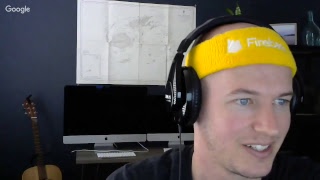

50K Subscribers & Massive Giveaway!
45sCelebrating a milestone with a huge giveaway creates excitement and urgency, driving engagement.
▶ Play Clip"The title promises a car giveaway ('You get a Car!') but the actual content gives away stickers and a t-shirt, which is highly misleading."
The creator celebrates reaching 50,000 subscribers by hosting a live stream with sticker and t-shirt giveaways. He provides updates on upcoming YouTube videos (TensorFlow.js), an Ionic course extension (real-time chat with file uploads), and the fireship.io project for pro members. Additionally, he demonstrates an Angular + Firebase application built for the sticker giveaway, highlighting key reactive patterns like using switchMap and the async pipe.
Creator thanks viewers for 50,000 subscribers and announces giveaways: a one-of-a-kind JavaScript t-shirt and stickers for all live stream viewers, claiming he built the giveaway app last night with Angular and Firebase.
Plans a TensorFlow.js video this week and an extension to the Ionic course with a real-time chat feature, file uploads via camera, and possible geolocation features (approx. 2 weeks out). Also notes progress on the fireship.io project for pro members.
Switches to screen share to show a real-time die-cut sticker giveaway app (199 stickers). Explains users log in with Google, submit their address, which is saved to Firestore in real time. Mentions the app handles traffic seamlessly, with 172 addresses added during the stream.
Shows code where an authenticated user is an observable. Uses switchMap operator to switch from the user observable to a Firestore document observable (collection 'stickers' with user ID document) to get user-specific address data.
Demonstrates using the async pipe with the ngIf directive on a main element, assigning the observable to a template variable. This allows conditional templates (e.g., show form if count < 200, sold out otherwise) without manual subscriptions, and the async pipe automatically unsubscribes on component destroy.
Selects comment winner for the JavaScript t-shirt from previous video (Navin II, comment #74 of 150). Directs winner to message on Slack or email to redeem.
Suggests competing in data science competitions on Kaggle to learn ML with real-world data. Mentions prizes can reach $100k+.
Answers why rebranding: original name 'angular firebase' was too technology-specific and infringed on their turf. Wants a personal brand (fireship.io) with optimized content for intermediate/advanced developers building software products.
Shares he has a newborn limiting travel; plans to build a new PC with an NVIDIA RTX 20-series GPU (currently has GTX 1080). Considers doing Flutter tutorials in the future.
Plans to do live streams weekly/bi-weekly. Leaves sticker link open for latecomers; pro members can get stickers via pro dashboard. Mentions sending a business card or autograph with stickers.
The stream successfully celebrates 50K subscribers with giveaways while sharing practical Angular + Firebase patterns (switchMap, async pipe) and upcoming content plans. The creator concludes by promising regular live streams and ongoing support for pro members.
What operator does the speaker recommend to switch from a user observable to a Firestore document observable?
switchMap
6:53
How does the async pipe help prevent memory leaks in Angular?
It automatically unsubscribes from observables when the component is destroyed.
9:00
What site does the speaker recommend for learning machine learning with real-world data?
Kaggle
12:39
Why did the speaker rebrand from 'angular firebase' to 'fireship.io'?
To have a personal brand not tied to specific technologies and not to infringe on their trademarks.
13:44
What is the purpose of using ngIf with the async pipe and a template variable in the HTML?
To conditionally show templates based on observable data (e.g., sticker count) without manually subscribing or managing change detection.
8:21
How many stickers did the speaker order for the giveaway?
200
3:10
What feature will be added to the Ionic course extension based on the poll?
A real-time chat feature with file uploads and possibly geolocation.
1:50
What GPU does the speaker's current PC have?
GTX 1080
16:02
What is the 'count' variable tracking in the giveaway app?
The number of stickers claimed (to show form if < 200, sold out if >= 200).
8:27
How can pro members get a sticker if they miss the live stream?
They can fill out a Google Form linked from the pro dashboard at fireship.io.
4:05
Celebrating 50K and Giving Back
Authentic community engagement moment where the creator uses a milestone to provide free swag and explain new projects.
0:02switchMap Pattern for User Data
Key architectural pattern for Angular + Firebase apps; solves the common problem of subscribing to both auth and database observables.
6:53Async Pipe for Performance & Safety
Best practice for avoiding memory leaks and improving change detection in Angular components by leveraging the async pipe.
9:00Kaggle for Real ML Practice
Practical advice for hands-on machine learning learning outside of tutorials.
12:39Rebranding to Fireship.io
Strategic business decision about branding and content evolution to focus on broader developer education.
13:44[00:02] hey I was going everybody
[00:05] I guess I'll start the scream off by
[00:07] saying thank you because we had just
[00:09] recently passed 50,000 subscribers and
[00:12] I'm super grateful for that and that's
[00:15] actually one of the main reasons that I
[00:17] wanted to do this stream because I have
[00:23] a bunch of stuff to give away so we
[00:26] let's see here we'll start oops I'm
[00:31] sorry can you guys hear me alright okay
[00:46] okay yeah sorry about that interruption
[00:48] always having some audio issues again
[00:51] yeah basically we have a couple
[00:54] giveaways in this video so that at the
[00:56] end of the video we'll give away the
[00:58] free one of a kind t-shirt that we that
[01:01] I showed you in the last video it's a as
[01:02] the JavaScript logo and then I also have
[01:07] a giveaway to everybody on this stream
[01:09] and that was that's gonna be done with a
[01:12] angular firebase app that I actually
[01:14] just put together last night and so
[01:17] hopefully that everything goes okay
[01:19] there um but before we really get into
[01:23] that I just wanted to give you a couple
[01:25] updates on the things that I'm working
[01:26] on currently and so for this week later
[01:30] this week we'll have a tensorflow J s
[01:32] video which should definitely be really
[01:34] cool and that should be out maybe
[01:35] tomorrow or Wednesday at the latest and
[01:38] then also working on a extension to the
[01:42] ionic course if you remember we did a
[01:45] poll about a couple weeks ago when the
[01:48] ionic course first came out and the top
[01:50] votes were for a chat feature and for a
[01:54] file uploading system with the camera so
[01:57] I think we're gonna try and not bolt
[01:58] those out in a single feature and do a
[02:00] chat real-time chat with file uploads
[02:03] and possibly even geolocation features
[02:06] in the future as well and I'd say about
[02:09] that's probably roughly two weeks out
[02:11] from being added to the existing course
[02:16] so those are the main things that I'm
[02:18] working on currently I'm also making
[02:20] quite a bit of progress on the fire ship
[02:22] IL project for pro members I'll probably
[02:25] have like an early preview out on that
[02:26] in about a month and some more details
[02:29] all kind of some more details out about
[02:33] that here in the next few weeks but for
[02:37] now I'm gonna go ahead and screen share
[02:39] and I'll show you what I'm giving away
[02:41] to everybody on the stream currently
[02:43] well hopefully it depends on how many
[02:45] people get on this stream but we'll see
[02:47] so I'm gonna switch over to a screen
[02:51] share get real quick and so this is what
[02:59] we're giving away and it's a it's a
[03:02] die-cut sticker like a pretty good size
[03:03] good size for your laptop um and it's a
[03:08] real-time app so there's like 199 of
[03:10] these remaining I ordered that 200 of
[03:12] them and I'm gonna take one for myself
[03:15] and basically what you do is when you
[03:18] get on this app you can log in with
[03:20] Google and then there's a little form
[03:22] for you to fill out here which will just
[03:24] take your address they'll make sure that
[03:26] looks correct and then once you're
[03:29] confirmed it's going to save your
[03:30] address and Fire store and I'll be able
[03:33] to export all these all together so I
[03:34] can format address shipping labels for
[03:36] everybody and so it is kind of a
[03:39] time-sensitive thing if you're on this
[03:41] stream now there's about a hundred and
[03:43] 680 people on now to everybody right now
[03:46] it's got a chance to get one of these
[03:48] stickers and I just put the link there
[03:53] hopefully that old yeah hopefully I'll
[03:58] give everybody on the stream a chance to
[03:59] to grab one of these but if you're a pro
[04:02] member and you miss out on one of these
[04:03] I've also added a link to the pro
[04:05] dashboard and if you go on to Angela
[04:08] firebase.com on the dashboard you'll see
[04:11] a link under the pro extras for a Google
[04:13] Form and you can fill one out there and
[04:15] that will also get you a sticker shipped
[04:18] out in this in this order and
[04:24] so I'll give everybody a few minutes to
[04:27] fill this out and there's actually a few
[04:29] things with this app that I want to show
[04:31] you because there's some interesting
[04:32] patterns that that you want to know if
[04:36] you're building an app like this because
[04:37] it's kind of interesting you can see
[04:38] here we're already at 172 and all of
[04:42] these addresses are being added to the
[04:44] firestore database in real time that
[04:46] we're looking at here which is pretty
[04:47] cool so yeah hopefully everything goes
[04:53] well but I mean it looks like firebase
[04:55] is handling this you know spike in
[04:56] traffic seamlessly at least on my end
[04:59] but if you are if you do run into any
[05:02] problems with the app let me know
[05:03] because I'm kind of curious to see how
[05:04] all that works out let's see here so I'm
[05:09] gonna now switch over to vs code and
[05:15] this is pretty much just a vanilla
[05:16] angular app with with firebase installed
[05:20] everything is in red here because I
[05:21] don't have the NPM packages installed so
[05:24] you can kind of ignore that but well
[05:28] everybody's filling that out I wanted to
[05:30] show what I think is one of the more
[05:32] important patterns that you'll see in an
[05:34] angular firebase app because a lot of
[05:37] times what happens is you have a user
[05:39] authenticated and then you have some
[05:41] additional information about that user
[05:43] that's based on their user ID so in this
[05:46] example when you login with Google it's
[05:48] going to create a user ID then we save a
[05:50] document and fire store with your
[05:52] address and that document is your user
[05:54] ID so you can only save you know request
[05:56] one sticker per per user let's see yeah
[06:03] and it looks like these are go pretty
[06:04] quick there's actually over 200 people
[06:06] on the screen now so if you don't happen
[06:08] to get one on this video I'm probably
[06:10] gonna do this again very soon and then
[06:13] like I said if you're a pro member
[06:15] you'll get one anyway so yeah last time
[06:19] we only had about a hundred a little
[06:20] over a hundred people on the stream so
[06:21] it's a little more than I expected
[06:25] let's see here
[06:28] okay so getting back to that pattern
[06:31] after when I want a user and with
[06:32] firebase using angular fire two I'm
[06:34] gonna have that user available as an
[06:36] observable which I'm working
[06:38] here and then to get their information
[06:42] from the database we can do something
[06:44] like this where we take that user and
[06:46] pipe in the switch map operator and when
[06:50] you do a switch map you're switching to
[06:51] a new you're taking one observable and
[06:53] then switching to a new observable so in
[06:57] this case we can also get a document in
[07:00] fire store that has an observable which
[07:02] we can do by calling collection stickers
[07:05] with the documents user ID and then
[07:07] value changes so if you have a component
[07:11] like like in a real world app you're
[07:13] normally gonna have an authentication
[07:15] service you can inject that service in a
[07:17] component that maybe shows this
[07:19] confirmed confirmed record from the
[07:20] database and then you just switch map to
[07:23] the observable and you'll have a
[07:25] reactive component that you know always
[07:28] stays up-to-date in real time so that's
[07:32] just something to one pattern that
[07:35] you'll find very useful as you're doing
[07:37] angularfire
[07:38] firebase development and let's see here
[07:44] so there's some more code going on here
[07:49] it's pretty a pretty straightforward
[07:52] stuff we just have a reactive form set
[07:54] up and then a couple of button the event
[07:56] handlers to log in and log out and the
[08:01] more there's one more pattern that I
[08:02] want to show you in the HTML and one
[08:05] thing that I really like to do is use
[08:07] the ng-if directive and then you take
[08:10] your observable and pipe in the async or
[08:14] use the async pipe and then you set it
[08:17] as a template variable so like you can
[08:20] see right here we're doing this on the
[08:21] main main element in this component so
[08:25] when we do that we'll have this count
[08:27] observable available throughout the HTML
[08:30] so now we can set up like additional
[08:32] energy of statements that says this says
[08:35] if the count is less than 200 then we'll
[08:37] show the sticker form but once the count
[08:40] goes above 200 that means we're all sold
[08:42] out of stickers and we'll show a
[08:44] different template to the user so like
[08:50] going
[08:51] back to our component type script that
[08:52] means we never have to actually
[08:53] subscribe to anything it all just just
[08:57] works in the HTML and a huge benefit of
[09:00] doing that is that the async pipe will
[09:02] automatically unsubscribe from the
[09:03] server rules when the components
[09:05] destroyed so you never have to worry
[09:07] about memory leaks or anything like that
[09:09] and you can also improve performance
[09:12] because if you only use the async pipe
[09:14] and observables for your presentational
[09:16] data you can turn off angular's change
[09:18] detection but it will still update the
[09:21] changes in the component because the
[09:24] async pipe knows what to do basically
[09:27] and what it actually does under the hood
[09:30] is it marks your data for change
[09:32] detection so it will run on each new
[09:34] cycle of change detection so those are
[09:40] just a couple of cool patterns that I
[09:42] found you know working with angular
[09:45] firebase apps let's see I'm gonna go
[09:50] check on the chat and see everything's
[09:53] going for everybody oh are you guys okay
[10:04] looks like some are you getting audio
[10:05] but some somewhere okay yeah I'm gonna
[10:18] go ahead and yeah pasted in that's blank
[10:21] here that's how you get the sticker so
[10:27] okay cool looks like audio is fine so
[10:29] sorry about that and yeah and looks like
[10:34] fire source handling all this data might
[10:36] you know as far as my on my interior
[10:39] looks like everything is working as
[10:42] planned so that's cool and yeah I think
[10:48] I don't really have any other tips like
[10:51] as far as that code goes I was going to
[10:53] put together some additional JavaScript
[10:55] tips but I kind of just ran out of time
[10:57] before this stream so there is one more
[11:01] thing to give away and for this one it's
[11:03] going to pool
[11:05] the comments from last week's video
[11:06] which is the JavaScript pro tips code
[11:08] this not that so if you so if you
[11:15] haven't I'm sorry I'm just reading the
[11:22] comments here I'll try and jump back
[11:23] here and answer some of these questions
[11:25] towards the end but for now we'll go
[11:28] ahead and pick the t-shirt winner from
[11:30] that from that video all right so
[11:36] there's going to be about a five-second
[11:37] delay here and then whoever's name pops
[11:40] up here from the comments you win that
[11:42] shirt all right so Navin II I'm not
[11:52] gonna say the name right but you were at
[11:54] index 74 of a hundred and fifty comments
[11:58] there this is a lucky comment and yeah
[12:01] you're right it was lucky so
[12:05] congratulations and if you're on our
[12:07] slack channel the best way to redeem the
[12:10] shirt is to message me on slack
[12:11] otherwise I will post a comment on your
[12:15] original comment and you can send me an
[12:16] email directly okay yeah someone asked
[12:21] any advice on how to get involved on
[12:23] machine learning Kevin Rodriguez and the
[12:28] I think in my opinion the best way to
[12:29] learn start learning machine learning is
[12:32] to compete in data science competitions
[12:34] on Kaggle if you go to casual comm it's
[12:39] a it's good website where companies can
[12:43] put up money to crowdsource their data
[12:45] science needs um but you as someone who
[12:50] is learning data science can go on the
[12:53] side and like actually see what it's
[12:55] like to work with real-world data and I
[12:58] used to be really into this and like
[13:00] achieved a fairly high rank in the
[13:02] overall community but I haven't had a
[13:04] whole lot of time to do data science
[13:05] competitions recently um but it's pretty
[13:10] cool and if you get good at this you
[13:11] know the prices go up to a hundred
[13:13] thousand dollars or even you know above
[13:15] a million dollars in some cases
[13:20] see here I'm just gonna jump to the
[13:22] comments and see if I can grab something
[13:24] out of here so Kyle asks can you tell us
[13:29] the difference between angular firebase
[13:31] and fire there's a couple reasons
[13:35] that I wanted to kind of rebrand
[13:37] everything because the name angular
[13:39] firebase is not well like I said at the
[13:42] beginning of the video that I originally
[13:44] started this project with just like
[13:47] really only expecting to do a few videos
[13:48] and using the name angular firebase sort
[13:53] of ties me to those two technologies and
[13:55] it also sort of kind of like infringes
[13:57] on their turf a little bit and so I just
[14:00] want something that's my own brand that
[14:01] I can you know do for the long term and
[14:05] then as far as features go and really
[14:07] like trying to work hard to make the
[14:10] content experience as optimized as
[14:13] possible for kind of the intermediate to
[14:15] advanced developer who's actually
[14:17] building a software product so I'll
[14:20] provide some more details about that in
[14:22] the future but a lot of it centered
[14:24] around you know keeping content
[14:26] up-to-date and keeping things really as
[14:29] efficient and user-friendly as possible
[14:34] and let's see okay axe last in the
[14:39] videos we always write code like if
[14:41] you're oppressing control Z how do you
[14:43] do that and that's exactly how I do it
[14:45] is by pressing control Z I just delete
[14:49] everything in Reverse and then do
[14:52] control Z I've explained that in a in
[14:54] episode 100 I think so if you yeah
[14:58] episode 100 if you check that out you'll
[14:59] be able to see exactly how I do it and
[15:02] there
[15:13] hmm okay it's cool so if anyone's just
[15:18] like jumping on right now the giveaway
[15:21] link is right here in the chat go on
[15:25] their register your address and then I'm
[15:27] going to export all of these and mail
[15:30] them out and let's say give us give us
[15:35] your PC spec so actually the PC I'm
[15:38] using I built myself it's got an Intel
[15:43] i7 processor it's a couple years old now
[15:47] so I'm actually thinking about building
[15:49] another PC and I'll probably do that in
[15:52] near future
[15:52] especially now because the new NVIDIA
[15:55] GPUs just came out recently so I'll
[15:57] probably just build a new computer from
[15:59] scratch and with the new with the new
[16:02] GPU and this one has a GTX 1080 which is
[16:05] a pretty popular one which is now the
[16:07] previous generation and see me at any
[16:13] conference soon yes well yes no so I
[16:17] have a newborn which is made it pretty
[16:20] difficult to travel and there's a GD
[16:22] Google developer expert summit that's
[16:25] coming up here in November that'll be at
[16:28] which will be in the Bay Area so if
[16:31] you're if you're around the Bay Area we
[16:32] could grab a beer or something and then
[16:36] traveling to big conferences I'll
[16:38] probably have to put off until probably
[16:40] until next year just because it's yeah
[16:42] it's tough to travel with the baby and
[16:47] let's see why don't you start doing a
[16:48] bunch of flutter tutorials that's a good
[16:51] question I I've thought about doing
[16:53] flutter flutter tutorials and I've done
[16:57] quite a bit of messing around with water
[16:58] but still I don't know I still wouldn't
[17:00] call myself an expert at building mobile
[17:03] apps with water but that's definitely
[17:06] something on my mind that I might do in
[17:08] the future because it's relatively easy
[17:10] to jump to especially if you know
[17:11] typescript like darts a pretty intuitive
[17:13] programming language that has really
[17:15] good tooling and everything
[17:16] [Music]
[17:21] and we'll see give me one second here
[17:24] I'm going to switch over it looks like
[17:25] yeah there's 30 31 stickers remaining so
[17:28] yeah make sure to get your address in
[17:30] there
[17:59] all right so I'm probably gonna go ahead
[18:04] and wrap up the livestream pretty soon
[18:06] here and I'm gonna try and do these live
[18:10] streams maybe hopefully once a week but
[18:13] maybe every two weeks or so and I'll try
[18:17] and like collect questions beforehand
[18:19] just so we can be a little more prepared
[18:20] I mostly just wanted to do the giveaway
[18:22] in this video so if we went everybody
[18:24] could grab that and then we have our
[18:26] winner here for the t-shirt so make sure
[18:28] that I get in touch with me yeah I need
[18:38] okay so sir off says I need your
[18:41] autograph when I send out these stickers
[18:42] I'm also going to send out a little
[18:43] business card and I'm gonna do either an
[18:46] autograph where a little note for each
[18:47] one of them as well so just FYI I'm
[18:52] doing that on top of just the sticker
[18:56] are you self-employed or do you work
[18:59] from a company and do this on the side
[19:00] and so I'm self-employed I've actually
[19:03] been doing web development consulting
[19:05] for over five years independently now
[19:08] and since I started this last year it's
[19:11] slowly become like the main priority of
[19:14] what I work on I still have a couple of
[19:16] consulting clients but primarily I want
[19:19] to focus on building the fire ship
[19:22] product which will be sort of the
[19:23] successor to angular firebase and really
[19:26] just trying to make the best possible
[19:28] developer education and consulting
[19:31] content that exists in the world that's
[19:33] really my mission more than anything
[19:43] do i do podcast work no not really I've
[19:45] been on a couple of podcasts but yeah
[19:50] I'm definitely open to it if you have a
[19:51] podcast feel free to invite me and I'll
[19:52] you know I'll try and make it on
[20:00] alright cool well again thanks everybody
[20:03] and thanks for 50 thousand subscribers
[20:05] like I said we'll do this again here in
[20:07] the near future and then I'll leave that
[20:10] 16 Romanian stickers open so if you're
[20:13] coming in after the live stream is over
[20:15] there's still a small chance to get one
[20:17] and again if you're a pro member you can
[20:18] grab one from the pro dashboard alright
[20:22] well thanks a lot everybody and I'll see
[20:24] you soon
[20:28] [Music]
[20:35] [Music]



⚡ Saved you 0h 20m reading this? Transcribe any YouTube video for free — no signup needed.