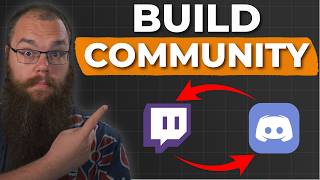

Why Your Twitch Streams Get No Followers
45sDirectly addresses a common frustration with a promise of a solution, making it highly relatable.
▶ Play Clip"Delivers solid, actionable advice on Discord setup, though the title oversells a bit—it's more about Discord than a full growth strategy."
The video explains why Twitch streamers need a Discord server to grow their community, introducing a three-tier content funnel model (discovery, community, and home layers). It details how to set up an effective Discord using roles, channels, and forums, and offers a free template to get started quickly.
Streamers often fail to grow because they don't understand how to build a community. Twitch's algorithm favors big streamers, making it hard for small creators to be discovered.
A content funnel has three tiers: discovery (where potential viewers find you), community (where loyal fans engage), and home (where your community lives). Twitch is not enough for discovery or as a home.
Twitch is a 'kingmaker system'—it shows the most popular streamers first, so small streamers rarely get seen. Also, if you're not live, you're invisible.
Platforms with advanced algorithms (like YouTube, TikTok, and Twitter) are better for discovery because they can show your content to many people even when you're offline.
Twitch is great when you're live, but Discord is where your community can live 24/7. It's not controlled by algorithms or time restrictions, allowing direct communication with viewers.
Most streamers only use streamer-to-viewer communication (posting go-live messages). You also need viewer-to-viewer and viewer-to-streamer communication to keep the Discord active.
Provide general and niche chat rooms (e.g., anime, science) so viewers can mute what they don't care about and engage with what they love. Use Discord's onboarding to let users self-assign roles.
Put limits on the number of people in voice channels to prevent trolling and encourage meaningful connections among viewers.
Create a suggestions channel as a forum so it's searchable. Viewers can add to existing suggestions or questions, and you can prioritize responding to them.
The video offers a free Discord server template (link in description) with pre-made channels for subs, VIPs, and moderators. You need to add your own rules and personalize the welcome sign.
To grow as a Twitch streamer, you need a Discord server that serves as a home for your community, enabling direct communication and engagement beyond live streams. Use the provided template and strategies to set up an effective Discord in minutes.
What are the three tiers of the content funnel?
Discovery, community, and home layers.
00:42
Why is Twitch not ideal for discovery?
It's a kingmaker system that shows the most popular streamers first, and you're invisible when not live.
01:10
What are the three types of communication in a Discord community?
Streamer-to-viewer, viewer-to-viewer, and viewer-to-streamer.
04:19
How do you set up a niche channel with roles?
Create a role, set channel permissions to deny @everyone and allow the role, then add an onboarding question that assigns the role.
05:31
Why should a suggestions channel be a forum?
Forums are searchable, so viewers can add to existing suggestions or questions instead of repeating them.
07:07
Content Funnel Model
Provides a clear framework for understanding where different platforms fit in audience growth.
00:42Twitch's Kingmaker System
Explains a structural disadvantage for small streamers, justifying the need for alternative platforms.
01:10Three Communication Types
Highlights a common mistake (only using streamer-to-viewer) and offers a more complete approach.
04:19Role-Based Channel Setup
A practical, step-by-step method to let viewers self-select interests, increasing engagement.
05:31Searchable Suggestions Forum
Shows how to turn viewer input into a reusable resource, saving time and boosting interaction.
07:07[00:01] putting all that effort in, and every time you end stream, your dream shatters because you have no new followers or viewers again? What if I told you that is likely because you just don't understand how to grow as a creator and
[00:15] more importantly why Discord is crucial to the growth of your community. If you're new here, my name is Barry Eps. I am a cryptographer turned content creator and over the past many many years I have seen and run Discords with
[00:29] thousands of messages per day and I've seen them grow communities and streamers like wildfire. I'm going to tell you exactly why every streamer, yes, even if you've just started, needs a Discord that actually helps you grow your
[00:42] channel. And at the end, I'll share my free Discord server template with you so you can set up your Discord in 5 minutes. Before we jump into the setup understand about the role of your Discord. And for that, we need to
[00:57] discuss your content funnel. A content funnel looks just like this and comes in three different tiers. At the top of the funnel is where your potential viewers enter the funnel. This is where we want to catch as many people as possible and
[01:10] that is just not possible on Twitch. First, because Twitch is a kingmaker system, meaning that when you browse through a category like Fortnite, you most viewers first. That means whenever someone is looking for someone new to
[01:24] watch, it's almost guaranteed that they will click on these streamers first instead of scrolling down the hundreds and hundreds of streamers to find you. So, you need a place where you get an equal opportunity to have your video
[01:37] shown despite being a small streamer. And secondly, if you're not streaming, anyone, meaning that you aren't going to get a chance to be discovered at all. discovered in your sleep, and people can still fall in love with your content,
[01:53] content funnel is called the discovery layer. The best platforms to post on are those designed with advanced algorithms that give direct access to your content because they are built to spread your content to as many people as possible.
[02:07] prime examples of these and are the three I will usually suggest streamers take a look at. However, this is not the side of the funnel we are focusing on today. I'll be sharing my tactics for growing my channels in a future video.
[02:20] So, if you want to see that, then make sure to subscribe to the channel and hit that notification bell. If you are very lucky, then your most dedicated community members will make their way to the second layer of the channel. Far
[02:32] the number of people that will watch your content in the first layer of the funnel. But those that do come through are your most loyal fans. These are the people that really want to hang out with you. Think of it like the fans of
[02:45] Marvel. There are a lot of people that love the movies and TV series and will watch every single one of them to stay upto date with the cinematic universe. But there will be far fewer that will also go and buy the comic books which
[02:58] the characters are based off of and read them to make sure they understand the background and significance of each of the stories. Being on Twitch is like going to buy the comic books. You need to make people like you so much that
[03:11] they want to become a part of your community, chat with you, and spend their free time with you. This is why the second layer is called the community layer. And the only platform that matters to you here is Twitch. But
[03:24] Barry, why do I then need the third layer? If people find me on Twitch, that's my goal done, right? No, we are not done. And that's because Twitch is great when you are live, but it is not where your community can live. You need
[03:38] to provide a home for your community where your diehard fans can live even when you are not live. And that home is going to be Discord. Discord is not controlled by algorithms or restricted by the time you can spend on the
[03:52] platform. Being able to communicate with your viewers directly and give them updates when necessary is crucial to early community growth and can genuinely make a massive difference. This is why every streamer, no matter if you have
[04:06] just started or if you have been streaming for years, need a Discord. But there is still a problem. Most streamers use their Discord wrong. In fact, I only know of a handful of streamers that use it right. And that's because they only
[04:19] consider one of the three ways you want to use your Discord. See, most streamers have Discords that even with thousands of viewers are mostly dead. And that is not so strange. All you see the streamer do in those Discords is posting the same
[04:34] go live message over and over again using at@ everyone for every piece of content that they put on YouTube, Tik Tok, or Twitter. And that's it. This is only one part of the communication called streamer to viewer communication.
[04:47] communicate that we need to think about. Viewer to viewer and viewer to streamer. One of the best ways to make it easy for your viewers to enjoy hanging out in your Discord is by removing messages that don't matter to them and increasing
[05:01] the value of your Discord to them and your community, which you can do very easily. By providing general chat rooms and specific chat rooms for niche hobbies and interests, you create a Discord where people want to be. If you
[05:15] are someone who is completely not interested in science and tech, then you can just mute that chat and never see messages regarding that. But we can take recent Discord updates, they have added a channels and ROS page to your Discord
[05:31] server. Meaning that when someone in your discord wants to see that science and technology channel, they can just say that they are interested in that and get the role to see that channel. If they don't select that role, then it
[05:44] just disappears completely. You can do this in your Discord as well. Just head into your server settings and open the ROS menu. Let's say your community is really into anime. Then you can add the weeb ro and make a new channel called
[05:57] anime. In the channel setting, you then set add everyone permissions to view channel no and add the weeroll to this list and set the view channel to yes. With the channel set up, you now just need to allow people to choose that
[06:11] role. And for that, open your server settings and go into the onboarding. Go into the questions and in the hobbies question, add an answer for the anime channel. For the assigned role, you choose weeb. Click save and you are
[06:24] done. Try to keep it simple in the start. You can always expand the sorts community depending on what hobbies begin to form in your community. Oh, and a general tip that I can give you, put limits on the number of people that can
[06:40] trolling and give your audience the chance to connect. This makes it a lot easier for your viewers to communicate with each other without it all just sort of slipping into the void. And that
[06:52] means they are going to be much more active amongst each other. But that's not where it ends. You also want to give your viewers a chance to talk to you directly. And for this, I will always suggest using a suggestions channel,
[07:07] which you then make as a forum. The reason you make it a forum is because forums are searchable. When someone in your community asks the same question or wants to make the same game suggestion that somebody else has made months
[07:20] earlier, then they can instead add onto that game suggestion or check the question where you have already answered. However, when people use these suggestions or other channels that are specifically there to communicate with
[07:33] you, make sure you take the time to prioritize responding to them. Having these channels is not going to help unless you actively use them. You can also use these channels to have people sending games, tech support questions,
[07:47] news articles, recipes, or other things for you to do or talk about. This is amazing for busy streamers because that means you can open that channel on stream and directly look at things your community contributed. So, they now
[07:59] provide the content for you, or at least in part. You can even set it up so they have to use specific tags. that allows you to immediately see if it's a game suggestion, feedback, emote suggestion, or whatever. What I've done for my own
[08:14] server is that there are also mod specific tags, so they can read it beforehand and check if things are stream safe or not. That way, you can protect yourself against accidentally breaking Twitch to. Okay, it's time for
[08:27] the thing you've all been waiting for, the free Discord template. If you want to start your Discord right now, then check out the link in the description channels that I've just shown you, including sections for your subs, VIPs,
[08:41] and moderators. And while you're down there in the description, leave a going to call your Discord community. Oh, and leave a like while you're at it. It really helps the video spread to more people. Cheers. When you've imported the
[08:55] template, there are a few things you have to do to make sure it's all set up perfectly. I've not added any rules to the rules channel because they might be very different for you than they are for me. So, make sure you add your own
[09:07] there. And you will also want to go into the onboarding in your server settings and edit your server guide. There are a few changes you can make such as your new member to-dos, but the most important one is right at the top, the
[09:20] welcome sign. Personalize this to your heart's content and then you are ready to start using your server. However, there's one problem that I've run into myself when I started my own Discord server a long time ago, and that is how
[09:33] do you start getting people into your server? And really, there is only one way. You need to let them know it exists. If you want to learn how to let them know it exists and learn the best way that I quadrupled my number of
[09:46] followers that I got on my channel every month since implementing this, then check out the video right here. And as always, stream better, stream
⚡ Saved you 0h 09m reading this? Transcribe any YouTube video for free — no signup needed.