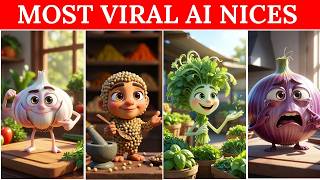

Get ChatGPT to Write Viral Scripts
36sShows a clever trick for generating negative-effect prompts, which engages viewers wanting unique content ideas.
▶ Play Clip"Title promises 'YouTube Automation in 2026' and 'Viral Niches', but the video only shows a basic AI video creation process without any mention of 2026 trends or niche strategies."
This video is a tutorial on creating AI-generated videos for YouTube Shorts using ChatGPT and a video editing tool. The presenter demonstrates how to generate prompts for funny, negative-themed content (like side effects of pizza) and convert them into images and short videos. The focus is on a simple, free workflow that can be replicated for various topics.
Speaker introduces herself and promises to teach how to make YouTube videos easily using AI tools.
Open ChatGPT, click the Apps option, search for 'Object Talk', and open it. No further prompts are needed after opening.
The presenter writes a prompt asking for funny negative side effects of pizza in a 'negative style', generating both voice over and image prompts.
Using a video making software (referred to as 'group'), the generated prompt is used to create an image first, then save it.
The saved image is uploaded back into the software, and a video generation prompt is added. The video is created within 1-2 seconds.
The same process is repeated for 'baking soda', demonstrating the workflow's repeatability for any topic.
The generated video plays, showing the result of the baking soda prompt. Speaker encourages viewers to start their own channels.
This tutorial offers a quick and accessible method for creating AI-generated YouTube Shorts using ChatGPT and free video software, making content creation easy for beginners.
Which ChatGPT app is used to generate video prompts?
Object Talk
0:58
What is the first step after opening ChatGPT?
Click on the Apps option.
0:43
What type of prompt does the presenter generate for pizza?
A prompt asking for funny negative side effects of pizza.
1:28
How many prompts does ChatGPT generate?
Two: one for voice over and one for image generation.
1:53
What does the presenter do with the generated image before making a video?
She saves it to her device.
2:47
How long does it take for the video to generate?
Within 1-2 seconds.
6:39
What is the second topic used to demonstrate the process?
Baking soda.
4:53
Does the presenter use a paid version of the video software?
No, she uses the free version and says it works well enough.
6:22
ChatGPT as Prompt Generator
Shows how ChatGPT can be repurposed as a dedicated prompt generator for AI video creation.
0:43Creating a Specific Tone Prompt
Demonstrates how to request a negative or funny angle for content, giving creative control.
1:28Two-Step Workflow: Image First, Then Video
Highlights a common AI video creation pipeline for better output control.
2:23Free Tool Is Sufficient
States that the free version of the video tool works well enough, making the method accessible.
6:22Repeatable Process for Any Topic
Shows the workflow can be reused for different subjects, emphasizing scalability.
4:46[00:00] मैं पिज्जा हूँ, सुवाद इतना जबरदस्त के एक स्लाइस पर कोई नहीं रुपता, पर सच्छा
[00:03] है कि चीज और पेल का वजन चुपचाप बढ़ता जाता है, मज़ा तुरंत मिलता है,
[00:05] मैं धनिया हूँ, पकवान बनतो जाता है में बिना भी, पर असली खुश्बू
[00:11] आ�
[00:26] होंगे और खैरियसे होंगे, जी तो आज मैं आप लोगो امید کرتی ہوں آپ سب
[00:30] ٹھیک ٹھاک ہوں گے اور خیریہ سے ہوں گے جی تو آج میں آپ لوگوں
[00:33] کو یہ جو ہے وہ ویڈیوز بنانا سکھاؤں گی اور یہ ویڈیوز کتنا ایزی ہیں
[00:37] بنانا وہ میں آپ لوگوں کو آج جو ہے وہ سارا اے تو زی کرائیٹریہ
[00:40] بتاؤں گی سب سے پہلے آپ لوگوں نے جو ہے وہ اپنا چیٹ جی پی
[00:43] ٹی وی کر لینا ہے اوپن ٹھیک ہے اوپن کرنے کے بعد آپ نے یہاں
[00:46] ایپس کا ایک اپشن ہوگا اس کے اوپر آپ نے کرنا ہے کلک ٹھیک ہے
[00:49] جیسے ہی آپ کلک کریں گے نا اس طریقے سے آپ کے پاس انٹرفیس آ
[00:51] جائے گی آپ نے یہاں چیٹ جی پی ٹی پر کلک کرنا ہے دین آپ
[00:55] کے پاس یہ سرچ کا اپشن آئے گا آپ نے سرچ کے اپشن کے اوپر
[00:58] اوبچیک ٹاک ٹھیک ہے का option आएगा आपने search के option के ओपर object talk
[01:03] ठीक है in Hindi यह आपने यहाँ type करना है जैसे ही आप type करेंगे
[01:07] तो आपके पास इस तरीके से नीचे यह show हो जाएगा आपने यहाँ से जो
[01:09] है वो इसको कर लेना है open जैसे ही आप यहाँ open करेंगे अब आपको
[01:14] prompt की भी जरूरत नहीं होगी
[01:15] आपने
[01:28] यह जो prompt मेरे पास लिक कराईगे ना मैंने अब क्या करना है करा जाएगी
[01:31] ठीक तो अब यह जो प्रॉम्ट मेरे पास लिख कर आई है ना मैंने अब
[01:33] क्या करना है अब मैंने यहां देना है कि मुझे जो है वो फनी स्टाइल
[01:36] में इसका कोई नेगेटिव पीज़े का जो है वो साइड इफेक्ट दें ठीक है तो
[01:41] यह मुझे नेगेटिव में � अगर मैं पॉजिटिव बोलोंगे तो फॉजिटिव देगा नेगेटिव देगा ठीक
[01:46] है तो मैंने यहां लिखा है कि मुझे नेगेटिव चाहिए तो इसने मुझे है नेगेटिव
[01:49] में जो है वो प्रॉम्ट दे दिया एक वोईस ओवर की और एक जनरेशन की
[01:53] इमीज ठीक है � बनाने की तो अब मैंने क्या करना है अब मैंने वहाँ
[01:57] से जो है वो prompt generate कर ले नी है अब मैंने जो है वो
[02:00] किसी भी video making जो है वो prompt generate कर लेनी है अब मैंने जो
[02:04] है वो किसी भी video making software पर आ जाना है ठीक है जो video
[02:07] making आपका software हो ना आप कोई भी use कर सकते हैं मैंने यहाँ group
[02:10] use किया है आप जो मरजी use कर सकते हैं जो आपको इंट्रेस्ट है ना
[02:16] जिस software में आप उसी को यूज कर लें जिसकी आपको जो है वो resolution
[02:20] अच्छी लगती हो image generation का style अच्छा लगता हो आप बना ले ठीक है
[02:23] तो मैंने group में क्या करना है सबसे पहले मैंने image generate करनी है then
[02:27] video तो मैंने यहाँ image की prompt दे दी है ठीक है जैसकि मैंने image
[02:30] क form दी है तो मेरे पास जो है वो image की prompt दे दिये
[02:33] ठीक है जैसे ही मैंने image की prompt दिये तो मेरे पास जो है वो
[02:36] image generate होने लग जाएगा मैंने pizza का दी थी तो pizza की slice की
[02:40] जो है वो मेरे पास एक image आ गई है चाहिए यहाँ image to video
[02:42] direct भी बन सकती है लेकिन मैं जो है वो पहले image generate करवाँगी and
[02:47] then video generate करवाँगी जो मुझे image यहाँ अच्छी लगेगी अब मैंने उसको कर लेना
[02:51] अपने पास safe ठीक है यह like मुझे image अच्छी लग रहे है तो मैं
[02:54] इसको क्या कर लूँगी down कोई हमारे पास water mark का issue यहाँ नहीं आएगा
[02:58] अब मेरा यहाँ जो है वो एक step हो गया complete के prompt to image
[03:03] यहां जो है वो एक step हो गया complete के prompt to image जो है
[03:06] वो मेरी generate हो गई है और मुझे जो image अच्छी लगी है वो मैंने
[03:10] अपने पास क्या कर लेनी है safe कर लेनी है ठीक है अब second मैंने
[03:13] अप क्या करना है मैंने यहाँ image की option पे click करूँगी ठीक है वहीं
[03:16] और जो image मैंने safe की अपने पास जो image मुझे अच्छी लगी थी कि
[03:20] मैंने जो है वो इसकी वीडियो में convert करवानी है वो image जो है वो
[03:23] मैं यहाँ add करा लूँगी ठीक है like मैंने अपनी gallery के अंदर जो है
[03:27] वो PC की safe की हुई थी मैंने इस image को कर देना है click
[03:29] जैसे ही मैं इस विपर click करूँगी यह image मेरी यहाँ जो है वो show
[03:32] होने लग यही मैं इस विपर click करूँगी, यह image मेरी यहाँ जो हो शो
[03:36] होने लग जाएगी, अब मुझे यहाँ prompt भी लिखनी है, ठीक है, कौन सी prompt
[03:40] लिखूँगी यहाँ, जो मैंने अभी जो है, वो generate करवाई थी, ठीक है, दो prompt
[03:45] generate करवाई थी, एक जो है, वो text to image करवाई थी, then जो है,
[03:50] वो
[04:03] voice कर देना है, और अब believe, कर देना है है और आप बिलीव
[04:09] करें यह इतनी कुईक लीव और करता है ना ग्रूक है भूट कुईक्ली वर करता
[04:13] है ठीक है तो यह मुझे जल्दी से जो है वो मुझे वीटियो बना के
[04:16] दे देगा और फिर जो है वो मेरा काम हो जोए का अब आप लोग
[04:20] जो है
[04:20] वो
[04:33] YouTube मतलब शॉर्ट जो है वो जनरेट कर वा تو آپ لوگ جو ہے وہ
[04:37] کوئی بھی مطلب شورٹ جو ہے وہ جنریٹ کروا سکتے ہیں اب میں لائک بیکنگ
[04:41] سوڈا جنجر گارلک کسی کی بھی ویڈیو جو ہے وہ بنوانا چاہوں تو میں اسی
[04:46] طریقے سے بنوانا سکتی ہوں تو میں آپ کو دوبارہ جو ہے وہ ایک دفعہ
[04:50] ریوائز کر دیتی ہوں کہ میں نے کیا تھا میں آپ لوگوں کو ایک اور
[04:53] ویڈیو بنا کے دکھاتی ہوں ٹھیک ہے تو میں نے کہہ کیا اسی طریقے سے
[04:56] میں نے جو ہے وہ بیکنگ سوڈا لکھا ہے جیس طرح پیزا لکھا تھا تو
[05:00] یہ مجھے پرامٹس دے دے گا ٹھیک ہے جیسے اس نے مجھے پرامٹس دی ہے
[05:03] تو میں نے ٹیکس ٹو ایمیج وائلی پرامٹس اٹھانی ہے ٹھیک ہے پہلے میں نے
[05:07] جو ہے तो मैंने text to image वाली prompt उठानी है ठीक है पहले मैंने
[05:11] जो है वो just image बनवाना है then मैंने video बनवानी है तो मैंने image
[05:15] वाली prompt को यहाँ add किया है and then arrow के option के उपर click
[05:18] कर दिया तो मेरे पास क्या होगा मेरे पास जो है वो baking soda की
[05:22] जो
[05:23] है
[05:36] वो यही result आपको मिलेंगे अब मैंने यहाँ तो इंशाला आप लोगों के पास जो
[05:40] है वो यही result आपको मिलेंगे अब मैंने यहां से क्या की है एक को
[05:43] जो है वो copy कर लिया ठीक है sorry अपने पास जो है वो download
[05:46] कर लिया है अब मेरे पास जो है वो image download हो गी है अब
[05:49] मैंने क्या करना है वही same steps दुबारा follow करने है मैंने वो image को
[05:53] जो है वो अपने पास जो है वो दुबारा add कर लेना है and then
[05:56] अब prompt देनी है कि मुझे जो है वो video generate करके दें ठीक है
[06:00] तो पहले मैंने image generate करवाई थी अब मैं क्या करवा रही हूँ video upload
[06:03] करवा रही हूँ sorry video generate करवा रही हूँ मैंने यहाँ image जो है वो
[06:07] upload की है कि मुझे جنڈیٹ کرواری ہوں میں نے یہاں ایمیج جو ہے وہ
[06:11] اپلوڈ کی ہے کہ مجھے اس ایمیج کو جو ہے وہ ویڈیو میں کنورٹ کرنا
[06:15] ہے دن پرومٹ میں نے یہاں لکھ دیا ریشو وغیرہ میں نے سیلیکٹ کر لینا
[06:19] ہے اگر آپ لوگوں کو اس کو جو ہے وہ اپگریٹ ورجن چاہیے تو وہ
[06:22] بھی اویلیبل ہے آپ لوگ جو ہے وہ اسے بائی بھی کر سکتے لیکن جب
[06:25] یہ فری میں اتنا اچھا ورک کر رہے تو میرے نہیں خیال کہ آپ لوگوں
[06:28] کو جو ہے وہ اسے بائی کرنا چاہیے تو اب لوگوں نے یہاں کیا کرنا
[06:32] ہے آپ لوگوں نے جس یہاں پرومٹ دینی ہے اور پرومٹ دینے کے بعد جو
[06:35] ہے وہ آپ لوگوں نے اس کو چھوڑ دینا ہے within one to two seconds
[06:39] جو ہے وہ آپ کی आप लोगों ने इसको छोड़ देना है विदिन वन टू
[06:42] टू सेकेंड जो है वो आपकी वीडियो जो है वो जनरेट होकर आपके पास आ
[06:46] जाएगी मैं वेकिंग सोडा हूँ केक ही नहीं चेहरे का ड्रामा भी
[06:48] समझाल
[07:01] सकता
[07:01] हूँ
[07:10] ان کا چینل سٹارٹ کریں اور کام کریں تب تک کے لیے اللہ حافظ اللہ
[07:14] ناکبان
⚡ Saved you 0h 06m reading this? Transcribe any YouTube video for free — no signup needed.