

Gifts & Jewels Launch in Canada
41sAnnounces a new monetization feature for creators, sparking curiosity about potential earnings and fan interaction.
▶ Play Clip"Title accurately describes the weekly news update format."
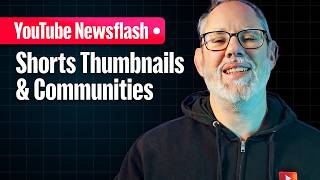
This video provides a weekly update on YouTube's latest features and changes, including the launch of Gifts and Jewels in Canada, a new grid layout for Shorts on Studio Mobile, and enhanced editing tools for Shorts on Android.
Gifts allow viewers to show appreciation during vertical live streams; Jewels are purchased to send gifts; creators earn rubies. Aims to create new interaction and monetization stream.
Shorts now display in a grid format similar to the YouTube main app, replacing the list view. Creators can switch back to list view via an icon.
New features include editing clips in context with audio, video, overlays; precise timing adjustments with zoom/snap; split and slip editing for Android. iOS support planned.
YouTube continues to roll out features to enhance creator-fan interaction and streamline content creation, with a focus on Shorts editing improvements.
What are Gifts and Jewels on YouTube?
Gifts are interactive items for viewers to show appreciation during vertical live streams; Jewels are digital items purchased to send gifts, and creators earn rubies.
How are Shorts displayed on Studio Mobile now?
Shorts are displayed in a grid format, similar to the YouTube main app, with an option to switch back to list view.
00:40
What new editing features are available for Shorts on Android?
Split and slip editing, allowing users to split videos into segments and slip-edit clips based on fixed time duration.
01:10
New Monetization Stream
Introduces a new way for creators to earn revenue through live stream interactions.
UI Improvement for Shorts
Aligns Studio Mobile with the main app experience, improving consistency.
00:40Advanced Editing Tools
Provides more control over Shorts editing, with split and slip features for precise adjustments.
01:10[00:00] What's up, insiders? Lauren here, YouTube product program manager and the producer of Creator Insider. If it's Tuesday, it's newsuesday. Here's what you need to know this week. Gifts and jewels are launching in Canada. As a refresher, gifts are a fun and interactive way for viewers to express appreciation for creators during vertical live streams. Jewels are digital items that viewers can purchase to send gifts, and creators earn rubies based on the jewels that viewers redeem for gifts.
[00:27] The goal is to create a new way for creators and fans to interact while opening a new monetization stream. We'll leave more information below, but let us know if you have any questions. Moving on, up until now, on the Studio Mobile content page, shorts appeared in a list format in the same style as long form videos. Now, shorts will be displayed in a grid format in the same way they appear on the YouTube main app. Creators
[00:54] have the option to switch their view back to list format by pressing the list view icon in the top right corner if they prefer. Let us know if you have any questions. Next, you can now easily edit your individual video clips in context with other elements like audio, video, and visual overlays in your content. You can make precise adjustments and edits to the timing of each clip with zooming and snapping, rearranging or deleting clips to create
[01:21] a rough cut, adding music, time text and sticker overlays, and previewing your short to help you better tell your story. On Android, you can easily split videos into different segments and slipedit clips based on a fixed time duration to allow for more control during the editing process. The team plans to bring split and slip editing to iOS in the future. These are the first of many improvements planned to streamline in-app editing for shorts. So stay tuned
[01:48] for more. And that's it for this week. From the creators of YouTube to YouTube creators, we'll see you next week.



⚡ Saved you 0h 01m reading this? Transcribe any YouTube video for free — no signup needed.