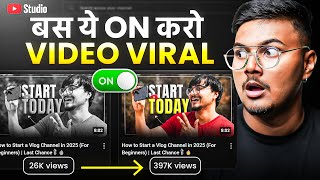

This Hidden Setting Kills Your Views
44sReveals a shocking hidden setting that can suddenly stop YouTube recommendations, sparking curiosity and urgency.
▶ Play Clip"Delivers on the promise with a specific, actionable setting, but padded with repeated calls to subscribe and a long intro."
This video addresses the issue of YouTube videos suddenly stopping receiving recommendations and views. The creator explains that the problem is often not video quality but a hidden setting in YouTube Studio called the 'For You' section, which defaults to 'Recent Content Only' and limits recommendations to videos from the last 12 months. By switching this to 'All Content', creators can revive old videos and improve channel growth. The video also covers channel layout customization to enhance professionalism and viewer engagement.
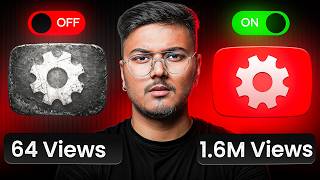
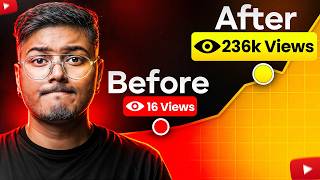
Videos stop getting recommended due to a hidden setting in YouTube Studio, not video quality. The setting is 'For You' section, which defaults to 'Recent Content Only'.
The creator was shocked when they discovered this setting and after changing it, YouTube started recommending even old videos again, leading to increased views.
YouTube's algorithm decides who sees your videos and how often. The 'For You' setting controls whether older videos are recommended or only those from the last 12 months.
By default, 'Recent Content Only' means only videos uploaded within a year are recommended. If you upload inconsistently, old videos become 'dead' to YouTube.
Changing the setting to 'All Content' gives YouTube the green signal to recommend all your videos, including old ones, leading to increased views on old tutorials.
The setting cannot be changed via the mobile app; you need a laptop, computer, or Chrome browser. Go to YouTube Studio (studio.youtube.com) and log in.
In YouTube Studio, click on 'Customization' in the left menu, then go to the 'Home' tab. Scroll down to find the 'For You' section. If not present, add it via 'Add section'.
Click on 'More Settings' within the 'For You' section. Here, you'll see the default setting 'Recent Content Only (Last 12 Months)'.
Set the option to 'All Content' to allow YouTube to recommend all your videos, including old ones. This is crucial for reviving old content.
In 'Content Type', keep all options (videos, live streams, etc.) enabled to maximize reach across all content types.
After making changes, click the 'Publish' button at the top to apply the settings to your channel. Otherwise, changes won't take effect.
Recent Content Only cuts your reach; All Content means all your videos will be recommended again, potentially bringing views and subscribers from old videos.
YouTube's algorithm is good at pushing evergreen videos—videos that remain valuable over time. If your setting is on Recent Content, older videos are ignored.
After switching to All Content, an old tutorial video that was almost dead started getting views again, bringing new subscribers.
Old videos are valuable; turning on All Content allows them to generate views and money for years, rather than being limited to one year.
Beyond the setting, customizing your channel layout is essential. A well-organized channel signals professionalism to YouTube and viewers.
In the Home tab, feature a video as a channel trailer for new visitors. Choose your best-performing video, even if it's not viral.
If you have a viral video, use it. Otherwise, pick your best-performing video (even 200-1000 views) to showcase.
Add sections like 'Popular Videos' or 'Series' to give your channel a professional look and signal to YouTube that your content is well-organized.
Set a different video for returning subscribers to keep them engaged and show that your channel is active.
Customization signals to YouTube that your channel is active and well-organized, which can lead to more recommendations.
After customizing, the creator saw increased watch time, CTR, and viewers taking the channel more seriously.
Even basic settings can make a huge difference in channel growth.
The problem is not video quality but settings and layout. Switching to All Content revives old videos; customizing the home page signals professionalism.
YouTube only pushes serious YouTubers; customization helps you appear serious and can lead to more recommendations.
With the right settings, every video can become evergreen, bringing views, subscribers, and income.
The video ends with a teaser for another video about making money on YouTube without monetization.
To fix the issue of videos not being recommended, change the 'For You' setting from 'Recent Content Only' to 'All Content' in YouTube Studio. Additionally, customize your channel layout to appear professional and signal to YouTube that you are a serious creator, which can lead to more recommendations and growth.
What is the default setting for the 'For You' section in YouTube Studio?
Recent Content Only (Last 12 Months)
03:21
What does the 'All Content' setting do?
It allows YouTube to recommend all your videos, including old ones, not just those from the last 12 months.
03:36
Where can you change the 'For You' setting?
In YouTube Studio, under Customization > Home tab > For You section > More Settings.
02:39
Why is it important to publish changes after editing the 'For You' setting?
Because otherwise the changes are only visible to you and not applied to the channel.
04:15
What is an evergreen video?
A video that remains valuable over time and can still go viral months or years after being published.
04:57
What should you feature as a channel trailer for new visitors?
Your best-performing video, even if it's not viral, to increase the chances of viewers staying and subscribing.
06:31
What is the purpose of adding sections like 'Popular Videos' to your channel?
To give your channel a professional look and signal to YouTube that your videos are well-organized.
07:12
Default Setting Limits Reach
Explains the core problem: the default 'Recent Content Only' setting kills old videos, a key insight for creators.
01:36All Content Revives Old Videos
The main solution: switching to 'All Content' allows YouTube to recommend old videos, directly addressing the title's promise.
02:01Evergreen Videos Can Go Viral
Highlights the potential of old videos to generate views and subscribers, reinforcing the importance of the setting.
04:57Channel Layout Signals Professionalism
Expands the solution beyond the setting, showing that customization also influences YouTube's perception of your channel.
05:51YouTube Pushes Serious YouTubers
Summarizes the underlying principle: YouTube favors active, well-organized channels, making customization essential.
08:43[00:01] when your videos are not recommended and stop working suddenly. You make videos, upload them but the views stop coming completely and here the fault is not of the quality of your videos but of a small setting which is
[00:15] hidden in YouTube Studio. If you do not turn on that setting properly then YouTube will not show your videos to the audience. I remember the first time I saw this setting, I was literally shocked and as soon as I changed it
[00:28] , YouTube started recommending even my old videos again. And in this video I am going to show you the exact setting which can become a complete game changer for your channel. Your old videos can get views again
[00:42] and YouTube will make your new videos reach people faster. But brought this video to you, perhaps YouTube and in this video I keep posting content related to YouTube growth.
[00:55] Production. So if you are interested in these things , want to take your channel forward , want to learn a lot, then join this channel and subscribe and press the bell notification so that you get the notification of all the upcoming videos first. Let's
[01:08] move ahead. Look, YouTube's algorithm works on one thing. Recommendation means to whom your video should be shown and how many times it should be shown. But the problem is that there is a hidden setting inside YouTube Studio which is set to
[01:22] false by default. Its name is For You section. This setting decides whether YouTube recommends your older videos as well or only videos from the last 12 months. And this is where most users make a mistake because by default
[01:36] your option is Recent Content Only. This means that only the videos you have uploaded within a year will be recommended and if you have not uploaded consistently or have made only three-four videos in a year, then your old videos are
[01:49] practically dead for YouTube. People will not be able to see that old one year old video. But the real game begins when you change this setting to All Content. I want to recommend all the videos. This gives YouTube the green signal to
[02:01] This gives YouTube the green signal to And that's why as soon as I turned this setting on, all the views on my old tutorials started increasing. Now let me show you directly how to turn on this setting.
[02:13] This work will not be possible with the normal YouTube app on the phone. Either you need a laptop, a computer or go to a Chrome browser. After that, follow the steps that I am telling you. Your phone will work exactly the same as it is
[02:27] showing on my laptop. So the first step is to open YouTube Studio. Go to Chrome and log in to Write Studio.com. Your YouTube dashboard will open and this is your complete control room. Everything is going to be controlled from here.
[02:39] in the menu on the left side you will get the option of customization. Click on this. This is where all the magic will begin. Now after clicking on customization, you will see the home tab on the top. Click on this. Here inside it there is a section called For You.
[02:53] Scroll down here and you will find the For You section. If you are doing it for the first time then you will have to add the For You section first. To add, there is an option of add section on the right side and then click on it and then select for you. Now
[03:05] once you have added it or if it was already added then tap on More Settings inside it. You will get the option of more settings here. You have to click on this. Now here comes the biggest problem. The default setting for most routers is Recent Content Only (Last 12 Months).
[03:21] YouTube will only recommend videos of the channel that are one year old. It will not work for videos older than that. And if you are not very consistent, then understand that only those limited videos are being pushed which
[03:36] But if you want your old videos to be pushed again. So here set the option to Recent Only Off. The second one is All Content. This means that now YouTube will also have all your old videos in its recommendations. And all those
[03:50] videos often bring you a lot of views and subscribers. Now comes one important thing, step four content type. Here you can select the content type. What do you want to show, videos, live streams, keep it all on. Ok
[04:03] ? Keep all the options available on because the more content types you have, the more chances you have that all your content will reach the people. All old and new videos, shorts, live streams all available. The next thing is to
[04:15] Down here, do it like this. Then there is a publish button at the top. Press this. Otherwise, this setting will only be visible to you and will not apply to the channel. So please publish it. The meaning is a simple thing that recent content only means YouTube will cut your reach.
[04:29] And all content means all the videos of your channel will also be recommended again. And if you also want YouTube to keep recommending such videos to you, then subscribe to this channel so that you keep getting such YouTube related videos
[04:42] and you keep learning a lot and keep growing. Now a big problem is that users think that this small setting does not matter at all. But this is very important. Look, YouTube's algorithm
[04:57] is an expert at pushing evergreen videos. Meaning a video that you made 6 months, 1 year or 2 years ago. If it still has value then it can still go viral. The problem is that if your setting is on recent content, YouTube will ignore your older videos.
[05:11] Meaning, all the videos that were made just remained lying there. I remember when I changed the settings to All Content, then one of my old tutorial videos which was almost dead started getting views again and I started getting a lot of new subscribers from the same video
[05:24] started getting views again and I started getting a lot of new subscribers from the same video and it is getting recommended only for one year, what a huge loss it is, but if you turn on All Content, then that same video can give you views and money for years, it
[05:37] means it is a very simple thing, your old videos are important, bring them in front of the world again, then this setting is compulsory and by the way, the work is not done by just turning on one setting. If you want YouTube to
[05:51] push you seriously, you'll need to customize your channel layout. This is the main page of your channel and the better it is, the more views you will get and then the more subscribers will increase, there will be growth and money will come. So what you have to do is
[06:05] open YouTube Studio. If you are doing it from phone then come to study.com. not necessary that laptop is not compulsory. Come back to customization. Come to the Home tab. And what is the next thing you have to do? Here you have to feature one of your videos on the top.
[06:19] Like I have put up a trailer. For new visitors. Any new person who comes to our channel will see this video. You have to click here on the add section and then on the channel trailer and set it here. Now which video do you want to choose here?
[06:31] If you have any viral video then select it and put it on top as a channel trailer. If you are a new YouTuber and none of your videos have gone viral. There is no problem. Whatever your best performing video is, whether it has 200, 500, 1000
[06:44] views, add it here. Now imagine, a person comes to your channel and the most useful video appears directly in front of him. As soon as he comes, the chances of him staying will double and the chances of him clicking on your video will also increase and the
[06:56] chances of him converting and becoming a subscriber will also increase. Now here comes step three. Now again click on the Add section and I have done everything. For example, show Kerala series, Daily Vogue or your popular videos.
[07:12] This gives your channel a professional look and also signals to YouTube that your videos are well organized. Meaning you are a serious YouTuber. Next comes another option in customization, ReturningCribber Video. Meaning, if
[07:25] someone has already subscribed to you and he comes to your channel again , opens the main page of your channel , then a different video will be visible to him. This keeps your loyal audience updated and makes them feel like you're
[07:37] things but through these, YouTube gets a clear signal that your channel is very active and well organized. The algorithm is also able to understand the YouTuber and then push more. And to tell you one more thing, when I turned on customization on my channel for the first time.
[07:50] when I turned on customization on my channel for the first time. I liked it very much. Viewers also started staying longer, watch time started increasing, CTR started improving and people started feeling that he is a professional Uber.
[08:03] People started taking me seriously. Meaning, even a basic thing can make a huge difference. Well, there's another Subscribe to this channel because I keep
[08:16] teach you a lot and take you forward. Please subscribe to the channel. that the problem is not the quality of your videos. The problem is one of your settings and the layout of your channel. When you switched from Recent Content Only
[08:30] to All Content, your old videos also started getting recommended again. When you customize a home page , add featured videos, playlists, most popular, trailers for retained subscribers, etc., you
[08:43] give YouTube a clear signal that you are a serious YouTuber. And whoever is coming to your channel also feels that yes friend, there is something special and YouTube only pushes serious YouTubers. Meaning, even one of your videos, an old video, can bring new traffic today.
[08:56] One of your playlists can lead a viewer to five more of your videos. This is the secret of channel growth because the video you have made is a hard work. Don't let it go to waste. With the right settings and customization, every
[09:08] one of your videos can become evergreen videos. Views, subscribers, income for everyone. Now with the settings and customization, YouTube will start recommending your videos. Meaning now traffic will come, views will come. But one question remains. How to make money from that traffic
[09:22] ? Because YouTube monetization does n't work for everyone. Real money is made when you earn money even without monetization. And that's why click on this video. Five Ways to Make Money on YouTube Without Monetization. In that I am going to
[09:35] show you the exact method that YouTube uses to make money. Whether their channel is monetized or not, click and the money starts coming.
⚡ Saved you 0h 09m reading this? Transcribe any YouTube video for free — no signup needed.