
YouTube's Secret Shorts Feature
45sReveals a hidden button that links shorts to any video, sparking curiosity and engagement.
▶ Play Clip"Title promises a 'secret' feature but it's just a minor UI update; content is thin and mostly speculation."
The video discusses YouTube's new feature that allows creators to link a Short to any other video on their channel, positioning it as YouTube's strategic response to TikTok's dominance in short-form content. The creator explains how to use the feature and questions whether its purpose is to funnel viewers back into long-form content.
YouTube has introduced a button under your username that lets you link a Short to any other video on your channel, marking a clear direction for the platform.
YouTube Shorts is positioned as YouTube's answer to TikTok, which has been pulling viewers away from YouTube with vertical short-form content.
The creator questions whether the real purpose of Shorts is to serve as a 'gateway drug' back into long-form content, keeping viewers within YouTube's ecosystem.
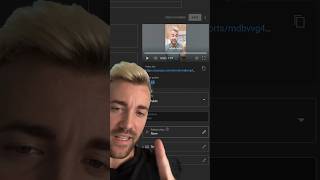
In YouTube Studio on desktop, edit a Short and you'll see a 'related video' option where you can add the link to any other video.
The creator plans to test the feature while on a 30-day trip to Hawaii, making a Short with a related video and reporting back on whether it works.
YouTube's new Shorts linking feature is a strategic tool to compete with TikTok and potentially drive viewers back to long-form content. The creator is testing its effectiveness and will share results.
What new feature does YouTube Shorts have?
A button that allows you to link a Short to any other video on your channel.
00:01
How do you add a related video to a Short?
In YouTube Studio on desktop, edit the Short and use the 'related video' option.
00:42
What is the speculated purpose of YouTube Shorts?
To compete with TikTok and potentially drive viewers back to long-form content.
00:29
Gateway drug hypothesis
Raises a strategic question about YouTube's intent behind Shorts, offering insight into platform dynamics.
00:29Practical how-to
Provides actionable steps for creators to use the new feature immediately.
00:42[00:01] I'm excited to tell you about it but it's also the first time they've shown a direction they want to go and the direction Tick Tock wants to go see a little button here you can this this guy right there underneath your username
[00:15] that whenever you upload a short you can link it to any other video on your seems like YouTube shorts is YouTube's answer to the problem that is Tick Tock this brand new platform pulling viewers off of YouTube over to this new vertical
[00:29] short form content so YouTube short says we need people watching short form on our platform except for now it begs the question is the only reason YouTube is making shorts is to give people a gateway drug back into long-form content
[00:42] so anyway I've added one of these links to every single one of my shorts let me YouTube Studio on desktop go to edit this short and you'll see the related so my family and I are in Hawaii for 30 days I'm gonna make a Youtube short
[00:55] a related video and I'll make a full video at the end letting you know if it video at the end letting you know if it works
⚡ Saved you 0h 01m reading this? Transcribe any YouTube video for free — no signup needed.