

How to Spot Coin Pumps with Volume Alerts
46sReveals a concrete strategy for catching crypto pumps using volume surge notifications, which is highly sought-after by traders.
▶ Play Clip"Title promises easy scalping mastery, but video is a screener promo with basic trade examples."
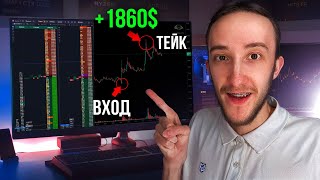
The video demonstrates how to profit from cryptocurrency pumps using the RE Gash screener's notifications for volume surges, price changes, and volatility. The presenter walks through three real trades on Neuro, Hamster, and another coin, explaining entry, stop-loss, and take-profit strategies. The video also details the three notification configurations used to identify trading opportunities and promotes the RE Gash screener's features.
The RE Gash screen provides notifications about price changes, volatility, and volume surges, which help identify coins with money inflow and high interest.
Received a volume surge notification, coin broke a local level, entered on retest, target was breakout of the long level, exited on brakes when coin rolled back due to sharp approach.
Received volume surge notification, entered on reaction, got stopped out with -0.32%, re-entered on second stop trade, took profit on level breakouts, netted +4%.
Three notifications: 1) Knives (1-min interval, 4% move, no volume filter), 2) Structure (1-hour interval, 10% move, volume filter >20M), 3) Surges (5-min interval, 5x volume, 2% price change, volume filter >5M).
Coin grew 10% in an hour, entered on level breakout, earned 2% of movement, stop and take profit based on impulse and slowdown.
Screener has sorting filters, automatic level detection by density slope, density map, notifications for psychology, price changes, new densities, volume surges, volatility, correlations, and new coin listings.
The video shows a practical scalping strategy using RE Gash notifications to catch pumps, with three example trades yielding profits. The screener's features simplify finding high-quality formations, making trading easier.
What are the three notification types used in RE Gash for scalping?
Knives (1-min, 4% move), Structure (1-hour, 10% move), Surges (5-min, 5x volume, 2% price change).
03:18
What is the volume filter for the structure notification?
Volume filter from 20 million in 24 hours.
03:48
What is the surge notification's volume filter?
Volume filter from 5 million to avoid illiquid coins.
04:31
What was the profit on the Hamster coin trade?
Almost +4% of the movement.
02:52
What is the 'knife' notification format?
Interval 1 minute, price change 4% in direction, no volume filter.
03:33
What does the surge notification calculate?
Average passing volume over 5 minutes over 2 hours, and if volume increases fivefold and coin moves 2%, a notification is sent.
04:18
Volume surge entry strategy
Demonstrates a concrete entry method based on volume surge and level breakout.
00:34Three notification configurations
Provides specific settings for scalping notifications, actionable for traders.
03:18Surge notification logic
Explains the mathematical basis for detecting abnormal volume spikes.
04:18RE Gash screener features
Lists advanced features that simplify trading, highlighting the tool's value.
06:36[00:03] my trades and show how you can make money on the pump of coins when the coins have grown very well. In our RE Gash screen there are a large number of notifications, including notifications about price changes, volatility, and
[00:19] volume surges. It is with the help of these notifications that you can see the outflow of coins and the coins that are receiving money, the volume, and the time period when there is a lot of interest in the coins. Let's analyze the first trade in the RE
[00:34] Gash screen. I received a notification that money is entering the coin, that is, it is experiencing a volume surge. The coin has grown, formed a good lang level, and it also broke through the local level to this level. Here I entered a
[00:49] retest and my goal was to reach the breakout of the lang level. I have a Stop entry point for the retest. I breakout of the lang level. I have a Stop entry point for the retest. I I just had a very short one for the candle on which I entered,
[01:03] my goal was to reach the breakout. The coin of the lang level approached the level quite sharply, so here I exited on the brakes at the time when the coin began to roll back. Because when we have a sharp approach, the probability
[01:17] that we will have a spike increases greatly as a result. Here we have a trade format such that I received notifications about volume surges. I opened this coin and saw that there were levels on it, and then, according to my
[01:30] were levels on it, and then, according to my strategy, it already Telegram channel in it, we post current updates on what we are currently
[01:43] working on, discounts, promotions, and you can also see the current settings and fully prepared configurations in the pinned comments. We also have a chat screen in which you can ask a
[01:55] question that interests you, share ideas, point to BA, communicate and share current formations. If anyone is interested,
[02:08] Our next trade will be on the Hamster coin. The coin has also grown very well for us. I received a notification in the screen of Reg Hash. I saw this coin and connected and started trading it. Here, the coin was at such a level. We had a long level in the box
[02:22] and also below we had a short limit from which I entered. My first entry point was on the reaction. That is, we had a minute transition and I entered. In principle, our coin went into the longs, but then they rolled in a little and knocked me out
[02:37] here, I closed - 0.32 pro, but the formation was also relevant, so when we had a reaction, long candles appeared, then I re-opened a second candles appeared, then I re-opened a second Stop trade. I was for shorts and take profits were
[02:52] on the breakout of levels, we crossed the levels, we had activity, then we slowed down and I completely fixed the entire position. As a result, I managed to take almost + 4% of the movement here and make very good money from this trade, by the way.
[03:06] Write in the comments. What is the best way to analyze trades? Analyze graphical analyze trades? Analyze graphical trading based on screenshots or is it better to analyze glass trading based on the terminal. Which format do you
[03:18] like the most? Write in the comments. To find good coins that have entered volumes, I use notifications in the screen of the re gash first. I have a notification about knives, this is for short impulse movements, here the interval is 1 minute, it is
[03:33] 4% of the movement in the direction of everything, I do not use a filter by volume here. Then I have the exchange and all coins selected here. The next notification that I use is by structure. Here I want to see those coins that have already passed a good percentage and
[03:48] which are already at the very top, so here the interval is 1 hour, a change of 10% in the direction is also everything, and here I am already looking at more liquid coins, so I have a filter here by volume from 20 million in 24 hours. Also, next we select
[04:03] the exchange, all coins and the third notification that I use is about surges in configured in this format: the time range is 5 minutes, the direction is all time range is 5 minutes, the direction is all surge 5 and the filter for price changes is from 2%.
[04:18] That is, we calculate the average passing volume over 5 minutes over 2 hours and if we have abnormal volumes, that is, the moment when the volume has increased fivefold and the coin has passed 2% of the movement, then I receive a notification. I just
[04:31] see those coins in which money is coming in. I also have a filter here by volume. I am here. I bet 5 million to avoid illiquid coins. The format here is basically this: money is entering the coin,
[04:44] it's clear that volumes will grow very quickly. So, in principle, you do n't even have to set volume filter limits. Next, select an exchange, select coins, or simply click "All Coins." They will
[04:57] arrive, and as a result, I get three notifications for different strategies that I use for trading, and for each of these notifications, I want to show the trades I made. The first trade I analyzed was for the
[05:10] Neuro coin. We saw a very strong growth, and here I received a notification about a price change in one minute, that the coin moved more than 4%, that is, this is our knife format when a coin grows very sharply. The second trade was for the
[05:25] Hamster coin. There were already reports of volume spikes here. If this coin had small volumes, then when volumes entered the coin, money entered, interest arose, and then I received a notification. I also worked on this trade, with the help of
[05:40] which I managed to earn money, and the third trade. Here I received a notification about the structure, that is, our coin grew by 10% within an hour. I received a notification and I saw this coin and started to monitor it. Here I entered a
[05:55] level breakout with the help of which I was able to earn 2% of the movement. My entry point was at the level breakout when we began to cross the first Stop levels. I was at that moment if we started to roll in or if
[06:10] some formation appeared against me. And my take profit is basically in the same format as the Stop. We had an impulse, we began to slow down
[06:22] gave an impulse and then rolled in, but since we did everything according to the strategy, we managed to earn here and in this, gage is very helpful since there are a large number of sorting filters, automatic detection of
[06:36] levels by density slope, a map with densities, notifications about psychology, notifications about price changes, new densities, surges in volume, volatility, correlations, listings of new coins and much more. With the help of this, trading
[06:51] becomes much easier since the screener shows us only high-quality formations on which we can earn. Well, this video will be coming to an end, Happy New Year to everyone, We wish everyone good health, green, We are having a great time, We are
[07:04] putting a big belly on the table, Everyone is doing well, everyone is happy and joyful, Thank you very much to everyone, all the best, goodbye, bye-bye, goodbye, bye-bye, bam



⚡ Saved you 0h 07m reading this? Transcribe any YouTube video for free — no signup needed.