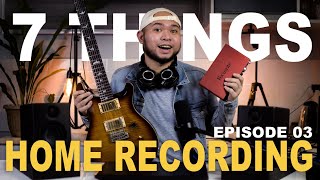

7 Things You NEED for Recording!
45sThe opening list creates curiosity and immediate value for aspiring home recordists.
▶ Play Clip"The title accurately promises a list of 7 items needed for recording, and the video delivers exactly that."
This video outlines the seven essential pieces of equipment needed to start a home recording studio, from the computer and audio interface to headphones, monitors, cables, and microphones. The presenter explains the function of each item and offers practical tips for beginners.
The computer is the brain of the studio; minimum specs: i5 processor, 4GB RAM, 500GB storage.
An audio interface converts analog instrument signals to digital; it has XLR and 1/4-inch inputs with preamps per channel.
USB-C is recommended for future-proofing; most interfaces are USB powered.
A Digital Audio Workstation (DAW) is needed; lite versions often come with interfaces, or you can buy full versions.
Headphones are for monitoring; closed-back for tracking (e.g., Audio-Technica M50X), open-back for mixing (e.g., Sennheiser HD 700).
Monitor speakers have neutral sound for honest mixing; recommended volume is 85 SPL; 5-inch speakers are sufficient for most.
Use balanced cables (XLR or TRS) of 1.5–2 meters to maintain signal strength.
Dynamic mics are for loud sources and don't need phantom power; condenser mics need 48V phantom power and are more sensitive.
In a DAW, set audio system to ASIO, select interface, create track, arm it, choose input, adjust gain to avoid clipping.
What are the minimum computer specs recommended for a home recording studio?
At least an i5 processor, 4GB of RAM, and 500GB of storage.
00:13
What is the primary function of an audio interface?
An audio interface converts analog instrument signals to digital for the computer.
00:39
What type of USB connection is recommended for a new audio interface?
USB-C.
01:18
What does DAW stand for?
Digital Audio Workstation (DAW).
01:45
Why are closed-back headphones recommended for recording vocals?
Closed-back headphones prevent sound from leaking out, so the microphone doesn't pick up the headphone audio during recording.
03:02
Why are open-back headphones better for mixing?
Open-back headphones allow you to hear your surroundings, which is better for mixing.
03:39
What is the key characteristic of monitor speakers that makes them suitable for mixing?
Monitor speakers have a neutral sound that is honest, not boosted, making them ideal for mixing and mastering.
03:51
What is the recommended volume level (in SPL) when using monitor speakers?
85 SPL.
04:29
What cable length is recommended for connecting monitors to an interface?
1.5 to 2 meters.
05:38
What is the main difference between dynamic and condenser microphones regarding power?
Dynamic mics are good for loud sources and don't need phantom power; condenser mics are more sensitive and require 48V phantom power.
06:02
Audio Interface as Essential Converter
Explains the critical role of an audio interface in converting analog signals to digital for recording.
00:39Monitor Speakers: Honest, Not Good-Sounding
Clarifies that monitor speakers are designed for accuracy, not pleasant sound, which is key for mixing.
03:51Cable Length Affects Signal Fidelity
Highlights a practical physics principle: longer cables can degrade signal quality due to resistance.
05:38Dynamic vs. Condenser Mic Usage
Provides clear guidance on when to use each mic type based on source loudness and power requirements.
06:02[00:00] Hai, ako si Pax, kong gusto mo mag-record naman tamo, ako yan naman ay mag-aplude ng high quality covers, or mag-collaborate with your friends, get your pen because here are seven things you will need to start your own recording studio.
[00:13] Number one, nalangan mo ng love cup or your computer, this will be the brain of the whole operation. Chances are, you gamit mo pisi ngayon, okay nayan. Pero to be more specific, at least an i5 processor,
[00:26] 4GB of RAM, and 500GB of storage. Pero loom yo, just try it, end up read along the way. So, meron ng instrument, at meron ng cable, pero para mo yto koko next lock top, gamit ka ba nang adapter like this?
[00:39] Nope, hindi yan. Ang kay langan natin ay number two, an audio interface, like this. This device has a sound card that can convert your instrument signal from analog to digital para mag-basa ng computer natin.
[00:52] Ang interface ay may input para xLR at 1.4 inch plug. Most interfaces ngayon can take both instruments and microphones at the same jack. Well, one at a time, bahwa input or channels,
[01:04] ay may preamp para lakasan ng signal ng instruments. So, madalas may isang preamp or volume control per channel, or per input. Tapos, koko next natin yan, sa PC via USB-B or USB-C.
[01:18] Kong bibili ka ng bagong interface ngayon, ay suggest na piliin mo yung Type-C na yung connection, kong dial all most all devices are transitioning to USB Type-C. Nasak sa ksak natin yung USB connector natin sa interface,
[01:31] ako nta sa PC. Ayan at may kitano, the USB powered na madalas yung main interface, kaititong focus right. In now, after kung masak ng ating signal sa computer, hindi mo yung bastabas na mara record gamit ng random voice recorder,
[01:45] kay langan natin ng software para e-link lahat ng ito. Okay, namburti? Natawag dito ay digital audio workstation, or DAO or DAO. Apagbumili ka ng interface, madalas may kasamang Libring doyan,
[01:58] dipende sa brand ng interface box. Sa presoanus, merong studio and artist, at sa focus right na man, merong able-ton live light. Ati mga light software na yan, ay hindi full feature, pero eno frato para e-jump start,
[02:11] yung home recording adventure na nyo. Pero, if you really want to invest sa DAO, pwede ka ng bumili ng full version at maraming effects and plugins naka sa amayon para padilin ng poin mo as a producer. So, the way this works is,
[02:23] we will run our instrument through a cable apuntas sa one of our channels, say, dito channel 1, tapos from hour do, ito na kong next natin yung channel 1, illi-link natin, here na kita nyo. And,
[02:36] bina-basan na anong ating computer yung signal ng ating instrument. Pero teka, para natin maririn ng yung tinutuk-tuk natin. Shempre, hindi naman magandang sa laptop speakers natin yung papaking gan. Ayakilangan natin ng number 4?
[02:49] Headphones. Hala salat ng audio interface today, ay meron ng headphone out for monitoring. This is where you will hear all of your tracks playing together or what we call the mix. Sa headphones, there are two basic types.
[03:02] Open back and close back. And, there's also what we call a semi-open back, which is in-between the two. Isang magandang example ng close back headphones ay itong audio-technica M50X. This is perfect for tracking
[03:14] kasi hindi nabibli ng sound palabas. So, kong vocal sang nire record mo, hindi nabibli pick up ng mic mo yung tonog ng headphones. Kasi ML ju-isolated ng seal ni to, taya hindi mo maririnig masyado ang surrounding.
[03:26] So, at the same time, hindi nila maririnig, ko nipinapain kan mo, which is not super recommended naman kakak tinitimplamu yung mix mo, or what we call mixing. Kaya dito naman ng chasayon ang mga semi-open back at open back at uladitong HD7 ng pisonos.
[03:39] Open back is better for mixing because nirinig mo naman ng surrounding small. Pero dapat nasa tahimig ng logar ka. And if you have the extra budget patalaga, here's number 5, and this is what I highly suggest.
[03:51] Monitor speakers may be not loud, but it's something worth investing in the future. Basically, these are dedicated speakers for mixing and mastering and they have a neutral sound, meaning hindi boosted yung bass
[04:04] or excited yung highs. Basically hindi siya design to sound good but to sound honest. Does that make sense? At hindi nila ito for recording because you can use this tool for practicing. Kasi alam yung headphones,
[04:16] na kapagutalaga siyang gamitin pagmatagal, and it increases the risk of ear damage. The only thing you need to consider in monitors, is space, and if you're going to get hit by it, it's just a joke. But kasi ang recommended volume
[04:29] pagginagamit mo monitor speakers I-85 SPL. Hindi yung ganan ka lakas, pero kung manifest yung real walls or like, wala kang sariling quarto, mejo malakas yung. For most people,
[04:41] 5 inch speaker is enough. Kakao I use my Adam T5V as my main monitors. And bernu di na kompriso onos L is 3.5 as my second reference. And guys, I highly recommend this lalonakon tight budget ka.
[04:53] And of course, to connect the monitors to your interface, patin nara yung mga instruments ni yung yung need cables, either XLR to one for inch or maskilalabilang PL, or PL to PL.
[05:05] So makiita niyo, yung interface na to ay marong main out para yan sa monitor speakers. So isa para sa left, isa para sa right. So samplein natin. See, this is the right channel. Apoz. My Adam audio uses XLR for its input.
[05:24] Atke lang anyan ang sariling power. There. Now it's working. At ganan din sa kabilang speaker. Able length na man, for a studio setup, ay advise na beli niyo yung shortest possible na cable,
[05:38] gal it will give you the most signal strength. Kasi habang umahabang cables we lose some of that fidelity due to wire assistance. Eh, physics. Now I suggest buying cables around 1.5 to 2 meters para workable na man,
[05:50] kasi pagsobang eclip baka naman kung malaki yung place mo hindi umabot. So, sokatin mo mo mo na rait gamit mo nga imedida. And lastly, a microphone. You may or may not need this yet, pero let me run this quickly.
[06:02] There are two types of microphone, a dynamic mic, and a condenser mic. Dynamic mics are good for loud instruments like amplifiers, acoustic guitars, rock vocals, nagsweli any instrument.
[06:15] Pero, o kay langan malapit na malapit yung source because it has low sensitivity. Hello. Hello. Hello. Hello. Do you know me? Do you know me? Do you know me? Do you know me? Do you know me? Pero, a dynamic mic, ang kagandaan ito,
[06:27] ay gagana siyaagat kipaginamit mo sa interface. Versus a condenser. Ano. Ais bentonog. Nakay langan ng extra power, na 48 volts, o yun yung tinatawag na phantom power. Hatandaan niyo to ha?
[06:39] You will always need an excel artu excel art cable para sa condenser mics. So, sa interface na ito may nobyan eto 48 volts. Klik. At gagana na to. Kong ming dinaka ng engage ng 48 volts na power,
[06:52] hindi ito mag-capture ng signal. Always remember that. Condenser mics have wider reach in time of space. Hello. But it has tendency to capture background noise because it has a sensitivity to it. Alright,
[07:04] ngayon oras na para it pakeit ako sa inyo, kung papano gumagana ang lad. Okay, so let's plug in everything. Tapos poksan natin ng digital audio workstation. Ito ng Reaper at Libre ito.
[07:18] The first step is to change the audio system to ASIO and link the interface to the top. Fair. As you can see, L select, focus right. After that, we are actually good to go. Now just press right click here,
[07:31] then create a new track. Palan natin, say guitar. Tapos click this arm button and you will see there is a appear here where we can select input. This is where we will link the channel that we will use in our instrument.
[07:44] So I plugged my guitar into input 1 so I'll choose input 1 here. Now you can see it's peeking. So now you will see the volume or pre-op knobs interface kailangan natin yung bobaan para hindi mag-clip yung signal.
[07:58] Anyway, this workflow is similar than say bang dog. And then we hit the card. And to add more tracks or layers,
[08:11] school it in our track. And now let's invite my friends for a collab. And in a collab, we just have to ask them for their way for files. Which they can send them online,
[08:24] tapos click this button. Now let's invite my friends for a collab. And in a collab we just have to ask them for their way for files. Which they can send them an online, tapos click this button. Which they can send them an online,
[08:36] tapos click the download natin. And we will load it to one of our tracks. And we're good.
[08:51] And in a collab, we just have to ask them for a collab. So let's invite our friends.
[09:04] And in a collab, we just have to ask them for a collab.
[09:27] In next episode, the first couple of varied cabs Tapay na magdakoy na elekuling guitar Gametang may kanap Gametang vlogging Sa gametang Tepexpetus Kong nagustawang mong video na ito
[09:39] Please click the like button And subscribe to my channel Click one of the notif bell icon Para paratikang updated sa video scope Ang masapaks Ang gangsamuli Tuk-tuklan
⚡ Saved you 0h 09m reading this? Transcribe any YouTube video for free — no signup needed.