
8 Mistakes Killing Small Channels
45sOpens with high credibility from huge success, then immediately calls out common advice as a lie, creating controversy and curiosity.
▶ Play Clip"Title accurately reflects content; the video delivers eight specific mistakes with actionable advice, though some self-promotion is present."
The speaker, who has launched over 50 YouTube channels and earned over $2 million in ad revenue, shares eight critical mistakes that can kill small YouTube channels, focusing on the 2026 algorithm update. He emphasizes the importance of understanding the separate algorithms for shorts and long-form, the need for off-platform presence, and the shift from SEO to AEO (Answer Engine Optimization).
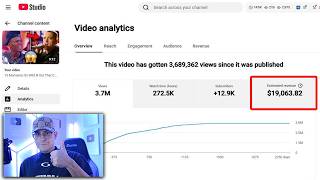
Since 2018, launched over 50 YouTube channels, hundreds of millions of views, over $2 million in ad revenue.
Shorts and long-form have different algorithms and audiences; posting both on the same channel can kill performance.
If after 20 videos the channel has less than 100,000 impressions in 28 days, abandon it and start fresh with a new email.
Create accounts on Facebook, Pinterest, X, Instagram with the same channel name and link them in YouTube Studio to avoid shadow bans.
Use free or low-cost tools: Gemini for thumbnails, Claude for scripts, 11Labs for voiceovers. Avoid expensive subscriptions.
Answer Engine Optimization (AEO) is now crucial; AI scrapes transcripts for answers. Include specific details that AI can cite.
Post original content not covered elsewhere; focus on niche topics like biographies of Olympic snowboarders for AI citations.
Never delete videos; unlist them instead. Deleting removes data YouTube has gathered, harming channel performance.
To succeed on YouTube in 2026, creators must adapt to AI-driven algorithms by focusing on net information gain, AEO, and maintaining off-platform presence while avoiding common mistakes like deleting videos or mixing shorts and long-form.
What is the first mistake that kills small YouTube channels?
Posting long form and shorts on the same channel because they have different algorithms and audiences.
00:15
How many impressions should a channel have in 28 days after 20 videos to be viable?
Over 100,000 impressions.
01:11
What is AEO and how does it differ from SEO?
AEO stands for Answer Engine Optimization; it optimizes content for AI to cite as answers, unlike SEO which targets search keywords.
05:04
What should you do instead of deleting a video?
Unlist the video instead of deleting it.
08:05
Name three free or low-cost AI tools recommended for YouTube creators.
Gemini for thumbnails, Claude for scripts, 11Labs for voiceovers.
03:25
Creator's Track Record
Establishes credibility with concrete numbers: 50+ channels, hundreds of millions of views, $2M+ revenue.
00:02Shift from SEO to AEO
Introduces a key concept for 2026: optimizing for AI citations rather than just keywords.
05:04Net Information Gain
Explains how to create original content that AI will use in overviews, a critical strategy for visibility.
06:24Never Delete Videos
Counterintuitive advice: deleting removes data YouTube uses to understand your channel.
08:05[00:02] that's because since 2018, I have launched over 50 YouTube channels. I've gotten hundreds of millions of views. I've made over $2 million in YouTube ad revenue. When it comes to YouTube, I've experienced and I've seen everything.
[00:15] I'm going to be telling you eight mistakes that may be killing your YouTube channel. Mistake number one is posting long form and shorts on the same Google it or you ask ChatGPT, it's going to tell you it's an amazing idea that
[00:29] that you should be posting long form and and shorts to grow your channel. That's a [ __ ] lie. Shorts and long form are not only two completely different algorithms, but they cater to two completely different audiences. And if
[00:41] probably see it on your channel today. That would explain why your short form long form videos don't even pass a hundred. Mistake number two is posting on a dead YouTube channel. Listen, man. If you're on your 50th upload and not a
[00:56] single one of your videos has gotten over 20,000 views, do me a favor. Go to YouTube, click on your profile picture on the top right, go to YouTube studio. analytics. And at the top, click on content next to overview. And what
[01:11] you're looking for is the amount of impressions that your channel has gotten in the last 28 days. Not the views, not the average view duration, not the click-through rate, just impressions. So, if you have a [ __ ] ton of videos or
[01:23] number of impressions on your channel in the last 28 days does not cross a channel. You want to abandon your YouTube channel and start again on a completely fresh email. And listen, I know that sounds drastic, but I know
[01:38] to do that. But, I'm also not going to [ __ ] you. I launch about three new month, and I've been doing that since the beginning of 2026. And I came to the conclusion that for some reason, YouTube [music] treats every email differently.
[01:51] So, no matter how good your video quality is or how good your video idea is, if YouTube doesn't feel like pushing your content, it won't, and there's little bit more exact, when I launch a YouTube channel, I post 20 videos the
[02:05] first month. After that first month, and after those 20 videos are posted, if my YouTube channel does not have over 100,000 impressions, I leave that email, I log out of it, and I just start again somewhere else. Now, there is something
[02:17] that you can do to fix this or to lower the probability of launching a channel first, if you look at your impressions and you did have more than 100,000, and you have low views, that means your videos are dog [ __ ] and the problem is
[02:32] going to be either your CTR or your ABD. Mistake number three is not having off-platform presence. One of the best things that you can do in 2026 that not only prevents a shadow ban on impressions, but YouTube also loves to
[02:45] see is the presence of your brand outside of YouTube on other platforms. So, what you're going to do is create a Facebook, Pinterest, X, and an Instagram account with the same name as your YouTube channel. Once you do that, go
[02:58] back to YouTube Studio. On the left column, you're going to click on customization. Then, you're going to scroll down all the way until you see little plus sign, you're going to click on that, and from here, obviously, start
[03:10] individually. But anyways, moving on to number four, that is overspending on AI tools. Listen, man, nowadays, there's there's AI tools for everything. They create audios, they do thumbnails for you, and it's like, sure, it's pretty
[03:25] cool, you know? I I even have my own. It's called Vid Ninjas. But to be You don't need any of them. For thumbnails, just go directly to Gemini, use Nano Banana. For the scripts of your videos, you want to use Claude. Just
[03:38] [music] literally not that hard. For the voiceover videos, just use 11Labs, and need. You know, same thing goes for courses and communities. I mean, dude, on YouTube, right? And you know, technically, this is me
[03:52] cuz you know, I have my own school community, but but it really depends. It comes down to how you learn. For example, my school community, it's for content. In my community, I reveal some of my YouTube channels including the
[04:06] soccer one I just started and and exposed all of my news YouTube channels. I guess, you know, cuz there's over 150 video tutorials in my community. Not tutorials, right? I guarantee you that more than 50% of my members don't even
[04:22] live every [music] single week. I answer questions. I review channels. into an ad. So, link is in the description or in the pinned comment. All right, no, I'm not doing that. That was hilarious. Editor, you can you
[04:36] can cut that out if you want. That was just a fire ad. Fire transition. But [music] basic, right? Experience is going to be the best teacher. You don't need to pile up $200, $300 a month on on AI tools that all kind of do the same
[04:49] do it yourself. You know, all of these tools are primarily convenience. If wouldn't even be thinking about convenience. But anyways, moving on to mistake number five, that is optimizing your videos for SEO, but not optimizing
[05:04] them for AEO. Stay with me because this is going to be one of the most important ones out of the entire video. So, SEO stands for search engine optimization. This is where you spam keywords in the tags of your video, in the description,
[05:16] in the title, and of course, with the goal of adding enough keywords that when appears at the top. You know, this has been the only way to really get videos pushed in the algorithm or appear in search results. But that is until AI got
[05:29] implemented into almost every single algorithm and created something called answer engine optimization. And here's how it works. Hypothetically, let's say I post a video titled the best smoothie shops in Las Vegas. And for the entire
[05:41] video, I'm just doing taste tests, right? I'm trying different flavors of smoothies. But in this video, I unintentionally mention the prices and the menu for about 10 seconds. It's not the main focus of the video. It didn't
[05:54] Again, I mentioned that for only 10 seconds. Well, now, when someone asks ChatGPT for the cheapest or best smoothie shops in Las Vegas, AI will scrape the entire transcript of my video looking for an answer. And since I did
[06:09] mention the prices and the menu for about 10 seconds, the AI will use my video as a source and reference to answer that person's question. This is what's called an AI citation, and yes, there is a way to maximize this, which
[06:24] takes me to mistake number six. And that is not adding net information gain. they don't say, "Oh, let me Google it." or "Hey, bro, can you Google this?" They say, "Ask ChatGPT." or "Hey, bro, can you ask AI this for me?" The the new
[06:38] generation was not raised to use Google. We were because that was the only thing anymore. Go to any high school. Go to any middle school. You're going to see any middle school. You're going to see they say, "Oh, ask AI." Nobody Googles
[06:51] They realized it. They joined the AI race, and they dropped Gemini. And this the way. One of the main jobs that YouTube gave Gemini, or Google, whatever, is to look through videos, scrape the text, and look for answers
[07:07] that it can use in AI overviews. Now, if you're not aware, if you Google high probability that the first thing you're going to see is a AI overview, question, a direct answer without leading you to your answer. And the way
[07:23] to increase these AI citations, or to appear on AI overviews, is posting videos with high information gain. And what net information gain is is original content. Now, not original to us, but original to the AI. So, to sum it up in
[07:38] super confusing, the secret to YouTube in 2026 is to create channels on topics that are not covered in video formats. It is focusing on very specific details
[07:50] about something that are not covered typically in other videos. So, I know just going to throw it out there, biographies of Olympic snowboarders. Sure, maybe nothing scalable to a crazy amount, but easy 10K a month at least
[08:05] yeah, I mean I'll make a specific video on this topic itself just cuz it's so so anyways, moving on to mistake number seven, that is deleting videos. What a what a lot of beginners do is that when
[08:18] instinct is to delete it. They think, "Oh, the video is bad. I'm just going to want to do that, okay? Because all of the data that YouTube gathered from the even if it's only a handful, is going to disappear the second you delete the
[08:34] thing. So, I wouldn't really delete videos unless you're completely rebranding your channel to something super super different. But either way, even then, I would only unlist [music] a video. Never delete them though. But
[08:48] more, but I kind of want to work on that net information gain video now. If you're someone that wants to take YouTube serious, again, you can click pinned comment. You can check out my school community. Nah, whatever. Never
[09:02] mind. I I don't feel like promoting. So, all right. I'm just going to I'm just all right. I'm just going to I'm just going to end this video, man.
⚡ Saved you 0h 09m reading this? Transcribe any YouTube video for free — no signup needed.