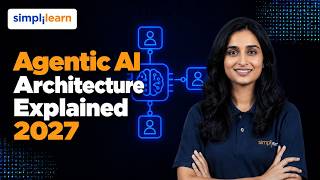

The Real Difference: AI Agents vs Chatbots
45sClear, practical breakdown with an engaging example, appealing to a broad audience curious about AI.
▶ Play Clip"Delivers a solid, comprehensive architecture walkthrough plus a working code demo—title promises exactly what's shown, though some sections are padded."
This video provides a comprehensive overview of agentic AI architecture, explaining the difference between chatbots, workflows, and autonomous agents, and walking through a complete enterprise architecture using an HR onboarding example. It covers the core components—orchestration, agents, tools, memory, governance, and evaluation—and includes a hands-on tutorial building a working agent with LangGraph and FastAPI.
The video opens with an HR scenario: onboarding a new employee (Maya Rao) via an AI agent that checks policies, creates accounts, orders laptops, books orientation, and flags approvals.
Traditional AI answers questions, but agentic AI delivers outcomes by combining a language model with memory, tools, and a decision loop, wrapped in secure and accountable architecture.
Level 1: RAG chatbot (answers questions). Level 2: Tool-augmented chatbot (calls tools but human-driven). Level 3: Autonomous agent (plans, chooses tools, adapts, and stops when goal met or human needed).
Generative AI is the capability (models generating code/images). An AI agent wraps a model with tools, memory, and a goal. Agentic AI is the broader approach with orchestration and guardrails.
Workflows follow a fixed path defined in code; agents decide their own route at runtime. Workflows are predictable and cheaper; agents are flexible but cost more and carry more risk.
Routing (classifier sends request to correct path) and Orchestrator-worker (central model breaks task into subtasks, delegates to workers, combines results). Arya uses orchestrator-worker.
Interface layer (chat/portal), API backend (FastAPI, authentication, RBAC), orchestration layer (LangGraph), agents (planner, policy, IT, scheduling, governance, evaluator), tools (HR system, identity, procurement, etc.), and data layer (PostgreSQL, vector store, Redis).
Anthropic open-sourced MCP in late 2024 to standardize how AI applications connect to tools and data, avoiding custom integrations.
Perceive: request passes API checks, personal details masked, context loaded. Think: planner builds plan with dependencies. Act: agent selects tools and calls APIs. Observe: results checked; if over budget, pauses for approval; if API times out, retries or replans.
LangGraph models an agent system as a graph: nodes are steps/agents, edges define flow, conditional edges choose paths, and a shared state object carries all information. Checkpoints allow pausing and resuming.
Short-term memory (working context) lives in Redis; long-term memory separates workflow records (structured, in PostgreSQL) from knowledge (unstructured, in vector DB). PG Vector enables vector search in PostgreSQL.
RBAC applies to agents, PII masking, audit trails, rate limiting, step limits, and a governance agent that checks actions against policies and spending limits.
An evaluator agent reviews each run on decision correctness and output quality, feeding a continuous test-measure-improve loop. Track task success rate, tool call accuracy, escalation rate, latency, cost.
1) No step limit (fix: cap steps, escalate to human). 2) Too many vague tools (fix: clear purpose, precise descriptions). 3) Trusting model arguments (fix: validate against schema). 4) Over-permissioned agents (fix: least privilege). 5) Shipping without evaluation (fix: build test set, score every release).
Arya as a complete system: business requirement (manual onboarding), agent responsibilities, integrations with existing systems, humans in the loop for exceptions, and production additions (logging, auditability, approval mechanisms, infrastructure).
Tutorial builds a working agent with three steps (plan, approve, execute) using Python, LangGraph, FastAPI, and Ollama (local model). Includes mock data, tools, state, conditional routing, and human approval.
In production, tools call real systems, role headers replaced by verified tokens (JWT), larger models used, and persistent storage (PostgreSQL) instead of in-memory checkpoints.
The real skill in agentic AI is not prompting a model but architecting a system where every layer—interface, API, orchestration, agents, tools, data, governance, and evaluation—works together to make AI reliable for enterprise use.
From Answers to Outcomes
Defines the core value proposition of agentic AI: moving from answering questions to delivering business outcomes.
00:52Workflows vs. Agents
Provides a clear decision framework for when to use workflows versus agents, a critical architectural choice.
03:30Model Context Protocol
Highlights an industry standard that simplifies tool integration, a key practical detail for developers.
06:11Governance is Key
Emphasizes that most agent failures come from missing governance, not the model, shifting focus to architecture.
10:46Five Mistakes to Avoid
Provides actionable, common pitfalls and fixes, directly applicable to production deployments.
12:12[00:07] Her laptop isn't ordered. Her accounts don't exist. Nobody enrolled her in compliance training. Onboard Maya Rao. One request and AI checks policies, creates accounts, orders laptops, books orientation, and flags approvals. But
[00:23] give an agent that much power without the right architecture, it can call the wrong system, expose personal data, or loop forever. In this video, we'll follow one HR agent from request to result through every architectural
[00:37] version yourself. >> Traditional AI answers questions, but businesses don't just need answers. They need outcomes. Accounts created, equipment ordered, employees ready on day one. That gap between answering and
[00:52] doing is what agentic AI is built to close. Agentic systems are already used in HR operations, customer support, software engineering, finance, and supply chain planning. Behind every one of them is the same pattern. A language
[01:06] model combined with memory, tools, and a decision loop wrapped in an architecture that keeps it secure and accountable. Now, if you're a developer, a data professional, engineer, a student, or a business leader planning AI adoption,
[01:21] this architecture is becoming a core skill. In this video, we will start with the fundamentals, how a chatbot, a workflow, and an agent differ, and when to use each. Then, we'll walk through the complete enterprise architecture,
[01:34] follow one request step-by-step, and see how LangGraph orchestrates multiple agents. You will build a working agent with human approval in code. And after that, we will cover memory, security, evaluation, and the mistakes that break
[01:48] agents in production. All of it follows one story, Arya, an HR agent onboarding with the every team asks. What is the real difference between a chatbot and an agent? We'll answer it with our HR
[02:03] example in three levels. Level one is a rag chatbot. An employee asks, "What's the laptop policy for new hires?" The system retrieves the right paragraphs from HR documents and the model writes a
[02:17] grounded answer. Helpful, but it only talks. Level two is a tool augmented chatbot. Now, it can call a tool like check laptop stock, but a human still drives. One question, one tool call, one answer. Level three is an autonomous
[02:33] agent. You give it a goal, onboard Maya Rao, a data analyst. It plans the steps, chooses the tools, checks each result, adapts when something fails, and stops only when the goal is met or a human is needed. Three terms often get mixed up,
[02:49] so let's separate them. Generative AI is the capability. Models that generate code and images. An AI agent wraps a model with tools, memory, and a goal, so
[03:01] it can take action. Agentic AI is the broader approach. Systems where one or more agents plan, coordinate, and act supported by orchestration and guardrails. Think of it in this way. Generative AI is the engine and the
[03:15] agent is the vehicle, followed by which agentic system is the whole fleet with traffic rules. Now, here's something many tutorials skip. Not every problem needs an agent. A workflow follows a path that developers define in code. The
[03:30] model may fill in a step like drafting an email, but the route is fixed. An agent decides its own route at runtime. Workflows are predictable, cheaper, and easy to test, so they fit where the steps are known. Agents are flexible,
[03:45] but cost more and carry more risk, so they fit when the steps vary. Between the two are patterns that you will use constantly. Routing, a classifier reads an incoming request and sends it down the right path like onboarding, leave
[04:00] request, or payroll question. Orchestrator worker, a central model breaks a task into subtasks, delegates them into worker agents, and combines the results. That's the pattern that Arya uses because every new hires
[04:14] checklist is a little different. The design rule is simple. Start with the simplest solution that works and add autonomy only where flexibility is worth the cost. Now, let's open the hood and see the complete architecture one layer
[04:28] at a time. Follow Maya's request as it moves through each one. At the top is the interface layer, a chat window or HR portal where the manager types "Onboard Maya Rao, a data analyst starting next Monday." Next is the API backend, often
[04:45] built with fast API. Here, the request is validated, the user is authenticated, and role-based access control decides what they're allowed to do. An HR manager can trigger onboarding, a regular employee can't. This layer is
[05:00] the agent's front door, and it keeps the model from ever being exposed directly to the outside world. Then comes the orchestration layer. A framework like LangGraph holds the workflow state, decides which agent runs
[05:14] next, and pauses for human approval when needed. Under orchestration are the needed. Under orchestration are the agents, a planner, a policy agent, an IT provisioning agent, a scheduling agent, a governance agent, and an evaluator.
[05:27] Each one has a job and its own instructions. The agents act through tools, the HR system, identity management, procurement, the learning platform, calendar, and email. Standards like the model context protocol gives
[05:41] agents a consistent way to connect to these systems. At the base is the data these systems. At the base is the data layer. PostgreSQL for workflow records, a vector store for policy knowledge, and Redis for fast short-term state. Running
[05:55] along every layer are three cross-cutting concerns: governance, observability, and evaluation. We will be covering each one shortly. Did you know that Anthropic open-sourced the model Context Protocol in late 2024 to
[06:11] give AI applications a standard way to connect to tools and data so developers don't need a custom integration for every tool. Let's follow Maya's request through the loop. Perceive, think, act, observe. Firstly, we have perceive. The
[06:25] request passes the API checks. Personal details are masked before they reach the model. The orchestrator loads context. Maya's role, her start date, and the relevant onboarding policy retrieved from the knowledge base. Think. The
[06:40] planner builds a plan with dependencies. Create accounts first because training enrollment and the welcome email both need them. Order the laptop and schedule orientation in parallel. Check the laptop cost against the approval limit.
[06:55] Act. For each step, the agent selects a tool and calls its API with structured arguments. The identity service for accounts, procurement for laptop, the learning platform for training, the calendar for orientation. Observe. The
[07:09] results come back. Accounts created. Laptop, the chosen model exceeds the budget limit, so the agent doesn't push ahead. It pauses and sends an approval request to the manager. When the manager approves, the loop continues. If an API
[07:25] had timed out instead, the agent would retry or replan rather than fail silently. Final output. The agent sends a welcome mail, returns a summary to HR, and writes a complete record of every decision to the audit log. Notice what
[07:39] we never did. We never had hardcoded the exact sequence. The agent built it for Maya's role. So, what is actually running this? orchestration framework called LangGraph. Now, LangGraph models an
[07:53] agent system as a graph. Nodes are steps or agents. Edges define what runs next. Conditional edges let the system choose a path. For example, if the laptop is over budget, go to approval. And a shared state object carries everything
[08:09] that the agent know, Maya's details, the plan, and the results so far. Because state is saved at checkpoints, a run can pause for a human and resume exactly where it stopped. And that's how human approval works in production without
[08:23] losing progress. Now, the agents. Each one has a clear responsibility. The planner builds and revises the plan. The policy agent retrieves the right rules. The IT provisioning agent handles accounts and equipment. The scheduling
[08:37] agent books orientation and training. The governance agent checks every action against permissions and spending limits. The evaluator reviews the outcome. And they collaborate through the shared state. Independent tasks, like the
[08:51] laptop order and orientation booking, run in parallel. Dependent tasks wait. Training enrollment cannot start until the accounts exist. Did you know that LangGraph saves a checkpoint of the graph state as it runs,
[09:06] such as one waiting for a manager's approval, can resume from the saved state instead of starting over? An agent is only as good as what it can remember and look up. Short-term memory is the working context of the current task, the
[09:21] conversation, the plan, and the tool results. For speed, session data and temporary state often live in Redis and in-memory store. Long-term memory holds what must survive beyond a single run. Here,
[09:35] [snorts] good architecture separates two kinds of data. First, workflow records, onboarding cases, statuses, approvals, and audit logs. These are structured, exact, and belong in a relational database like PostgreSQL. Second,
[09:49] knowledge, HR policies, handbooks, and procedures. Now, these are unstructured text stored as embeddings in a vector database, so that the agent can search by meaning. With the PG vector extension, PostgreSQL itself can do
[10:04] this. Keep the two separate with different tables or schemas and different access rules, so a retrieval problem never corrupts a business record, and each can be secured and audited on its own. When Arya asks,
[10:17] "What equipments does a data analyst receive?" the vector search finds a policy. When Arya records, "Laptop approved by manager." that goes to the approved by manager." that goes to the PostgreSQL as an exact, auditable fact.
[10:31] Did you know that PG vector is an open-source extension that adds vector similarity search to PostgreSQL, so one database can store both business records and embeddings. Most agent failures in production don't come from the model.
[10:46] They come from missing governance. Governance starts with identity and access. Role-based access control applies not only to users, but to agents. The scheduling agent can touch calendars, but it can't touch a payroll.
[11:00] PII protection. Personal data such as national IDs or bank details are detected and masked before they reach the model or the logs. Audit trails. Every decision, tool call, and approval is recorded, so you can always answer,
[11:15] "Who did what, when, and why?" Rate limiting and step limits. They stop runaway loops and protect your systems from overload. A dedicated governance agent checks each planned action against policy and spending limits, and routes
[11:30] high-risk actions to humans. Together, these controls support enterprise compliance requirements. Then there's evaluation, the part that teams often forget. An evaluator agent reviews each run on two questions. Was the decision
[11:44] correct? Meaning, the right tools in the right order? And was the output good? Meaning, an accurate, clear, welcome email? Those scores feed a continuous email? Those scores feed a continuous loop. Test, measure, improve, redeploy.
[11:57] Track task success rate, tool call accuracy, escalation rate, latency, and cost. And you can improve the agent with evidence instead of guesses. Now, before we zoom out, let's look at five mistakes that break agents in the real world and
[12:12] that break agents in the real world and the fix for each. Mistake one, no step limit. The agent retries a failing call again and again, burning cost and time. The fix, cap the number of steps and escalate to a human when the cap is hit.
[12:26] Mistake two, too many wait tools. If tool descriptions overlap, the model picks the wrong one. The fix, give each tool one clear purpose and a precise description, and keep the tool set small. Mistake three, trusting the
[12:40] model's arguments. A model can produce a malformed or invented value for a tool call. The fix, validate every argument against a schema before the tool runs. Mistake four, over permission agents. One agent with access to everything is
[12:56] one bug away from a serious incident. The fix, least privilege. So, each agent gets only the access to the job it requires. Mistake five, shipping with no evaluation. Without tests and monitoring, you won't know the agent is
[13:11] failing until a user tells you. The fix, build a test set from real cases and score every single release. Notice a pattern? None of these are model problems. They are all architecture problems, and architecture is something
[13:25] that you can control. Now, let's zoom out and look at Arya as a complete enterprise system. The business requirement, a growing company hires dozens of people each month and onboarding takes days of manual
[13:37] coordination across HR, IT, procurement, and training. Errors lead to late laptops and missed compliance courses. The agent responsibilities are clear. The planner builds each person's checklist, the IT agent provisions
[13:52] accounts and equipment, the scheduling agent books training and orientation, the governance agent enforces limits, and the evaluator scores each run. The integrations are the company's existing systems, HR system, identity management,
[14:07] procurement, learning platform, calendar, and email, each connected through a control tool interface. Humans stay in the loop where it matters. Purchases above the limit, unusual roles, and any case the agent cannot
[14:21] resolve. They review exceptions instead of every step. Taking this to production adds a few more things. Logging and monitoring, so you can see every run in real time. Auditability, so every action can be reconstructed. Approval
[14:36] mechanisms with clear owners and timeouts. And infrastructure, containerized services, persistent checkpoint storage, secrets management, and queues for long-running tasks. For professionals, that means a new skill
[14:49] set, designing the loop, choosing the right tools, setting the guardrails, and measuring the results. Now, let's go ahead and build a small working version of Arya, who is our HR agent, onboarding Maya Rao.
[15:02] And this time it really runs on your own computer with no paid account and no API One important note first. This is a small slice of the full architecture. We build one agent, Arya, with three steps, plan, approve, and
[15:17] execute. The planner, policy, IT, scheduling, governance, and evaluator agents are not included. A single budget rule and a single role check stand in for governance. So, here's what you need. You will need three things: Python
[15:31] 3.10 or newer, a code editor like VS Code, and a free tool called Ollama. Now, Ollama runs a language model right on your laptop. So, there's no account, no key, and no bill. Everything runs locally in a terminal and an editor. So,
[15:45] first you will have to install Ollama from ollama.com. As you can see, I have Ollama installed. Go ahead and type Ollama llama 3.2. So, quick check that it works. After this, we will quickly have a look
[15:59] at the Ollama list. Okay, so now go ahead and type Ollama list. So, here's what we've done. First, we installed Ollama and then downloaded a small model called llama 3.2. Now, it's about a 2 GB download, so it can take a few minutes.
[16:13] So, when the list command shows the model, Arya's brain is ready. Ollama keeps running quietly in the background, so there's nothing else to start. Now, environment. So, go ahead and type make directory
[16:27] demo. Now, let's move into the folder with the command it's CD Arya space demo M So, here we're moving into the
[16:40] environment. Yeah, let's go ahead and activate the environment. For Windows, activate the environment. For Windows, this is the command which is VNV/script. Arya demo
[16:55] demo script followed by activate. Yeah. So, environment. So, virtual environment keeps the project's library separate from everything else on your machine. Whether it's active, you will see its
[17:07] name at the start of your terminal line. Now, for the step three, let's go ahead and install the libraries. Go ahead and type pip install enter. I'll go ahead and explain why we're
[17:20] doing this shortly. So here we've installed all of the dependencies followed by fast API Uvicorn Uvicorn Ollama Go back and install the following
[17:32] pip install fast API Uvicorn Ollama So now these are four libraries. Langraph runs the agent. Fast API is the front door and Uvicorn is the server
[17:45] that runs fast API. And the Ollama library lets Arya talk to the model on your machine. For the step four we create two files. So they're saying that there's an upgrade. Let's go ahead and upgrade that. Now for the next
[17:58] part of the demo we will be needing to create two files. your choice. I'm going with Visual Studio for the same. Okay. So here head over to Visual Studio
[18:12] let's go ahead and open a file. I'm going ahead and opening this folder. So move ahead to file, open a folder look for Arya. So here I've opened the folder here on VS code. Um yeah. So within this
[18:28] which is a Python file. So name it as Arya.py. Okay, so here we've created a new file. We shall also create another file which is called as main.py. So go ahead and do that. main.py
[18:45] Okay. So actually Arya.py acts as the agent and main.py acts as the fast API front door. So let me just summarize what we did. We created two files in the project folder. Arya.py holds the agent which is
[18:59] the model, the tools and the graph. And main.py holds the front door. Now these must sit in the same folder because main.py imports Arya from Arya.py. We'll build them one small block at a time and you will see the file name on
[19:14] every block. Now for the next part, block one imports the model. implementation. For the agent, which is Arya.py, here is a block of code. So first, let's import JSON followed by import RE from typing
[19:34] import typed dict followed by the word literal. Then dict followed by the word literal. Then we shall import Ollama from LangGraph .graph import state graph
[19:50] {comma} start {comma} end then then from LangGraph checkpoint memory from LangGraph checkpoint memory let's go ahead and import memory saver
[20:07] and from Lang graph types import interrupt. We also mention the model name which we had pulled which is
[20:20] had pulled which is model equals the Ollama 3.2 which we installed. So model equals llama .3.2. I've changed the indentation of the code. Now before we execute, the model
[20:34] that you just pulled, now we start Arya.py with the imports. explain the block of code. We start Arya.py with imports. LangGraph gives us save checkpoints and the pause feature called as interrupt. Now the Ollama
[20:50] library gives Arya her brain and the model names the one that we are downloading. Now if you pulled a different model, change this particular line. Now let's go ahead and execute the second block of code. So here let's add
[21:03] mock data to the code. So we have laptop prices equals data data analyst 2400
[21:15] analyst 2400 and intern equals 900. So, this is just some mock data which I'm entering. Then, we'll have to mention approval limit
[21:27] we'll have to mention approval limit which is again equals, let's say, 1,500. So, this is our fake company data. A data analyst laptop costs $2,400 and an intern laptop costs 900 and anything above 1,500 needs a manager's approval.
[21:43] Now, this one number is our budget rule. Let's move on with the third block of code which is for the tools. So, go ahead and type def create accounts. So, this is a function called create accounts. These are the parameters for
[21:57] it. So, this is employee {comma} role then we have {comma} role then we have email equals em employee dot replace
[22:10] Within brackets, we have inverted commas {comma} inverted commas. Within the commas, we have to write a dot. Then, we have plus have plus Within the commas, we have at company
[22:24] Within the commas, we have at company dot com followed by return f account which is created followed by within flower brackets, we had email. This is flower brackets, we had email. This is done. Then, we have def order laptop
[22:38] which is again another function and we have the parameters as employee have the parameters as employee {comma} role again return f laptop ordered for um
[22:53] dollars Within brackets, we had flower brackets. And laptop prices Please add brackets. And laptop prices Please add an underscore before prices. Dot get Within brackets we have role {comma} 1,200
[23:09] This within brackets. def enroll training employee {comma} def enroll training employee {comma} role return enrolled in compliance 101
[23:23] Here's the other function we define a function call schedule orientation parameters are em- ployee {comma} role parameters are em- ployee {comma} role return orientation booked for Monday And
[23:40] we mention a time, let's say for example 10:00. Now let's go ahead and define another function. We have define This one is send welcome email.
[23:53] The parameters are employee {comma} role return f welcome email sent to Within flower brackets we have employee. Now let's go ahead and add in caps tools
[24:07] equals Here we're mentioning the tools. Create accounts Create accounts {comma} Then we have order laptop {colon} order laptop enroll training So
[24:24] we add enroll training as well. Then schedule orientation schedule underscore orient And finally we have send welcome
[24:38] email This is within {colon} I mean within brackets then {colon} And we send welcome email. So now that this is done, let me go ahead and explain this particular block of code. Now these are Arya's tools. Each is a plain Python
[24:53] function that returns a result. In real life each would call a different system. Here, they use mock data, but the pattern is identical. The tools dictionary is Arya's toolbox, a menu of everything that she is allowed
[25:06] to use. Now, for the fourth block of code, let's go ahead and type. Here, we have our class name as state. All in caps, sorry. State, I mean, all in small. Within that, we have function
[25:19] called type dict. Colon. Then, we have employee, which is of type string. We have role, which is again of type string. Then, we have plan, which is of type list with data type
[25:34] string. Needs approval, which is of boolean type boolean type. Then, we have log list, which is of type So, now this is the shared state, the notebook every step reads from and
[25:50] writes to. It holds who we're onboarding, the role, the plan, and manager's answer, and a log of what happened. Now, for the fifth block, which is the planning block, we define a function again,
[26:04] called as plan, within which the parameters are state, finding state. Then, we have prompt equals you are Arya and HR agent onboarding plan the
[26:19] onboarding of We have state, within which we have employee. We close the brackets, comma uh new state, enclose this within
[26:32] comma uh new state, enclose this within flower brackets, role {slash} n. only these tools. Then, we give the tool list. Within the flower brackets, we have
[26:45] list followed by tools. Add this to the next line, backslash next line, backslash n. Then, let's ahead and create accounts n. Then, let's ahead and create accounts must come before enroll training and
[27:02] must come before enroll training and send welcome email {slash} n to then you write reply with only a JSON list of tool names in
[27:17] order. Reply equals llama.chat equals llama.chat chat within brackets we have model chat within brackets we have model equals model comma messages equals
[27:32] role colon user content colon prompt then we have user content colon prompt then we have options equals temperature I repeat temperature semicolon followed by zero text equals reply message within
[27:52] brackets we add content this is again within brackets followed by steps let me clear the indentation in a while equals JSON loads re.search
[28:05] JSON loads re.search followed by r backslash the the close it followed by r backslash the the close it comma text comma dot s finally we have to group function close the brackets within group we add zero.
[28:21] This is the final block of code here. Let me go ahead and explain it. This is where Arya thinks. We tell the model who it is, who it's onboarding, which tools it can use and one rule. Accounts comes first. The model runs on your own
[28:35] machine and replies with a list of tool names. Setting temperature to zero keeps its answer steady from run to run. Nobody hard coded this plan the model wrote it. Now for the sixth block here we validate and check the budget.
[28:49] plan function. Add a comment over here understanding. Never trust model output is validate
[29:02] every step if not steps or any not in tools for S in steps. Add a colon.
[29:14] Raise followed by value error invalid plan followed by value error invalid plan from model steps. So here's a habit worth copying. Never trust the model output blindly. This
[29:29] matters even more with a small local model which can slip. We can check that every step is a real tool and that the plan isn't always empty. Then we compare the laptop price to the limit and save the result in the state. Now this
[29:42] decision sends Maya to a human. Now for the next block of code, we have the conditional route. Now the block of code for the same is as follows. Let me As you can see, I've highlighted this line of code. So here it indicates that
[29:58] one line is one decision. If approval is needed, go to the approve step. If not, skip straight to execute. Maya's laptop is over the limit, so she goes to approval and in turn would not. The next block of code is the approval node. The
[30:13] block of code for the same is highlighted. Now this block of code is the human in the loop moment. The interrupt call pauses the whole graph and saves the state and nothing runs when nothing is lost. When a human
[30:27] answers later, the graph picks up this exact line and their answer becomes the approved value. Now the next block of code will be the execute node which is as highlighted. So let me go ahead and explain this to you in a little depth.
[30:40] So in this particular block of code, now this particular block of code is responsible to get the work done. We loop through the plan, look up each tool, and run it. Now, if the laptop needs approval and the manager said no,
[30:53] we skip it and log why. Every result goes into the log. Now, the purpose of the next block of code is to wire the graph. So, as you can see in this particular block, we connected everything. Here, there are three nodes
[31:07] as you can see, which is plan, approve, execute. Now, plan runs first and the conditional edge picks up the next step. And approve leads to execute. Now, the checkpoint is saved state at every step, so a paused run can resume.
[31:20] Now, that's the whole agent and aria.py is now complete. Now, let's move on to the second part of this demo, which is the front door or the main.py. Now, for the 11th block of code, we have request shapes. So, let's go ahead and
[31:35] import from fast API import the fast API header HTTP exception from Pydantic import base
[31:51] import base model from types import command model from types import command from Aria import Aria. Then we have API equals API function. Then we have
[32:08] our class, then we add class with the name of onboard name of onboard request base model, employee, and request base model, employee, and string, role string, class
[32:23] decision within which we have base model approved Yeah. The block of code ends with this. So, want you to notice this line of code here, which is from Arya import Arya.
[32:39] Now, this is why both files share a folder. These two classes are the front doors rule. An onboarding request needs an employee and a role, and an approval needs a true or a false. Anything else is rejected before it reaches Arya. Now,
[32:54] for the next block of code, we have the role check. So, this is the chunk of code for the same. Let me go ahead and explain the Let's stop and pause on this one. This is a simplified stand-in, and not real
[33:09] security. Anyone can type a header. Real systems verify a signed token, such as a JWT, from an identity provider. Here, we're using a header only to show where the check sits, which is before the agent runs.
[33:23] function, or a collection of helper functions. because this is a collection of all the helper functions. Let me go ahead and run through this for you. So, these are two small helpers. The
[33:37] thread ID is like a case number. It tells LangGraph which saved run we mean. The summarize function here turns Arya's result into a simple reply, awaiting approval with the question, or completed with the log. Now, the next block of
[33:51] code is the start onboarding part. Now, this endpoint starts the job. It checks the role, creates a case number for Maya, and hands the request to Arya. Arya plans, hits the budget role, pauses, and the endpoint returns
[34:05] awaiting approval. For the next block of code, we have approve or reject. This will be the block of code for the same. So, this is also considered as the second half of the approval flow. The manager sends a decision for Maya's case
[34:18] number. We check that something is actually waiting, then feed the decision into the paused graph, and Arya continues from the exact point where she stopped. Both files are now saved. And by both files, I mean main.py as
[34:32] well as Arya.py. Now, for the third part, we will go ahead and execute So, in order to start the server, let's go ahead and type this particular line of code back in the shell, which is uvicorn main
[34:47] and reload. Let's go ahead and execute this line of code again. virtual environment active, we start the server. When you see it running on localhost port 8000, the front door is open.
[35:01] complete. Leave this terminal running. The first request may take a little loading into memory. So, for the first option, we have test the page in the browser. Fast API builds a test page for free.
[35:15] Fast API builds a test page for free. Okay. So, go ahead and open localhost 8000 docs in your browser. So, it says that it's already running. browser. Let's just go ahead and open this.
[35:28] Control click. So, we have it open here. So, like I said, this is a little slow. So, it's taking some time. Yeah. Okay. So, upon opening this particular link on the browser,
[35:42] this is what the interface looks like. Here, we have an example value, as you We have an option for application in JSON, responses, validation error, and all this. So, as you can see, this was the test
[35:56] So, as you can see, this was the test page built by Fast API. So, here, we can send every request by clicking with no commands needed. For this demo, this is Now, for the second option, we have something known as the curl commands.
[36:10] Firstly, start onboarding for Maya. Here's how you're going to do it. Um if you don't want to do this, just open a second terminal. CD Arya demo. Let's move into the environment. So, as you know that the first option was
[36:25] opening the API tool on a separate browser. The second option is curl commands. So, once we open a second terminal for the requests because the Now, let me go ahead and run the following calls. Now, this is for
[36:40] starting onboarding Maya, which requires the approval of manager. Let's go ahead and run this. Yeah. So, as you can see, call one starts Maya's onboarding. You will see the plan the model wrote, and the status is awaiting
[36:54] model wrote, and the status is awaiting approval. Arya has paused. Now, the call two is manager's approval. As you can see, Arya resumes and runs each tool and returns a log with one result per step. For call three, uses
[37:08] the wrong rule and we get a 403. Like I said, we got 403. And for the fourth and final call, it's supposed to onboard an intern. Yeah. So, the laptop is under the limit, so the conditional route skips approval
[37:22] and the job completes right away. So, this is the same agent and a different path. So, let's just recap what happened. A language model running on your own laptop wrote the plan. Plain functions
[37:34] did the work, LangGraph controlled the flow, and saved the state. A conditional route decided who needed a human. And FastAPI wrapped it all with a front door and an approval endpoint. We didn't hardcode the steps, Arya chose them.
[37:49] Now, here are two honest notes. In production, each tool calls a real system, the role headers replaced by verified tokens, and you'd likely use a larger and a more capable model than this small local one.
[38:02] And memory saver keeps checkpoints in memory, so restarting the server loses Production uses a persistent store such as PostgreSQL. Let's recap using Arya. First, we started with a business problem. Companies need outcomes, not
[38:17] just answers, and that's the jump from chatbot to agent and the reason to choose workflows when the steps are known. We followed one request through every layer, the interface, the API with authentication and access control, the
[38:31] LangGraph orchestrator, specialist agents, tools, and the data layer. We saw the loop in action, perceive, think, act, observe with parallel steps, dependencies, and human approval bots. We learned how memory and databases are
[38:46] separated, and how governance and evaluation keep the system safe, and which mistakes to avoid. And you built a working agent with state, checkpoints, and approval. The real skill isn't prompting a model. It's architecting a
[38:59] system where every layer works together to make AI reliable enough for the enterprise. To continue learning practical technology skills like these, explore more videos from Simply Learn. Thanks for watching. See you in the next
[39:12] Thanks for watching. See you in the next one.

⚡ Saved you 0h 39m reading this? Transcribe any YouTube video for free — no signup needed.