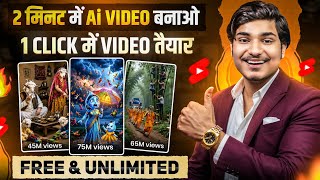

AI Video of Animals Fearing Humans Goes Viral
46sThe humorous reversal of roles (animals scared of humans) is a fresh, relatable concept that sparks curiosity and shares.
▶ Play Clip"Delivers a practical tutorial but oversells the 'millions of views' promise without evidence."
This video is a step-by-step tutorial on creating viral AI-generated videos, specifically the 'reverse animal world' trend, using ChatGPT for story generation and Google Flow (with a free Google Pro subscription) for video creation. The creator demonstrates the entire process from idea generation to final editing, emphasizing character consistency and monetization potential.
The video highlights a trending AI video format where animals are the main characters and humans are the threat, with each video reportedly getting millions of views.
The creator instructs viewers to use ChatGPT to generate 10 viral story ideas for the 'reverse animal world' theme, with examples like 'human in the bathroom' or 'human crossing the road'.
If the initial 10 ideas aren't suitable, viewers can simply ask ChatGPT for 10 more ideas by replying 'give me 10 more viral ideas'.
The tutorial emphasizes creating a consistent character across all scenes, using a specific prompt structure for each scene (Scene 1, Scene 2, etc.) to maintain visual continuity.
The video introduces Google Flow (likely a typo for 'Google Vids' or similar) as the tool to convert the story into video, requiring a Google account with a Pro subscription.
The creator explains how to get a free Google Pro subscription for 18 months, which provides 1000 credits monthly, enough to create multiple videos.
Viewers are guided to paste the story prompt into Google Flow, select the 'agent' option, and send it. The tool then generates videos for all scenes at once, ensuring character consistency.
After generation, each video scene is downloaded individually. The creator recommends using a video editing app like 'Gain' (likely 'CapCut' or similar) to combine the clips and add memes or funny elements.
The video concludes with instructions on claiming the free Google Pro subscription via Google Gemini, which offers an 18-month Pro plan.
The video provides a complete, actionable workflow for creating viral AI videos, from idea generation to final editing, with a focus on character consistency and leveraging free tools. The creator emphasizes that a good script is key to making the video enjoyable and successful.
What is the 'reverse animal world' trend in AI videos?
It's a viral video format where animals are the main characters and humans are the threat, e.g., a human in the bathroom or crossing the road.
00:14
How many viral story ideas does ChatGPT initially provide?
10 ideas.
01:30
What is the recommended video length for the AI-generated story?
40 seconds.
02:07
Which tool is used to convert the story into video?
Google Flow (likely Google Vids).
02:58
How many credits does Google Pro provide monthly?
1000 credits.
03:10
What is the purpose of generating a reference image?
To ensure character consistency across all scenes.
05:32
How many videos are generated at once in Google Flow?
All four scene videos are generated at once.
06:29
What should you do if you face download problems in Google Flow?
Enable 'Desktop Site' in browser settings.
06:53
Which editing app is recommended in the video?
Gain (likely CapCut or similar).
07:28
How long is the free Google Pro subscription offer?
18 months.
08:42
Viral AI Video Trend
Highlights a lucrative content niche with millions of views per video.
00:14Free Google Pro Subscription
Provides a cost-effective way to create videos with 1000 monthly credits.
03:10Character Consistency Method
Explains a key technique for maintaining visual consistency across scenes.
05:32Batch Video Generation
Saves time by generating all scene videos in one go.
06:29Script Importance
Emphasizes that a good script is crucial for video success.
09:08[00:00] बेटा, संभल के जाना, सुना है आजकल इंसान खुले घूम रहे हैं जी पापा, अगर इंसान दिख गया तो मैं तुरंद भाग जाओंगा शुप रहना, वरना साप देख लेगा पापा, पापा, बाहर एक इंसान घूम रहा है
[00:14] कोई भी बाहर मत जाना गाइस अभी जो आपने AI वीडियो देखा याना वो यार काफी ट्रेंड कर रहा है याद पर मैं आपको व्यूज दिखाना चाहूँगा हर एक वीडियो से मिलियन व्यूज आ रहा है जो भी ऐसा AI वीडियो अपने चैनल पर पोश्च कर रहा है और आज मैं आपको स्टेप ब
[00:46] आपको प्लेस में मिल जाता है, इंस्कॉल करके आप लोग ओपन कर लेना, अब यहाँ पे आपको Google के सिरुल लॉग इन करने के लिए बोलेगा, तो आपको लॉग इन कर लेना, तो आपको ऐसा एंटरफेस मिल जाएगा, अब आज से जिपुटी पे यहाँ पे आपको प्रॉ
[01:16] चैट जीपटी application को open करना है और आज चैट जीपटी पे आप लोगों को ये वाला prompt पूरा यहाँ पर paste कर देना है ठीक है और यहाँ पर आप लोगों को send वाला button पर take कर देना है अब सबसे पहले गाइज आपलोग को 10 ये viral ideas देगा कि किस type का आपलोग reverse animal world story बना सकते हो
[01:30] जैसे कि ये पहला idea दे रहा है बाथरूम में इंसान, दूसरा idea है स्कूल के रास्ते में इंसान, फिर तीसरा है इंसान ने रास्ता काट दिया तो यह चौथा idea है भूत का नया अदर अब इस तरीका चले गई तो आप लोग को 10 viral idea देगा
[01:42] अगर आप लोग को यह 10 idea नहीं पसंद आया तो आप लोग simple reply to chat gpt पे लिखना कि मेरे को और 10 viral idea दो और आप लोग को 10 idea देगा तो जब आप लोग को एक viral idea मिल जाए
[02:07] पूरा वीडियो की फॉरटी सेकंड के लिए बनावाएंगे
[02:32] मा छिपकल लूँ पिता छिपकल लूँ इस तरीका चेंज हमारा टायरेक्टर्स है वो हर एक सीन हमारा consistent रहेगा फिर ये हमारा सीन one का प्रॉम्ट है उसके बाद आप लोगों को दिखे गए हमारा सीन two का प्रॉम्ट है उसके बाद ये सीन three उस इस तरीका से guys total हमारा 4 scene में हमारा story end होता है
[02:46] अब दोस्तो हमने पूरा story यहाँ पर generate कर लिया है अब हमें इसे वीडियो में convert करना है तो वो हम लोग कैसे करेंगा मैं आपको बताता हूँ पूरा आप लोग cut करना guys आप लोग को अपने mobile phone पे एक browser open करना है जैसे आप लोग open करोगे यहाँ पे आप लोगो search करना है
[02:58] Google Flow, लोगो search कर देना है तभी आपको एक Google Flow करके पिंक करता Google Apps मिल जायगा इसके आप लोग लिख देना अब यहाँ पे आपको Google के द्रू लॉग इन करना है और उसी Gmail के द्रू करना है जिसमें आपको Google का Pro subscription होगा
[03:10] Google Pro का बिलकुल फ्री में subscription आपको कैसे लेना है इसी वीडियो के लिए मैं आपको बताने वाला हूँ तो वीडियो आपको पूरा देखना Google Pro का अगर आपको subscription ले लेते हो तो यहाँ पर Pro लिखा हुआ आता है और आपको 1000 1000 credit मिलता है और monthly आपको 1000 credit मिलता है जिससे आपको बहुत से वीडियो बना सकते हो
[03:25] अब guys हमें वीडियो बनाना है तो हम लोग क्या करेंगे यहाँ पर 3 dot का आपको option मिलेगा ऊपर में उस पर click करना रॉकों आपको आपको डेख करता इसको चलिए जाइए तो आप लोगों यहां पर अपने इंटर्फेस में जाएगा अब पूछो यहां पर नियुक्त प्रोजेक्ट आपको ऑप्शन गए नीचे अब आप लोगों सिंपल उस पर पीछे
[03:39] जैसे आप लोग क्लिक करोगे, गाइस आप लोग यहाँ पे ऐसा interface मिल जाएगा, नीचे देखो यहाँ पे option आ रहा है, what do you want to create का, जी गए, सबसे पहले तो आप लोग पे एक agent का option मिलेगा, इसको आप लोग यहाँ पे select करके रखना, यह आपका deselect हो सकता है, एक बार select कर दे
[04:09] 40 4 4 setting click click right setting option
[05:04] रखना है इस तरीका से मैंने सेटिंग रखा है बिल्कुल सीम है आप लोग वैसे रखना फिर पूरे नीचे आना यहाँ पर आप लोगों को एक सीम कबड़न मिलेगा इस पर क्लिक कर देना अब गैज आपको यह सीम हो गया अब सिंपल आपने जो यहाँ पर प्रॉम लिखा है इसको आप लोग यहाँ पर send कर देना है जैसे send करोगे आपका thinking लेने लगेगा उसकी
[05:18] बाद आप लोग यहाँ पर इस तरीका से zoom out करेंगे हम लोग थोड़ा सा and उसकी बाद right side में आपका एक एक निया चैड ओपन हो जाएगा और यहाँ पे लिखा वा जाएगा कंसेंडरिंग कैरेक्टर कंसिस्टेंसी उसके बाद आपको ये रिप्लाई मिल जाएगा जहाँ पे लिखा वा है कि ये जनरियेट करने के लिए रेडी है लेकिन सबसे पहले बोल रहा है कि हम लोग
[05:32] reference image को generate कर लेंगे, ताकि जो हमारा हर scene में character consistent रहेगा, इसलिए guys सबसे पहले यह reference prompt मांग रहा है, तो अब आप लोग क्या करना है, इसको पूरा यहाँ पर cut करना है, और guys अपना chat gpt application को open करना है, और guys जो हमने पूरा prompt यहाँ पर generate करवाया था, इसको एक
[05:46] बारे में आपको copy कर लेना है कुछ भी दोस्तों आपको एकट करके copy करने का जरूरत नहीं है पूरा आपलों को prompt अपना copy करना है और वापस अपना browser को open कर लेना और यहाँ पर नीचे आना आपलों को option मिल जाएगा what do you want to create का पूरा आपलों को यहाँ पर paste कर देना है और simple guys send
[06:16] यही आपको अपने स्टोरी पर चाहिए उसके बाद दोस्तो आपकी यह खूशे जाया कि यह जो चार वीडियो आप बना रहे हो इसमें आपका सार्ट पेल्स यहाँ पर खर्चा होने वाला है तो सिंपल आपको आपको अप्रूब वाले बटन पर क्लिक कर देना है और जैसे कि आप लोगों को दिखेगा यहाँ पर आप लोगों को यह चार वीडियो एक बारे में बनना चाल हो गया
[06:29] मतलब दोस्तो आपको वन बाई वन यहाँ पर प्रॉम्ट पेस करने में ज़रूरत नहीं है एक बार में आपका चारो सीन का यहाँ पर वीडियो तैयार हो जाएगा जैसे कि आप लोग देख पायो अब इसके एक करके आप लोगो डाउनलोड करना है सिंपल गाइस हम लोग यहाँ पर एक पर टाब कर देते हैं
[06:41] और सबसे पहले guys एक को यहाँ पर मैं play करके दिखा देता हूँ तो जैसे कि आप लोग देख पा रहे हो जल्दी सो जाना बेटा हाँ मा तो यहाँ पर जैसे कि आपने दिखा जैसे हमें character चाहिए थे बिल्कुल वैसे हमें यहाँ पर generate करके दिया है अब इसको download करना है, देखिए guys, अगर आप लोग
[06:53] desktop site download problem keyword click desktop site guys one by one download tap download
[07:13] जैसे ही आप लोग चारो video को अपना download कर लेते हो उसकी बाद आप बारी editing का तो आप लोग कोई भी editing tool
[07:28] यूज कर सकते हैं जैसे हम लोग Gain application यूज करते हैं जैसे हम लोग Gain application ओपन करेंगे प्लस वाले बढन पर क्लिक करेंगे करेंगे, अब इस विडियो को लोग series में attach करेंगे, जैसे कि first में हमारी यह वीडियो है, second में यह है, तो हमने अपना चारों वीडियो attach कर दिया, आपके जितना वीडियो का वह आपको attach करना, फिर आपको next वाले button पर click कर देना, अब जैसे कि
[07:42] आप लोग देख पर हमारे यह फूरा आईड हो चौका है, आप सिंपल गाइस हम लोग यहाँ पर प्ले करेंगे और जहाँ पर हमें कुछ funny scene लग रहा है, वहाँ पर दोस्तों हम लोग meme भी आईड करेंगे, meme आईड करने के लिए गाइस सिंपल आप लोग को अपना white line को वहा
[08:12] वीडियो का आपका फ्लो बना रहे हैं, अब जैसे आप लोग एक बार में एडिट कर ले रहे हो, उसकी बाद गैज, आप लोग ऊपर में export का वर्डम देखने को मिलेगा, उस पर क्लिक कर देना, quality simple आपको यह रखना, जैसे कि आप लोग देख पर जो मैंने रखा और export कर दे
[08:42] प्रो सब्सक्रिप्शन यहां पर आपको देखने को मिल रहे हैं अगर आपको विचार्ज करवा लोगे तो बस इस तरीका आपको निशे आना बाट्स न्यूप पर दोस्तो आपको गूगल जेमिनाई मिल जाएगा इसके क्लिक कर दीजेगा जैसे कि आप लोग देख पर 18 month के लिए आप लोगों को प्रो प्लान दिया जा रहा है तो no more पर click कर देना
[08:55] उसके बाद दोस्तों जिसके Gmail पर आपको claim करना आपको claim कर लेना जैसे कि आपको देख पर मैंने आपको already claim कर दिया अब दोस्तों मैंने आप लोगों को सिखा दिया लेकिन फिर भी आपको कुछ जॉड बसता होगा आप लोग कमेंट कर सकते हो मैं आपके लिए प्लाई कर दूँगा बाकि एक बात में कहना चाहूँगा देखो script में आप लोगो याद ज्यादेना
[09:08] अगर आप लोगो script पणी होगा ना तो इस वीडियो देखने में और मज़ा आएगा बाकि जाओ अच्छे से बनाओ और अपलोड करो आप लोगो जीज़ दर्वी मिलेगा बागे गाइस मिलते हैं ऐसे नी विडियोस पे तब तक किने केज पाचिंग टू वाइट विडिटेक्ट और पाइबाइट सामनी
⚡ Saved you 0h 09m reading this? Transcribe any YouTube video for free — no signup needed.