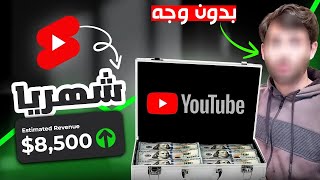

كسب 8000 دولار شهريًا بدون وجهك!
47sيُظهر هذا المقطع ربحًا ضخمًا بسهولة دون ظهور، مما يثير فضول المشاهدين لمعرفة السر.
▶ Play Clip"Title promises a faceless YouTube channel making $8k/month, and the video delivers a step-by-step guide to replicate it."
This video explains how to build a faceless YouTube channel using AI, focusing on short quiz videos. The creator uses Quiz Monsters as a case study, showing how to generate content with ChatGPT, edit with Canva, and automate bulk video creation with Canva's Bulk Create feature.
Quiz Monsters is a faceless channel with videos hitting 10M views, earning up to $8K/month from YouTube alone, without showing faces or recording audio.
The project involves choosing a niche, creating content with ChatGPT, editing with Canva, using Bulk Create for automation, and scheduling uploads.
Choose a niche with proven demand by looking at successful channels. Use ChatGPT for ideas. Targeting English content yields higher profits.
Generate 30 riddles per month with three options each using ChatGPT. Export to Excel for organization.
Use Canva's free version to create vertical mobile videos. Add logo, text, animations, timer, and correct answer highlight. Use YouTube Library for royalty-free audio.
Canva's Bulk Create (paid) allows generating 30 videos at once by connecting an Excel spreadsheet with puzzle data, saving hours of manual work.
Schedule all 30 videos in one session. YouTube monetization typically takes 6-9 months. Persistence is key.
By leveraging AI and automation, anyone can create a faceless YouTube channel with minimal effort. The key is choosing a profitable niche, using ChatGPT for content, Canva for editing, and Bulk Create for mass production.
What is the estimated monthly YouTube earnings of Quiz Monsters according to Social Blade?
Around $8,000 per month.
00:31
What are the six main steps to create a faceless YouTube channel as outlined in the video?
Choose niche, create content with ChatGPT, edit with Canva, use Bulk Create, download, and schedule.
01:27
How many shorts per month does the creator recommend?
30 shorts per month (one per day).
03:10
What tool is used to generate 30 videos at once?
Canva's Bulk Create (requires paid plan).
09:03
How long does it typically take to start earning from YouTube according to the video?
6 to 9 months.
12:29
Faceless channel success
Shows that a channel can earn $8K/month without showing face or recording audio.
00:02Six-step framework
Provides a clear, repeatable process for building a faceless YouTube channel.
01:27Bulk Create secret tool
Automates a month's worth of video creation in minutes, saving significant time.
09:03Patience and persistence
Emphasizes that YouTube success takes 6-9 months, managing expectations.
12:29[00:02] Quiz Monsters. All their videos are riddles and questions, and people interact with them. As you can see, some videos have hit 10 million views, and others have millions and hundreds of thousands of views. All this without showing their faces or even speaking into a
[00:16] microphone, because that's the hardest part. Ask me, as a YouTuber, the hardest part is the photoshoot and recording session. They've eliminated all that. This channel reached over 2 million views last month alone! And the best part is their earnings. According to
[00:31] Social Blade, they're very high daily. If you look at their monthly earnings, they range from tend towards the upper limit, around $8,000 per month. That's over a million dollars in
[00:47] one year! And remember, without showing their faces or even recording into a microphone. And that's just their YouTube earnings; I'm sure they have other income streams. They have affiliate marketing, they have services, they have other products, or they might even have ads and advertisements. And on top of all that, as you know,
[01:00] YouTube operates on the principle of compounding effects. So, if their earnings this month are $8,000, next year in the same month they could earn at least $10,000 to $15,000. These numbers keep
[01:12] multiplying if they continue with the same work. If you didn't know, hundreds and thousands of YouTube channels generate huge profits without showing their faces or even recording on microphone. So today, I'm going to explain how we can do this project in six main steps, and we'll also use
[01:27] artificial intelligence to make things much easier. So pay attention, and let's begin. The first step is choosing your niche. You need to know what field you'll enter or what niche you'll talk about. There are so many fields. You could talk about the top 5, the top 10, the top 10 places, the top 10 countries,
[01:43] or about sports, anime, cooking—anything you like or have experience with. Whether you're skilled in it or you love learning about it, you can stick with it immediately. To determine if a field is successful, there are many ways, but the most important and best method, in my opinion, is to look at a successful channel before you and
[02:00] proceed cautiously. For example, if you enter a field like cooking, you don't know if many people enjoy cooking and follow cooking content. But if there are large cooking channels that have grown and achieved good production, you'll know they have an audience, and that audience likes this type of content. So,
[02:16] you enter the market knowing that this field is already in demand. God willing, I will give you the tools and guidance that will make the process very easy for you. It won't take much time, not in editing, developing the idea, writing the content, or anything else. The channel
[02:30] we talked about, Quiz Monsters, is considered successful and doing well, God willing. We will use the same mechanism for our channel in this video, and we will focus on short videos, not long ones, this video, and we will focus on short videos, not long ones,
[02:42] supports them. The short videos will be more widely shared, and we might even create the same content for TikTok and Instagram tomorrow to broaden our reach. If you're really unsure about your niche, ask Chat GBT; they'll give you tons of examples. Look for something you
[02:55] enjoy, something that others have successfully done before, and then go for it! A piece of advice: if you have even a basic understanding of English, try targeting foreign content because the profits are very high. Next, we'll talk about the content of our videos. What will we upload in
[03:10] our short videos on this channel? Our content will be similar to that other channel; it will consist of riddles or questions. Each short will have a question or riddle with three options, one of which is correct. We'll need one short per day, meaning 30 shorts per month. More would be even
[03:24] better, but let's talk about 30 shorts per month. We'll go to Chat GBT and ask them for 10 interesting and fun riddles. For each riddle, they'll give us three options. One of these three options is the correct one, and we press Enter. We notice that he gave us many examples. He might be
[03:37] asked to do something specific, or he might modify the questions to make them more or less difficult, and so on. So, I'll tell him to give me 30 puzzles similar to the one he gave me, number nine. He'll start giving us a lot, but here he didn't give us options, so I'll tell him to give me three
[03:52] options for each puzzle. He'll start giving us the same ones we asked for, and every time I want more, I'll say, "Give me more, give me more, give me more," until he gets fed up with you, and you get fed up with him. Now, I asked him to put them in a table, and every time I want more, I'll say, "Give me more, give me more, give me
[04:07] appropriate. It will close for a month, two months, three months, whichever suits him. Then, we'll take all the data he gave us in the table and put it in an Excel file to organize things and clarify matters. We'll use it later for something else. The third step is very important: subscribe to the channel and support me with a
[04:20] like. I'd be very happy to thank you. The fourth step, which is editing, is using Canva because it's free. There are many paid tools, but we can start for free and earn money, God willing. First, after opening the Canva website, we'll go to Videos (here).
[04:34] Then we'll click on Mobile Videos. These will be vertical, like Reels, like TikTok videos. First, we want a video background, so we'll go to Videos (here). We'll choose a background, background, so we'll go to Videos (here). We'll choose a background, for example, Motion Background. We'll go to
[04:48] Videos (here) and choose what suits us. I want to put the YouTube channel logo on top. I made a simple logo that I'll use directly here, so I'll do it here.
[05:00] When uploading, I'll drag the file here and drop it directly here. That's our logo. drop it directly here. That's our logo. First, I want to write
[05:13] choose the font here, and change the font color here. From here, you do everything, and here I want to give it some animation, do everything, and here I want to give it some animation, some movement, so it moves, goes up, or blocks, for example, like K. Okay, fine. And I want to do something called a showtime. I want to specify when
[05:28] this should appear. I don't want it to appear right after the "Tonight's Puzzle" message. I want it to be for just the first three seconds, for example, for about two and a half seconds. Okay, now I put my puzzle and my three Okay, now I put my puzzle and my three options. From what? Our Excel file?
[06:05] Now I'm going to do the same motion animation. Okay, and the same thing, I want to do the timing too. animation. Okay, and the same thing, I want to do the timing too.
[06:19] showtime from here. I want it to appear after the text for tonight's puzzle comes out. So we after the text for tonight's puzzle comes out. So we said about two and a half seconds. Okay, let's make sure. Look, this will go away. Look, tonight's puzzle is gone. If you notice,
[06:32] Look, tonight's puzzle is gone. If you notice, tonight's puzzle is gone. I want this to appear right away. Okay, tonight's puzzle is gone. I want this to appear right away. Okay, same thing
[06:45] here, and then... I want to put the correct answer, which will be the tree, so I'll do the same thing again, putting it in the middle, for example, but I'll make it green. I want it to appear at the end, meaning when the question time is up.
[07:10] timer here, which is how much time is left until the question ends. For example, if someone answers, let's say 20 question ends. For example, if someone answers, let's say 20 seconds. We'll drag it down. Okay, I've set the timer. This timer starts 10 seconds after the question is completely finished, and the answer will appear
[07:24] immediately. I also want to add something else. When the correct answer appears, I want it to look like a celebration. So we'll go to the menu and type "celebration."
[07:36] take this one. When the correct answer appears, these things will appear. That's why I'm adjusting the timer settings. It appears when the correct answer appears, meaning when it appears, okay, as soon as the tree appears, this will appear with it, so we're good. The last thing I want to
[07:51] add is sound. I can add a sound, for example, like I'm trying now, I'm going to make a rain sound, or I can add my own voice. For example, I'll read the question myself and add the answer, I'll read it myself, whatever suits you. If you want to use your voice, you can use your voice, if you don't want to, you don't have any problem.
[08:05] The audio files in [the library] are always copyrighted, so always go to the YouTube Library. You have a large number of audio files there. You have the sound effects, the music, you have everything. So I took a rain sound file, downloaded it directly from the YouTube Library, so I'll use it here
[08:22] directly from the YouTube Library, so I'll use it here in the audio. I'll just drag it here and add it below. I'll leave it complete here. So let's see what we got in the end.
[08:49] cut it. 20 seconds is enough. I feel 20 seconds is almost sufficient, so we can adjust the audio, we can adjust the background, we can work on it more and rely on a specific, fixed template. The fifth step, which I consider the secret tool, will shorten a whole month's work to
[09:03] 10 or 5 minutes. This tool will even let you create 30 short videos, or 60, or 90, all with one click of a button. You don't need to write the puzzle each time, adjust the options each time, or
[09:15] adjust the correct answer each time, and so on. By pressing the button, you'll finish the month's content. Now, to complete all this process, we don't want to forget the puzzle, the options, or the correct answer for each of the 30 short videos. We want to do it all at once with one automation process to
[09:31] save a lot of time. We'll go to Apps, then Applications. Here, I'll write "Block Create." Of course, this requires you to have the Canva paid plan, but it's not a problem if you don't; you have 30 days. It's free, so you can
[09:44] 30 days. It's free, so you can take advantage of this package. We take advantage of this package. We 'll click on "Create," then we'll click on "Internet Data Manual. " We'll save all of them. Then we'll take our Excel spreadsheet. We'll copy all the options from the puzzle.
[09:58] Excel spreadsheet. We'll copy all the options from the puzzle. For example, we'll take the first 15. We'll copy them from here. For example, we'll copy 14 and paste it directly from here. Okay, now we'll do "Done." Okay,
[10:14] now we've gathered almost all the options or variables here, but we want to know where each variable is located in the list. For example, where is the puzzle? This is the puzzle above, right? We'll click on it on the right. We'll click on "Connect Data." We'll click on the
[10:27] puzzle. Okay, next. Is this the correct answer? This is the tree. The answer is in green. So we'll click "Connect Data." We'll click on the answer. Okay, here you have the first option. This is option C. Of course, "Connect Data" is option M.
[10:41] Here you have the option below it, which is option B. And lastly, we have option A. option B. And lastly, we have option A. This is "Connect Data" option A. But I'll do This is "Connect Data" option A. But I'll do all of these. It came out right away, you'll do a quick
[11:05] puzzle and different questions. Look, this question is completely different, this question is completely different, each one has a completely different question. 30 ready-made videos with the click of a button,
[11:17] or 30 short videos, that's it. Now all we have to do is download them, all 30 of them directly from here. Look, download them, all 30 of them directly from here. Look, it says the first page is 29, that's about it, we'll click on it. You can choose exactly what I want. I want them all, so I'll download them all now. You
[11:32] can make more than one series, each series with a specific template or design.
[12:00] the titles and all the attributes, all the descriptions for the 30 videos will be in one session. You sit down and schedule them all, and you'll find them all on a specific day of the month so you don't have to manually upload a video every day. Every day you write the content, the title, the description, and the attributes all at once in one session, and you'll
[12:15] finish the content for the whole month. But the most important thing is what will be determined, God willing. God willing, you will succeed in this field. If you do n't, it's through God's grace. If not, it depends on your patience and perseverance, because it takes time. YouTube takes time; you rarely find someone who starts earning money from YouTube in
[12:29] three months, or even six. Most people need six to nine months to start meeting YouTube's monetization requirements and activate their earnings. The most important thing is to persevere. Anyone starting this project, write your channel name below, whether it's in Arabic or English, and I'll be
[12:42] your first supporter. I'll buy your channel, God willing, and give you any feedback I see on it. Don't forget to have any questions, your brother is here. Thanks for watching, and I'll see you in the next video, God willing. watching, and I'll see you in the next video, God willing.


⚡ Saved you 0h 12m reading this? Transcribe any YouTube video for free — no signup needed.