
Don't Overspend on a PC for Music Production
42sDebunks a common myth that you need an expensive computer to start making music, saving viewers money.
▶ Play Clip"Title accurately reflects content: a practical beginner guide to home studio setup, though 'why every musician needs one' is slightly exaggerated."
This video provides a beginner-friendly guide to setting up a home studio for musicians, especially guitarists, emphasizing that it doesn't have to be expensive if done gradually. The host walks through essential gear, from computers and audio interfaces to microphones and DAWs, offering practical tips for recording, practicing, and jamming.
Setting up a home studio is a great investment for passionate guitarists and musicians, allowing recording, layering, and jamming without breaking the bank.
A mid-range computer (8GB RAM, 128GB storage) is sufficient to start; modern computers are powerful enough for music production.
An audio interface (sound card) connects instruments and microphones to the computer via USB or Thunderbolt, providing preamps for microphones and line inputs for instruments.
A decent pair of headphones (e.g., Sennheiser HD 25) is essential for monitoring; open-back for mixing, closed-back for recording.
Three types: dynamic (loud sources), condenser (versatile, requires phantom power), and ribbon (smooth, mellow). A large diaphragm condenser is recommended for starters.
A DAW (e.g., Ableton Live, Logic, FL Studio) organizes recordings, allows layering, effects, and mixing. Many interfaces come with a free lite version.
Active speakers that provide balanced sound; size should match room size.
A USB MIDI keyboard helps input virtual instruments and drums, easier than drawing MIDI notes.
Quality mic stands (avoid cheap ones that drift) and a variety of cables (USB, XLR, jacks) are essential for hassle-free setup.
A studio is built over time; start with basics (e.g., free Audacity, hi-fi speakers) and upgrade as needed.
What are the three main types of microphones mentioned?
Dynamic, condenser, and ribbon.
05:17
What is phantom power and which microphone type typically requires it?
48 volts sent through the cable to power the microphone; condenser microphones require it.
05:29
What is the recommended starting computer specification for music production?
Mid-range CPU, around 8GB RAM, and 128GB storage.
00:46
What is the difference between open-back and closed-back headphones?
Open-back are preferred for listening and mixing; closed-back for recording to avoid sound leakage.
04:00
What is the primary function of an audio interface?
To connect instruments and microphones to a computer, providing preamps and line inputs.
01:28
Home studio investment
Encourages musicians to invest in a studio for creativity and practice, not just expensive gear.
Microphone types explained
Clear breakdown of dynamic, condenser, and ribbon mics with use cases.
05:17DAW as central software
Emphasizes that DAWs are essential for recording, mixing, and producing music.
06:38Gradual gear acquisition
Advises building a studio over time, starting with free software and basic equipment.
11:44[00:00] If you're passionate about guitar, about music, but your desk looks a bit like this, then probably the best investment is to buy more guitars. It's to set up a nice little home studio and the best thing doesn't have to be too expensive if you
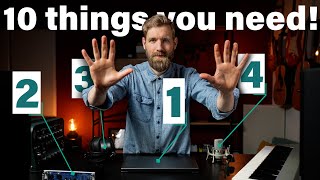
[00:16] do it right. And this is only for those that want to make their own music, also for practicing and jamming. It's awesome. Recording 10 layers of guitars, adding drums, bass, keys, record your guitar for others. Where do you start? What do you need? So let's decorate our little studio.
[00:34] And let's start with the heart of the operation. These days almost everyone makes music and records music on a computer. It gives you so much flexibility and it's definitely the easiest,
[00:46] most versatile approach. And it's very well possible that the Mac or PC you're already using will be perfectly suited for making music. These computers these days are so powerful that if you're starting out you really don't have to worry about performance too much. A mid-range CPU around
[01:02] 8GB of RAM and 128GB of storage and you can easily get started. And this is always a sensitive matter, but I'm a PC guy, a Windows guy. And I happen to be trying out a new MacBook M1 that everyone
[01:14] is raving about, but somehow it conflict with the next thing on this list. So I just stuck with my Google laptop instead. So let's move on. What if you want to record something? It's either going to
[01:28] be a quarter inch jack or an XLR cable. And there's no chance I can plug these into my laptop right now. Our computer may have a little input or an onboard microphone, but these aren't really the quality we're
[01:44] looking for. So this is where this comes in. At number two there's the audio interface or sound card. It connects via USB or Firewire, which is most common. Although I guess Firewire is becoming a
[02:00] little bit obsolete and slowly moves towards Thunderbolt, which has even a larger bandwidth than USB 3.0. But that's only available on select Windows devices by the way, so make sure to check if your computer
[02:12] accepts it. There's always one or more inputs that can be a line level for instruments like keys or your guitar and mother. It's not on a list, so no worry. Let me put that here and let's just plug a
[02:27] camper into the sound card. We should see it coming into the computer. Input number three and we see it coming in. So apart from the line inputs for these instruments, we also have preamps on board.
[02:44] This makes sure you can run a microphone into it and it will amplify the signal to a level where the computer actually can work with it. Without it, the mic is way way too quiet. As far as the output goes, you definitely need two left and right. And a headphone output. More outputs is nice
[03:04] if you want to hook some external effects to it. Run sound through it and back to the computer. Maybe experiment with different routing and stuff. That's fun. Furthermore, I'd love to have MIDI in and MIDI out so you can sync all the gear you want to your computer or have the computer
[03:19] control different instruments and pedals. So now we got a computer, we got the interface. Now what? If you make and play all that beautiful music, you do want to hear it, right? So at number three,
[03:33] a decent pair of headphones. This is definitely the easiest way. You don't have to sit in a fancy room, you don't have to mind the neighbors, the kids, the parents, the dogs, the cats, no just put these on
[03:45] and go from there. I used the Sennheiser HD 25 for a long time until they fell apart sort of and now I got this fancy new ones. And there's few different types like there's over ear or on ear, these are over ear
[04:00] and there's open back like this one or closed back and they all have different benefits and downsides. I like open back for listening and for mixing and close back for recording and I think over ear for me is a little more comfortable but in the end it's all personal so check and make sure
[04:17] which type will suit your needs. Let's just put it in the studio and continue because we've got the computer, the interface, we've got the headphones, your first hit is right around the corner but
[04:32] not quite yet. Here is number four and let's talk mics. Without a mic, you would not be able to hear me because over here, right out of shot, I've got a boom mic hanging. It's connected with an
[04:49] XLR cable into the audio interface, a different one it is and a mic can serve so many different purposes. It can record your acoustic guitar, your guitar amp, your voice or any audio source or
[05:01] instrument you can think of really. And I think it's really a must-have and it doesn't have to be too expensive, it can range from 50 dollars to anything up to two K even and if you're starting out, I suggest trying out a few budget options at first. So in general there's three different types. So
[05:17] a dynamic microphone is really classic for live use but also for loud audio sources like the guitar cap, this is really classic, the sheer SM57. We've got the dynamic microphone,
[05:29] so this one is a little more sensitive and runs with 48 volts, phantom power we call it. It runs through the cable into the microphone and this works well for anything, quiet, loud, they do it all. Acoustic
[05:42] guitars, vocals and even guitar caps or drums, lovely. And then there's a ribbon mic, so they are a little less bright and have a more mellow sound due to the little bit around it off transients.
[05:54] So they are more smooth and I like to pair this one up with a condenser or a dynamic mic, so it gets you the best of both worlds. And I made a video on a cool recording technique I like to use on the acoustic guitars so you can check it out over here. So there's a whole study you can do about
[06:11] mics like different pickup patterns, small diaphragm or large diaphragm. For now I guess if you just want to use one microphone I suggest getting a large diaphragm condenser mic and your gold,
[06:25] they can do it all. So let's keep that one in this studio. So everything sounds great so far but I am forgetting a massive thing right now. Where do we record into? You sure can use the voice
[06:38] memo app on your computer right? So we said the heart of the operation is a computer. Now we need something to organize everything on it. At number five we find a digital audio workstation. Now let me
[06:51] open up the computer before you know the loading takes too long. It's a program that runs on the computer and it lets us record guitars, layer vocals on top, at reverb delay, EQ compression at 8 tracks of drums
[07:03] if you wish. Run your favorite guitar simulation plugin all at the same time, really the sky is the limit. So here you see Ableton live, it's coming right up, my personal favorite and let's see what
[07:17] happens if we just record some guitars. Alright here we see the guitar track. So now I can also layer a vocal on top with that XLR cable I just showed you. Oh by the way there's
[07:40] one thing you should never ever forget and that is to hit that like button, like button, gently, gently awkward. So we can produce, mix, master, everything you need to make and create music and there's
[07:55] loads of different programs available Ableton live, Logic, FL studio, Cubase, Reason, Presonist Studio one, some shine in different fields where others may like a little bit but ultimately they all sort of do the same thing. So find the program you're comfortable with. So very often a sound card like this
[08:12] will ship with a free copy of a light version of your DAW so that might be a good choice to get started. So doing everything on headphones is doable but if you're working for a longer period of time it
[08:24] can get someone intense or uncomfortable. Therefore at number six I think a decent set of studio monitors is essential. They are active speakers that just try to make the sound as balanced and
[08:38] transparent as possible. So your music will sound great not only on your system but on each system for everyone. Great for when you play with something like a camper or a helix or a fractal tube by the way if you want to hear yourself nicely. So you plug the cables into the output of the sound
[08:53] card directly into the speaker and there we are. The size of the monitor should be related to the space where you're using them in. So if your space is small don't go too big it just makes no sense. We move on so I know we're probably all guitarist but music is more than just guitar so whenever
[09:09] I'm making it and here's number seven. I think a little USB or MIDI keyboard can be so helpful. So this is the one I used for the longest time it's very plasticky 49 keys but it works
[09:23] great so this allows you to play all the sounds you want in your DAW. It simply connects with the USB cable. So none of the things I can do is play piano. Oh by the way there's one thing you
[09:36] should never ever forget or drums. Oh by the way there's one thing you should never ever forget or
[09:50] call synthesizer. So as you heard whatever you need to finish that banger and it's so much easier than
[10:04] drawing in MIDI notes which is just a painstaking exercise. So just learn like a bit of the piano basic it's not that hard and it's great for everyone to learn and from there on out it's just smooth sailing all right so we've got most of the essentials down I guess but so handy are the things
[10:20] that just make everything a little bit easier. Like at number eight Mike stands. They will save your life really. I use a short one for guitar amps a medium one for recording acoustics for example and
[10:34] maybe a bigger one for vocals like standing up or if you just want one to do it all just go for the bigger one and change it so it fits whatever you're tracking. I found that the cheapest ones even if
[10:46] they do the job they sort of either break or they don't stay in one place or they slowly drift away and that messes up your recording of course so maybe go for one class higher and save yourself some troubles. So we've been using them already but I just want to share it again because they are so
[11:02] easily forgotten at number nine it's cables. So make sure you've got a mix of everything like USB jacks x-lar cables also jacks to x-large for maybe for your speakers balanced unbalanced it's the best
[11:16] to connect your mics your gear your instruments your amp model it's difficult to have too many cables and I found that I simply couldn't use something just because it didn't have the right cable or not enough cables and my goal is always to make just making music as hassle free as possible that also means
[11:32] having the things by hand you need to hook everything up correctly. So now you're looking at your wallet and you think you said it doesn't have to be too expensive and indeed it doesn't. All the gear
[11:44] I've got in this studio I mean maybe you've seen the tour you can check it out over here at a full studio tour. It was collected during a period of almost 20 years so I started out with my hi-fi speakers connected to my old PC using software free software called Audacity and seven years ago I bought
[12:01] this audio interface four years ago I bought this laptop it's like gradually investing in new gear a studio isn't built in one day so upgrade where necessary and add where you're missing things
[12:13] and the order is different for everyone where a singer might use a mic from the get go if you're a guitarist that records with an app model or a direct input or outputs you probably can do without it in the beginning and yes I said 10 things and I only listed nine so far because number 10 is
[12:29] some of all the things you might want to look at if things get serious like a dedicated studio desk or getting acoustic treatment in your room or a pop filter for your microphone different preamps and unlock recording here maybe even a dedicated computer that you can just leave at the desk. Plugging
[12:46] things in and out every time you want to make music can get annoying after time so as I said we try to make everything as hassle free as possible as quickly as possible anyway of course I can't test everything
[12:58] or every piece of gear around so I would love for you to give some recommendations what is good and affordable gear to start out with maybe some things I might have missed or tips about gear that you think others can't live without in the studio or if you've got a question maybe we can all help
[13:14] us shut her out and answer some questions in the comments below it will be really awesome to see anyway thank you so much for watching everyone and I really do hope this video inspires you some bit to like to really start to work on your own music you're never too old for that it's never too
[13:27] late you're never too you know just start doing it it's amazing it's a lot of fun anyway that's what a guitar is meant for make music just
⚡ Saved you 0h 13m reading this? Transcribe any YouTube video for free — no signup needed.