

Claude Code Addiction? Use It Anywhere!
60sOpens with a relatable, trending topic (AI addiction) and promises a life-changing hack, hooking viewers immediately.
▶ Play Clip"Delivers on the promise of setting up Claude Code on your phone, but includes sponsor and filler content."
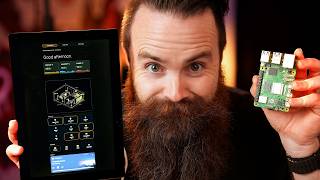
This video demonstrates how to set up a remote terminal using a VPS and the Terminus app, enabling users to run Claude Code from their phones anywhere. The tutorial covers VPS setup, security hardening, SSH key authentication, and using tmux for persistent sessions.
The video aims to enable using Claude Code from a phone by remote into a terminal running it.
Use Hostinger to create a VPS that will serve as a persistent remote terminal.
After setting up the VPS, Claude is pre-installed, and you can access the terminal via the Hostinger panel.
Install fail2ban to block brute force attacks, enable UFW firewall, and allow only necessary ports (22).
Download Terminus, create a host using the VPS DNS name or IP, and connect via SSH.
Generate an SSH key in Terminus, export it to the VPS, and disable password authentication for security.
Install tmux to keep sessions alive even if the phone disconnects, and use tmux attach to resume.
Add configuration to enable mouse support for better scrolling in Terminus.
By following these steps, you can securely access Claude Code from your phone anywhere, with persistent sessions via tmux.
What is the purpose of fail2ban?
To block brute force attacks automatically.
02:31
What command enables the firewall and allows port 22?
sudo ufw allow 22 && sudo ufw enable
02:46
What is the role of tmux in this setup?
It allows persistent sessions so you can disconnect and reconnect without losing your work.
06:11
How do you resume the last tmux session?
Type tmux attach or tmux a to attach to the most recent session.
06:50
What is the benefit of SSH key authentication over passwords?
It is more secure and eliminates the need for passwords.
04:39
Freedom to code from anywhere
Highlights the core value proposition of the video.
00:13Security hardening steps
Essential for protecting a public-facing server.
02:31Persistent sessions with tmux
Key feature for mobile usage, preventing loss of work.
06:11[00:00] There are actually articles about Claude Code Addiction. I believe it. I've got it. Do you have it? And I'm not here to help you quit. laptop or desktop?
[00:13] What if you could use Claude code at the airport on the couch, in the shower, on the toilet? I want to give you that freedom. So by the end of this video, you're going to be hacking from your phone with CLO code from literally
[00:25] anywhere. And it's going to be stupid. Get your coffee ready, let's go. But here's the thing. CLO code is a terminal app. That's what I love about it. so we can't use cloud code on our phones.
[00:39] But what if using our phones we could remote into a terminal running cloud code? We have actually two goals in our mission. Number one, set up a remote terminal that will never, ever go down.
[00:55] So we can always access cloud code wherever all the time. We'll call it our forever terminal. For this tutorial, we're going to set up a VPs and the cloud. We'll knock this one out first.
[01:10] Go out to hosting your.com/network. Chuck, They're here to help us with our cloud code addiction. Now is the best time to get your forever terminal. Now,
[01:24] They know why you're here. So we'll go to services VPS hosting right here in the middle. Choose our plan. and you can build whatever you want with cloud code on this thing.
[01:39] whatever you want to do. And do you have a coupon code? Of course you do. Magic and then watch this for our operating system. We'll just search for cloud.
[01:52] And after you set your password and enable your free malware scanner and take a Actually now's a great time to hack that YouTube algorithm.
[02:04] Notification bell comment. You got to hack YouTube today. Ethically, of course. And from here you can access the terminal just from clicking on this button,
[02:16] the top right, and you're here typing Claude pre-installed. And now all we have to do is use our phone to access this terminal. But hold up, This is accessible to the entire world. We got to make sure you protect it.
[02:31] We got to harden this Linux machine. Okay? To make this sucker secure, This will block brute force attacks automatically. We'll do pseudo A PT install fail two ban dash y.
[02:46] We'll make sure it's running system CTL status fail to ban and it's we're going to enable our firewall and only allow the ports we need. We'll do a combo command. Pseudo UFW allow 22,
[03:00] And then we'll do and pseudo UFW enable. Now, if you're running as route, you don't need pseudo, just a force to have it anyways. Let's do it. Yes, UFW status looks great. Number three,
[03:15] but not right now because the app we're going to use to remote into this terminal will handle that for us. So here we go. We've almost broke the chain, but now it's time for the terminal app. Yes,
[03:29] It's called Terminus. I'm not sponsored by them. I'm sponsored by hosting here. find Terminus. There it is. And by the way,
[03:42] We'll open it up. Ooh, shiny. You don't need an account. You don't need to give it access to your local network because we'll be accessing a public VPS yours and now create our first host,
[03:56] if you look at the overview of your VPS, you can use one of two things. Either the DNS name or the public IP address. Let's go with the DNS name.
[04:08] Mine is SRV, blah, blah, blah. Hit continue. Label it. But in your username, which will be root, Hit the check mark, hit continue to accept the unknown host.
[04:24] And we're in the terminal. Let's see if it works. Claude. And we're n. That's just fun. Now that's all you have to do. Video over. I mean, not yet. But you can back out and that's going to be there forever whenever you need it.
[04:39] But first we got to harden this thing. There's that third thing we forgot to do. We're only going to do SSH key authentication. that arrow at the top left. And we're going to click on key chain.
[04:55] And we're going to add a new credential. Hit the plus icon at the top right, And hit the check mark to say, done. Then watch this. This is the magic. Click on share. And then say, export to host,
[05:13] That just added the key we made to the VPS. So now we no longer need a password. We got the key. Let's test it by getting back to our host. Let's hold down the host and click on edit and let's remove our password
[05:28] and save that. And now let's see if we can connect. We're in, I feel pretty safe now about removing password authentication. All this is doing is changing your SSH configuration in two files.
[05:42] which will take precedent. We're going to do both files just to be safe. Oh, and then we're also restarting. SSH. Ready, set go. So this should in theory, deny password authentication. Let's try it. Yep.
[05:57] Public key denied. But if we get back to our phone and try to log in, What happens when I don't know, your phone locks or you lose signal or your plane's taking off?
[06:11] because right now it's just going to disappear. There's a way to fix that. It's called tux. It's a terminal multiplexer and allows you to keep persistent sessions.
[06:25] Duh. We'll do a PT install tux. It's probably already installed. Yeah, it's now watch this.
[06:37] I'll type in UX and that suddenly launched a session and I can launch Claude and say Hello. Tell me a story. And then back here on my phone,
[06:50] I plane took off, whatever. I'm going to get back in there fresh session. But I can type in Team M and we can do a, to resume the last session, attach ourselves to the most recent session. Look at that. That's kind of weird.
[07:06] And then control B, D to detach. Now there's one. Got you with this. whatever you want to say to look at more stuff in my terminal,
[07:21] And I can't because tux doesn't work well with Terminus out of the box unless we I'm going to close this session here on my phone and we're going to add this one It's a quality of life feature for the mouse,
[07:35] and we're adding this to our UX config file and enter, ready to go. I'll start a new session, call it plane, launch it, Then I'll do tux a dash t to specify my session,
[07:53] which was plain cool. Now let's see if we can scroll up. There it goes. And sure, let's create that scanner. Now you can code and hack from anywhere and with hosting your As your VPS,
[08:08] website and it builds it right there on the stinking host. That's the video. I'll catch you guys next time. Hey,
[08:20] my audience. Why? Because I love you guys and I want you to have the best life possible. ask your name that you bless the person on the other side of the screen,
[08:37] that you would fill their life with joy right now with excitement, and that they would actually not have an addiction to Clogg code. with their family or get time alone.
[08:52] But also to empower them to be able to do some amazing things. Let this year be amazing for them. Bless their families.
[09:08] If they're unsure about what they're doing, if they're confused, give them clarity. Give them excitement right now. Give them ideas and let them, if they're anxious,
[09:24] or just dealing with any kind of depression around just starting this year, that it will just melt away. I ask this in your name, Jesus.
[09:37] Amen. Alright guys, I catch you next time.



⚡ Saved you 0h 09m reading this? Transcribe any YouTube video for free — no signup needed.