

Anthropic Just Changed the Game!
45sThe opening hook immediately grabs attention with a bold claim about a major tech update, sparking curiosity.
▶ Play Clip"Delivers on the promise of showing the official remote control feature, but includes typical creator fluff and a sponsor segment."
The video demonstrates Anthropic's new official remote control feature for Claude Code, which allows users to access and manage their coding sessions from the native Claude mobile app. The creator, currently in Japan, highlights how this feature simplifies working remotely without needing VPNs or third-party tools, and discusses its implications for tools like OpenClaw.
The creator previously made a video on using a remote terminal on your phone to use Claude Code anywhere. Now, Hropic (Anthropic) has made this official and much better.
Anthropic announced Claude Code remote control, allowing users to resume sessions from the native Claude app on their phone without any VPN or remote desktop setup.
The creator shows that by opening the Claude app on his phone, he can see and resume a session that is in progress on his laptop. The sessions look identical, and any actions taken on the phone reflect on the terminal.
Users can start a remote session from scratch by using the 'remote control' option after the Claude Code command. A QR code may appear, but the session also shows up in the app after refreshing.
The feature allows access to all skills and resources on the laptop, such as generating a thumbnail for a video, directly from the phone, utilizing the laptop's processing power.
The creator used the feature at a zoo, remoting into his laptop via the native Claude app to work on his project, emphasizing the simplicity of just saying 'remote control'.
The feature is currently available to Research Pro users (possibly Max only). It also supports the 'ask tool', allowing users to interact with the terminal from the app.
The creator suggests a feature request: the ability to start a new session directly from the phone without having to remote into the laptop first, which would streamline the workflow.
The creator notes that this feature feels like it's 'coming for OpenClaw', as his primary use case for OpenClaw was to access the Claude Code CLI remotely. He acknowledges OpenClaw does more but this covers his main need.
The video is sponsored by the creator's own IT career platform, featuring a CCNA course by Jeremy Charara. He also shows off generated thumbnails and ends with a prayer for his audience.
Anthropic's official remote control for Claude Code is a game-changer for developers who need to work on the go, offering a seamless, native integration that eliminates the need for third-party workarounds. This feature is a significant step forward in making AI coding assistants more accessible and portable.
What is the new feature announced by Anthropic for Claude Code?
Remote control, allowing users to access and manage Claude Code sessions from the native Claude mobile app.
00:27
How does the remote control feature work?
It uses the native Claude app on your phone to connect to your laptop's Claude Code sessions without needing a VPN or remote desktop.
01:35
What is required to start a remote session from scratch?
Type 'remote control' after the Claude Code command, and the session appears in the Claude app on your phone.
02:03
Who currently has access to this feature?
Research Pro users (possibly Max only).
03:09
What feature request does the creator make?
The ability to start a new session directly from the phone without having to remote into the laptop first.
03:37
Official remote control
Anthropic has made remote access to Claude Code official, simplifying mobile development workflows.
00:27Seamless session resume
Demonstrates how users can pick up exactly where they left off on their laptop from their phone.
01:35Access to laptop resources
The feature leverages the laptop's processing power and skills, making the phone a thin client.
02:29Threat to OpenClaw
This native solution may reduce the need for third-party tools like OpenClaw for remote access.
03:50[00:01] insane and they've changed the game. They're coming for Open Claw, I think. about this. Now, right now I'm in Japan, which is why I'm drinking Coffee Boss. which is why I'm drinking Coffee Boss. It's pretty good.
[00:13] changing the game for how I work here while I'm with my family traveling. I'll But remember that video I did on how to do a remote terminal on your phone so you can use Claw Code wherever you go? Hropic just made this so much better.
[00:27] They made it official. And I'm kind of like, let's get into it. So, I'm here in Japan. I'm with my family spending time, but I'm also working. And I use Claw Code a lot. If you're not using Cloud
[00:40] I got a video somewhere around here. Now, I'm kneedeep into working on the Nagasaki Biopark. I don't want to leave my project, but I have to. And then I see this announcement from Anthropic. It's called Claude Code
[00:53] they call it, but let me show you what this is. Watch this. I'm going to jump into my Cloud Code terminal here. This is actually the project for this very something like review our current outline.
[01:07] happening right here and right here on my status line, that's going to be a about it. And I know what you're thinking too, Chuck, you already made a can use cloud code wherever you go. No, this is way better and it's kind of
[01:21] amazing. Okay, so watch this. Let's say I've got my session. I'm ready to go. I got to go somewhere. I'll type in for slash remote-control. it did nothing, right? Watch this. I'm going to open up my phone, open up my
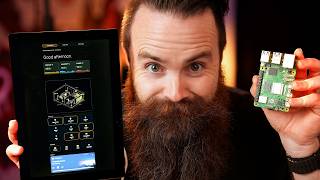
[01:35] cloud app, jump over to cloud code, and look at that. That's a session that's in progress on my laptop. I can resume it. Those look the same, don't they? And when I talk here, you see it on the terminal as well. Now, what's cool about
[01:50] this is that this is the native Claude app on my phone. I'm not remoting into something. I'm not using any kind of VPN connection. Anthropic's handling this. any session or start a remote session from scratch. Let's do that right now.
[02:03] You can just use the remote control option right after your claw code command. If I hit space, it should show the QR code. It doesn't for me, but if I go to my phone and refresh, it just shows up there. Is that not the most
[02:15] amazing thing you've ever seen? So, they're coming for open cloth. They're solves a problem I was trying to solve with a bunch of different solutions. This is elegant like you know real quick I from that session let's make a
[02:29] thumbnail for this video. I can access a skill and say make a thumbnail for this video and it's going to use my laptop my machine all the skills I have between just having cloud code on your phone or just the claude app on your
[02:42] laptop's resources or your remote mean, look, it's going right now on my phone and on my laptop. I was using this at the zoo today, hanging out with the Capy Barara, some monkeys, remoted into
[02:55] my laptop with Claude Code through the native Claude app, and it was as simple as just saying remote control. That's it. And this is just the research Pro users, I think, right now. Maybe only Max, but this is a glimpse into the
[03:09] Claw Code. Anthropic, thank you. I love this. Oh, and check this out. They use the ask tool as well. If you look at my terminal, the ask tool is going to be do. I can do it from the app as well. Yeah, let's go with mind blown. Let's go
[03:23] with the recommended option. But that's I love that. So, sincerely, thank you Anthropic for this. I'm not really a fanboy of anything right now. Um, but this was cool. The only thing I would ask feature request from me is that I
[03:37] from my phone. Right now, I'd have to remote into my laptop, start a new session, change directories into a directory, a project I'm working on, then do the remote control, and then I could access it from my phone. But hey,
[03:50] And in the beginning, I said, "Hey, they're coming for OpenClaw because this does feel like that." Now, I know OpenClaw does a lot more than this. Uh, but this was mainly what I was trying to use OpenClaw for was just getting access
[04:02] to my claw code CLI so I could do some fun stuff while I'm out. And by the way, I do have a video coming out on OpenClaw. I know I'm late. It's coming soon. I'm working on it. But what do you think about this? Is this not cool or is
[04:14] it not cool? I don't know. You let me know. I think it's awesome. Let me know in the comments below. And by the way, the sponsor of this video is me, my want to get serious about your IT career, if you want to get into IT, this
[04:27] is the place to go. We recently finished our full CCNA course taught by the guy who taught me, Jeremy Charara. It's amazing. It's his best CCNA's ever made, and he's been making it for a long time. And we've got built-in labs. You can lab
[04:40] up every concept right on our platform. Check it out. Link below. Anyways, what? I want you to see the finished thumbnails. I may end up using one. I'm not sure. This is so cool. I feel like such a nerd right now.
[04:56] to see if they can send them here. I'm guessing probably not. And also, what It prompted me like, "Hey, do you want to be notified of things?" I don't think it's quite working yet. Maybe I did something wrong. Just let me test. Okay,
[05:09] files to my phone. I'll show you right here. That's a cool concept, but there's only a screen clock. I have to get more specific with it. It put the screen on the back of the phone. We'll see how um OpenAI did. It makes me look a little
[05:23] bit cursed. That's a cool concept. Actually looks pretty good. What is with phone? I don't know. All right, that's the video. Quick one. I wanted to just cool. Let me know if you want me to do more of these quick ones just reacting
[05:36] to the new tools that come out and if they are pertinent to what we do, what if you haven't already subscribed or hit that notification bell or comment did, YouTube algorithm today. Ethically, of course. That's all I got. I'll catch you
[05:50] guys next time. Hey, you're still here. If you don't already know, I like to pray for you, my audience, at the end of my videos. I it can do for your life. If that's weird for you, it's okay. It's weird for me,
[06:04] too. Stick around. Ready? 1 2 3. Pray. God, I thank you for the person on the other side of this camera. I thank you that they're uh they're here. I'm so thankful for who they are and that they're passionate for tech and
[06:19] technology and and just thank you that um they care about all this stuff. I ask in your name right right now Jesus
[06:31] you would fill them with passion and zeal. Um I ask that if you have any if they have any anxiety about AI that you would give them peace about that give them direction give them excitement. Um I ask that you would give them
[06:46] balance in their life right now that as they're working with AI and and doing them the the time to spend with their family and focus on the good things too and not lose their humanity. um bless their lives, bless their families, bless
[06:59] their their uh their jobs. If they're looking for a job, provide that job, God. And if they're in a job right now they don't really enjoy, I pray you just let them find that spark. And
[07:13] just give them peace. I know there's lots of stress with technology jobs right now. Just give them peace, God. Give them a path forward. And uh I just thank you for this community. It's so cool.
[07:25] It's in your name I pray, Jesus. Amen. All right, that's it. I'll catch you All right, that's it. I'll catch you guys next time.



⚡ Saved you 0h 07m reading this? Transcribe any YouTube video for free — no signup needed.