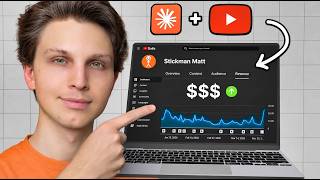

This Channel Makes $20K/Month with AI
44sReveals a specific, high-income YouTube niche and claims AI can replicate it, sparking curiosity and envy.
▶ Play Clip"The title promises a money-making method, and the video delivers a detailed, actionable workflow, though it's more about the process than guaranteed profits."
The video presents a method for creating simple, animated YouTube videos using AI tools, targeting high-CPM niches like finance. It demonstrates a workflow using Claude Code, Higgs Field, and other tools to generate images and voiceovers, then assemble them into a video in 10-20 minutes. The creator also breaks down the costs and monetization potential, suggesting that selling a course can make the business highly profitable.
The video claims to show how to recreate a successful YouTube channel's videos using AI, with a focus on high-CPM niches like finance.
Step 1: Download and install Claude Code from claude.com/download, create an account at claude.ai, and log in.
Step 2: Download the Higgs Field skill to enable Claude Code to generate media. Connect via MCP connector in Claude settings.
Step 3: Use an AI like Tube Magic to generate a script based on a successful video's title, then create a voiceover with 11 Labs.
Step 4: Use Vibe 4 to transcribe the voiceover and obtain timestamps for image placement.
Step 5: Create a master prompt specifying the image style (e.g., Microsoft Paint-style drawings) and paste it into Claude Code with the script.
Step 6: Run the prompt in Claude Code to generate images, which uses credits (e.g., 196 credits for this video).
The video cost $7.84 in Higgs Field credits, plus about $12 in Claude compute, totaling under $20.
Method 1: Manually drag images into CapCut and trim to match timestamps. Method 2: Ask Claude Code to compile the video automatically.
Using a cheaper model like Sea Dream 4.5 can halve costs while maintaining quality.
Monthly costs: $19 for Claude, $59 for Higgs Field, plus video costs (~$180 for 12 videos), totaling ~$258. Selling a $500 course to two customers makes it profitable.
What roles do Claude Code and Higgs Field play in the video creation process?
Claude Code acts as the 'brain' and Higgs Field as the 'body'.
00:01:49
Why is the voiceover transcribed in Vibe 4?
To obtain timestamps for when to place specific images in the video.
00:04:16
What style of images is specified in the master prompt?
A 16:9 widescreen style with intentionally bad Microsoft Paint-style drawings, childish stick figures, wobbly thick black outlines, flat colors, white background, mostly empty space, centered, dot eyes, round heads.
00:04:56
What is the approximate cost to create a 10-minute video using this method?
About $7.84 in Higgs Field credits and $12 in Claude compute, totaling under $20.
00:12:51
How can you halve the cost of image generation?
By using a cheaper model like Sea Dream 4.5 instead of the best models.
00:10:37
What is the total monthly cost to run a fully operating YouTube business as described?
About $258 per month, including subscriptions and video costs.
00:13:32
Claude Code as Brain, Higgs Field as Body
This analogy clarifies the division of labor between AI tools, making the workflow easy to understand.
00:01:49Timestamps from Transcription
Using transcription to generate timestamps is a clever way to synchronize images with voiceover without manual editing.
00:04:16Cost-Effective Model Choice
Choosing a cheaper model like Sea Dream 4.5 can halve costs while maintaining quality, making the business more profitable.
00:10:37Monetization via Course Sales
Selling a course is highlighted as a high-margin revenue stream that can quickly offset production costs.
00:13:32[00:01] million views per month. Multiplied by a $20 CPM since this is within the financial niche, which is a very high CPM niche, this channel is likely making around $20,000 per month. And what if I were to tell you that I found a way to
[00:15] recreate these exact types of videos in just a couple of minutes using AI. Now, videos on this channel, they have a character who's the face of the channel. Code. I've shown how to do it on previous videos. However, there's a
[00:30] simple videos, like the ones that this channel makes right here. And if you look at their videos, you'll see that the videos look like relatively simple drawings. And I guarantee if you apply the concept of this style of video to
[00:44] better ways of monetizing and making money, it will work incredibly well. And you can recreate these videos in just 10 to 20 minutes. Now, in order to do this, Now, don't let the name scare you. You
[00:58] don't have to know a single thing about coding. I personally don't, either. All I'm going to give you in just a second. Now, step number one is to actually download and install Claude Code onto your computer. Just simply go to
[01:11] claude.com/download, and then you can download this for your computer, whether it's Windows or Mac. Now, you also need to create an account at claude.ai. So, just head on over to that website,
[01:23] recommend having their lowest tier subscription. And then, once we have Claude Code downloaded onto our computer, we're going to log into our account and select code right here. Now, again, you don't have to know how to
[01:35] code anything to do this. But, in order to make this work, this brings me to step number two, which is to download the Higgs Field skill. So, the way Claude Code works is you can download external skills from other AI tools,
[01:49] like Higgs Field, which has all of the best AI media tools, so then Claude Code can then generate stuff for you. Think of Claude Code as your brain and Higgs Field skill as the body. Now, you do need a Higgs Field account in order to
[02:03] the sponsor of this video and I'd like to thank them for that as I personally use the tool all the time. I've had their maximum plan for a long time and I believe in, but you do not need their maximum plan in order to do this. In
[02:17] fact, I will be breaking down later in this video exactly how much each video than you think. So, once you're logged in to Higgs Field, it will look like this. You're going to click this button that says MCP and then you're going to
[02:30] open your Claude settings by going down here, clicking settings, and then clicking connectors, and then selecting new connector, add custom connector, and then copy this link right here, paste it in right there, and give it a name of
[02:44] Then select add. And then at first, once this is connected, I recommend select everything works correctly for your first video. And once you're satisfied with your first video in order to make it faster, then you can select always
[02:58] allow. But we'll keep it on needs approval for right now. Now, quick note, in to your Higgs Field account, so just follow the directions there. It's super simple. And step number three is to start actually making your video. So,
[03:11] that already has a lot of views like this one right here. 1.7 million views what's already worked. We're going to copy the title from that and then I'm going to use my AI called Tube Magic for this. You don't have to, you can use any
[03:26] AI of your choice. Claude is very great at writing scripts, which is why we Tube Magic. But the cool thing about Tube Magic is that we can copy the link to the video and then paste it in the context and then it'll take the best
[03:39] aspects from that video and then run it through all of these viral frameworks. 10-minute video, so we'll select that and click generate. And then Tube Magic will give us three different hooks. I like this one right here. We'll copy the
[03:52] like this one right here. We'll copy the script, go to 11 Labs, paste it in, and then select export. Export it as a wave file for the highest quality, and now it's time for step number four, which we are going to be using this program
[04:04] called Vibe 4. It's completely free. You don't have to pay anything, and it's available for Windows and Mac. So, you'll download this onto your computer, and when you open it, it'll look like this, and you'll select a file. Go ahead
[04:16] and select your voiceover and click transcribe. And now we have our finished saying, "Matt, why did we transcribe this? We already have the script." Well, it's because we need these things right here. These are called timestamps. It's
[04:29] going to tell Claude Code when to put specific images throughout our video. which is to put together our master prompt. This is the prompt that we are going to be using, and I will leave this
[04:42] prompt in the pinned comment section of this video, so you can simply copy and instructions that we're going to give it a time- stamped YouTube script, the one that we just generated, and then generate one image prompt per timestamp.
[04:56] We want it to be a 16 by 9 widescreen style with intentionally bad Microsoft Paint-style drawing with childish stick figures with wobbly thick black outlines, flat colors, white background, mostly empty space, centered, dot eyes,
[05:10] round heads, et cetera. You get the point. It's basically telling it to keep video. So, what we're going to do then is copy this, then head on over back to Claude Code, paste in this prompt right here, and then below it, we're going to
[05:24] say, "Here is the script." And this is where we are going to then paste in our script. So, we'll go to Vibe, we will copy this entire script right here, within it. And now it's time for step number six, which is to actually
[05:39] generate the video. And as you can see, it'll ask you right here to select a folder for this local session. So, we can just make a new folder on our computer called Claude videos right there and then select the folder and we
[05:52] this right here just keeping everything as default and then now that we have get installed we can go ahead and click enter and now Claude is going ahead and writing our image prompts and then a bunch of these will pop up asking you to
[06:05] on all of them and as you can see it's going to use 196 credits for this generation and it's actually starting to generate the images and it's using Nano banana Pro for that. So if we leave everything by default it will go ahead
[06:19] and use some of the best models which also tend to be the more expensive ones. But that being said I'm going to break down exactly how much this video cost me to make which is a 10 minute video and then I'm also going to break down how
[06:32] you can save a ton of money and still get incredible quality videos doing this and just like that all 98 of our images have been created and we can scroll through them right there and then we can also log into Higgsfield.ai click image
[06:44] and then we can scroll through and see all of the images that were created into Higgsfield and go to my usage history this video right here costed me $7.84. I'm going to show you how you can do it
[06:57] pretty cheap but you do also have to factor in the actual Claude code costs as well and now it's time for the next step which is actually making these into a video. So what you're going to do is go to Claude code and then ask it to
[07:12] go to Claude code and then ask it to please download all of these images please download all of these images locally and name the files time stamp locally and name the files time stamp they correspond to.
[07:24] For example 0 minutes and 0 seconds would be named 0 minutes and 0 seconds and then click downloading and they're all in this folder right here and if you open up
[07:38] that folder we can then select all of these images and then drag them into any CapCut open right here and I'm going to drag down my voiceover. Then I want to sort these files by their name going A to Z and then I'm going to start
[07:51] dropping in the files. Then as we can see the next file is going to be at 6 seconds so we can then trim this to stop at 6 seconds and then drag in the next file. This one then is going to go to 8 seconds so we're going to then drag it
[08:04] to 8 right there. Drop in the next one which goes to 10 seconds and then drop that down and then the next one goes to 13. Drag that in. Drop it down. Next one goes to 16. Same exact thing and we basically just do
[08:19] this for all of the images quickly making our way through and putting together this video. Now the intro of the video is the most important so what zoom in a little bit since this first one goes a little bit long going to 6
[08:32] bit bigger so we'll put it just like that. And now let's take a look at this household owns 300,000 items. The average American has less than $1,000 in Those two facts are not a coincidence. Let me paint you a picture.
[08:48] Two neighbors, same block, similar monthly rent. The first person brings home close to six figures annually. Their place is loaded with gadgets, expensive furniture, closets stuffed with things they barely touch. That's
[09:00] throughout this entire video, add the clips, and you will have a full video. Now what if you could make this even easier? Well it turns out you can. You click this plus button and you upload the voiceover and then you ask it,
[09:14] "Please put together all of the images corresponding to the correct timestamps, a single finished finished video and also have the voice
[09:28] over within it." Now while this is loading, you can save a ton of credits while you're doing this in order to make these videos even more engaging for the cheapest price possible. So, as you can
[09:41] cheapest price possible. So, as you can see this video right here cost us $7.84, which is quite reasonable. However, the one criticism I would give this video is the fact that it doesn't switch scenes enough. So, this first one plays for
[09:54] the next one. Especially in the beginning of the video, it's really important to keep people's attention. So, we might want to switch scenes every 2 to 3 seconds. And in order to do that, we would simply change the prompt and we
[10:07] would say, "Add an extra image between all of these." But, then that would double the cost of this video. So, instead, this video would be $14. As you can see, I had Claude do the math right here. This video would be $14.75
[10:22] at a cost of around 10 cents per image. But, that is with using the best models like Nano Banana Pro or GPT image 2. You can use a much cheaper model like Sea Dream 4.5 for instance and make these videos two times as engaging for the
[10:37] same exact price that we did right there, $7.40. And just to show you that it's just as good for these types of videos, if we go and copy the prompt from any of these and we go to Higgs Field and we select
[10:49] the Sea Dream 4.5 model and then we click generate. What we'll notice as well is the fact that we can toggle on this to do unlimited generations if you're on a plan that supports that. And here's some of the images it made right
[11:02] here. They are just as good as these ones and it'll be half the price. So, in order to do this on Claude code as you're generating the video, all you going to give you right here in the pinned comment of this video, just add
[11:16] to the end of this prompt, "Use Sea Dream 4.5 for all of the images." And just like that, that took around 5 or 10 minutes, the video is now done and it saved it to our computer. So, if I open that folder, here is the video file. And
[11:30] check it out. The video is made and if we turn on the volume and listen average American >> the voiceover is on it as well. And as code it even asked, "Would you like me to put background music on it or
[11:44] subtitles/captions burned into it?" You can do all that if you want as well as putting crossfades between it. But honestly these simple videos are doing really well so I would just keep it like this. And we can go
[11:56] through the entire video a whole 9 minute and 57 second video where we didn't have to do a single second of video editing. And this is a lot faster than if I did the first method I showed you which was manually trimming the
[12:11] clips to correspond to the audio. And so now you might be wondering what is the cost of all of the credits on Claude itself? Well if we just simply go here itself? Well if we just simply go here and say "How much did it cost in terms
[12:25] and say "How much did it cost in terms of Claude usage if someone was on say the pro plan of Claude which I believe is around of Claude which I believe is around 19-20 dollars a month. Just estimate and
[12:38] 19-20 dollars a month. Just estimate and put a dollar amount on it for the amount put a dollar amount on it for the amount of Claude code we just used to make that video." And Claude tells us that it would have used around 12 dollars of
[12:51] equivalent Claude compute right here. So then if you add that with the cost of the video which was around 7 dollars we're getting a video for under 20 dollars. That is relatively great and that includes by the way it compiling
[13:04] all of it together. Most of the compute that was used for doing this was in actually compiling the video together in that last step I showed you. But if you wanted to save a ton I'm sure it'd be five or six dollars if you were just
[13:18] putting them together in the editor like I showed you how to do here. So in total you're looking at anywhere from 10 to 20 dollars per video in terms of the cost. And let's say you did 12 videos per month, that would be a total cost of
[13:32] $180 a month. Then let's say you have a $19 per month Cloud subscription, plus a $59 per month Higgs Field subscription, you're looking at around $258 a month to have a fully operating YouTube business. And if you sold a course from this
[13:46] channel, let's say it cost $500, you sell just two of those a month, which is very easy to do, then you're super profitable and you can scale that up by putting up more and more videos, reinvest the profits back into it, and
[13:58] you can grow this business huge while keeping relatively huge profit margins recommend you going into a niche like the financial niche, so you can sell sure to check out Higgs Field down at the link below. Thanks again to them for
[14:12] wondering, "Okay, Matt, that sounds great. I would love to monetize my channel, but it sounds so complex making a course or even finding one to promote as an affiliate. Realistically, what is the best way of doing this?" And I
[14:25] actually put together a completely free training for you that you can check out right here next to me. It's essentially a completely free course on YouTube that you can check out right here, and I'm going to break it down a step-by-step in
[14:37] a very simple way, and by the end of it, you'll have your YouTube channel You'll make a lot more money from your channel if you do. Hope you got value, channel if you do. Hope you got value, and I'll see you there.



⚡ Saved you 0h 14m reading this? Transcribe any YouTube video for free — no signup needed.