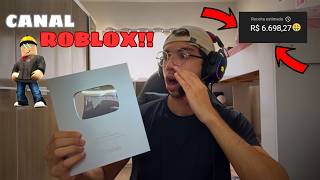
Roblox Content Still Works!
45sHigh engagement due to immediate claim about Roblox's popularity and earning potential, appealing to creators seeking profitable niches.
▶ Play ClipThis video provides a step-by-step guide on creating a 'dark' Roblox storytelling channel on YouTube from scratch. The creator demonstrates how to repurpose viral scripts, generate AI voiceovers, and edit videos with background gameplay, subtitles, and sound effects to produce engaging horror-themed content.
A foreign Roblox channel is shown as an example, earning millions of views with a simple format: background gameplay, a narrated story, subtitles, and related images.
The creator recommends creating channels in English for better results in the Roblox niche, as foreign channels outperform Brazilian ones.
The format includes Roblox gameplay in the background, a narrated story, subtitles, images related to the script, music, memes, and sound effects.
To create a script, find a viral video, change 'shorts' to 'watch' in the URL to get the transcript, copy it, and paste into ChatGPT with a prompt to rework it into a 30-second horror story.
Use a text-to-speech tool (e.g., Levs) to generate a voiceover from the script. The creator prefers 'Paulo's voice' for trivia videos.
Download Roblox gameplay from YouTube or TikTok to use as background. Duplicate the clip if it's shorter than the voiceover.
In CapCut, remove pauses from the audio, increase saturation of the gameplay, and add subtitles. Use a specific caption style and start with a 'ping' sound effect.
Insert images related to the script, add zoom-out animation (0.3 seconds), and apply a click sound effect to each image. Add background music for atmosphere.
The completed video is a 30-second horror story about an Enderman, with gameplay, voiceover, subtitles, images, and sound effects, ready for upload.
The video demonstrates a complete workflow for creating viral Roblox horror content, from script generation to final edit, emphasizing the effectiveness of the English-language market and the simplicity of the format.
"Title promises a step-by-step guide to start a dark Roblox channel, and the video delivers exactly that."
What is the recommended language for a Roblox channel to get better results?
English.
01:33
How do you get the transcript of a YouTube video?
Change 'shorts' to 'watch' in the URL and copy the transcript from the description.
02:42
What prompt is used in ChatGPT to rework the script?
'Rework this script into a 30-second horror story about Enderman from Minecraft.'
03:08
Which voice does the creator prefer for trivia videos?
Paulo's voice.
04:20
What animation is applied to each image in the video?
Zoom out with a duration of 0.3 seconds.
08:25
What sound effect is added to each image as it appears?
A click sound effect.
10:54
Viral Channel Example
Demonstrates the potential of the format with millions of views.
00:41English Market Advantage
Key strategic insight for content creators targeting better performance.
01:33Script Extraction Technique
Practical method to repurpose viral content efficiently.
02:27AI Voiceover Use
Shows how to leverage AI tools for content creation.
04:06Final Video Quality
Confirms the effectiveness of the step-by-step process.
12:06[00:01] No, I don't see anyone. Roblox is definitely one of the most played games so it's definitely in the top five most that, okay? Because these
[00:13] Roblox, that whole Felca thing , removing the annoying voice character from the That's right, guys, it just increased the game's viewership, okay? And we, of course, we have to take advantage of all this hype and create content based on it,
[00:28] create more Roblox content, which is what works well, you know? These days, I'm days ago it was more popular, but this Roblox content is still very effective. Alright, guys? And today, in this video , I'm going to teach you how to create this
[00:41] Roblox videos. It's really working, guys, for real . I'll show you an example of a channel here. He's a foreigner, guys. The amount of views this guy gets is my PC screen so I can teach you. Alright guys , I'm here on
[00:53] my PC screen. This is the channel I want to show you, okay? This going to make here, and it's working extremely well, okay? Look at the views this crazy guy is getting. Look at this, guys. This guy, guys, is
[01:07] making a killing, okay? He's making a ton of money with these videos . Look, this place only takes in millions, we're talking about millions. Look at this. Absurd, right, guys? Absurd. We're going to do this here, okay? We're going to make this
[01:19] explained to you yet how to create a foreign channel from scratch, okay? It's pretty later. But, guys, right now it's more worthwhile, I'll be honest, it's here, this type of video for the foreign market, okay? It's more worthwhile now. I did some
[01:33] research on Roblox channels here in Brazil, channels from abroad, and guys, look , they're getting much better results, you know? This week I'm going to teach you guys how to create a channel from scratch , okay? In English, which is where it's
[01:46] yielding the best results in this type of niche here. Beauty? Okay, guys, let's take a look here. Wait a minute. Make the sound better, okay? So you guys can see , in the background there's a
[02:00] Roblox gameplay video, okay? It's a very simple Roblox gameplay, and there's a little backstory, puts these little images here related to the script, okay? pretty easy video format to make, okay? Oh, and all the videos are the same. Okay
[02:14] ? It's the same thing. A little gameplay in the background, a little story unfolding, some music, these subtitles here and these images, these videos related some memes and sound effects that I 'll teach you how to do later during the editing process,
[02:27] guys. Okay, guys, to revamp this type of video here, I'm I'll take the most viral one, okay? To increase our chances of making a video go viral this video here. We're going here, guys, to try and get the
[02:42] transcript of the video, the script of the video. We're going to come here, and we'll swap the shorts for watches, guys, okay? What's watching, beauty? We press enter, and then it starts playing like a long video, you know? So we
[02:55] description, and then we get the transcript, guys. This is very easy, very straightforward, very simple, it'll really help us out. Okay, control C. Now, guys, we're going to press control V here in our
[03:08] GPT chat. Alright guys, I'm going to do a live prompt here, okay? Look here . Chat GPT, dearest Chat GPT, rework
[03:23] rework this script, but I want you to make it a
[03:41] Of terror, huh, with the Enderman from Minecraft. huh, with the Enderman from Minecraft. It's for
[03:54] a short video 30 seconds. Guys, I do this so the video doesn't get extremely long, long, because that would be complicated for us, right?
[04:06] Let's go. The man swore he would never again go into that forest after what he saw. It never dies. Alright, guys, the script is ready. Now let's go to our Levs to first we're going to paste our script here. Beauty? You can choose whichever
[04:20] really like choosing Paulo's voice, okay? It's a Brazilian voice that goes really well guys. A very good voice. Oh, let me show you here. Get ready , because today we'll see more incredible true stories of
[04:34] lucky people who survived the impossible. Good, right, guys? A voice that goes really well with trivia videos, which is our niche here. Now let's make our voices heard. Alright, guys, after creating the voice, look how it turned out.
[04:46] A man swore he would never set foot in that forest again after what he saw. It says. Perfect, guys. Let's download it. Great, we already have our audio. background video I mentioned to you at the beginning of the video. Beauty? So, guys, we're
[04:59] here on our YouTube channel, okay? You have two options. Or you can record yourself playing on Roblox, okay? But here, guys, it's much easier for us guys, it's much easier for us to take a gameplay video, like Roblox gameplay, and use it
[05:12] for copywriting. Beauty? It's much simpler, we just have to download it, look, there are several styles here. We can download it right here from YouTube or from TikTok, okay? I liked this first one here. No,
[05:27] liked this first one here. How many seconds have you got? 20. 20. It's not possible, we can video I'm going to download . Okay, I'll download that video. I already capcut. Alright, guys, we're here at the capcut. Let's
[05:42] usual routine, okay? Remove the spaces, okay? These little pauses here don't make the audio or the video dynamic at all, okay? layer them on top, because later we're going to make a composite video,
[05:55] find it much more practical. And that's it, guys. When I'm finished here, I'll the audio is here now. Let's add ours to our background gameplay, okay? I'm going to remove the audio from the video here so it doesn't sound strange. I'm going to increase the
[06:08] saturation, okay? I like to make the video very saturated. That's it right like I said, since the background gameplay is smaller, we can do the following: we can just duplicate it, nobody will notice,
[06:21] all the images we need to complete our video. Beauty? the images so we can make this video. Guys, you have no idea how You'll see it here, look, gameplay in the
[06:34] background, voiceover here, okay? Okay, I'll start by writing the subtitles right away how easy it is to make this video, it's really quick, and you can see the generating the subtitles here, I'm not going to cut anything out, okay? Oh, let's go.
[06:46] I like to use, guys, this caption here, look. It's Quick, it's This guy puts the caption right up here . But she would set foot in that forest again Perfect. Oh, let's go. Now we're going to get started, guys. Oh, I always like to
[06:59] start the video with that little ping sound, you know? Look here! A man swore that he would cut it, oh. A man swore an oath. Perfect. Oh, a man swore he would never again set foot in,
[07:12] oh, never set foot in that forest, right? Now we come here, we put it here, look. all the animations in at once. The man swore he would never set foot in that a creature lives there. Okay , I put it in. Now we'll put up another
[07:25] guys. It's cool that a creature lives there that doesn't die. One night he heard long footsteps. It doesn't die. One night he heard, oh, long footsteps. We come here, or we go to YouTube, or here, look,
[07:38] a sound effect for footsteps, or we get one right here. Beauty? Oh, footsteps. Let's see if it shows up soon. Running pace. Could it be. Let's see. Perfect. This one right
[07:56] lower it here, see. Long strides behind him. He heard Beauty. When he turned around, he only saw two, , all he saw was his two black eyes. Reduce it, put it here
[08:11] shining in the dark. Guys, listen up, I've put these add some animation, guys, so it would n't be so static. That forest, oh. I prefer to use the zoom out function, okay?
[08:25] I set it to 0.3. I'll do this to everyone here, guys. Not here 0.3. We're going to add a sound effect to each image, okay? When she shows up. Two eyes, two eyes. When he turned around, he
[08:37] dark. It was Ender. It was the Enderman. chill this edition is?" Oh, let's go. Animation. Enderman. An Enderman is an Enderman. The man ran, but he tripped.
[08:51] Oh, the man ran. Man, oh. We can reuse it; the man ran, but tripped and fainted. oh. But he tripped and fainted. Beauty.
[09:05] He woke up the next day. He remembered. We have a picture here of a guy waking up. The next day he woke up to the same thing. At home. At home. He woke up at home swearing it had
[09:18] just been a nightmare. On the second night, the same eyes appeared. On the second night, the On the second night, the same eyes appeared. So we add this here. Night, the same eyes, eyes. The same eyes appeared in the
[09:31] eyes. The same eyes appeared in the window. He locked everything up, oh now. But the door of... He locked everything up, but it was
[09:43] Everything, but the door adds animation. But the door of... But the door opened by itself. The Enderman room opened by itself. Now the Enderman is alone. The Enderman is there.
[09:59] , okay? We'll just add the images as the script dictates, you know? It's pretty chill, guys. The Enderman screamed and passed out again. When he woke up he was in the forest. The man screamed and
[10:13] passed out again when he woke up. I was in the forest. I was in the forest. I was in the forest, in the same place. Every time he faints, he goes back to the beginning and the Enderman
[10:27] keeps waiting. Start. And so the Enderman began. And the Enderman. Once again, the began. And the Enderman. Once again, the Enderman is still waiting for this . I don't think I added animation to this one. Yeah, if he puts me in,
[10:40] guys, everyone's excited. It's in the Enderman, keep waiting. in the Enderman, keep waiting. Beauty. The Enderman is closed, guys. Oh, a man swore he would
[10:54] Okay, now we're going to add the sound effects for when each image appears. Beauty? I like to use this one here like to use this one here . Either click or click, I think it's
[11:07] more discreet, you know? Then it will be her. Press Ctrl+C, then Ctrl+V on each image when it is about to appear. Beauty? Oops. Beauty. Oh, keep putting it in. Conttrl Oops. Beauty. Oh, keep putting it in. Conttrl V. Conttrl V. Oh, I cut it. Ctrl V,
[11:23] until you've applied it to all the images. I'm not even going to cut it, it'll be quick. Control V. And that's it put on some background music, okay? A really dark little tune to get everyone in the mood. Oh, music. We instill terror.
[11:40] [music] No, this one is really good, guys. That's the one . That's the one.
[11:53] in that forest again after what he saw. They say that a creature lives there that doesn't die in one night. Hey guys, the video is finished, it's ready. Now let's see how this video turned out, guys. Let's see.
[12:06] in that forest again after what he saw. They say that a creature that never dies lives there long footsteps behind him. When he turned around, he only saw two purple eyes shining in the dark. It was the Enderman. The man ran, but he tripped and fainted. The next day, he
[12:20] only been a nightmare. On the second night, the same eyes appeared in the window. He opened by itself. The Enderman was standing there, staring. The man screamed and in the forest, in the same place. Every time he faints, he goes back to the beginning
[12:34] and the Enderman keeps waiting. Wow, guys, it turned out great! Wow, even turned out really good, guys, for real . This video is extremely , guys. So, that was the video . I hope this has helped you.
[12:48] content. I'm giving this to you completely free so you can achieve your dreams, guys. Getting a license plate, making , guys. We're in this together, it's us. Until the next video. He spoke. Node.
⚡ Saved you 0h 13m reading this? Transcribe any YouTube video for free — no signup needed.