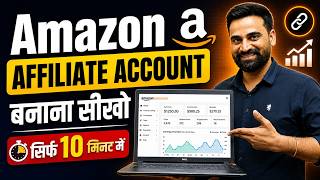

How to Create an Amazon Affiliate Account in 1 Minute
60sClear, step-by-step tutorial with a quick payoff that appeals to beginners seeking passive income.
▶ Play Clip"Delivers a clear step-by-step guide as promised, though with some fluff and repeated requests for likes and subscribes."
This video provides a step-by-step tutorial on how to create an Amazon affiliate account and start earning commissions by promoting Amazon products. The presenter demonstrates the entire process, from account creation to generating and sharing affiliate links, using a YouTube channel as an example.
The video aims to teach viewers how to start affiliate marketing with Amazon within 15-20 minutes from home.
Step-by-step process: go to Amazon affiliate website, sign in with Amazon shopping account, fill in account information, add website/mobile app details, create a store ID, and complete the puzzle to finish account creation.
After creation, the account gets a unique Associate ID. Activation takes about 24 hours, but to fully activate, you need 2-3 qualified sales (orders placed through your affiliate links).
Search for a product on Amazon, click 'Get Link' to generate an affiliate link, choose between short or full link, and copy it. The link includes your tracking ID.
Paste the affiliate link in your platform (e.g., YouTube video description). When someone clicks and buys, you earn a commission.
Amazon affiliate marketing is a straightforward way to earn money online by promoting products. The key is to create an account, generate unique affiliate links, and share them on your platforms to drive qualified sales.
What is the first step to start Amazon affiliate marketing?
Create an Amazon affiliate account by signing in with your Amazon shopping account.
01:41
How long does it take for an Amazon affiliate account to be activated?
Approximately 24 hours.
09:05
What is required to fully activate an Amazon affiliate account?
You need to make 2-3 qualified sales (orders placed through your affiliate links).
09:22
How do you generate an affiliate link for a product?
Search for the product on Amazon, click 'Get Link', and choose between short or full link.
10:28
What is the purpose of the Associate ID?
It is a unique identifier for your affiliate account, used to track your referrals and commissions.
08:20
Unique Associate ID
This ID is crucial for tracking your affiliate sales and commissions.
08:20Qualified Sales Requirement
Understanding that activation requires real sales prevents new affiliates from being misled.
09:22Link Generation Process
The 'Get Link' feature simplifies creating trackable affiliate links.
10:28[00:03] and want to learn how we can start affiliate marketing from Amazon, then today's video is going to be most important for all of you. Look
[00:17] digital marketing coach, a business owner. I am an entrepreneur. And teach you step by step
[00:33] how you can start affiliate marketing with Amazon within the next 15 to 20 minutes while sitting at home and Look, in today's video, if you want to do affiliate marketing with Amazon, then
[00:51] After that, how to generate links etc. from there and along with that I will also tell you that if you have any platform like YouTube, blog, website, then how to paste links etc. on there,
[01:04] explain it to you. So if you also want to watch this video and learn definitely watch the video till the end. I would definitely like to make a request to all of you. definitely like to make a request to all of you.
[01:17] , then you must like this video, share it with your friends and to connect with me, subscribe to the channel and press the bell icon button. Let us now begin today's video.
[01:41] start Amazon affiliate marketing, then we will learn this entire process step by step. So in the first step we will learn how to create an Amazon affiliate account ? So what do you need to do to create an affiliate account ? You will have to go
[01:54] Friends Amazon Affiliate and simply click on the enter button. As friends, you will click on the enter button, now you can see that the link by associating amazon.in central is coming in front of you. So if you
[02:08] you have to click on this website here. Like friends, you will click on this website. Now here you can see that Amazon Associate has opened in front of you. And here comes the recommended product and earn
[02:21] advertising fees. This means that you will recommend their products and in return Amazon will give you money. What is Amazon Affiliate? See, the simple process in this is that brother, you will have to sell all the products of Amazon to the people.
[02:33] Whether you sell to your friends, or to your relatives, whether you sell through WhatsApp, whether you sell through Facebook , whether you sell through Instagram, whether you whether you sell through a blog. The product has to be sold. And if you sell the product,
[02:46] Amazon will pay you commission in return and in this way you can earn money with Amazon. create an account. So he makes it. So what are you going to do here, So simply you have to click on it and here it is coming
[03:01] Sign in and Create Account. So here you can see friends, if you already have an account then you will simply have to log in here. So what do I do to log in number. And here if my account is already created then
[03:14] I will know whether I already have an account or not, the number which I am going to use the number. And after using the number, friends, you simply have to click on the continue button. Now here you are getting the option of password. So
[03:28] brother, I don't know the password. So here get an OTP to on your number. I will click here and I will get an OTP. Ok? So I will enter that OTP here. And after entering the OTP, we will see the further process. So here
[03:42] you can see friends that OTP 57 has been generated for me from Amazon. Ok As friends, you will click on the continue button, see that our Amazon account gets logged in here. And after that the
[03:57] process of creating an Amazon Associate account starts in front of us. So the account we just logged into was our Amazon shopping account. I have logged in here with the So
[04:10] if you already have an Amazon shopping account, then you have to log in to that account and through that account you friends, I logged in to my Amazon shopping account. Now the
[04:24] And account information is coming in it. Ok? What do we do now ? We have added the account information here. payment. Ok? So here you see the name that is coming. The address is coming. And
[04:40] after that friends, here you can select a different address, if you want then you can do this also. click once on Select Different Address. And here, if I need to make any changes, I will do it here. Or else the complete address here is
[04:55] mine. Ok? So what do we do once we do? We can change the PIN code here or leave it at Select this address. No problem. Ok? Coming here Who is the main contact for this account? This
[05:08] option is coming before us. So we kept it. After that comes For we kept it. After that comes For US Tax Purposes Are You a US Person. Ok ? So here we are not US persons. So this is what we have to select. Friends, once
[05:20] I have this address, I will have to change it. Because of this I am Like friends, you will click on the next button. Now here you can see friends that our first step of account creation has been completed. Now coming to
[05:35] website and mobile app. Ok? So what are we going to do here, friends? If you have any website or blog or YouTube channel etc. then you will have to enter its name or URL here. So I add my channel URL
[05:47] here once. So here you can see that I have pasted the link here and click on the add button here. As soon as you click on the add button, and after that what do you have to do now? Click on the Next button again.
[06:00] As soon as you click on the Next button, your website and mobile application step will So here you have to create a profile. So you have to create a profile. So friends, look here, you have to create your Ashosht Store ID here.
[06:14] So let me check the name of my channel here once. Ok? Here is the name of my channel Unbox Bajkar. So I will put that here. And here comes What Are Your Website and Mobile Apps
[06:27] About Apps About. Ok? So here I will put a little description. I Have A YouTube Channel And In This Channel I Make Unboxing
[06:43] About New Trending Gadgets And Other Tie Up
[06:56] Products. Ok? Ok? I have put this description. Once we do this description, copy it from here and to write it, you will have to enter it like this and here again we will copy it and here we
[07:10] will paste it. Ok? You have told a little about yourself here, that is, about your channel etc. Then coming up is What Type Your Website and Mobile App. Ok? So here comes the blog content website manufacturers. Ok?
[07:25] content website manufacturers. Ok? Social Media Page Group Others. Ok? It's coming. media page group or others. Non-profit and charitable organization coupon and deal website comparison shopping engine. So we will add ginger here.
[07:39] And then comes How Did You Hear About. Ok? How did you hear about us? So we entered online search and clicked on Trims and Condition and then clicked on the Finish button here. Like friends, you will click on the finish button.
[07:52] Now here brother is asking you that you will have to solve the puzzle. So we will click on Start Puzzle and here comes Solve This Puzzle. Protect your account. Use the arrow to rotate the image on the right to match the direction of the
[08:08] [nasal sound] something. Here you can see friends that our puzzle has been solved. Like a puzzle is solved. Here you can see puzzle is solved. Here you can see Congratulations Pooja Me and here you
[08:20] can see that our associate account has been created. And created. And we have got this ID number of our unique associate ID. Once I paste this ID number here.
[08:37] What do you have to do along with end pasting brother? Also take a screenshot of it so that even if you forget it in future, you will be able to see this screenshot and you will be able to use this associate ID in future. And one more thing you should do, brother, if you have a
[08:51] mobile phone then click a photo of it on that mobile phone. Ok? So that if your account gets lost somewhere, then you can login to your account etc. through it. Now your affiliate account is created. After creating the affiliate account,
[09:05] you have got a unique ID. And here it is coming brother, see what you have to do to activate this account. Your account will be activated in approximately 24 hours. But to activate it completely,
[09:22] Which is qualified sales. This means that you will have to bring two to three minimum sales to Amazon. And you have to get such sales done which are really qualified. Meaning, the team of Amazon Associate will look into it and find out
[09:38] that you have not got the order placed by sharing it with anyone. and after that, if the sale comes from there, then it will be
[09:50] counted as a unique sale. Ok? Keep this in mind. What do you have to do now? Here you have to scroll down and enter your payment and text information. So we will click on the letter here. not been activated yet. We are not getting any sales right now. So right now
[10:03] we do not have to use any option to make any payment here. Ok? So now here you can see that in this way your entire like dashboard has opened in front of you. And after the dashboard opens, friends, now if you want, you
[10:15] can start doing Amazon affiliate and start earning money. Now friends, our first step has been completed as to how an account is created. Now let us move to the second step and the second step is that brother, after creating the account here,
[10:28] how to create links etc. So let's see what needs to be done after creating the links ? We will go back to Amazon and here you have to search by typing Amazon and we will click here. Ok? It will be on the first website that comes up. As soon as
[10:40] you click, friends, you can buy any product here. Ok? What do you have to do here with the product you want to share ? You have to create a link. Ok? So let me take an example. For example, suppose we
[10:52] type gadget here. Ok? Here we type gadget. Ok? Gadget for Home. And as you type this, you will see a lot of gadgets coming here. So see a lot of gadgets coming here. So
[11:07] click on it. And as soon as you click on it friends. Ok? Look, this product will open in front of you in this manner. Ok? It opened this way. Now if you want its link then look here, there is an option of Get Link coming above.
[11:22] Ok? Above this you have to click on the Get link. And friends, as soon as you click on Get Link, its link will be generated here. And one more thing you might be seeing here. Here you can also see the category and commission rate
[11:36] that how much commission you are going to get for this product. clicking on the get link. This is our store and this is our tracking number. We are getting the option of short link and full link, so we will
[11:49] link. Ok? So here we have copied the link. Now after copying the link, we test this link whether it is really working or not. So we will paste it here and click on the enter button. Like friends, you will click on the enter button.
[12:05] Look, your product has opened. Meaning your affiliate link is working properly. Now we will apply the third step. The third step is that brother, we have to bring sales. So to get sales, you have to paste the link on your
[12:17] platform. So what do we do here? We go to our YouTube channel. Like this is our YouTube channel, so we will go to it. Ok? And look here we will click on YouTube story and
[12:29] any one video. Ok? This is one of ours, let me tell you, any one is a testing channel. So what do I do? Look here I click on a content. And after clicking on the content, if you see here, okay, then suppose
[12:43] I have to paste its link inside this video, then here I click on details and see here, to paste this link here, I will simply enable its description. Ok? This is its description enabled.
[12:56] And here I will click on the enter button. Ok? I will click on the enter button one more time and paste it here. Look at this. And if I save here, this link will be added to my description. And now
[13:08] if any person clicks on this link here, he will go directly to Amazon and if he buys the product from Amazon, we will get commission for it. So brother, this is how Amazon affiliate marketing is done. If you
[13:21] also do Amazon affiliate marketing in this way, then you can also do affiliate marketing with Amazon while sitting at home. you can also do affiliate marketing with Amazon while sitting at home. can also earn money from Amazon while sitting at home. Ok? So today's complete video was
[13:34] about Amazon Affiliate Marketing. I hope you understand the video. understood and liked the video then like the video. Sharing with your friends. like the video. Sharing with your friends.
[13:47] with some new information. My heartfelt thanks to all my dear friends for watching today's video completely and supporting and subscribing to me and my channel. supporting and subscribing to me and my channel.
⚡ Saved you 0h 14m reading this? Transcribe any YouTube video for free — no signup needed.