
AI Summary
The video demonstrates how to create a custom Solana token using the command line, covering both the DevNet (test) and mainnet (real) processes. The creator also shows how to automate children's allowance payments using blockchain technology and a habit-tracking app.
Chapters
The creator introduces the idea of creating a cryptocurrency for kids' allowance and outlines a battle plan: create a token, add liquidity, and automate allowance. He also mentions forcing his kids to create their own tokens to compete.
All steps are done via command line. Windows users can use WSL (Linux on Windows). Docker is required, and the creator provides a Dockerfile to set up the environment with Rust and Solana CLI.
The process starts on Solana's DevNet (test network) to avoid costs. Steps include creating a wallet (keypair), configuring the CLI to use DevNet, requesting free SOL from a faucet, and creating a mint account.
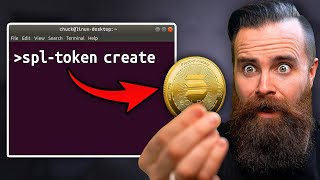
Using the SPL Token CLI, the creator mints a new token. The command includes the mint address, decimals (9), and metadata. The token is created on the blockchain and can be viewed on the Solana Explorer.
Metadata (name, symbol, description, image) is uploaded to IPFS via Pinata.cloud. The metadata file is created in JSON format and uploaded, then linked to the token using the SPL Token CLI.
A token account is created for the wallet, then tokens are minted into it. The creator mints a billion tokens for fun, demonstrating the ability to create supply out of thin air.
Tokens can be transferred between wallets using the SPL Token transfer command. The creator transfers 500 Beard Coin to his Phantom wallet (in testnet mode) to show how it works.
To create a real token, switch from DevNet to mainnet. This costs real SOL (about $0.59 for the creator). Steps are the same, but require purchasing SOL from an exchange like Coinbase.
To make the token tradable, liquidity is added on Raydium.io. This involves creating a liquidity pool with a portion of the token supply and SOL. The creator notes it costs about 0.2 SOL to create a pool.
To lock liquidity, LP tokens are burned using the Sol Incinerator or CLI. This is irreversible and ensures the creator cannot remove liquidity, making the token more trustworthy.
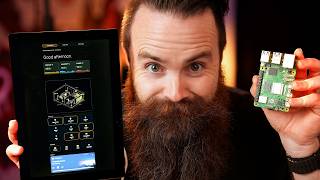
The creator uses Habitica (a habit-tracking app) with a webhook to trigger a Python app that sends tokens to his kids' wallets when they complete tasks. This automates allowance payments.
Creating a Solana token is accessible and fun, whether on DevNet for practice or mainnet for real value. The video also shows innovative uses like automating allowance, demonstrating the potential of blockchain for everyday applications.
Mentioned in this Video
Tutorial Checklist
Study Flashcards (10)
What is the DevNet?
easy
Click to reveal answer
What is the DevNet?
A test network on Solana where you can create and experiment with tokens without spending real money.
03:07
What command is used to create a new Solana wallet?
easy
Click to reveal answer
What command is used to create a new Solana wallet?
`solana-keygen new`
06:47
What is the purpose of a mint account?
medium
Click to reveal answer
What is the purpose of a mint account?
It is the factory that creates new tokens and defines the token's properties.
10:57
How many decimal places does the token in the video use?
easy
Click to reveal answer
How many decimal places does the token in the video use?
9
12:07
What is the cost to create a token on Solana mainnet?
medium
Click to reveal answer
What is the cost to create a token on Solana mainnet?
About 0.0025 SOL (approximately $0.59).
26:50
What is the purpose of burning LP tokens?
medium
Click to reveal answer
What is the purpose of burning LP tokens?
To lock liquidity permanently, preventing the creator from removing it and making the token more trustworthy.
34:08
What command is used to transfer tokens?
medium
Click to reveal answer
What command is used to transfer tokens?
`spl-token transfer <mint_address> <amount> <recipient_address>`
22:19
What is the role of Pinata.cloud in the process?
medium
Click to reveal answer
What is the role of Pinata.cloud in the process?
It provides decentralized storage (IPFS) for uploading the token's logo and metadata files.
14:13
What is the purpose of the `--disable` flag in `spl-token authorize`?
medium
Click to reveal answer
What is the purpose of the `--disable` flag in `spl-token authorize`?
It permanently disables the ability to mint new tokens or freeze accounts, making the token supply fixed.
28:55
How does the creator automate allowance payments?
hard
Click to reveal answer
How does the creator automate allowance payments?
He uses Habitica's API webhook to trigger a Python app that sends tokens to his kids' wallets when they complete tasks.
37:47
💡 Key Takeaways
DevNet vs Mainnet
Clarifies the difference between test and real networks, crucial for beginners.
03:07Cost of Creating a Token
Reveals the actual cost (59 cents) to create a token on mainnet, making it accessible.
26:50Disabling Minting
Shows how to make a token deflationary and trustworthy by permanently disabling minting.
28:42Burning LP Tokens
Demonstrates a key step to lock liquidity and increase token credibility.
34:08Automating Allowance with Blockchain
Innovative real-world application of blockchain for parenting and habit tracking.
37:47Full Transcript
[00:00] Let's be honest. Allowance is boring. My kids do their chores, they get money, What if when they did their chores instead of money, cryptocurrency that I made, that I created. So in this video,
[00:15] amazing, and I'm also going to force my kids to create their own cryptocurrency, I want them to battle it out to see whose cryptocurrency becomes the most
[00:27] We're going to make our own cryptocurrency. So here is our battle plan. Battle plan. We're going to create a cryptocurrency. Specifically, We'll cover that,
[00:41] The second will cost you a bit of soul. No, The second option will involve adding liquidity to your token so that it can be
[00:53] purchased by anyone, which just sounds cool. Also, if yours is worth anything, I don't know how you do that and you never know. We're doing this for fun. Get that out of your head and then finally,
[01:07] how I'm using the power of the blockchain to automate allowance for my kids. That's what I'm calling my token. You'll see, by the way, this is something I've been dying to do for a long time and it's done,
[01:21] We'll talk more about them later. Let's get started. All you're going to need is this your terminal? And yes, we'll be doing all of this via command line because it's just cooler. Sure,
[01:36] there are gooey options, but let's rise above that. But seriously, Mac, windows, Keeping in mind that if you do choose to do it on Windows like I am, it's going to be Linux on Windows and yes, you can do that thanks to WSL.
[01:49] Watch this Ubuntu. It's pure magic. If you want to learn more about it, watch this video right here. Seriously, go watch it. I'll wait, but hold on. What is that? And I thought we were creating a cryptocurrency. We are.
[02:03] Let me explain. Okay, first, and I bet you didn't know this, Bitcoin, They are blockchain platforms. computers making transactions secure, transparent,
[02:18] But each of these blockchains does have their own native cryptocurrency. Ethereum has E or Ether, and Solana has Soul. It's got soul.
[02:33] Which one's better? I don't know. We'll leave that up to Elon Musk. Personally, soul is the native token of the Solana blockchain. It has the value. but it's not the only token on the Solana blockchain. In fact,
[02:50] and that's what we're going to do right now. But first, Now hear me out creating a real token, the salon of blockchain costs, money, there's a free option if you just want to play with cryptocurrency.
[03:07] It's just on a different cluster of servers. We'll create the fake token on what's called their DevNet, the Salona DevNet. You can send and receive tokens and you can do pretty much anything a real token
[03:22] But if you simply just want to send tokens to people and receive tokens, I will show you how to do it on the main net. But I want you to do it here first on the DevNet to get some practice to see
[03:36] The good news is these processes are pretty much the same except for one minor Let's create our fake token. Alright, whatever your platform, every bit of this is going to be documented on my blog,
[03:52] an easy place to copy and paste that just came out of nowhere. You're welcome. I'm using Linux on Windows WSL two. Please make sure you're using that.
[04:04] If you don't already have it, you don't need Docker for this, I've got links in my blog for Mac, Linux, and Windows, and I also included some setup for Ubuntu. Once you have Docker installed,
[04:19] M-K-D-I-R. You can name this, whatever you want. I'll call mine Beard Coin and then I'll jump into that directory with cd. Cd. in your terminal, type in nano and the capital D Docker file just like this.
[04:36] What this is doing is describing a docker image that will have everything you need to make a Solana token installing things like rust, which Solana loves, and the Solana CLI. So we'll just copy this and paste that into our terminal.
[04:51] Y and enter to save type in Ls. You can see your file right there. Docker file. We'll do a dash t and name our image. I'll call it a Solana, sorry.
[05:06] it's right here in this directory. Ready, set, go. Now this might take a minute. Perfect time for a coffee break.
[05:18] And paste that where? You're going to use Docker build to build the container. This copy, you paste it, alright, enter, and a lot of things are going to happen. Woo.
[05:32] We're building a container or an image that's so boring and mine is done. tagged. Now with our image in place, I'm going to go ahead and copy it and paste it into my terminal.
[05:47] we'll be creating a container and running it with the dash it switch, You'll see it happen. It's awesome. When we're done with this container, when we exit, just delete it.
[06:03] because we're going to be mapping some volumes with the dash V switch. the one we're in right now, in the container will also be saved outside of it in our current directory and
[06:19] up talking. Let's go ahead and launch our container right now. That's so quick. I love Docker so much. Now, right now we're inside our Solana Docker container. Let's make sure things are working. We'll do Solana dash dash version.
[06:32] Now it's time to create our fake Solana token and we'll start with creating You also might call it a Solana wallet because it can contain tokens, Now this one's going to be very special for a very specific purpose.
[06:47] This command's going to generate a Solana wallet or a Solana Key pair an I know lots of terms and it's going to start with the term dad because this will he'll be the owner and only he can do things with this token.
[07:03] It's going to try and search for one that starts with Dad shouldn't take very So this right here is your Solana account. It's actually a JSON file and it's stored right where you are. If I type in ls,
[07:16] inside this JSON file is your private key for your wallet, so keep that safe. Actually watch this. If I cat the contents of that wallet, dad, I'm going to launch Phantom and create a new wallet.
[07:32] I can simply import this private key by pasting it here and there it is. somewhere safe. I recommend using Dashlane, the sponsor of this video. Dashlane is where I store all of my sensitive stuff, passwords, bank accounts,
[07:47] This will be a secure note. No, I can even attach files. You know what? I'll protect this item and ask for a password. Master password, cool, and save. I'm becoming more picky about the sponsors I have on this channel.
[08:02] I actually do use their password manager personally and for my business every not only can I monitor my own password health and the dark web for my stuff, I can monitor my team's stuff too and see if they have 12 compromised passwords.
[08:18] I can securely share passwords including two factor authentication, so if you're not already using a password manager or if the one you have kind of Check the link in the description. If you use the code N WC 50,
[08:36] Seriously check it out and thank you to Dashlane for sponsoring my video and my channel for a long time. Now back to making a fake token. our default account for everything we do from now on. So I'll copy this config,
[08:51] paste it into my terminal, and please replace this with your token account. Done. And then because we're making a fake token, we're going to set our config to the DevNet, not the main net, just like this.
[09:05] If you want to see it again for some reason, type in Solana config, You should see your key pair path and the fact that you're using the DevNet with we would need money,
[09:21] but because we're on the DevNet, we don't need that, but we do still need soul. thankfully on DevNet, we can simply just ask for it, wish for it from a genie.
[09:35] We'll go ahead and go there and all we have to do is add our wallet address here we're on DevNet and it's not worth anything, but it still feels pretty cool.
[09:48] That's more than enough for what we're doing and we'll grab our wallet address To quickly find your wallet address for our default key here, we'll type in Solana address just like this. And there's our Solana address.
[10:03] our JSO file just without the js ON at the end. two and a half sole confirmed airdrop. Let's go CloudFlare verification, comment break. Success airdrop was good.
[10:16] We'll type in Solana balance. There it is. Now, like we're in the command line, we're playing with cryptocurrency. This occurred on the blockchain we have, so I love this. If you love this,
[10:32] hit that like button if you don't hit it Anyway. So right now, if we type in Solana balance, you have nothing. I'm going to send you something right now.
[10:45] If we do it again in boom, you got 0.02, so we got some free soul from the faucet. Now we can do some stuff, but first we got to create one more address. So we created our boss account,
[10:57] but then we actually need a mint address. Solana calls it the factory. but essentially you're just creating another Saloni account,
[11:09] Notice that this time, instead of starting with dad, we're going to start with m and t for Mint so we can differentiate our accounts here. Ready, set. Find one. It found it. Cool,
[11:23] right there is our new Mint key pair. Our new mint account. Fun fact. this address is going to be the name or the official address of our token type in Ls. There it is right there. Perfect. Now, same story as before.
[11:36] I'm going to save that to Dashlane and now it's time to mint our token. Actually create it and it'll be done with this command here. SPL Token, the program id, this is the default token program. Don't even worry about that.
[11:50] I never know how to say meta. Meta. Meta meta. Essentially it's going to give us the ability to upload a custom logo or icon We're going to do that. Next we have the decimals. I'm putting nine there.
[12:07] We're defining how many decimal places our token can have. it's probably good enough for us. And then finally at the end, Let's go ahead and do that right now.
[12:21] I'm going to copy and paste this command and then change that last bit to my Now just notice our Solana balance before was two and a half.
[12:34] So this is going to cost us Solana to do this. Ready, set, go. Creating the token and done it. Just did it. Our token is alive. Here's the address which does match our mint address.
[12:48] whatever you want to do. You don't need any of this data right now, copy and paste it or just copy right now. Here we can explore the blockchain of Solana.
[13:04] We're not playing there right now. We want to get on the DevNet, And if we paste in our token here, we should see it There.
[13:17] It is our very own unknown token. And one thing to note under meant authority, look who it is. It's dad, it's us. That's the boss of the token. Now, We got to change that. Let's upload some metadata. Metadata.
[13:33] you'd have to upload something to GitHub and it was a whole thing. Now you can store all your meta data on chain, which is kind of off the chain.
[13:45] It can be five 12 by five 12 or 10 24 by 10 24. I'm going to use this image right here. Whatever image you want to make,
[13:57] just tell Chad, GBT or Grok or Midjourney, it'll make it for you. Now for testing, you could upload it to GitHub, but for me, I think uploading it to some sort of decentralized storage kind of fits the
[14:13] What I found and fell in love with is pinata.cloud. it's more than enough for what we're doing. And it's decentralized storage using the IPFS, which is a video I need to make.
[14:27] We'll go to our IPFS files on the left here. Notice I've already got a bunch of testing and we'll click on add at the top of course, add file, upload, and this is a typical file upload situation.
[14:41] If we refresh the page show up here in a second, maybe, oh, Now all we have to do here is grab the URL of this image we uploaded to our
[14:53] Just get a copy of the URL from the URL bar, just like that. Isn't it pretty? Yeah, unknown token, it's got nothing about it.
[15:08] Now it's time to do the fun stuff. You ready to make your image? For beard? Coin? Yeah. Do you want to draw it or use ai? Okay, so there's actually a really cool site that I've not shown you guys yet.
[15:21] Alright, now just type in and describe what you want it to be. Okay, that is so cool. Pick one. Hurry.
[15:37] That looks really cool. Enter done. So now you like here refresh the page. No answer. That's sorry. There it is. Okay,
[15:53] So you're going to call it action coin, right? Do you want to draw yours like I did mine? Okay. It looks amazing.
[16:08] I'm going to do my signature finished. Alright, now with our icon uploaded, we now have to do our metadata. I'm going to die with meta data file that will describe our
[16:21] coin. Notice it'll look something like this and you'll fill in your details. We'll go to our terminal once more. Type in nano metadata. Hey, I did it that time json and we'll paste our config in here. A couple of things.
[16:35] Then we'll change your name. So this will be the name of your coin. this is like a stock. Take your symbol, And then description, whatever you want to say.
[16:49] It doesn't matter. Alright, so Addie, your coin name is going to be action coin. This is a coin called action coin.
[17:02] No, it's made by Addie a superstar. None can touch me. No touch. No one can touch me. No, no, no,
[17:16] You're. Done. Alright, That's it. We'll hit control X, Y enter to save. And then just as before,
[17:29] we're going to upload that metadata file to pinata on our decentralized storage and the IPFS files. Click add. We'll go find that file for me. And it should show up here in a second. Ah, there it is. Perfect.
[17:44] I'm going to grab the URL of this just like before with the image notice. put it somewhere safe like here. My notepad doesn't have to be safe, we're going to upload this metadata.
[17:58] Now I'm going to get this command ready inside Notepad real quick. the min address, Let's grab that and it's going to be just the token part of it,
[18:13] not the dot json boom. Got it. And of course the name and then the symbol. We're making sure the job gets done. which we just uploaded to pinata. That should be it.
[18:29] We'll copy this and paste it into our terminal. Ready, set, go. And that was it. Now we forgot to look before at our balance. We'll type in Solana balance.
[18:41] The tiniest bit you could possibly imagine to create our token and I think to if we go back to our Solana Explorer and we refresh our page here. Yes,
[18:56] I have my dos there for a second. Beard coin is alive. How cool is that? Boom. Okay, so now go over here and refresh the page. There it is. Action coin. Now how many action coins are there?
[19:12] No, you made the coin but you don't have any of the coins. So the token is alive, it's got a logo, it has a name, but hold up.
[19:24] We don't have any actual tokens. Let's change that. Well first you need to create what's called a token account. Now why are we creating so many accounts? Well, every Solano wallet,
[19:39] which is if I typing LS once more or I'll just type in Solana, it will have an individual account for each token it contains. All we have to do is copy and paste this command, replacing the last bit here,
[19:56] the mint address with your own min address. Mine is right here. we can now mint tokens into that account. We're going to print some money. Again, a very simple command. This right here, SPL token mint. It's so simple.
[20:11] SPL dash token mint. We'll put in our token address just the first bit without the JSON. We want this. You can do whatever you think and want. If you want to make 10,
[20:26] If you want to make a thousand, you can make a thousand. You're printing money. I want to make a lot. You. No. Can we make a trillion? Is that.
[20:39] now we're going to mint some tokens. Minting means you're just going to make coins out of thin air, okay? You're going to print money, so we're going to do the command.
[20:51] SPL token mint, we'll pin in our mint address, which is your token name. And then however many you want to do, 1, 2, 3, 4, 5, 6, 7, 8, 9. Boom.
[21:05] Okay, so right now. Right now it shows you have zero. Let's refresh it. A billion tokens. My gosh. Okay. And you can still, what's.
[21:19] it'll create these tokens out of thin air and put it into dad's account. Good old dad, government. Government daddy, right? He said go and done.
[21:31] We can use the command SPL dash token balance and then our mint address. Boom. 1000 tokens, 1000 beard coins. let's refresh our page and we can see now our current supply is 1000.
[21:49] Let's make a thousand more just for fun. Inflation. 2000. We got it. we can see the history of the transactions and everything that's happening is it's on the blockchain. It's centralized. No, it's not centralized.
[22:05] So you made your own cryptocurrency, you got to share it, right? even if it's on the DevNet. Check this out. We'll use the command SPL dash token transfer and we're going to put in our mint
[22:19] address once more and we'll transfer 500 big money. Keeping in mind, every time you transfer any kind of token on the Solana blockchain, it's free. We got plenty of soul. And then at the end,
[22:33] we'll put in the target address, the one we're sending to the receiver. Notice it updated my balance here. 2000 beard coin. Awesome. Well now notice I'm in test mode or testnet mode for my phantom wallet
[22:50] a wallet program where you can upload your wallets and just use them or create It's what me and my girls use to transfer cryptocurrency. Now I'm in Testnet mode because I went to my settings here,
[23:05] off, we'll take you in and out of Testnet mode. I notice our first Solana, Receive to copy the Solana address. There it is, and we'll paste that in here.
[23:19] any good magician right now we have no tokens, no anything. but there are a few more things at the end we got to add like fund recipient, meaning that we're going to sponsor the creation of that token account and also
[23:34] allow unfunded recipient that's going to allow us to send a token to a Ready, set, go. It's all happening on the blockchain. Done.
[23:46] Let's check our wallet. Boom, we just got 500 beard coin. Who cares If you stay in there, you're fine. And for many of you, cryptocurrency, this is enough and you can do the same thing on your phone.
[24:02] Now let's say you want to create a real Solana token on the main net and you And it's actually not that hard. In fact, it's the same process we just did.
[24:14] solana, not fake solana, and switch from DevNet to main net. We'll do solana config, set dash url,
[24:28] They're still in beta. They feel like it's not perfect. I get it. Hey, if we type in Solana balance zero, we're no longer playing with monopoly money.
[24:42] This is real stuff. In order for us to create our token on main net, Now this will vary based on variables, but it costs me about 59 cents American to create my
[24:56] I think it was exactly 0.00252, et cetera, et cetera. So to buy some Solana, I would go out to Coinbase. It's one of my favorites.
[25:10] but this is a cryptocurrency exchange where you can exchange fiat money, like dollars and euros for cryptocurrency. your dad wallet. You would actually send a real solana to this.
[25:26] Let me get out of test net mode. Yeah, I've got 0.7 salona in here right now, which is $169. Pretty good, one 70, nevermind it's going up. I'm just going to send a tiny bit to my dad wallet here. Make sure I copy this.
[25:40] I'm going to send, let's see, how much should I do? I'll send like 0.02. How much is that going to be? $4, $5. I'll send like 0.05 to be safe. Next and send to dad. Ready, set. And look at the network fee here.
[25:55] It costs real money to send this 0 cents sending because it's so fast. Check my balance here. Bam. Point zero five sold.
[26:07] I'm ready to create an actual token, what do I do? Well, So I'm going to skip ahead and time to right here or we're going to mint our We're just going to mint it on the main net. So look, again,
[26:23] Alright, so the same command, spl L token create with my mint wallet should work. Ready, set, go creating it and it's done. Okay, so real quick,
[26:37] so I had before Solana ballots 0.0 4 7 4 7 1 8. Soul left. Point zero five minus all this junk,
[26:50] it cost us 0.0025 solana, which is 59 cents. Okay, so for 59 cents I created a token on the Solana blockchain. I refresh it, I'm still on DevNet, but now if I switch to main net beta,
[27:06] so rinse and repeat. In fact, we'll use the exact same commands, I'll use the exact same files uploaded to pinata. Ready, set, go, done.
[27:19] Now if I refresh beard, coin is on name net. See, but now there's still one part we're missing and that is if you actually want to there's a few steps involved like adding liquidity or adding money,
[27:35] which involves putting in Solana into a liquidity pool. It sounds scary. but first we're going to do a few scary things through our beard coin. I'm going to mint a supply right now and I'm going to mint actually,
[27:49] I'm going to do my salona balance once more. It did cost me to upload metadata. It's a toll road. I'm going to mint a billion coins.
[28:01] How many zeros is that? Looks good, right? Okay, ready? Set. Minting a ton. Oh, I did not like that. Oh, I don't have a token account. So Sam came in as before. I'm going to create a token account for this token on my dad wallet.
[28:16] I think it did it. Sometimes it'll give you errors. I just don't believe them. Now let's try and mint a billion. Let's doing it. And done. Okay, let's go see.
[28:28] Refresh not there yet. It's a little concerning. There it is. Okay, I'm rich. We now have a billion beard coins. How much salona did that cost us? So what I'm going to say, because if you actually want to make your coin a coin,
[28:42] you don't want to be like the government where you can just make more money. We're going to disable mint. So we just made a billion beard coins.
[28:55] That's all there will ever be with this command SPL dash token authorized. then the command mint and then the option dash, dash disable. This is irreversible. You cannot undo this ready set. No more minting.
[29:09] Then we'll do one more thing to protect our token holders. We're going to remove the ability for us to freeze other wallets. with your currency and they have a bunch of your token. You can say,
[29:22] But if you want this to be worth anything, We'll do that with this command SPL dash token authorize, same as before. we'll say freeze dash disable and I think that did it.
[29:39] We're going to head out to a site called radium.io and this is where we'll set Did make it to where people could actually buy our beard coin [email protected].
[29:51] It's kind of a fun word to say, actually, we're going to connect to our wallet to radium. Now, as I mentioned before, it's a plugin you can install and if you want to load up your dad wallet,
[30:07] you would just go to add wallet and import a private key. You would just cap that and you would paste in these numbers between the
[30:19] select phantom and connect. Excellent. you should see the option for create. We'll click on that for the option, I'm not an expert. Click on continue. And for base token,
[30:35] So I'm going to grab my token address and I'll paste it here. We'll just add it right now. It should sync with a blockchain eventually. quote token is going to be so the native token of Solana.
[30:50] say it where he shows you how to do this. for your liquidity pool, throw in 95% of your token. So for us,
[31:02] that'll be 950 million and then we'll have to back that with soul. Now how much soul do I have right now? Point zero four, I want to put in 0.02. they can swap out soul to buy beard coin. That's all that means.
[31:18] We're creating that ability. I'm adding $4 or almost $5 into this. Notice it's so low it doesn't even show the initial price, but let's go ahead and do this. We're going to stay initialized liquidity pool.
[31:32] we're going to have to do less soul because we don't have enough to do it. Let's do 0.01 now. Oh, look down here. We need 0.2 soul to create new pools. it's going to cost you roughly 0.2 soul in total to make a new liquidity pool
[31:51] but just know coming into this you'll need at least $50 maybe, probably $60 worth of Solana or so to create a liquidity pool. And by the way,
[32:03] It's only if you want to be able to sell your coin to other people, Now while we're putting in roughly $5, we actually need 0.2 soul to create new pools, which is roughly,
[32:16] I think it's about 50 bucks. So even if this is just for fun, Now how much soul do I have right now? I only have 0.04. I should have enough soul now. Yes, I got 0.4.
[32:30] So I click on initialized liquidity pool and I'm depositing what's it going to I'm putting in 950 million beard and we're going to get 3000 of these guys.
[32:42] These are LP tokens or liquidity pool tokens. Click on confirm. Let's try it again and confirm. Done. Definitely want to save this. Now, there's beard coin right there. I can see I already have eight holders.
[32:57] this one just bought 105 million of beard coin for a dollar 64. even though this is nothing, nothing at all.
[33:10] If you just went to radium to IO and went to swap, you could swap from soul. To my token, you have to paste in the address and accept the risks. soul and buy. Let's try even lower zero eight.
[33:29] I could buy 361,000 beard coin with 1 cent. Okay, done. And I just bought my own coin. Yep, swap confirmed. There's my new balance. and that's take these LP tokens.
[33:43] You received these unknown tokens and burn them. Now let me go see. I'm going to look at it on soul scan. I'm going to look at my command lines and the balance SBL token balance and
[33:56] yes, I have 4,000 of these. Now what you want to do to lock in that liquidity? pull out my soul to make my coin seem more legit.
[34:08] The liquidity tokens dead. I'm all in on this token, so I'll just burn these tokens where I can never pull out my liquidity again with this command SPL token. Again, this is also irreversible.
[34:21] I'll put in the token address and then I'll put in the entire amount I have and see if this works. Ready, set, go. Hey, Chuck, from the future here, This video here says we can go to the site sole incinerator to burn or
[34:39] I've got a phantom. The down here at the bottom left, Click on pro and then now we should have the option lit up for LP or
[34:51] liquidity pool tokens. Yes, I've got two here. Select all. and I'm going to burn these, erasing them forever. Ready, set, burn can be reversed. Knock it out, confirming transaction and they're gone.
[35:07] I'm going to do the same thing for beard coin I did create one for my girls for the allowance called Keith Coin.
[35:21] please don't. That'd be weird. But Keith coin with this mint address, my girl's allowance. I put Tenol into it, not expecting anything, before we move on to some of the fun things you can do with cryptocurrency like
[35:36] just know you don't have to do the whole market thing and add liquidity to be Just know that if you just want to play around, It doesn't cost you any real Solana to be able to send back and forth between
[35:51] wallets on main net. It does a very small amount, but I went with that. I did fund my daughter's creating their own cryptocurrencies. Here they are now. You don't determine that the market does,
[36:06] so that's what you and Chloe are going to do. So we're going to sell your token, it's going to determine how much it's worth. If people like yours better, hers is going to be worth more.
[36:21] Everyone knows that. I'm going to get more. Listen people, Editors. You have to buy my coin and the people here. You have to buy my clothes because it's really cold.
[36:37] I love if you loved Japan and coffee and telephone booths then buy it also because it looks a little cooler than Addie's an she won of the last challenge. That's all I got to say.
[36:54] Listen guys, buy my token because she won the two last rounds. the Roblox was the other one. She there wasn't another one. Yes, there was.
[37:06] No. Oh, the computer. It was you won. Anyway, I need to win one more because she won like a million. I've won two,
[37:19] Just whatever you think is better, but everything is better. Let's see whose price is the best over time. That's going to drive them crazy.
[37:32] They're learning about markets right now. But let's see what happens. There's one last thing I want to show you and that's the automation I can do I use for habit tracking for my daughters an app called Habita.
[37:47] If you don't know what this is, it's so cool. I'll make a video about it later. What I love about it is that it has an API which will kick off via a webhook this is going to be more of a show and tell, not really.
[38:00] If you want to see this and have you break it down, I'll do that in another video, maybe on a separate channel, a second channel, I'm not saying it'll be there yet, calm down.
[38:13] But essentially task done API webhook. It'll then go to a little web app I built and Python that is programmed to This is where the power of the blockchain comes in it.
[38:26] They'll use SPL token transfer and transfer kes. This is my token kes that I made for my daughters and family. It's our currency. Here's the mint address right here. I'm not saying you should buy some,
[38:40] I just think it's cool that when I'm giving them key cryptocurrency, So that Python web app will run this command and transfer to their wallet. one of your kids completed a task. They received this many Ks.
[38:55] And also I like knowing that things are working. You want to see it real quick. So pretty much anyone can do this as long as you use Habita and you have a salon
[39:08] it'll do things when I complete a task, when I've been good. You can see my kids have already been doing stuff today. Alright, I'll make a quick little task, quick little, actually, let's zoom in on this.
[39:23] It's kind of hard to see and I'll click on submit, completed it. It does some error checking to make sure it actually goes through. It'll check the balance after and make sure everything's good. Oh, there it is,
[39:39] The reward was five Ks. There's my balance. How cool is that? So if they maintain a habit for 10 days,
[39:51] it'll multiply the reward by 1.5. If they maintain their habit for over 20 days, it'll do a multiplier of two. So I'm rewarding habits. What I eventually want to add and go a bit crazier is show them how to do
[40:05] staking essentially a savings account for crypto. It's a little overboard. So I'm showing you this, not to say do this exact thing, but to show you that with cryptocurrency and Solana and tokens and stuff,
[40:20] So I'm hoping that this will get some juices flowing up there. What you can do, dig of something crazy and tell me in the comments below, if you want to see exactly how I do this and kind of the habits I have,
[40:36] my girls do, let me know in the comments below. Boom, boom, boom, boom. Am I still recording things? Still moving around. I just spill coffee. What the heck? I spill coffee. Oh, it's on my keyboard and my favorite keyboard.
[40:50] Sorry. Okay, so I have this channel called What's Next? Daddy will put it in the comments. My channel. The editor's will, the editor's real, put it right there, whatever it's called. What's next?
[41:04] And you need to subscribe to it. His daughter tug. I'm going to do that. So yeah, I'm going to put more videos on there. I haven't posted a lot, but just please look at it right there.