

AI creates ad from Amazon link in seconds
56sShows instant product import and ad creation, demonstrating powerful automation that saves time.
▶ Play Clip"Delivers on the promise of easy AI ad creation with a step-by-step demo, though some sections feel padded with sponsor plugs and subscription asks."
This video demonstrates how to use Hitfield's Marketing Studio integrated with Seedance 2.0 to create AI-generated product videos. The creator walks through the entire process from uploading a product link to generating a polished commercial in minutes, highlighting key features like avatar selection, language translation, and format customization.
Marketing Studio works with Seedance 2.0 to create videos in seconds. The creator explains the ease of use and previews the tutorial.
Copy an Amazon product link, paste it into Hitfield, and the system automatically generates product details including name, description, and color options from the Amazon photos.
Choose from pre-set avatars or upload a custom photo to create a personalized avatar. The creator demonstrates using a self-uploaded image.
Multiple formats are available: UGC, tutorial, unboxing, hypermotion, product review, TV Spot, Wildcard, and Virtual Try On. Each format dictates the avatar's actions.
After selecting product, avatar, and format, click generate. The video processes in 2-3 minutes at 720p resolution (limitation of Seedance 2.0).
The generated video uses all product colors from Amazon and creates a commercial without a custom prompt. The avatar talks about the product based on the auto-generated description.
Videos can be translated into multiple languages (Russian, Korean, Spanish, etc.) via the translate button. Voice can also be changed to different styles.
Upload multiple photos of the same avatar in different outfits; the system maintains consistency across scenes. The creator tests different prompts to change settings.
The TV Spot format creates a commercial-like video. Example shows a tropical-themed ad with product opening and environment changes.
Hypermotion format emphasizes product movement. Vertical versions produced better results. The creator notes issues with text rendering in Spanish due to length.
Setting the desired language at the start improves output. The cost is 60 credits per 15-second video (down from 90). The creator encourages testing and offers consultation services.
Marketing Studio with Seedance 2.0 makes AI-powered ad creation accessible, allowing users to generate professional product videos in minutes with minimal effort, though results may require iteration for best quality.
How do you upload a product to Marketing Studio?
Copy an Amazon product link and paste it into Hitfield, or upload a photo of the product.
00:47
What resolution does Seedance 2.0 support for generated videos?
720p resolution.
03:27
What are some video formats available in Marketing Studio?
UGC, tutorial, unboxing, hypermotion, product review, TV Spot, Wildcard, and Virtual Try On.
02:28
How can you change the language of a generated video?
Use the translate button and select a language from the list (e.g., Spanish, Russian, Korean).
09:49
What is the cost per 15-second video after the price reduction?
60 credits (down from 90 credits).
13:44
What happens if you select a Virtual Try On format without specifying a prompt?
The avatar will try on the product (e.g., dress) but may not talk about it; it follows the format's programming.
06:56
Product Upload Automation
Demonstrates how AI extracts product details from an Amazon link, saving manual entry.
00:47Color Extraction from Amazon Photos
The system can pull all product colors from Amazon images and allow selection.
01:45Auto-Generated Commercial
First attempt produces a coherent ad without any custom prompt, showing the power of the platform.
03:40Language Translation Feature
Videos can be translated into multiple languages post-generation, enabling global reach.
05:10Avatar Consistency Across Outfits
Uploading multiple photos of the same person in different outfits maintains consistent identity.
08:11First-Generation Errors
Acknowledges that AI results may fail on first try and may need regeneration for best quality.
12:50[00:17] feature that works directly with Sidans 2.0 and lets you make videos like this in seconds. It's really super easy, and after a few hours of testing it, I'm going to show you how it works and how quick and easy it can
[00:32] be to use. If this is your first time passing through the canal, I am Loren Enrique, through the canal, I am Loren Enrique, captain of the artificial ark. Let's begin. Marketing Studio, you can enter directly from this banner or from
[00:47] the top bar; you can see that it says marketing studio. How do I use Marketing Studio? If you click on product, you have two ways to do it. First, you upload a start telling you that it is creating the
[01:00] product. This is a link that I am uploading from Amazon. I'll show you the Amazon link. This is the product itself. All I did was copy this link, paste it into Hitfi, click enter, and it 's creating the product for me. In a matter
[01:13] of seconds, he creates the product for me . If I go into edit, you'll see that he gives the product a name and adds the description, which, as you appears in the Amazon title. In fact, if I come here, I select this,
[01:28] copy it, and instead of putting it in English, I put it in Spanish and then I'm going to save it. In fact, if you look closely, I can select any color from the photos that Amazon provides directly. This is extremely brutal. So, I'm going to
[01:45] is extremely brutal. So, I'm going to choose the dress. It already positions it as a product, but what's the problem? I can use avatars. You can use avatars that are already pre-set in Hatitfield, or you can create
[01:59] your own avatar. Either you generate it or you upload it in a photo. For example, I uploaded this photo that I created myself and gave it a name. I even put my photo up as if it were an avatar. But what's going on? Look, I'm going to come here and I'm going to put
[02:14] this girl in. And look, Valentina calls me and she calls me the product. Once you have selected the product and the avatar, simply come to where it says, in my case it says TV Spot. If I click here you'll see that it will
[02:28] say UGC, tutorial, unboxing, hypermotion, product review, TV Spot, Wildcard and, for example, UGC Virtual Try On or Pro Virtual Try On. If I select any of these, no
[02:42] matter which promo you put in, he's going to do what he's programmed to do. I'm example that happened to me because I didn't realize it, and you'll know exactly what I'm talking about. But, for example, I want to put here that it's a
[02:57] virtual tryondido pro. So I 'm putting on my dress that I downloaded from Amazon, I'm putting Valentina on, I'm not going to put on prom, I'm going to take it out at going to put on prom, I'm going to take it out at 169, okay? which will be horizontal and I'm just
[03:11] going to generate it. He is processing the video and it takes no more than 2 or 3 minutes to create a video for you. In this case, I'm setting it to 15 seconds. You can reduce the time as much as you want. The
[03:27] quality remains 720p because we're working with Sidans 2.0 Zero, and as I mentioned in the previous video, it only accepts up to 720p resolution. When it
[03:40] accepts up to 720p resolution. When it generates,
[03:57] you can see how amazing it is because it first used all the colors the product has on Amazon—every single color—and then produced a commercial that says, " Look at this, it's incredible!" with just one click. I didn't even add a promo; it
[04:13] just tags the product and, in this case, the avatar, which you can create yourself. It's extremely easy, but you can do more. For example, I made this video using my product, okay? And the avatar I uploaded was a
[04:28] simple product. Well, here you can open the can with just one hand, but it maintains the quality and consistency of the product itself and it's very good. This is what a product review is. In fact, she talks about
[04:42] product review is. In fact, she talks about the product and where she gets this description from. If I come to products, I edit a bright
[04:57] yellow aluminum can. That's what she 's saying. This description you have here works so that if you don't want to put a prom, she or the person, the avatar you want to put, will say that description as such. In
[05:10] fact, this description was automatically generated by Marketing Studio when . If I come here I'm going to bring up this clothing, the load. He's studying the clothes, he takes out the description, and automatically gives it a name. As I
[05:25] told you, it doesn't matter what method you use, whether it's from a link on your e-commerce site or wherever you want, like a product, look, for example, I uploaded this photo, which is a photo I took here at home of some milk I have
[05:40] in the kitchen. I changed it, I put everything in English, I put it in Spanish, okay? He gave me the description, what I did was translate it into Spanish and I saved it. And what did I do with this? First I tried the product review and it came out in English.
[05:59] pre-set avatar and my photo, and as I said, I'm not adding any promo. What's happening? I wanted to know if this would work for me in Spanish, so I Long-life almond milk drink with no added sugars. Ideal
[06:15] with no added sugars. Ideal to enjoy on its own in coffee with cereal in smoothies and for cooking as a dairy-free alternative. And here I used an avatar that is already pre-set in Hitfield with the
[06:28] photo of my product, but if you notice, here I did add a promo. This is the same text that's in the description, except here I actually said, "Hey, speak to me in Spanish." And as you can see, the lexing is very well
[06:41] done, the Spanish is very well achieved, and the consistency of the product here is told you a while ago that depending on the format you choose, she does what she has to do and what that format is stipulated for. Because when I
[06:56] long-lasting almond milk with no added sugars, it was ideal to drink on its own in coffee with cereal in smoothies and for cooking. As you can see, she product review and then she put on a box that I think is amazing, but even though I didn't
[07:12] I think is amazing, but even though I didn't order it or anything, she puts on a product and all that and the mistake was mine because I said it was a UGC Virtual Try On. So, of course, when it's a Virtual Trade On, it's specified, it's
[07:27] programmed for her to try something on, not to do a review or talk about the product, like in the previous example which was only UGC. If I'm Look, long-life almond milk drink
[07:41] with no added sugars. Notice that she's picking up my voice in Spanish, she's picking up what I say at the prom, but she keeps doing it because, I insist, I didn't realize that I hadn't just taken it as a UGC, but was still going with the
[07:56] virtual Try On. And I really liked this because she adapts the box and the box design to a dress, and I think this is brilliant and a good idea for something. Watch out for that. And in the end I came up with this one and that's where I liked it. If you're
[08:11] enjoying Marketing Studio so far , I invite you to subscribe and hit the bell icon to be notified when I upload new videos about artificial intelligence focused on video. You know the drill: subscribe,
[08:25] like, comment, and spread the word! That way you help me reach more people. I continue. Look, the first one is brutal, Look, the first one is brutal, brutal. I switched to the second one, super formal, and
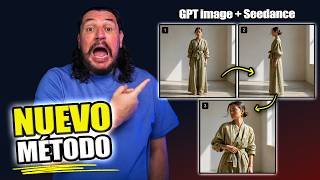
[08:40] the third one, perfect for summer. As you can see in this video, it's the same person. Three sets are being tested and it's very easy to do. All you have to do is upload a photo. Notice that it's a black and white photo. I took this photo from the
[08:53] internet to test it out. Then I uploaded another one. Notice that it's a photo I took from the internet. It's something more casual. A watch, a tie, a shoe, pa pa. And it's the clothes he's wearing in the second part. Finally, I uploaded another one that's a
[09:06] bit more casual, okay? Like more summery, okay? Rubber shoes, equally the first one he wears at the end maintains consistency. Obviously, the only thing I 'm putting here as a prompt is to
[09:21] test the set of image one, label it, then set two, label it, and finally set three and label it again, and I put "speaks in Spanish." Because? Because my intention is for the Spanish-speaking community.
[09:37] is for the Spanish-speaking community. Sound Q20.
[09:49] English because it was one of the first tests. However, if I zoom in here, notice that if I put the mouse up it says change voice, but if I click the arrow it says translate. If I click translate, I can use any
[10:03] of the languages that are here. If I specify that it should be in Russian, Korean, Portuguese, German, Filipino, Spanish, I don't see it. Here is Spanish. If I select "translate," click "create," and it creates the same video, but in
[10:17] Spanish. Okay, maybe if I change my voice, he can grab me. Do The voice of Jordialula de Talua. You click create and the
[10:29] same thing will happen to you. It will create the video for you, but with the voice you are selecting. This is extremely helpful. Hitfield is really doing a great job. While this video is being created, we'll be looking at other things. For this video I used
[10:44] the TV Spot format, okay? as if it were a commercial for TD. I didn't like it much, but the idea is very good. Sure, with a good promo I can fix it. Here's an idea of what you can do: I did this. I uploaded my photo
[10:59] and the avatar photo that I had already uploaded, which is something I created, plus the photo of my product, which is my Arca product. If you've seen videos on the channel, you already know that I'm always testing it to see how it works. What I put was
[11:11] tag myself, we're sitting on a cafe terrace, okay? At midday, where we are speaking, it is hot and a waiter brings us the drink, I label
[11:24] the drink, I put that we opened it and everything starts to get a little more tropical. And and everything starts to get a little more tropical. And this is the result.
[11:41] different way you can get a better result because, as you can see here, she's opening the can very well with both hands. I'm opening it with one hand, you know? It's kind of crazy. Create the dome, put in
[11:54] the palm trees because it's more tropical and it's a commercial. It was only 10 seconds and it's okay, I mean, I think it's fine. What else can you do? Simply upload a photo of your product. In this case I'm going to use the
[12:07] motion option. As you can see, I'm not setting any promo code, and it can I'm not setting any promo code, and it can give you a result like this.
[12:22] In fact, I liked the vertical version I made much better , which is this one.
[12:35] travel lifesavers. Active noise cancellation is legitimate, lasting 40 hours and equalization application. I don't travel without it. If you need a good pair of 'm taking this picture while recording the video, and honestly, I don't
[12:50] like how it erased the headphones at all. I imagine what's happening here is that the text is much larger than in English, and that's why it speaks very quickly at first, and this error
[13:03] is also from the first generation; maybe if I generate it again, it will generate it doing while I'm recording this video and it didn't work out. Things in artificial intelligence don't always work out the first time, but sometimes they work out
[13:17] the second and even the third. I'm telling you , putting it in Spanish the first time will have a much better intention, and the video will already know that it has to be generated in Spanish. I know the language change function
[13:31] works because I've tested it on our devices and it's fine. However, as you can see from this result, it did n't work out. Honestly, I think Market Studio is a good option for creating short spots for social media,
[13:44] e-commerce, even for Amazon, and the truth is that Hitfield has lowered the cost because before it was 90 for a 15-second video and now it costs 60 credits. But you have to draw your own conclusion . Leave me a comment, what do
[13:59] you think? Alright. I'd like to try it out more and get the most out of it . As I told you, this was a few hours I took to test it and record this video for you so you can start working and trying things out with
[14:12] Hitfield too. Also in the description you will find the link so you can go directly to try Hitfield's marketing studio with Sidans 2.0. If you liked this video, you know what to do: subscribe. If you want to be in the
[14:26] free Telegram community, you have the link in the description, as well as if you have a project that you don't know how to carry out or don't know how to do, because look, I have so many ideas that I don't know how to guide them. I
[14:39] offer one-on-one consultations where we will spend 75 minutes working to unlock this obstacle you have with your project. You'll find that information project. You'll find that information in the link in the description, and that's it
[14:53] , just write to me. Finally, here's a video so you can continue learning about Sidans 2.0, and here's my face so you can subscribe directly. You know this is the official arc arti. See you in the next
[15:06] official arc arti. See you in the next video.



⚡ Saved you 0h 15m reading this? Transcribe any YouTube video for free — no signup needed.