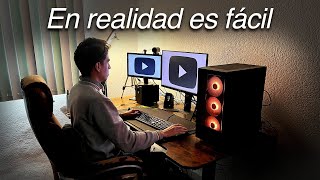

¿Vale la pena ser YouTuber?
44sEngages with the universal dream of being a YouTuber and addresses the frustration of low views, creating a relatable and emotional hook.
▶ Play ClipThis video offers practical advice for aspiring YouTubers aiming to grow their channel in 2025. The creator emphasizes the importance of defining a niche, creating attractive content with compelling titles and thumbnails, and maintaining consistency. Key tips include delivering on promises early in videos, being self-critical, and using AI tools like Nexus Clips to repurpose long-form content into Shorts for greater reach.
[00:02] truly worth trying. Being a YouTuber is everyone's dream. Since we were 13, we grew up watching our favorite creators, yearning to one day be like them, to have thousands of views, subscribers, and also
[00:15] earn money doing what we love. But when trying to fulfill this dream, many realize that it's not what they imagined. They upload one, two, ten, fifty videos, but none get more than four views, there are no subscribers, and with each
[00:30] new failure, the questions arise. Well, yes, it is possible, and yes, it's worth it, but there are several very important aspects that you must keep in mind to achieve it. Stay until the end of the video because I'm going to give you my best tips so
[00:44] that in 2025 you finally see good results on your YouTube channel. The first tip is one that you've probably heard many times, but it's truly important, and many seem to ignore it on purpose. I'm
[00:59] referring to defining your channel's niche. This is very important because if you don't, it 's extremely difficult for your channel to stand out on YouTube. Think of it surely some are Some focus on technology, others on horror,
[01:13] technology, others on horror, video games, cooking, politics, gossip—in short, there are many different niches, and the vast majority of successful channels that have stood out on YouTube have done so with a specific niche. This
[01:26] upload a tutorial one day, then a gameplay video, then a vlog, then a cooking recipe. Think about it: if someone subscribes to your channel for a tutorial, and then sees that you upload a gameplay video or something that
[01:40] has absolutely nothing to do with the content they subscribed for, they're going to feel confused and disappointed because that's not the content they came to your channel for. This doesn't mean it's impossible to have a
[01:52] successful variety channel, but it is considerably more difficult compared to having a specific niche. So, I recommend that you think very carefully about which niche you want to focus on. And if you already know, write it in the
[02:05] comments. And if you've already defined your niche, now you have to make your content attractive. I'm going to use as an example the niche that I think most of the people watching this video belong to. Just as a small clarification regarding video games,
[02:18] I'll say that I don't think focusing on that niche is a great idea since there's focusing on that niche is a great idea since there's too much competition. But anyway, what I'm getting at is that whatever too much competition. But anyway, what I'm getting at is that whatever
[02:30] about why people would choose to watch you instead of the thousands of other creators doing the same thing as you. Going back to the video game example, think about why they should watch you instead of their favorite YouTuber
[02:42] playing the exact same game. What can you offer the viewer to make them consider watching you instead of any other creator? I'll give you some examples: instead of playing a normal match with generic gameplay,
[02:55] you can try doing challenges within that game, for example, winning a match in Fortnite using only a pickaxe, or playing Minecraft but only being able to use one hand. The idea here is to get creative and find something that would
[03:08] catch anyone's attention, even if they don't know you. Avoid titles like "My First Time in Warson" or " Trying Out Who Knows Who's Skin in Fortnite." Anything that focuses attention on you is best avoided at
[03:22] first. If you manage to improve over time... Building a strong community means people will be willing to watch your videos not only because of the topic but also because they'll be genuinely interested in you. Another thing that works really well is tutorials,
[03:36] for example, "How to Win Your First League of Legends Game Step by Step" or "Five Tips to Improve Your Aim in Fortnite." Notice that this follows the same principle as the previous point: focusing
[03:48] attention on something that might appeal to many people instead of making yourself the center of attention. And believe me, this works very well. Once you have ideas that people would be willing to watch, you need to
[04:01] make those ideas attractive with a good title and a good thumbnail. Regarding the title, aim for it to be as simple as possible, but if you can, make it a little intriguing. Find a way to make the title realistic but
[04:15] generate one of these four things in the viewer: desire, fear, urgency, or curiosity. And obviously, accompany it with a thumbnail that complements it. Avoid repeating what you already put in the title in the thumbnail, as you'd be
[04:29] wasting the opportunity to add something more that will convince the viewer to click on your video instead. Try adding an image or phrase that expands on the context of the video and also generates one of
[04:42] the four things we mentioned earlier. Thumbnails are a bit complex, but here are some general tips: Try not to use text unless necessary, but if you do, use few words
[04:55] and a legible font. I also recommend adding a shadow, outline, glow, or something that contrasts with the background to make it easy to read. Remember, a thumbnail is called a thumbnail for a
[05:09] reason: it's a small image. This means that everything you put in the thumbnail will look even smaller on YouTube. Therefore, avoid using images and elements that are too
[05:21] small because they will be imperceptible. Instead of using many small elements, use one or two that are quite large. In the program you use to create your thumbnails, you can zoom out to get an
[05:34] idea of how the thumbnail will look and make the necessary adjustments. You can also upload your thumbnail to a website called Thumbnail Preview to get a more realistic view of how it will look on YouTube.
[05:46] You've made your content attractive on the outside, now it's time to make it attractive on the inside. This topic deserves a whole video, but for can apply to your content right away. Avoid
[06:01] unnecessarily long introductions or introductions with irrelevant information. In other words, don't start the video asking people to subscribe, sending greetings, or introducing yourself or your channel. Try to get to the point as quickly as possible. Think about it:
[06:13] if people open your video and 15 seconds pass and you still haven't mentioned anything related to the title or thumbnail, the vast majority will leave. Saying they'll wait 15 seconds is very optimistic; many people will leave much
[06:28] sooner if your video isn't what you promised. So, make sure you deliver on the title and thumbnail from the very first seconds. So, if, for example, you upload a video titled "How to Prepare Fried Chicken: Easy Tutorial," a
[06:40] very good way to start would be like this: " Today we're going to learn how to prepare delicious fried chicken step by step. Don't worry if you've never cooked anything before, because this tutorial is designed for those who haven't even prepared
[06:53] realize I'm immediately validating what the viewer saw in the title and thumbnail. I'm reaffirming that yes, in this video they will learn how to prepare fried chicken, and I'm
[07:05] showing them the final result from the beginning. I'm also emphasizing that it will be Apply this structure to the introductions of your videos, and believe me, you'll notice the difference. And after a good introduction, there should always be
[07:18] a good development of the video. This will depend a lot on the type of content you create, but in very general terms, be self-critical. It's very easy to fall in love with our own content, which can make us not
[07:31] realize that certain parts of our videos aren't so good. So I recommend that you watch your own content as if you were just another viewer. If there's a section of the video that becomes tedious, or if you made a joke that
[07:44] isn't very funny, try to be aware of it and discard those things that don't contribute to the structure of the video. This will result in more dynamic and entertaining content. It will be easier to watch, and therefore much
[07:57] more likely to reach more people. And speaking of reaching more people... None of the above will make sense if you don't do what I'm about to tell you. It's something that differentiates serious creators from more improvised ones.
[08:10] I mean being consistent. People generally like to know that if they start following a creator, that creator will be uploading videos regularly. I don't mean you have to upload a video
[08:23] mean you have to upload a video every week. You'll know what the ideal frequency is depending on how complex your content is, how much time you have available, and so on. But we also know perfectly well when we don't
[08:36] upload a video because of lack of time or because we're lazy. We have to be honest, even being totally sincere and making the most of our time. I know that uploading a video every week is very complicated, even
[08:49] one every two weeks. It's especially difficult if you study, work, have a girlfriend, or have other activities like everyone else. So whatever frequency you choose in your life, it's very important that you're present on YouTube even when you're not
[09:03] do it, for example, by making posts in the Community tab, active is with YouTube Shorts. If you use them well, believe me, you can get a lot out of them. But of course, we were
[09:17] talking about how the hard part of being consistent is having the time to produce more videos. So what you're going to do is use a tool that helps you automate your content, and the best option is this
[09:29] artificial intelligence tool. It can extract the best moments from long vertical format, ready for you to upload wherever you want. But in this case, we'll upload it to YouTube Shorts. Here I should clarify one thing: Nexus Clips will
[09:42] work with the material you provide. So it's important that while you're recording or editing your long videos, you think of some sections as if they were vertical content—phrases or moments with a lot of impact that
[09:55] work well on their own. In other words, when you put them in a short, they wo n't feel like an incomplete idea. This way, when you run your videos through Nexus Clips, it will be much easier to extract moments with high potential for
[10:08] views, like this short I edited in less than 3 minutes that reached over 2,000 views in just one. 3 hours. So, keeping this in mind, now go to Nexus Clips and link your YouTube channel. Now, identify the video from
[10:21] which you want to extract the best moments and click on it. On the left side, the moments detected by the AI will appear. You can review them one by one, and when you find one you like, click
[10:33] on "Create Clip." Now, here you can adjust the duration or choose another section of the video to create a clip. Once you have your selection, click on "Edit Clip." Wait a few seconds, and you can start editing. On the
[10:46] left side, in the section labeled "Hook," you can add a custom phrase at the beginning of the video. If you want to change the framing of any part of the clip, you can do so by making a cut with these scissors. Select the
[10:58] new section that was created, and on this side, choose a new framing. Adjust it, and you're done. You can also delete a section you don't like by selecting it and clicking on this trash can icon. Now, in the
[11:11] subtitles section, you can modify the font, size, and colors, and even edit the text if there are any transcription errors. connect directly. Your YouTube or TikTok account to schedule your
[11:24] video. Personally, I prefer to download and upload it manually. A boost your longer videos is to link the longer video you extracted the short from as a related video when you upload the shorts. as a related video when you upload the shorts.
[11:39] content will have greater reach, and little by little, your channel will position itself within your niche. Nexus Clips offers two plans, but if you choose the annual plan, you'll get a 60% discount, and if you use my code, "mi tormento," you'll get
[11:52] an additional 10%. So, check out the link in the description to take advantage of this promotion and start 2025 strong with your channel. And if you want to know which are get started on YouTube, you have to watch this video here. Thank you so much for watching
[12:08] this video, and until next time! [Music]
⚡ Saved you 0h 12m reading this? Transcribe any YouTube video for free — no signup needed.