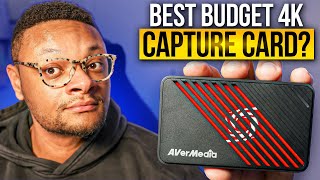

This $130 Capture Card Does 4K60 & 240Hz!
60sSpec-heavy performance reveals grab attention, especially when a budget card punches above its weight.
▶ Play Clip"Clickbait title promises a buying guide but delivers a solid single-product review — useful, yet not the comprehensive comparison the title implies."
This video is an unboxing and hands-on review of the AVerMedia Live Gamer Ultra S, a budget-friendly 4K capture card for consoles and PC. The reviewer covers the hardware design, key specs such as 4K60 and VRR support, the included Streaming Center software, and unique features like 5.1 audio capture, while also pointing out the lack of a line-in port and high system requirements for 4K recording.
The box includes the capture card, an HDMI cable, a high-speed USB-C to USB-A cable, and easy setup instructions.
The sleek card houses HDMI in and out ports on one side and a USB 3.0 input on the other, requiring no external power source.
Works with PS5, Xbox, PC, Nintendo Switch and Mac; supports OBS Studio, Streamlabs Desktop, and even iPad apps like Camo Studio.
HDMI 2.0 device with HDR and VRR, supporting 4K60, 2K at 144Hz, and 1080p at 240Hz passthrough/capture.
To play or capture at 4K120 you would need an HDMI 2.1 device; this card is HDMI 2.0 only.
Used to update firmware, configure settings like HDCP detection, and manage the card.
Included software to manage video/audio sources, control screen orientation, director mode (like OBS Studio mode), and start/stop recordings or streams.
The Live Gamer Ultra S can record 5.1 channel audio for an immersive surround experience, a first for a capture card in this class.
Cannot use a ChatLink cable; console game and chat audio must be captured over HDMI, requiring a second mic for party chat.
Can play the game in a lower resolution and simultaneously record in a higher resolution up to 4K60 – something the Elgato HD60X and cheaper RIBO Zen cards cannot do without freezing or black-screen errors.
Recording at 4K60 needs a beefy PC, ideally an RTX 30-series GPU or better; Mac users need M1 or M2 Ultra.
The card starts at $130 and delivers strong flexibility and quality for the price, with audio limitations as the main trade-off.
The Live Gamer Ultra S offers strong value at $130 with flexible 4K60 capture and a unique 5.1 audio feature, but its missing line-in input and demanding hardware requirements mean it's best suited to streamers who capture console audio over HDMI.
What comes in the box with the Live Gamer Ultra S?
The capture card, an HDMI cable, a high-speed USB-C to USB-A cable, and setup instructions.
00:16
What are the maximum supported resolutions and frame rates?
4K60, 2K at 144Hz, and 1080p at 240Hz.
00:56
Does the Live Gamer Ultra S support 4K120? Why?
No, because 4K120 requires an HDMI 2.1 device and this card uses HDMI 2.0.
01:23
What unique audio feature does the Live Gamer Ultra S offer?
It can record 5.1 multi-channel audio for a more immersive surround sound experience.
03:18
How do you enable 5.1 audio in OBS with this capture card?
Install AVerMedia's streaming center plugin, select 'Manage Streaming Center Plug', install the multi-channel audio module, add it as a source, then change OBS audio settings to 5.1.
03:58
What audio input limitation does the card have?
It has no analog or line-in port, so you cannot use a ChatLink cable; console audio must be captured over HDMI.
04:25
What recording feature does it have that the Elgato HD60X cannot do?
It can play in a lower resolution and record in a higher resolution up to 4K60, while the HD60X freezes or shows a black screen.
05:51
What system hardware is recommended for 4K60 recording?
An RTX 30-series graphics card or better on PC, or an M1 or M2 Ultra Mac.
06:34
What is the price of the Live Gamer Ultra S?
$130.
07:34
First capture card to support 5.1 audio
A unique feature for immersive audio recording that sets it apart from competing capture cards.
03:18No line-in port is a real trade-off
Creators who need to mix console chat and external audio will need workarounds, limiting its flexibility.
04:25Upscaled recording without a black screen
Unlike more expensive rivals, the card records 4K from lower-res gameplay, offering significant creative freedom.
05:514K60 recording needs serious hardware
High-resolution capture demands an RTX 30-series or M1/M2 Ultra, creating an entry barrier for budget streamers.
06:34Budget price with flagship features
At $130, it undercuts pricier cards while delivering 4K60, making it a strong value proposition.
07:34[00:01] capture card recently well you came to the right place as we've got a new contender in the 4K capture card space with a budget friendly appeal what you see me unboxing here is AD media's live gamer Ultra s in this box you're going
[00:16] to get the capture card along with an HDMI cable a super speed USBC to usba cable and easy to follow setup instructions if we take a look at the design of this capture card it has a really Sleek look with those Jagged
[00:30] slanted edges on one side of the capture card you're going to have your HDMI in and outputs and on the other you're going to see the usb3 input those are the essential connections you need to actually set this thing up with your
[00:42] actually set this thing up with your PlayStation 5 Xbox PC Nintendo switch console with your PC or Mac so that you can use software like OBS Studio or streamlabs desktop and even an iPad for apps like camo Studio some other
[00:56] features to note about this cture card is that it is a plug in HDMI 2.0 device that does support pasture of an HDR or variable refresh rate up to 4K 60 HZ 2K
[01:09] variable refresh rate up to 4K 60 HZ 2K at 144 HZ or 1080p at 240 HZ now as for the quality that you can capture your game play in well it can actually match all of those resolutions and frame rates in a standard definition resolution now
[01:23] for those of you who like to play your games in 4k at 120 HZ that is not because that would mean you would need an HDMI 2.1 device which this is not but you know what it's all right because ever media came through for my ultra
[01:38] wide display Gamers you guys can play on those devices up to a 2K 60hz quality is that you do not need an external power source in order to use this when the capture card is connected you're going to have low latency between what
[01:53] you see in your display preview and the actual game itself on the monitor now this does not mean a real time preview playing off of your monitor or TV is response time when gaming check in the capture cards input information keeping
[02:08] its firmware up to date or to configure settings such as hdcp detection can be done using a media's assist Central Pro now one of the bonus pieces of software that you have at your disposal to use with this capture card is the streaming
[02:22] Center Software from a media I found it very easy to get around starting with the leftand side this is where you can man manage the video sources to add a button and then choose amongst one of the options available here such as your
[02:37] webcam now just like the video section you can control or add audio sources within the mixer now if you move on up to the top of this application you'll see functions to change the screen orientation and then next to that
[02:50] director mode which is exactly the same thing as Studio mode and OBS this will allow you to be able to preview any of your added scenes before you actually show it on stream in the far right top corner is where you can start and stop
[03:05] the recordings and live streams and next up as a unique feature to this capture card if we go to our settings here you will have the ability to set the audio channels to 5.1 I'm sure some of you guys are asking the question now what in
[03:18] guys are asking the question now what in the world is 5.1 multi-channel audio well it is essentially an audio format where you can record a more immersive audio experience so if you are someone with a surround sound system or you are
[03:32] trying to appeal to an audience that listens in that way like in a home theater setup for example live gamer Ultra s is really the first capture card I've ever heard of to be able to record that quality of audio with your gameplay
[03:46] using OBS you can record 5.1 Channel audio using their plug-in a media makes website and you'll know that the installation was successful when you see
[03:58] installation was successful when you see the stream sent plug tab in your OBS from here all you need to do is select the manage streaming Center plug then install the multi- channel audio module after that you'll have the ability to
[04:10] add the multi- channel audio as its own source and then be able to change the audio channel to 5.1 within the OBS audio settings while we're on the point of audio I figured I'd address the mini baby elephant in the room and that's
[04:25] that this Capt card does not have an analog or line in Port many of the capture cards I've tested in the past have this line in connection so that you have a bit more flexibility on how you can record your audio with the live
[04:39] gamer Ultra S I can't use a chatlink cable for example to pull the audio from my controller into this capture card there's literally no physical way to do that my only recour is to record audio out of the PlayStation 5 or Xbox series
[04:53] out of the PlayStation 5 or Xbox series SRX consoles is to pull it over HDMI that'll give me the ability to record my game and ch audio but the other problem comes in is being able to chat back with people that I might be in a party with
[05:05] so in order to fix that I'd have to hook up a second microphone to the PlayStation so that I can be heard the next piece to this is that in order to be able to hear all of the game and chat audio I'm going to need to go to my
[05:18] Advanced Audio properties within the mixer section of OBS or streamlabs find the capture card audio source and then choose the drop down on the far right hand side and select to Monitor and output that Source from there you can
[05:31] plug in your headphones into the computer and you're all set to listen to computer and you're all set to listen to your audio enemy ahead of us I got you this
[05:51] resolutions that this capture card can record in and guys this is absolutely insane and probably the biggest selling point of this device I can play my game in a lower resolution and record it in a higher resolution which can be 4K 60 as
[06:08] you see in the example here that is something you cannot do with the Elgato h6x capture card which is actually more expensive also can't do this with the super cheap ribo Zen capture card those two devices that I just mentioned if you
[06:22] try to capture gameplay in a higher resolution you will literally get a resolution you will literally get a frozen screen or a black screen it won't work live gamer Ultra s gives you so much more flexibility there now with
[06:34] capturing in 4k 60 you are going to need a pretty beefy computer in order to accomplish that like preferably a 30 series RTX graphics card or better and on the Mac side they stated that you need an M1 or M2 Ultra Computer which I
[06:51] know it's wild but you'll need to have Hardware at this level no matter what capture card you're using if you're planning on Rec recing in high resolutions in frame rates personally my experience was a positive one using the
[07:05] live gamer Ultra s yes there were those audio capturing limitations that I mentioned earlier but honestly at least when I'm live streaming I would prefer to be able to listen to all of my audio from the computer so that way I can hear
[07:19] not just my game and chat audio but my alerts and Spotify music too so if you much is it going to set you back well it starts at a price of of $130 and I know some of you guys are like bro 130 bucks that's still a lot of
[07:34] money for a capture card and maybe it is but you're getting 4K 60 quality out of this capture card I put an affiliate Link in the description below thank you so much for staying to the very end and I'll see you in the next one peace
⚡ Saved you 0h 07m reading this? Transcribe any YouTube video for free — no signup needed.