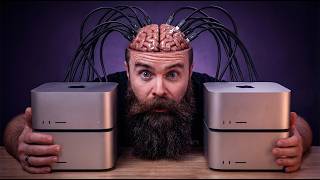

Building a $50K Mac Cluster for AI
43sThe jaw-dropping cost and specs of the cluster immediately hook viewers interested in high-end tech.
▶ Play Clip"Title is hyperbolic but content delivers on the core promise: RDMA makes clustering dramatically faster."
This video explores whether clustering multiple high-end Mac Studios for local AI inference has become viable after Apple's software update enabling RDMA over Thunderbolt 5. The creator tests a $50,000 cluster of four Mac Studios with 512GB RAM each, comparing pipeline and tensor parallelism, and demonstrates dramatic speed improvements.
Four Mac Studios with 512GB RAM each, totaling 2TB unified memory, 32TB storage, and 320 GPU cores. This is claimed to be the most powerful local AI setup ever built.
Earlier attempt with five Mac Studios was 91% slower due to networking latency, not GPU performance.
Each Mac Studio has 512GB unified memory (GPU-accessible), 8TB storage, 80 GPU cores. Cluster cost $50,000; equivalent Nvidia H100 cluster would cost over $780,000.
Connected via Thunderbolt 5 and Ethernet. Thunderbolt 5 doubles bandwidth over Thunderbolt 4. Ethernet used for model downloads (largest 735GB).
Apple enabled RDMA (Remote Direct Memory Access) in macOS Tahoe 26.2 beta, reducing latency from 300 microseconds to 3 microseconds (100x improvement).
Pipeline parallelism divides layers sequentially, causing latency. Tensor parallelism divides each layer's math across all GPUs, requiring more communication but faster if latency is low.
Using Exo's beta software with RDMA, tensor parallelism achieved 16 tokens/sec on Llama 3.3 70B, compared to 5 tokens/sec with pipeline and 3 tokens/sec with tensor without RDMA.
For small models, clustering provides speedup (e.g., Llama 3.2 3B: 147 tokens/sec single, 240 tokens/sec clustered). For larger models, clustering enables running models that wouldn't fit on one machine.
Successfully ran Kimi K2 (1 trillion parameters) and DeepSeek 3.1 (671B) simultaneously, using about 50% RAM per node. This was impossible on previous cluster.
Cluster works with Open WebUI, Xcode, and OpenCode via API endpoint, demonstrating practical usability.
Clustering Mac Studios for local AI is now viable thanks to RDMA over Thunderbolt 5, delivering significant speedups and enabling massive models. This is a proof of concept that could change the landscape for local AI enthusiasts.
What is RDMA and how does it improve clustering?
RDMA (Remote Direct Memory Access) allows direct GPU-to-GPU memory access, bypassing TCP/IP overhead, reducing latency from 300 to 3 microseconds.
08:08
What is the difference between pipeline and tensor parallelism?
Pipeline parallelism divides layers sequentially across machines; tensor parallelism divides each layer's computation across all GPUs, requiring more communication.
05:30
What was the previous clustering attempt's speed penalty?
It was 91% slower due to networking latency.
00:17
How much does the described cluster cost?
$50,000 for four Mac Studios with 512GB RAM each.
02:28
What is the latency reduction achieved by RDMA?
From 300 microseconds to 3 microseconds (100x reduction).
09:01
What models were run simultaneously on the cluster?
Kimi K2 (1 trillion parameters) and DeepSeek 3.1 (671B).
21:51
What is the role of MLX in this setup?
MLX is Apple's machine learning framework that enables distributed communication with low latency across Thunderbolt 5.
28:58
Apple's RDMA software update
This is the key innovation that solves the latency problem, making clustering viable.
04:19Latency reduction from 300 to 3 microseconds
A 100x improvement that transforms the feasibility of tensor parallelism.
09:01Running trillion-parameter models locally
Demonstrates the capability to run state-of-the-art models without cloud resources.
19:01Integration with real applications
Shows practical usability beyond benchmarks, connecting to Open WebUI and coding tools.
25:11[00:02] this one's crazy. 1 2 3 four Mac Studios, 512 gigs of RAM each, 2 terb of unified memory. This might be the most powerful local AI setup ever built. Hold up. I've done this before. Earlier this year, I clustered together five Mac
[00:17] Studios, [music] and it was kind of terrible. I expected it to run AI models like a champ, but actually adding more computers made it slower. 91% [music] slower. Everyone said clustering was stupid, and they were right. So, why am
[00:29] dropped [music] something new. A simple software update that might change the for. So, in this video, we're clustering [music] baddest AI models at this cluster and see what it can do. Our goal
[00:42] clustering local AI actually make [music] sense for us? Will it actually be fast or will it just suck like last time? Get your copy ready. Let's find out. Now, Apple was watching me. In my last
[00:55] video, I [music] said this. I don't know how XLabs is going to solve that though because we're at the mercy of what hardware we [music] have and this. I would love to know what the experience would be with some like serious
[01:07] connectivity between the GPUs of these five Mac Studios. I was honestly pretty cluster. I had such high hopes. [music] I know you probably did too. But Apple listened and they did something about it. And they also sent me something.
[01:20] it. And they also sent me something. This
[01:35] was shocked when they said yes. They sent me their biggest, baddest machines, fully speced out. But hold up. My old cluster had five Mac Studios. How is this better? Watch this. Now, these machines are ridiculous. Each one of
[01:48] these Mac Studios has 512 GB of RAM. computers. And this is unified memory, meaning the GPU can use it. So, let me meaning the GPU can use it. So, let me put it this way. 512 GB of GPU memory of
[02:01] VRAMm. They have 8 TB of storage, 80 GPU cores. And if we do the math, this monster cluster has 2 terb of unified memory, 32 TB of storage, and 320 GPU cores. This is Maczilla compared to our old cluster running M2 Max. It's not
[02:16] even a comparison. That's kind of silly cuz even though we have one less Mac, each of our machines has eight times the memory. So, we have 6.4 times more RAM, we're doubling our GPU bandwidth. And this will make a huge impact, we're
[02:28] doing Thunderbolt 5 versus Thunderbolt 4, which is also double the bandwidth. go, "Oh, that hurts." is the price of this cluster. $50,000. I know. But alternative to do something like this locally? Like if you wanted the same
[02:42] specs from an Nvidia H100 cluster, you would need 26 H100s, each with 80 GB of VRAM. That would cost you over $780,000. And it's actually more than that if you about that later. But the point is, this cluster is ridiculous. Okay, cool. We
[02:56] have these big amazing monsters, but the biggest issue we had last time was Apple do? We'll get to that. But first, we have to actually connect them, right? to make this work, I had to connect them via Thunderbolt and Ethernet.
[03:08] that had some 2 and 1/2 gig ports, which I desperately needed because downloading these models, they're huge. The largest one I had to download was 735 GB, and I Macs. I also had to make sure my uplink was 10 GB Ethernet because goodness,
[03:23] Ethernet so the cluster can see each other, but it's not how they're actually That's where Thunderbolt comes in. I was given this very fancy diagram to connect them just so in a mesh. It's just a little meshy. Sorry, I had to do it.
[03:37] this for a moment. Isn't this beautiful? I honestly think this might be the most powerful local AI setup ever built. Prove me wrong. What can beat 320 GPU cores, 2 TB of unified memory? This cluster should be able to handle
[03:50] should because it really doesn't matter how powerful these Macs are if the fast. And that's what killed it last time, the networking. Running bigger everything came down to a crawl. And even though we're doubling our bandwidth
[04:04] with Thunderbolt 5, we still have a massive networking problem, latency. But Apple changed the game completely with the software update. That's it. Check the software update. That's it. Check this out.
[04:19] Everybody blames the networking, but this time it was actually true. When I ran these models on five Mac Studios, it was 91% slower. It wasn't the GPU, it networking. It was that latency between the connections. I mean, look at these
[04:33] speeds from last time when I clustered them together. It's bad. But Apple said me just show you real quick. Let's see if they did it. Don't stare at this too long. This is your sneak peek. Here's the old way.
[04:49] Five tokens per second. Not great. Let's try Apple's fix. second. That's three times faster. Same model, same cluster. But what are they
[05:02] networking. It's always about networking. Now, the way they solved it increase the speed of our Thunderbolt connections. And I'm not talking about 5 and doubling that bandwidth. No, no, no, no. The metric we're looking at is
[05:15] latency. How quickly a packet or a message can go from MAC to MAC. Now, microsconds, which I know sounds pretty fast, but not in the AI world. And with something called pipeline parallelism. That's a fun word. 10 times
[05:30] parallelism. How far did you get? It's up a model between multiple systems and a cluster. For example, let's take an AI a cluster. For example, let's take an AI model like the Llama 3.37DB FP16. That's
[05:43] will have around 80 layers, which essentially is a series of filters that respond to you. So, if you say, "Hey, what's the capital of Japan?" It might process it like this. Each layer is doing some fancy math on the input and
[05:57] Each layer refining the answer until you get your response. Now, when you cluster this model, it divides up the layers between each machine. So, Mac 1 would get layers 1 through 20. Mac 2 21 through 40 and so on. But here's where
[06:10] it gets painful. It's sequential. So, for every token, Mac 1 processes layers 1 through 20, stops, sends the results to MAC 2. It'll process layers 21 through 40, stops, and then so on. It's like a relay race with really fast
[06:24] together. We're waiting on each other. because it gave us capacity. We could run large models that we can never run on one machine and run them on multiple. But what it didn't give us was speed.
[06:36] there is a better way, a faster way, and it's called tensor parallelism. I know break real quick. This is the much smarter way. Instead of each Mac owning layers and processing them sequentially, all Macs work together on every single
[06:51] layer, we're dividing the math. So for layer 1, Mac 1 does 25% of the math. Mac 2 does 25, 35, 4 25. When they're done, they combine the results. Now, in
[07:03] a half times faster than pipeline parallelism. Goodness, that phrase kills me. So cool, let's just do that. That's the solution. We can't. Our networking this method. Because for each Mac to work on one layer at a time, lots of
[07:17] communication is happening. It's like a group project. Lots of messages being talking two combos per layer. So, for every token, we have 160 combos Assuming each message takes about 300 microconds. Now, I know microconds is
[07:32] this little symbol here. I just can't draw it. I can't do it. I'm sorry. Times 160, that's nearly 50 milliseconds of waiting per token. So, because of our networking latency, tensor parallelism actually ends up being slower than
[07:44] pipeline parallelism, which is why we couldn't do it. All that chitchat killed it. If only our network was faster. If only latency was solved. Well, that's what Apple did. They made it faster. And I'm not kidding. It was just a simple
[07:56] software update. Apple quietly enabled in Tahoe 26.2 a technology on their in Tahoe 26.2 a technology on their Thunderbolt ports called RDMMA or remote direct memory access. This is huge. We're in the big leagues now. We're not
[08:08] me mention RDMA before in a previous video talking about AI data center It's what AI clusters and data centers used to talk back and forth at extremely high speeds. It's what models like ChatGpt and Claude use. But what is it?
[08:22] before RDMA with our Thunderbolt 5 connections. These connections right here are essentially just network connections using good old TCP IP, the that's a problem for us here because that introduces overhead, increasing
[08:36] latency, because every message is having to go through a few steps doing things it can even hit the GPU memory. And I have no idea where the CPU and the GPU is in this Mac Studio. I'm just making stuff up. It's this traditional
[08:49] networking processing that's causing our latency. But with RDMA, we skip all that. RDMA is direct memory access. We remove the TCP IP stack. Say, "Nah, we don't need you anymore. We're getting a direct connection. No more stops. A
[09:01] direct connection from GPU memory to GPU memory, GPU to GPU." That's the direct memory access part. And here's what this does. This takes our latency from 300 does. This takes our latency from 300 microsconds down to three microsconds.
[09:16] Are you kidding me? That's 100x increase or decrease. That's a bullet train. cluster, we no longer have to worry about IP addresses, TCP IP overhead, all that CPU processing. No, no, no. We have a direct connection between the GPUs
[09:31] with these Thunderbolt 5 ports. Direct memory access. This solves our latency problem. And again, it was just a software update. What took them so long? grateful for just it being here. I'm sorry. Now, in theory, this sounds
[09:45] you saw a teaser already, but that was just a smaller model. What happens when models at it? Like the largest models available right now. Will it work? Will it make clustering actually useful? Let's find out with the software that
[09:59] you all thought went away, but it's come back with a vengeance. Hey, I'm outside to tell you about our sponsor today, Twinate. Because check this out. I can't Twinate. Because check this out. I can't access my lab right now on my laptop.
[10:12] it's not working. It's because I'm not using [music] Twinate. Watch this. I'll simply click connect. Authenticate cuz it's really secure. And by the way, this is not VPN. No, no, no. This is better than VPN. [music] It's more than VPN.
[10:26] Let's try it again. It better work. You know what? It's still not working. I probably thinking, Chuck, wow, great ad. You tried to show us you didn't have with Twin Gate. It didn't work. That's by design. Twate is zero trust network
[10:39] install it. Takes you about 5 minutes. You can use a Raspberry Pi. Whatever. home network. It's a no-brainer. Just do it. But also, you have to specifically explicitly allow access. So, let's do that right now.
[10:54] then here's where I give access. I'm only given access to admins. Now, let's [laughter] We're in. And I'm checking on my cluster now. Quinn coder. Oh, you're not supposed to see this yet. You got a
[11:08] Seriously, if you're not using Twin [music] is old. And if you're like, Chuck, I don't need Twin Gate. Yes, you why you're watching [music] my channel. You do local AI. You have Plex. How are
[11:20] the field? Seriously, just get signed up. It's free. Check the link below. And seriously, thank you to Twinkgate for making this video possible. I them, so [music] check it out. All right, now back to the video. And it's
[11:33] getting cold out here. I got to go back inside. threw in the towel. Even Jeff. >> Exo stopped development like 5 months ignored. So, did they give up the dream of clustering AI with consumer hardware?
[11:49] they're working with Apple to resurrect clustering. A flashback earlier this year, I used ExoLabs to cluster my Five Mac Studios together. It was still pretty new, rough around the edges, and it's kind of an amazing software, an
[12:02] amazing idea because you can cluster any hardware together, but the networking, that was a thing. So, when ExoLabs and Apple both reached out to me, I said, thing we've been working on, and we think it's going to solve your
[12:14] said, "Do you want in?" And I'm like, "Dude, put up that bat signal. I'm there." So, fast forward, here we are. I have the Max. I got them connected according to our official diagram. I installed the beta Tahoe 26.2 update.
[12:27] And here's the real magic. I had to go into recovery mode and enable RDMA. excited. From there, it was pretty much smooth sailing. I installed the super secret beta version that ExoLabs gave me, which I think might be available
[12:39] more info below. But look at this. It got a facelift, right? Before this was a CLI only tool, which I'm fine with, but now we have a native Mac app and it's gorgeous. So, here we are after a few software patches from Exo. My cluster's
[12:52] earlier in our sneak peek, we have the option of running in dumb mode. pipeline parallelism or tensor parallelism. Just for fun, let's do it the old way once more. So, we'll select our pipeline and MLX ring. We'll select four nodes using
[13:05] our entire cluster and we'll choose our llama 3.370B FP16. Load that sucker up. Now, it's actually pretty fast loading up. This is so fun. It's ready. And keep up. This is so fun. It's ready. And keep in mind, this is the dome old slow way.
[13:20] Five tokens a second. Around 200 milliseconds per token. Goodness, that's of coffee by the time it's done. And then let's try this. This is going to be fun. Let's do tensor parallelism, but stay on the old networking. No RDMA.
[13:33] with this, we're having 160 conversations every token. Let's load it conversations every token. Let's load it up. It's ready. Let's see what happens.
[13:46] talking half as fast, which wasn't a lot, right? We're at three tokens per second. 370 milliseconds per token. This ain't great. Oh, I mean, this is unusable. But let's add in Apple's magic. Let's enable RDMA. Tensor
[14:00] parallelism, RDMMA, four nodes, llama 3.37DB. Load that bad boy up. And this at those guys go. I love this new interface they have. It's ready. I mean, look at that. That's incredible. 16 tokens a second on average. 66
[14:16] Apple, you're awesome. But this is a smaller model, right? There are bigger ones. What about DeepSeek? What about Kimmy K2? How about both at the same about to make this cluster sweat, I think. Let's go.
[14:37] parallelism works with RDMA. It's fantastic. Three times faster. But here's the real question. Do you even need to cluster? Like, does clustering buy one expensive Mac? Like, one of these guys has 512 gigs of RAM. What
[14:50] run on that one machine? Let's test it out. Let's throw progressively bigger the models on it at the same time. Let's see what happens. Little coffee break.
[15:02] said that. That didn't feel right. All right. Here we have our cluster over here. We've got our metrics. Mac one, two, three, and four. Now, I want to the first thing I want to test is kind of a tiny model. I want to see how the
[15:15] performance is on one Mac versus four. I'm curious with RDMA, will the by itself, it can run that model fine. Let's test it out. So, I'm just going to choose one node and I'm going to load a small model, a little baby llama 3.2 3B
[15:30] small model, a little baby llama 3.2 3B 8 bit. It's nothing. Launch. And we're rocking 147 tokens a second. Let's ask something more involved.
[15:56] It's faster. Okay, so 240 tokens a second. That's awesome. It's 100 tokens faster than a single node. Look at it go. Maxing out that GPU across the board. Looks like I
[16:11] kind of lost the script some somewhere there, but it looks like we're pulling there, but it looks like we're pulling about um getting to 100 watts per MAC. So 400 watts in total. Not bad. Let's keep moving up. Let's do a single node
[16:23] keep moving up. Let's do a single node for the llama 3.370B FP16 because these guys can run it. So we loaded up on Mac 2. We can see it's full right there. Let's see how it performs. Okay, five tokens a second.
[16:37] Not amazing. It's maxing out that GPU. Looks like 150 watts. I am changing the I think it's better. I'm going to use Mactop. It's still going. But notice we still have plenty of memory on that second Mac, which is where it's loaded.
[16:51] All right, cool. Roughly five tokens a second. Let's cluster it. It's loaded up. Watch that memory fill up. It's so fun to watch it over here on the screen. This is a night and day difference compared to our last cluster.
[17:05] It took forever. You guys have no idea how painful that video was to make. how painful that video was to make. Okay, it's ready. intense prompt. And there it goes. Max out the GPUs across the board. Memory 9%
[17:23] on each one. About 130 watts on each machine. This is a cluster, man. In a good way. Okay, let's move on. Let's up the game. I love watching it. Uh the GPU uh memory go down as well. Okay, our next model. Let's do something a bit
[17:38] bigger. Deep Seek. Okay, I'm back. He didn't know I left. I had to Quinn model downloaded. I thought I had Quinn. I think I have to let it download Quinn. I think I have to let it download for a little bit. An [sighs] hour.
[17:52] download this new model. I forgot to download. Anyways, here we go. We're going to load it up. All right. So, first we'll do uh one node and we'll do the Quinn 3 coder 480B. It's a big one, but again, our Macs have 512 GB of RAM.
[18:07] so it should be a bit faster because it's not using all parameters all at once. Let's launch it. And keep in mind, we're building our way up to the Kimmy K2 thinking model, which is a trillion parameters. I can't even like what? Yes,
[18:22] right, it's loading on one node. Mac 2. Mac 2 is blowing up. All right, he's ready. Explain to me if 27 tokens a second. It's pretty
[18:34] good. Let's cluster it up. Powering down. down. Tensor RDMA four nodes. Quinn 3 coder launching. Look at it go. All right, it's ready and let's see what we got.
[18:46] 40 tokens a second. Okay, so it's nearly doubled the speed. So the story so far speeds us up, which is what we expected the first time around, right? Let's keep and stuff. We'll have that on the screen. Let's do our next model. We'll
[19:01] do actually, you know what? Enough messing around. Let's go Kimmy K2. I don't think we'll be able to load this model on one node. Yeah, it's like at minimum you got to do two, which is still crazy. We only need two. Um, let's
[19:13] run it on four, though. This is a massive model. 658 gigabytes per node I parameters. Let me just double check my math here. Yes, one trillion parameters. Oh my goodness. Okay, let's load it up. Let's watch this thing fill up. Here we
[19:28] [laughter] Now, this is like the best coding model Now, this is like the best coding model right now for uh local AI. And even when people use cloud AI to code, they'll pay for this model on a hosted platform.
[19:43] It's that good. But here, we're not having to use any cloud resources. We can host everything right here locally. It's still loading, filling up those GPU tanks. Okay, it's ready. [laughter] It used 33% of the RAM on each one. Let's
[19:56] ask it a question. A trillion parameters. Let's see how it goes. Whoa. So, it's thinking right now. Let's expand the thinking. But we've got 28 expand the thinking. But we've got 28 almost 30 tokens a second. Oh my gosh.
[20:09] And it's so cool. It's thinking, right? Like, oh my gosh, a thinking model. I mean, this is fast. How much RAM is required to run the 4bit model? required to run the 4bit model? Let's see. Power. We're doing like 110
[20:24] wanted to show you guys, but I just could not show you. And that's the bandwidth, the latency, the network traffic. I wanted to see that just how much stuff we're pushing. But right now, and you can see this now. Oh, this
[20:37] network configuration, the Thunderbolt bridge is inactive. It's disabled. This see it. I can't monitor it. That might change, but I did ask Apple. I'm like, this." They're like, "Yeah, we can't do that right now." So, sorry. Pretend it's
[20:53] a lot because we have to assume that, right? 160 conversations every token. Let's have it create a Python script that can scrape websites. I mean, it's doing great. It's thinking. It's making my script now. This is local AI. Okay.
[21:09] So, we've got some room. We're running the biggest model we could download right now. And we have some room. Uh, let's go home. And keep in mind, we're going to keep this model running. We're going to load a new one. Just refresh my
[21:21] page so I get a fresh uh instance here. I'm going to load this one. It's beefier, meaning like it's a 713 gigabytes. It is the biggest model they have. Um but it's only 671 billion parameters, which is so crazy. Our last
[21:37] cluster, we tried to run a 671B and it like destroyed everything. Now we're going to run it alongside a trillion par uh parameter model, which makes me feel accomplished even though I didn't do anything. Let's launch it. Good job,
[21:51] Apple and Exo. So, now let's watch this GPU fill up. So, we're running Kimmy K2 thinking. And what's this model again? Deepseek 3.18bit 671B. Oh, it failed. I don't like that, but I know we can still do it. I'm going to try again.
[22:07] Um, I had to build these scripts uh with cloud code that would reboot the cluster and reinitialize it because this happens with beta beta software. So, um hang again. Had to reboot the whole cluster. Let's first try and load Kim K2. I know
[22:23] we can do this. I know we can do this. Okay, we're loaded. Let's [snorts] go deepsee. Come on. Let's do this. Deepseek, I believe in you. Launch. Come on. Don't fail. Okay, we're loading. It's filling up. So far so good. I'm
[22:41] getting nervous. It's almost done. I think we're at 50% over 50% on each think we're at 50% over 50% on each node.h. Ah, those things are stressing. Look at the map down here. It's like ah. Oh my gosh. 60%. Uh-oh. Did we break it?
[22:57] Oh, it's still filling up. Ah, we did it. Okay. I'm I'm even scared want to break it again. But we have to talk to it, right? So, let's have a chat talk to it, right? So, let's have a chat with uh Deepseek.
[23:19] Kim K2. And there we go. Like we're using both models. We have both those suckers loaded up. That's crazy. How much more can we load? Let's do another one. Oh gosh.
[23:32] gosh. Let's load up Llama 3.37B FP16 cuz downloaded. And launch. It's loading. Okay, it's it's ready now. The RAM utilization is kind of weird, right? It went up to 60% and now it's back down to
[23:45] 50. But I I know we have these models loaded. Let's go talk to Llama. going to switch back and forth. Oh, wait. Why did it [laughter]
[24:01] That was my That's funny. That was my uh clipboard from earlier because that's what I had to sneak and do to restart the cluster. Okay. And let's switch to Kimmy. Kimmy, I'm not sure how to say it. I'm also
[24:15] proud of Apple on XO. Y is so good. Now, here's the thing. I can run other big ones. And it takes That's the longest part. I'm not doing that again. have downloaded. I've got a few llama variants. I mean, I'll pull up that 3.2
[24:30] model from earlier. Let's just run that if we have to do something. Actually, I do have llama 3.370B 4bit. Let's load you up because we can. That's ready. Let's do another one. Let's uh grab the llama 3.2 3B 4bit. I
[24:47] him up. All right, that was easy. So, we have one, two, three, four, five models running, but the memory usage is staying at like around 50. Actually keeps going
[24:59] think we answered the question. Clustering's awesome now. I'm running every model I can possibly run on it, and it's just doing it like a champ, and it's fast. But, okay. So far, we just been stuck in Exo's interface. What
[25:11] about using real applications like coding or open code or open web UI? Like, can you use this with that? Let's find out.
[25:23] because this is real. It's not just benchmarks. It's not just test software. Let's see what happens. I want to use my cluster here or not my cluster, my open web UI, ai.hogwarts.studio. I should already have my uh models
[25:36] loaded up here because EXO runs off of an API endpoint. Let's see. Let's find Kimmy. There it is. Let's do thinking. We'll see if it starts to stress out a little bit. All right. Let's see what happens. Okay. Um yeah. I mean, there it
[25:51] goes. It's freaking out over here. It's thinking. I mean, this is so cool. Look at this. I'm using open web UI on a totally separate server in my server room and it's connecting to my Mac cluster running KBK to a trillion
[26:05] cluster running KBK to a trillion parameter model. How awesome is this? model. I tell you what, while it's doing that, let's go to uh this server here. I have Xcode installed, which is like Apple's VS Code. It's still going. Okay,
[26:21] it wrote it. So, it finished the app. I mean I mean that's impressive what it did. That's so cool. All right, let's try Xcode. Now I'm just going to try um Misource Fabric. Let's find some code here.
[26:36] Let's ask it to tell us what this code does. Let's talk to DeepSeek. This is so crazy. All right, it's going. It's freaking that. I'll try one more. Let's try open code. I love CLI tools to uh code and do
[26:51] have the cluster set up. Yeah, there it is. Actually, K2 thinking sitting right there. Yeah. So, it's it's freaking out over the thinking. But I just wanted to show off that we can use any of these apps.
[27:06] Although, I think it has a hard time using tools with open code. All right, there we go. And then I'll switch models to Llama 3.3 and say switch models to Llama 3.3 and say analyze the code that was just created.
[27:21] whole freaking website. All right, I think it's done. I'm going to try this. Oh, it's cute. It's cute. I'm going to interrupt it. I let llama take over. can still use open web UI cuz I think I'm stressing it out. Yeah, I'm trying
[27:36] over here. Yeah, it's fully stressed out right now. I think I locked it up. Okay, we did make it cry. Let's see if the web is still responsive. software. This is a bug that can be fixed, but now I need to um tell it to
[27:51] die. So, I'm gonna do that now. Restart my cluster. I don't want it to overheat in there. So, are you impressed? Like, is clustering back? I kind of feel that way. Like, I was impressed with these results now. Sure, I'm running a $50,000
[28:05] cluster, but it's a proof of concept. There's possibilities now, and we've this year where we just saw glacial speeds, but now it's functional. It's amazing. Now, full disclosure, Apple loaned this to me. I don't get to keep
[28:19] this. I wish. But I do have it for a little bit longer. What should I do with it? You have any ideas? I've got a $50,000 cluster. There's got to be the comments below. And of course, if you want to see that last cluster video,
[28:31] right here. If you want to learn more about RDMMA and how AI networking works about it here. No, I'm just going to put it over here. I dive deeper into how RDMA helps us bypass all those roadblocks, those bumps in the road.
[28:44] Anyways, that's all I got. I'll catch you guys next time. Hey, real quick. This just in. Just a little extra info, a little mini segment on how Exo uses MLX, which MLX is how we're running all these models.
[28:58] learning framework that allows developers like Exo to do stuff like it says. RDMMA over Thunderbolt driver enables MLX distributed to communicate.
[29:13] found. >> Sorry, that was Claude calling me. So, it says, "RDMMA over Thunderbolt driver enables MLX distributed to communicate with low latency across Thunderbolt 5, enabling high levels of blah blah blah
[29:26] blah blah." Now, what's cool is that MLX operations can run on either the CPU or the GPU. And this is without needing to move memory around because it's u unified memory. So, seriously, shout out to the MLX team for being awesome. Exo
[29:39] thing happen. And without them, this video wouldn't be possible. So, I see video wouldn't be possible. So, I see you MLX team. You're awesome. And you watching this video right now. Comment below and say thank you Apple MLX team.
[29:51] yeah, I was reading my phone or something on this. of my videos now, I like to pray for you, my audience. I know it might feel kind of weird. It is. I agree with you. But I uh
[30:08] genuinely care about you guys and I want to see you succeed. I want to see you to see you succeed. I want to see you have lives of purpose and uh lives that are joyful. Um so anyways, I'm just going to pray for you. Um if you don't
[30:20] click off. That's why I put it at the end. Uh but let's go ahead and pray. H [snorts] Lord, I thank you for the person on the other side of the screen. I thank you that um they're here, that they're uh passionate about technology,
[30:36] that they are [sighs] excited for the future, and that even though AI may feel kind of overwhelming sometimes, um they can see the light ahead. And I pray that
[30:51] they have if if they have any anxiety over AI or the job market or what the future's going to hold that you would just ease those fears. And if they're worried about their current job is going to go away or if
[31:04] they're trying to find one, I ask that you just give them peace in that you would show them the path forward because things are changing. Let's be real. Uh but God, you know what's going to happen. Uh you know, you're not
[31:17] surprised by anything. So, I ask that you just give us a path forward. Um, give us wisdom. Give this this person wisdom. And I ask that you bless their family life right now. Um, everyone's got family and I pray that you
[31:31] would like right now I'm making this video on Christmas, so around Christmas time. So, I pray that you would fill their hearts with joy and you remind them of the importance of the people closest to them and if they aren't close
[31:44] to these people that they should do that now. Um, restore relationships, men, now. Um, restore relationships, men, what's broken, [sighs] fill them with peace. Uh,
[31:59] I saw a movie the other day. It's called That Christmas. Um, and Christmas time is like a emotional magnifying glass. It said if you're sad around this time, if that, amplify it. If your heart's full of joy and you're surrounded by family,
[32:13] it's going to magnify and amplify that. So I pray for the people who are lonely right now around this time that you would uh
[32:27] and that um I'm hoping that during this season they can learn a bit of the reason why we we take learn a bit of the reason why we we take this time Christmas more Christ. Um, I
[32:40] do believe that the ultimate joy can be found in you, Jesus. And I pray that the other side of the the screen, um, encounter you in some way in whatever that means,
[32:53] even in their doubt, even in their disbelief. Uh, it doesn't matter to you. Meet them there. I ask this in your name, Jesus. Amen. Sorry that was a bit long one, but I
[33:06] feel like uh that was something I wanted to pray for you on. Anyways, that's all to pray for you on. Anyways, that's all I got. I'll catch you guys next time.



⚡ Saved you 0h 33m reading this? Transcribe any YouTube video for free — no signup needed.