

I Built an AI Supercomputer with 5 Mac Studios
45sThe ambitious goal of running a massive AI model on consumer hardware creates immediate intrigue and a compelling challenge.
▶ Play Clip"Delivers on the promise of building an AI cluster with Mac Studios, but the performance is underwhelming and the title overhypes the 'supercomputer' aspect."
The video demonstrates building a local AI cluster using five Mac Studios and the EXO Labs software to run large language models like Llama 3.1 405B. The host explains the concept of parameters, VRAM requirements, and quantization, then tests performance over 10Gb Ethernet and Thunderbolt connections, ultimately achieving a slow but successful run of the 405B model.
The host aims to run the Llama 3.1 405B model, which typically requires a powerful AI cluster with expensive servers, using five Mac Studios.
EXO Labs is a new beta software that allows connecting various hardware (e.g., Raspberry Pi) to run AI models collectively.
Local AI clusters avoid reliance on cloud services like OpenAI, keeping data private. Larger models require more resources than a typical laptop can provide.
Parameters are numerical weights in a neural network that help the model make predictions. More parameters generally mean a smarter model with better reasoning and accuracy.
Tiny Llama is a 1.1 billion parameter model that can run with 638 MB of VRAM, but it's less capable than larger models.
GPUs are essential for running LLMs efficiently; CPUs can run them but inference will be slower.
Llama 3.2 1B can run on CPU; 3B needs 6GB VRAM (e.g., RTX 2060); 8B needs 10GB (e.g., RTX 3080); 70B needs 48GB; 405B needs ~1TB VRAM (e.g., 42 RTX 4090s).
Quantization reduces model size to fit on smaller GPUs, with precision loss. FP32 is full precision, FP16 has 0-2% loss, INT8 makes model 4x smaller with 1-3% loss, INT4 has 10-30% loss and is the lowest recommended.
Mac Studios have unified memory (shared between CPU and GPU), allowing 64GB per Mac to be used as VRAM, totaling 320GB across five Macs.
Each Mac Studio costs $2,600, while a single RTX 4090 costs $1,600. Mac Studios are also more power-efficient (46W idle for all five vs. a 4090's higher consumption).
A 10Gb Ethernet switch connects the Macs, but this is a bottleneck compared to enterprise AI networking (400-800 Gbps). Thunderbolt offers direct PCIe access with higher bandwidth but still has limitations.
Install Python 3.12, MLX, and EXO on each Mac. EXO automatically discovers nodes and provides a web interface and OpenAI-compatible API.
EXO shows each node's performance in teraflops. A single Mac Studio achieves ~27 teraflops; adding nodes increases total compute.
Running Llama 3.2 7B on one Mac Studio yields ~117 tokens per second.
With five Macs clustered over 10GbE, speed drops to ~29 tokens per second due to network bottleneck.
Thunderbolt connection improves speed to ~50 tokens per second for two hosts, but with five hosts it's ~11 tokens per second, still limited.
Llama 3.3 70B runs on a single Mac Studio with 64GB RAM, achieving good performance without swap. Clustering multiple Macs allows running it with distributed memory.
The 405B model (4-bit quantized, ~200GB) is loaded across all five Macs. It runs at ~0.8 tokens per second over 10GbE and ~0.6 over Thunderbolt, but it works.
Ollama runs Llama 3.3 70B on a single Mac Studio with 64GB RAM smoothly, without swap, showing that MLX performance is good for single-host use.
Daniel Miessler added EXO support to Fabric, allowing it to use the cluster's OpenAI-compatible API. The host demonstrates piping text through Fabric to the cluster.
EXO Labs enables building a local AI cluster with consumer hardware, but networking remains a significant bottleneck, especially for large models. While the 405B model runs, it's impractically slow; smaller models like 70B run well on a single Mac Studio with MLX.
What is a parameter in the context of AI models?
A numerical value or weight in a neural network that helps the model make predictions.
02:45
How many parameters does Tiny Llama have?
1.1 billion parameters.
03:33
What is quantization in AI models?
A technique to reduce model size to fit on smaller GPUs, with some precision loss.
05:49
What is the VRAM requirement for Llama 3.1 405B?
Approximately 1 terabyte of VRAM.
05:20
What is the main bottleneck when clustering Mac Studios?
Network bandwidth (10GbE or Thunderbolt) is the primary bottleneck.
16:22
What is the unified memory advantage of Mac Studios?
They have a single pool of memory shared between CPU and GPU, allowing more memory for AI tasks.
07:47
What is the token generation speed for Llama 3.2 7B on a single Mac Studio?
Approximately 117 tokens per second.
15:35
What is the token generation speed for Llama 3.1 405B on the 5-Mac cluster?
Approximately 0.8 tokens per second over 10GbE.
29:08
What is the recommended VRAM for Llama 3.3 70B?
48 gigabytes of VRAM.
04:49
What is the precision loss for INT8 quantization?
About 1-3% loss in precision.
06:36
Goal: Run Llama 3.1 405B
Sets an ambitious target that drives the entire video.
00:14Parameters Explained
Provides a clear, accessible explanation of a core AI concept.
02:45Quantization Overview
Explains a key technique that makes large models runnable on consumer hardware.
05:49Unified Memory Advantage
Highlights a unique hardware feature that enables clustering Macs for AI.
07:33Network Bottleneck
Demonstrates the critical limitation of clustering consumer hardware.
16:22405B Runs Successfully
Proves that a massive model can run on local hardware, albeit slowly.
29:08Fabric Integration
Shows the ecosystem's ability to integrate with EXO via OpenAI-compatible APIs.
32:59[00:00] I'm connecting them together and forming a super powerful AI cluster. Why? We're throwing everything at it and my goal is to run the biggest of them all.
[00:14] The llama 3.1405 B model. This thing is scary. It's normally run by super powerful AI clusters in the cloud with servers that cost more than our houses, but we're going to try it now with five Mac Studios.
[00:29] Let's go they are paying me to play with AI and show you cool stuff. I did not just buy five Mac Studios to use it for an AI cluster. I mean it's not
[00:48] we're switching from PC to Mac for our video editing pipeline. but when these beautiful, powerful machines arrived, I'm like, you know what?
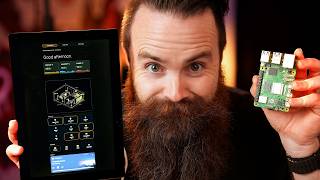
[01:00] And I just found this software called XO Labs. It's new, it's beta, You can take any type of computer hardware. I'm talking a raspberry pie,
[01:14] and you can connect them together and just have them run AI models. I'm going to show you how to do it in this video, this was probably my favorite part of the video. I don't know what it is.
[01:31] unboxing new hardware that just makes you feel joy and it's anything, a network switch, a router. It just makes me happy. Are you the same way? They smelled amazing. But before we get crazy,
[01:46] I first want to talk about AI clusters. Why do this now? I built him in this video here and he's awesome. meaning I don't talk to the cloud and rely on scary giant companies like Open AI
[02:01] to run things like chat, GPT. Everything's local. They don't get my data. But the reason I had to build Terry who's rocking 2 40 90 GPUs is because it's resource intensive sometimes because right now your computer,
[02:14] can probably run an AI model in moments. You could download O lama, You can talk to it like Chad GPT, but it's not going to feel like chat GPT, The difference is kind of crazy. To get the quality of chat GPT,
[02:30] more sophisticated local model and this is where your laptop isn't going to cut it. And when I say larger, I'm mainly talking about a thing called parameters. This is a relatively small model and that one B stands for 1 billion,
[02:45] 1 billion parameters. When you think about a parameter in the context of ai, Each of these parameters is a numerical value or weight in a neural network. And they help the model make predictions and then that's what a model's doing.
[02:59] Based on what you're saying, parameters the model has, the more patterns, relationships and nuances. the smarter it is. Now a 1 billion parameter model like LAMA 3.2,
[03:16] It does basic sentence completion. GPU is going to be better, but it has weaker reasoning and factual accuracy. They have lower parameter models that get dumber,
[03:33] I think there's one called Tiny Llama. Lemme go find it actually. Tiny Llama is actually a 1.1 billion parameter model, You can run it with less resources. 638 megabytes of vra vra,
[03:52] So this is not your typical memory or RAM on your computer. when we're talking about running local ai, GPU is the name of the game. It doesn't mean you can't run LLMs like Tiny Llama on A CPU. You can,
[04:08] but the inference or having the conversation will be slower. I'll give you some recommended vra, like what kind of GPU you might need for each Model LAMA 3.21 billion
[04:21] you can use CPU, it'll be slow LAMA 3.2, three B, 3 billion parameters. You'll need six gigabytes of vra, so think a 2060 GPU Lama, 3.18 B 8 billion parameters, 10 gigabytes of V ramm.
[04:36] That's going to be a 30 85 4 from Microsoft, 14 billion parameters. And then here's my favorite local AI model. Right now, the LAMA 3.3 70 B 70 billion parameters for this.
[04:49] You'll need 48 gigabytes of vra. If we go one more up, we've got the llama 3.1, 4 0 5 B 405 billion parameters. Now real quick,
[05:05] you saw me jump from llama 3.2 then to LAMA 3.1, Those are the different generations of models trained on newer data and having a few new features. But just because LAMA 3.21 B is newer,
[05:20] it doesn't mean it's more intelligent or has better reasoning than LAMA 3.18 B. they recommend one terabyte of vra. That's unreal. That's going to be an AI cluster and it's not regular GPUs you're going to be
[05:35] You'll be using NVIDIA's H one hundreds or a one hundreds and this is what I'm A 40 90, it has 24 gigabytes of vra. I would need 42 40 nineties to run that. Now just so you know,
[05:49] these numbers probably look a little off and that's because a lot of these already have quantization built into our metrics. What is that? Just know what makes big models fit on smaller GPUs. Now,
[06:05] They do have to reduce some precision to get that to fit on a smaller GPU, You'll know a model is quantized, is that how you say it? Quantized? Yeah. That's what you do when you see certain notations. So for example, FP 32,
[06:20] that's full precision, no alterations FP 16 half. We're talking a zero to 2% loss in precision. and this is where it's fun for us because we can run stuff on our GPUs,
[06:36] The first big one is ENT eight. This will make the model four times smaller with about a one to 3% loss in precision. Now I say that with a giant asterisk. It depends. It depends on how they ize that model.
[06:49] There are different ways you can do that and those different methods change how but just know as we go down to N four, which is as low as you really want to go. but the loss is pretty big, 10 to 30%.
[07:05] And you'll probably notice the degradation for complex task like coding or logical reasoning or creative text go any lower and it loses its mind. So many of these models over here are actually using N to eight to make
[07:17] themselves smaller so they can fit on consumer level GPUs. And four is what I'm Now I'm not going to ize it myself. Someone's already done that for me. it's a tall order.
[07:33] So how do I expect five max studios to run this model when it would take 42 40 nineties to do this? Well, the new M series max have a trick up their sleeve. So in most systems you have your system memory and you have your V ram,
[07:47] They have one pool of memory for everything and that unlocks something pretty each one of these has 64 gigabytes of ram that's shared RAM that can be used for
[08:01] the GPU. So in my mind I'm thinking 64 times five. And it's not just the amount of ram but it's the transfer. In a typical system,
[08:13] you've got the system memory that has to transfer data between itself and the It's just all using that memory. One of these max studios is $2,600 and that's for the entire computer. 1 40 90,
[08:26] just one piece of your gaming PC will cost you 1600 bucks and I get way more RAM to use from my GPU with the Mac. Not to mention it's extremely power efficient. The power consumption on a 40 90 versus a Mac studio you're about to see,
[08:40] What I mean is that if you put a 40 90 gaming PC head to head with a Mac studio, the PC is going to win every time Nvidia GPU like the 40 90 have dedicated those are the things that AI models have been optimized for a long time.
[08:57] SER Max have not been thought of as AI machines up until now. they're making that model to run on Nvidia GPUs, apple does have something called MLX or Machine Learning Acceleration,
[09:11] but Kuda still wins out because of support.
[09:24] which by the way, here are the specs. They're M two Ultras, Now the first big thing we have to figure out is how do we connect these Macs which means they're going to be talking a lot and that's a lot of bandwidth for
[09:39] So over here I have a unified XG six POE 10 gig switch connecting these five Macs together. This however, will be our biggest bottleneck, not ideal. Now,
[09:51] 10 gig sounds like a lot, but with AI networking, I'm talking 400 gigabits per second. In fact, and they were about to come out with 800 gigabit per second connections,
[10:06] which I'm pretty sure is out. So my 10 versus their 800. And it's not just that AI networking and we're talking enterprise AI networking. They eliminate a ton of the networking overhead that you might see with ethernet
[10:18] and T-C-P-I-P. In many situations we're doing GPU to GPU access, we've got our MAX studios and they have to go through the entire TCP IP stack. when I install the EXO software,
[10:33] So let's say for example, llama 3.28 B, it won't download the entire model on each individual Mac. each Mac will be running part of the job.
[10:48] they're going to be talking a lot back and forth, I'm going to try and see that as we're testing it, there is a way with my Mac studios to get more bandwidth,
[11:02] another YouTuber I just started watching. Thunderbolt is powerful because you get direct PCIE access and bandwidth up to the only problem is when you get to where you want to cluster together, five,
[11:18] the way you can solve this is by using a thunderbolt hub or bridge, and that's what he did. But you still will have some bottlenecks. By the way, which we're about to do right now. Hey, network truck from the future here.
[11:33] I actually ended up testing Thunderbolt because I just had to, that's all I got back to me. But now we're finally at the point to install xo. I'll have a link to the project below and I will demo how to install XO on a Mac
[11:48] Really, I think the Mac is the harder version. installed. I'll go and do that right now. I can install Python three point 12 and I'll do this on all Macs.
[12:05] let's get home assistant up. I'm actually using a smart plug to measure the So right now at a kind a baseline, we're pulling 46 watts and that's for all five Maxs. Isn't that crazy? Alright,
[12:17] Python 12 installed. I'll set it is my global PI EMV global three point 12. I probably need to refresh my terminal. I'll do a source ESH rrc,
[12:29] The first thing I'll do is install MLX machine learning acceleration for M1 max. this is very specific to MAC deployments. Notice it is very quick.
[12:41] you can get PIP in all the things you need installed with the X code dash select Now time to install xo. This will be the easiest part.
[12:53] I'll do that on every one of my Macs here. Jump into that XO directory and then we'll use the command PIP install dash e a couple of cool things you'll want to know about xo. First,
[13:08] the max will just discover each other through magic, But they will automatically discover each other and recognize that they're on a a web interface so that we can look at it, play with it, and test some LLMs.
[13:24] they also have a chat GBT compatible or open AI compatible API, even though it is still in beta, still fairly new, you can integrate this into anything that also uses the open AI API,
[13:38] the guy who runs the fabric project. I use fabric every day and I'm like, Hey, by the time you watch this video, it's probably already there. Alright,
[13:50] it looks like our installation is complete. Now this is very max specific. You'll see I have a script called configure ml x sh running that will tune up I might want to put pseudo in front of that so you don't have to put your
[14:07] I have no idea what that's doing. one here. Xo, xo, xo, xo.
[14:19] I can't get to the other terminal. Where yet, buddy? Oh, there he is. Xo, So immediately XO discovered that there are five nodes in its cluster.
[14:31] So I want you to see how it rates each machine. so notice here we got 26.98 tariff flops.
[14:43] I'll show my 40 90 performance right here. I'm normally right around here, it'll discover the other nodes. And now when I operate one more, we'll see it.
[14:55] Discover two nodes even shows the connection down here and it increases or doubles my tariff flops. Now I'm going to only operate one right now and let's we're down to one cluster. Now when you want to access your gui,
[15:08] it'll be port 5 2 4 1 5 and this is for 10 72 and 1 6 9. Notice on the left here we can select our model. It's like if I click on seven db it want to do seven db,
[15:20] So I'll just say, Hey, how are you doing? Downloading it now It's documenting for us. And what you want to focus on is the tokens per second.
[15:35] tell me a scary story about computers. So averaging about 117 tokens per second just by itself, no problem, no sweat. Now what I want to test now is the network bottleneck.
[15:52] If I introduce the other four Mac into a cluster and we divide up the jobs, So I'm actually going to delete the model here and go add my other Macs. That's what I'm, watch 'em come up here. We got two, three.
[16:07] Clustering together is so easy. Four and five notes. Let's test it out. It's downloading. It looks like the entire model on each one. So maybe I was wrong about that or maybe there's a bug, I don't know.
[16:22] we can see our clusters working because it's obviously downloading on every one. telling me a scary story about computers. the bandwidth limitations are massive 29 tokens per second versus the 117 we
[16:39] were doing before. So speed is not going to be our friend here. I expected that. What I'm more excited about is the amount of RAM we have and being able to run I want to tell you about my sponsor nor VPN. Now hold on,
[16:53] just know they make videos like this possible. So please show them some love because I want to tell you three ways I use A VPN When you're accessing a website,
[17:05] many websites will use your public IP address to identify who you are. They'll you're leaving a footprint and they're tracking that. someone else. It's a great tool for IT people to quickly change who you are,
[17:22] Did you know that Japan, Netflix looks different from American Netflix, same goes for UK and other regions, but if you're using nor VPN, and suddenly Netflix thinks you're in Japan and they show you Netflix, Japan.
[17:40] He uses this app called Letterbox. In fact, Alex throw it up right here. it'll you where you can watch that movie on all the streaming services. But he
[17:52] So now when he wants to watch a movie, available in the us. Now he just turns on VPN changes his location, boom.
[18:04] And yeah, you can run more VPN on things like an Apple tv. And number three, when we're using our devices. And yes, Not many VPN haters will say you don't need a VPN anymore on the internet
[18:18] meaning your connection between yourself and the website server is secure. But what if you get to a website that does have SSL, One way that people do this is a thing called typo squatting typing of your
[18:35] which in an ideal world would go nowhere. But people buy these websites, bad people and put up a Netflix feeling place. But with nor VPN, They'll tell you when websites you're visiting are bad. Also,
[18:50] This one's awesome and you know it, networks. But when we're out and about them, So yes, using a VPN is very much a valid thing to do in 2025.
[19:07] So check off the link below nor vpn.com/network. Check or scan this new fancy QR code. Is the QR code safe? I don't know. Scan it, get nor vpn and then scan it again to see if you are safe.
[19:20] What are you waiting for? Check this out. I'm going to get it three bucks a month. Anyways, thanks to nor VPN for sponsoring this video and making stuff like this possible.
[19:33] Now back to clustering AI stuff. Now let's see what Thunderbolt does. Thunderbolt connected. Now how did I connect these hosts? But essentially we're doing kind of a spoken hub situation. We got one Mac
[19:47] obviously a less than ideal situation because this guy does become a bottleneck, nice little thunderbolt bridge here. Thunderbolt networking isn't quite as advanced as regular T-C-P-I-P based
[20:02] So this is the best I could do without pulling my hair out with advanced configs And XO by default should choose the fastest connection. Let's see if it does.
[20:15] And before we run all of them, I do want to test one host. Well, not one host. we got Thunderbolt connection between two hosts should be very,
[20:28] very quick. Let's feed it a prompt and have some fun. Okay, we're talking about 50 tokens per second. So it's significant. Let's add three. Still it's better than it was before, but notice even with Thunderbolt,
[20:46] we're hitting that now why is Thunderbolt better, more bandwidth? That's obvious, but it also has a more direct access to PCIE. Less overhead, more direct. Let's add the team. Come on in guys. Alright,
[20:59] we got a cluster of five. Let's see how we do. Okay, you just told me and then you're telling me you can't make up your mind. Let's try this prompt and watch the networking happen.
[21:17] So bandwidth usage is obviously pretty much the same. We expected that right My favorite model actually deep seek R one just came out. but I'm going to go disconnect the Thunderbolt connections and we'll run 10
[21:31] running XO on just one host running the LAMA 3.37 db. I expect it to be pretty good. This is a quantized model four bit, Here's the host right here. Watch the RAM usage. Just go crazy.
[21:46] So 15 seconds to the first token, we're going to test llama after this. For whatever reason, And when I say better, they seem to perform better.
[22:02] Let's try two 70 B. We'll ask the same question. Got to download part of it to the other host. Alright, memory's coming in hot,
[22:16] Let's check the networking. All right, networking testing. Now is it just me or is it using less bandwidth than before? That's funny. Alright, let's add 'em all in.
[22:33] Now let's see how it performs. Oh, got to download one more bit. Two minutes. Now this honestly is the most painful part of making this video.
[22:46] it's waiting for these models to download. This video took me way too long. I anticipated one day for this video. Oh no, no, no, no, no. Foolish Chuck. I saw a few pull requests on GitHub that you could host the models locally and
[23:02] I do love the fact that they break up the model across your network, it from hugging face each time. Alright, now we can finally try it. I think here we sneaking go, Hey,
[23:15] that's actually not bad. We're using all hosts, 15 tokens a second. Memory usage is good. GPU spread across all our hosts. but it's stinking working. I love this. Let's test networking. All right,
[23:30] we got our networking monitoring set up. We'll launch XO once more, five nodes up and let's test it out and watch the networking go crazy, so we're distributing the network traffic across all the hosts.
[23:43] that's acting kind of crazy, highest bandwidth receiver. It's kind of weird, but looking at the cumulative, And we're getting about 10 tokens a second. Let's test Thunder Bowl.
[23:59] So watch two hosts just go crazy. And performance is, Using Thunderbolt performance is meh. We're not using any swap are we?
[24:12] So no swap ram meaning. So if we ran out of ram, it would switch over to swap, which means it would start to borrow Ram space from the hard drives. The SSDs, not as fast ran is extremely fast, which is why it costs so much. Alright,
[24:27] let's test the team. Alright, five hosts, Thunderbolt bridge 70 B. Let's see how we do. Hey, that's not too bad that actually I'm happy with 11 tokens per second steps being
[24:40] I don't know how exo labs are going to solve that though because we're at the mercy of what hardware we have. Maybe they'll figure out something clever. Can we run the 4 0 5 B? Now at the beginning of this video,
[24:57] I did say the 4 0 5 B is the biggest baddest of 'em all deep seek R one just came out a local model supposed to outperform O one in a reasoning. And their biggest one is the 6 71 B, which is just a behemoth. And no,
[25:11] That's way too big. I like doing the thunderbolt run because on the it's very obvious that the hosts aren't talking to me because they're on their own little private network. Full thunderbolt bridge connection.
[25:25] Let's ask it a fun question. Let's see if it'll do this. Ready, set, go. Okay, It's funny and we're not seeing a lot, are we? That's weird. They're definitely connected in that way. Am I losing my mind here?
[25:40] Why is the scale all the way up here to 19 megabits when I'm not seeing the Okay, enough of that. So 70 B, we know we can run this,
[25:53] but now I want to run the biggest, baddest model of them all. We'll see if we can run it on 10 gig first. Now I will say this, to run this model, it took me a bit because to download that model,
[26:05] it is so stinking large. And yes, it's amazing that I can just click on say something. because they have it sitting right here and it would start to download to all my
[26:18] hosts, but it took forever. And when it finished, it was still kind of buggy. I didn't trust it. So I wanted to download it locally and run it locally. But that involved me finding a pull request that allowed that a feature that
[26:30] I'm currently on that branch. And looking down here, you'll see I have a local 4 0 5 4 bit model. We should just do that for fun just to see it happen. So running one host,
[26:48] which I think is roughly 200, almost 200 gigs, which was way more efficient than downloading it from hugging face. Alright,
[27:00] to tell me a story, watch this ram load up. It's like, ah, ah, I mean you'll definitely see it, I believe. Watch the swap right here.
[27:12] We're going to use all the hard drive space and this is, I mean we're at 20 gig swap. I don't want to use it. I think I'm almost out of hard drive space. I want to stop that right now.
[27:27] Let's see if it goes back down. Okay, cool. That was scary. But if we share RAM between all of our hosts, it should be a bit better. We're still on 10 gig ethernet. Cool. All the hosts are up.
[27:43] actually I need to run kind of a special version of the command. I need to specify MLX as the inference engine just like this. But I want to make sure I don't screw this up. Okay, we're active.
[27:58] this was our goal to run the biggest and baddest model if you ignore the recent and run. Alright, let's watch the RAM fill up across the board.
[28:13] it'll just start to disperse it across all the nodes. Is it filling it up here? Yep. It's doing the top right guy for now. So swap is inactive still.
[28:27] now we're filling up this guy. filling up the top left. It's just taking a minute to load the model and memory.
[28:41] And I think we're almost there just to fully distribute the sucker. I'm curious about that network error. But it did start, it gave a word it said here, but so far I don't see any swap memory used.
[28:55] Let's refresh our page and try it again. It should keep the model loaded so we don't have to wait again in one paragraph. Okay, here we go.
[29:08] Generate something for me. Let's go. It only took five seconds to get to that first token and we're rocking a blazing speed of 0.8 tokens a second. But you know what? We did it.
[29:21] We're running the biggest, baddest model of them all on local hardware. We're doing it right here. Slow, but we did it. Take that Zuckerberg,
[29:34] So we're rocking 0.5 tokens a second. Will it be faster on thunderbolts? Let's see. Alright, I'm going to stop this nonsense. I got Thunderbolt up and running or connected.
[29:49] Let's run XO now. Oh wait, I got to do my MLX version. Alright, five notes. We're on Thunderbolt. Here we go. I'm excited to see what this does. so it might take a bit here. We stinking go. Ram's going nuts.
[30:04] it takes forever to load this model. Goodness. Coffee break. It's going to time out before it loads it all up. Yep, and it timed out.
[30:16] Let's try it again. Okay, GPU is spiking. We're getting some stuff, our bottleneck here is the networking. I would love to know what the experience would be with some serious connectivity
[30:30] between the GPUs of these five max studios. Now performance is not any better. We're talking 0.6 tokens per second. We kind of froze at that. But as far as RAM goes, this is supportive,
[30:43] Let's check the network activity. Alright, let's get time down on me. old man, let's put you to sleep. You're too slow. Okay,
[30:59] so what I want to show you real quickly though is the performance of Alama. is probably one of the best ways to run AI models locally on your machine. I'll see what I have right now installed. Alma's not running.
[31:15] Let me jump into the gooey real quick with Russ desk. Sometimes you forget you're not using Linux. We'll run the 70 B 3.3, but you'll see how much better this is now while it's downloading.
[31:31] I was talking with Daniel Misler, the creator of the Fabric project and he, please add this support for XO Labs. I want to test it for fabric. He did it. So let's update fabric real quick. Alright, so here it is
[31:47] and it's going to go pretty quick. Oh, look at that. It's fast. So the model is definitely loaded up. No swap though. GPU usage. I think that maybe MLX performance with Mac isn't quite there,
[32:03] So things actually running Invidia, GPUs, I'm replacing my video editor's, PCs, Should I do another video where I cluster all these extra computers together?
[32:19] Let me know, but it's doing great. Now, as you can tell, it would not go well if I tried to run a larger model like the 4 0 5 B. But this model with my 64 gigs of RAM on my Max Studio runs like a dream,
[32:32] The new model from Deep Seek, we got to try that. They have 70 B as well. Let's see how much space we have on our machine here. Yeah, we got space.
[32:44] So let's try and run this 42 more gigs. Whilst doing that, I'm going to run fabric. Okay, let's test this out real quick. Hey, how are you? And we're not using SWAP and we're running deep seek.
[32:59] I've got fabric updated to this branch. I'm so excited to try this. Daniel Meer is able to implement fabric with XO because XO uses Chad gcp
[33:13] T compatible APIs. That's not the command. Let's run this set up. We'll do xo, make sure I'm at least real. Lemme run all my stuff here. And every one of these hosts should run its own little API and I'll run off the
[33:27] main one here. So Echo, tell me a story. Pipe that into fabric. Okay, not working. Oh, there we go. No. Oh, it's working here.
[33:42] I want it to stream to me though. Will it stream? It may not support streaming. Oh, there it goes. Oh, that's sick. I'm using fabric with this. This is so cool. Okay, that's so cool Daniel,
[33:56] thank you so much and let's test it up. Okay, things are happening. Ah, yes, fabric. Let's take in a minute, but here we go. Oh my gosh, Let's go to bleeping computer. Let's take all this text, pee paste,
[34:17] so we're sending it a lot of text and there it goes. Oh my gosh, this is awesome. Yes, this is having a, anyways, that's stinking cool.
[34:29] XO Labs is very cool. I'm excited about it. For the Mac with MLX, Currently networking is still a bottleneck,
[34:41] although I dunno how it's going to perform on an Nvidia based cluster. I was kind of thinking about doing a raspberry pi AI cluster with Exo Labs. I'll catch you guys next time.



⚡ Saved you 0h 34m reading this? Transcribe any YouTube video for free — no signup needed.