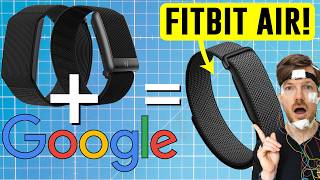

Fitbit is becoming Google Health
46sThe end of the Fitbit brand and its merger into Google Health sparks curiosity and nostalgia among Fitbit users.
▶ Play Clip"Delivers a thorough breakdown of the Fitbit Air and Google Health, but the title's 'future of Fitbit' is a bit overblown given the device's limitations."
Google is merging the Fitbit app into a new Google Health platform and launching the Fitbit Air, a screenless wearable designed for 24/7 tracking. This video explains the device's features, limitations, and the broader shift of Fitbit into Google's health ecosystem.
Google is merging the Fitbit app with Google Fit and rebranding it as Google Health, while launching the Fitbit Air, a screenless wearable.
The video explains what the Fitbit Air is, its capabilities, limitations, and the implications of the Google Health app for users and science.
The Fitbit Air enters a growing category of screenless wearables, popularized by Whoop, Amazfit, and Polar Loop, focusing on background tracking without a screen.
The Fitbit app is being folded into Google Health, which will integrate fitness, sleep, health metrics, coaching, and medical records, working with or without a wearable.
At launch, the Google Health Coach is only available to Fitbit and Pixel Watch users, with plans to expand to other devices later.
Existing Fitbit users can migrate through an app update, and Google Fit users can migrate to Google Health, which becomes the main platform.
The Fitbit Air is about a quarter smaller than the Fitbit Luxe, weighing 5.2g without the band and 12g with it, positioning it as a 24/7 tracker.
The Fitbit Air tracks heart rate, HRV, breathing rate, SpO2, skin temperature, steps, cardio load, sleep stages, and a new sleep score, with automatic activity detection.
The system personalizes over time; if you label a detected activity (e.g., tennis), it learns and improves recognition.
Activity recognition works without a phone, but GPS maps require the phone since the device lacks built-in GPS.
A new sleep algorithm claims 15% better sleep stage accuracy, with improvements in interruptions, naps, and transitions, including nap detection for naps as short as 20 minutes.
The 15% improvement is promising but unclear; independent testing is needed to verify real-world accuracy.
Fitbit devices have generally performed well in sleep tracking compared to sports watches, but wrist-based wearables infer sleep from HRV and movement, not brain waves.
The coach, built with Gemini, is part of Google Health Premium (paid), offering sleep advice and fitness plan adjustments, but AI advice should be treated cautiously.
The full Google Health app, including the coach, is available on both Android and iOS, with no cut-down experience for iOS users.
You can pair the Fitbit Air with a Pixel Watch in the same app, with data reconciliation and priority settings per data type.
Google allows setting priority order for data from multiple devices, but an automated signal-quality-based system would be preferable.
The Fitbit Air uses connected GPS via phone; without the phone, you lose GPS tracks and pace, which is a limitation for outdoor activities.
Battery life is up to 7 days, with 90-minute full charge and fast charging (5 min for 1 day). Bands come in small (130-175mm) and large (165-210mm) sizes.
The device stores heart rate at 2-second intervals, 7 days of motion data, and is water-resistant to 50m, though resistance decreases over time.
Fitbit devices have been good for sleep and resting heart rate, but exercise heart rate accuracy has been inconsistent; the Fitbit Air's small size may affect sensor performance.
The Fitbit Air can broadcast heart rate to gym equipment, and medical records integration is available in the US and Japan at launch, raising privacy concerns.
The Fitbit Air costs $100, includes 3 months of Google Health Premium, then $10/month or $100/year, also included in Google One Pro/Ultra plans.
The Fitbit Air is cheaper than Whoop, but with subscription, costs are closer; Whoop targets athletes, while Fitbit Air may appeal to general users.
There is no biceps band available at launch; the device is worn on the wrist.
The Fitbit Air is Google's entry into screenless wearables, integrated into the new Google Health ecosystem, but its success depends on accuracy, privacy, and platform usefulness. Independent testing is needed to validate claims.
What is the Fitbit Air?
A screenless wearable by Google that tracks workouts and recovery in the background, without a screen.
00:02
What is the new name for the Fitbit app?
Google Health.
01:39
What is the weight of the Fitbit Air without the band?
5.2 grams.
03:38
What is the claimed improvement in sleep stage tracking accuracy?
15% better than the previous generation.
05:39
Does the Fitbit Air have built-in GPS?
No, it uses connected GPS through your phone.
10:49
What is the battery life of the Fitbit Air?
Up to 7 days, with fast charging giving 1 day in 5 minutes.
11:41
What is the price of the Fitbit Air in the US?
$100.
14:43
Which devices can be paired together in the Google Health app?
The Fitbit Air and the Google Pixel Watch.
09:11
What is the water resistance rating of the Fitbit Air?
Up to 50 meters.
12:48
What is the cost of Google Health Premium after the trial?
$10 per month or $100 per year.
14:43
Google Health merger
This marks a significant shift in Fitbit's integration into Google's ecosystem, affecting all users.
00:0215% sleep accuracy improvement
A concrete, testable claim that could influence consumer trust in sleep tracking.
05:39Multi-device pairing
This feature addresses a common pain point for users who want to wear multiple devices.
09:11Pricing strategy
The $100 price point with a subscription model is a key factor in comparing with competitors like Whoop.
14:43[00:02] the Google Fitbit Air and at the same time the Fitbit app is being merged with Google Fit and rebranded into Google Health. So, slowly parts of the Fitbit brand are disappearing and becoming a proper part of Google. So, in this video
[00:19] I want to explain what the Fitbit Air is, what it can do and what it cannot do, and where I think the main limitations might come from from both a user perspective and a scientific perspective. We will also talk about the
[00:33] new Google Health app, what happens to the Fitbit brand, how existing users features require a subscription and those of you that are new to the channel, my name is Rob and I'm a post
[00:46] doctoral scientist specializing in biological data analysis. Now, I find the Fitbit Air interesting because it's in a growing category of screenless wearables. Now, this category arguably became mainstream with the Whoop strap.
[01:00] on your wrist or on your biceps for instance. Then Amazfit was the next popular strap and finally recently the Polar Loop released. Now, Garmin is also
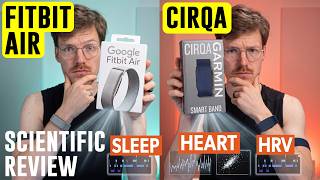
[01:12] expected to launch its own screenless wearable the Circa and now Google is entering the space with the Fitbit Air. The basic idea of all of these is simple. You wear something small and unobtrusive without a screen. It tracks
[01:25] workouts, and recovery in the background. You don't interact with the device much itself. Instead, most of the experience happens in the app. And that brings me to one of the biggest changes. The Fitbit app is becoming the Google
[01:39] Now, that doesn't mean there will be no more other wearables even with the screen with the Fitbit name. It just means that the software side of Fitbit is now being folded into the broader Google Health ecosystem. So, in practice
[01:54] Fitbit seems to remain as a hardware brand while the app experience becomes Google Health. Now, the Google Health app will bring together fitness tracking, sleep tracking, health metrics, coaching, and in some regions
[02:06] even medical records. It will work with wearables and probably also with some non-Google wearables at some point. And Google also says it can work without a wearable at all. So, the app itself is becoming more of a central place for
[02:19] health and Fitbit data, even without a Fitbit or Google product, or even with any hardware tracking at all. Google Health also integrates with Apple Health. So, if you connect Apple Health and grant the appropriate permissions,
[02:32] Google Health can sync all the data coming from Apple Health, including data other wearables that write into Apple Health. That said, as I understand it now, at the launch, the Google Health coach itself is only available to Fitbit
[02:46] and Pixel Watch users. Google says the plan is to bring the coach to users with other devices over time, but for now, the AI coaching layer is tied to Google and Fitbit hardware. Now, I'm not entirely sure what will and will not
[03:00] work if you sync from any other device via Apple Health, for instance. So, I have to experiment a bit to see what will and will not work. Now, for existing Fitbit users, the migration happens through an app update. So, the
[03:12] new Google Health app is not necessarily a totally separate app that everybody needs to manually download from scratch. Google also says that users will be able to migrate from Google Fit into Google Health, which makes sense, because
[03:25] Google has had several overlapping health and fitness platforms for a while now. Now, Google Fit will still exist for now, at least, but clearly, Google Health is becoming the main focus. But, let's talk a little bit more about the
[03:38] Fitbit Air, so the screenless wearable, and what it can and cannot do. Google says it's about a quarter smaller than the Fitbit Luxe, so one of the smaller Fitbits we have right here, and weighs around 5.2 g without the band, or around
[03:52] 12 g with the band. So, really light and Google is clearly positioning it similar Google is clearly positioning it similar to for instance the Polar Loop as a 24/7 advantages of this type of wearable. A screenless tracker can be smaller,
[04:05] lighter, and less distracting than a smartwatch and you can even wear a normal watch beside it. And you can wear it during the day, workout, sleep screen. So, some people will love it, some people will hate it. In terms of
[04:18] tracking, the Fitbit Ace has 24/7 heart rate tracking, heart rate variability, breathing rate, SPO2 monitoring, skin temperature variation measurements, steps, distance, cardio load readiness, sleep stages, and a new sleep score. It
[04:32] also has automatic activity detecting, which should allow it to detect workouts in the background. That includes walking, running, cycling, a stationary bike, elliptical, rowing sports, and other high heart rate activities. Now,
[04:46] instance that this kind of automatic detection can be quite tricky. So, I'll be really curious to test it. So, after the workout, even if you didn't start it, you should get a recap in the app. Now, interestingly, Google says that
[04:59] this system personalizes to you over time. So, if the Fitbit Ace in the beginning detects something as generic sport and you later label it specifically, for example as tennis, the system over time learns that for you
[05:12] should improve. Now, even if you don't have your phone with you, the activity recognition should still work. The device will be detected locally and once everything syncs with the app. Of course, without your phone you won't get
[05:26] a GPS map because this does not have GPS integrated. But, the activity itself should still be captured. Next, let's talk about improved sleep tracking because that's probably one of the most interesting parts for this channel.
[05:39] Google says the new sleep algorithm they recently launched, maybe a month or a few weeks ago, has 15% better sleep stage tracking accuracy than the previous generation based on some kind of clinical validation against gold
[05:52] standard measurements. They specifically mention improvements in interruptions, naps, and transition between the sleep stages. The Fitbit Air also supports nap detection including naps as short as 20 minutes and you should be able to delete
[06:06] because that also tends to be a thing with these kind of screenless wearables still for instance, it might detect it as a nap. Now, this new algorithm is not just limited to the Fitbit Air, but all more or less recent Fitbit and Google
[06:20] scientific perspective, it sounds promising, but I would be careful not to over interpret it. They have some information on the website, but what a 15% improvement actually means is still
[06:32] a bit unclear. So, we'll have to wait for my own testing. If you want to see the testing, don't forget to subscribe. Also, if you want to support, there's multiple ways of doing that. The easiest free way of doing that is by using one
[06:44] of my affiliate links down below before making any purchase. For instance, my can make your default way of going to Amazon. It doesn't cost you any extra and each time you support the channel by making an Amazon purchase. There's also
[06:57] there for instance to my favorite overall device, the Whoop Strap or one of the best recovery tracking devices, the Oura Ring or of course my favorite sleep improvement device, the Eight Sleep Pod. But okay, back to the Fitbit
[07:10] Air sleep tracking. Based on previous Fitbit performance, I would expect that good for sleep tracking. In my own testing, Fitbit devices have generally performed quite well compared to many other consumer wearables, especially
[07:24] when it comes to sleep. They're often better than many sports watches for instance, Garmin devices or Polar devices when it comes to sleep stages. Wrist-based wearables of course don't measure brain waves directly. They infer
[07:38] heart rate variability, breathing, and other signals. So, even if the Fitbit Air performs well, I would still see it as mainly a tool for tracking trends over time. But, that's true for any
[07:51] wearable you use. Now, another important point here is that the new Google Health Coach will use the sleep data to give you sleep advice. The coach is built with Gemini and is part of Google Health Premium, and that part is not free. It
[08:05] recommendations, adjust your fitness plan, and provide sleep insights. This could be useful because instead of only seeing raw numbers, you get actual advice from something that is somewhat of an expert. But, as always,
[08:19] AI-generated health advice should be treated somewhat carefully. It's quite exciting in terms of developments, but we're still very much in the early stages of AI. Now, one important clarification here is
[08:31] the platform support. Google says that the full Google Health app experience, including Google Health Coach, will be available on both Android and iOS. So, it's not an Android-only situation. Users with any Fitbit device can access
[08:45] the coach with a premium membership on both platforms. So, if you're on iOS and getting a Fitbit Air, you're not getting a cut-down experience. It's the full I'm not entirely sure about Pixel Watches. They never used to work on iOS,
[08:59] different, I'll let you know in the comments below. Now, one of the most practical questions is whether you can wear the Fitbit Air together with another smartwatch, or specifically on the same platform. And
[09:11] the answer is yes in one specific case. Google says you can pair both the Fitbit Air and the Google Pixel Watch together to the same Google Health app. So, you between them, and the data should sync without any issues. This is important
[09:26] wear a smartwatch during the day, for instance, but not during the night. limitation. Based on the information I have, the current multi-device pairing is specifically for a pixel watch plus a Fitbit Air. Google mentioned that other
[09:41] combinations may be supported later, for instance, a Fitbit device plus a Fitbit Air, but right now the main supported combination seems to be pixel watch and Fitbit Air. So, if you were hoping to combine a Fitbit Air with another random
[09:54] smart watch or with two different Fitbit devices, I won't assume that works at launch. Now, as I said, more devices will be supported, but that also raises another important question. What happens if two devices measure the same thing at
[10:06] the same time? For instance, your heart rate or your sleep. Well, Google says that multiple devices have their data reconciled in some way. By default, say, "I will use the data from the pixel watch over that of the Fitbit Air if
[10:21] both are worn at the same time." And you can set your own priority order per data type and circumstance. So, in principle, you can say, for instance, for workouts, for sleep, use the data from the Fitbit Air. I think that's a pretty good
[10:34] thinking about it. Personally, I would like some kind of automated system that also evaluates the signal quality and systematically chooses the best data main approach right now. Next, let's talk about GPS or the lack
[10:49] of GPS. The Fitbit Air uses connected GPS through your phone. That means that if you want GPS tracks for running, walking, or cycling, you need to bring your phone with you. For some people, this will be completely fine. If you
[11:02] connected GPS works very well. But if you actually like to leave your phone this is a clear limitation compared to also matters for the automatic workout detection. If the Fitbit Air detects an
[11:16] outdoor run, but your phone is not with you, then you might still get heart rate, duration, steps, and movement-based estimates, but you will not get any GPS tracks. So, if accurate route tracking and pace are important to
[11:28] you, you either need to take your phone with you or also get a pixel watch in addition. Next, let's go through the quick technical specs. The Fitbit Ace has up to 7 days of battery life, but Google recommends charging every few
[11:41] days to make sure you're always tracking. Charging from 0 to 100% takes about 90 minutes, so that's pretty okay. And there's also fast charging. 5 minutes of charging should give you up to 1 day of battery life. So, charging
[11:53] every day while you're in the shower, for instance, should be enough. That's important because you want that 24/7 tracking. Now, the bands come in two sizes. If you have a wrist size between 130 and 175 mm, get the small version,
[12:07] 130 and 175 mm, get the small version, and the large is for 165 to 210 mm. editor, Alex, will show some of them on screen right here. Choose what you think is pretty. Overall, I would recommend a more fabric band for sports because it
[12:21] doesn't get so sweaty underneath, but then you might want to change it out afterwards because it takes a while for it to dry up again. Now, the charger itself is magnetic, and similar to the Amazfit band, you should just be able to
[12:33] pop out the actual measurement unit and put it in a new strap. Now, the device stores heart rate data at 2-second intervals and saves 7 days of detailed minute-by-minute motion data, 1 day of workout data, and daily totals for the
[12:48] last 30 days. So, if you care about keeping all your data, you should sync regularly. Now, it's water-resistant up to 50 m, though as always, water resistance can decrease over time. There's one LED for things like battery
[13:01] vibration. You can use it, for instance, for a smart wake alarm. By the way, I want to be very clear, I haven't tested the Fitbit Ace yet. They're not sending out samples. Fitbit devices are often quite good for sleep tracking and
[13:14] resting heart rate, but exercise heart rate accuracy has not always been the best. Especially some of these older models didn't have great heart rate tracking. It really will depend in the end on the algorithms and the number of
[13:27] sensors and light sources that they put in. In general, the Fitbit Air is very small and lightweight, but I'm curious to see how it performs during runs, cycling, and strength training. These are usually more difficult for optical
[13:39] heart rate sensors, and if there's not that many actual sensors present on the device, there might be a lot of noise in the signal. Now, the Fitbit Air can equipment and apps similar to what we have seen on other devices like the
[13:53] in the gym, you should be able to broadcast your heart rate to the exercise equipment. What about medical records? This sounded kind of fishy to me. Google says adding medical records will be available in the US and Japan at
[14:06] launch. So, you should be able to connect to your provider's portal and bring all your medical records into Google Health. In theory, this could make the coaching more personalized. For example, the coach might be able to take
[14:18] account when answering general wellness questions. But, there's also questions about privacy and accuracy here. Google says health data is stored securely, that users can control how data is saved,
[14:31] shared, exported, or deleted. But still, I'm always a bit scared with these things. They do say it won't be used for Google ads, but who knows what will happen in the future at some point or if there's a data leak or something. But
[14:43] this is my personal feeling. Now, what about pricing? Well, the Fitbit Air will cost $100 in the US. It also comes with 3 months of Google Health Premium. After that, Google Health Premium costs $10 per month or $100 per year.
[14:57] It's also included in Google One Pro and Ultra plans if you already have that. So, in terms of hardware, the Fitbit Air is actually relatively inexpensive a Whoop strap. It's the same price as
[15:09] the Amazfit Helio strap and half the price of the Polar Loop. However, if you there's still that subscription, and that makes the comparison with the Whoop then the price points are a lot closer.
[15:22] you're looking for. If you just want a basic tracking, the $100 sounds good, but if you want more features, then you need to pay per month, and the question is, do you want to pay for that? Or in the end, would you still want to go for
[15:35] a Whoop? My feeling is that the Whoop is more tailored towards athletes, or at least people who somehow see themselves more as doing a lot of sports, and wanting to track their recovery and their training, whereas the new Fitbit
[15:48] Air with the new Google app might be a little bit more tailored towards normal people, or less specifically focused on exercise and recovery, but also do a bunch of other things. But that's sort of the feeling I get from what I've seen
[16:00] so far. But as always, we will need independent testing to know, first of all, how accurate the device is, but also how the experience is in using it. Oh, and I also need to know there will be no biceps band at launch for the
[16:13] Fitbit Air. They might be coming, but at launch, there is no biceps band, so you have to wear it on your wrist. So, the Fitbit Air is Google's first entry into the screenless wearable category, but it might also be the beginning of a
[16:25] slightly bigger shift. Fitbit hardware is becoming a much more integrated part of the Google Health ecosystem, and whether that's a good thing will not just depend on the device itself, but of course, in general, on the accuracy of
[16:38] all new devices being launched, privacy, and the usefulness of the platform as a whole. I'll be testing the Fitbit Air as soon as I can. I should get it next week tracking, the heart rate tracking accuracy, automatic workout detection,
[16:54] and of course, if the app actually works well in daily life. And then we can see whether this is, for instance, a good Whoop Strap alternative, or maybe different, and it depends on what you want which one you should get. If you do
[17:07] end up ordering a Fitbit Air, maybe a Garmin device, my favorite sleep improvement device, the Eight Sleep Pod, or you want a Whoop Strap instead, or an Oura Ring, or anything at all on Amazon for that matter, even something as small
[17:23] as toilet paper or coffee beans, you want the best discount possible and support the channel, use one of my affiliate links down in the description video on the Fitbit Air, I think you will like this video on the latest
[17:36] Google Pixel Watch, or this video on the EightSleep Pod, my favorite sleep EightSleep Pod, my favorite sleep improvement device.
⚡ Saved you 0h 17m reading this? Transcribe any YouTube video for free — no signup needed.