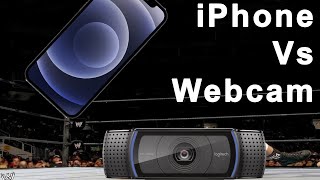

iPhone vs Webcam Face Tracking Showdown
38sDirect comparison between expensive iPhone tracking and free webcam tracking sparks curiosity and debate.
▶ Play Clip"Title accurately describes the comparison and free model offer, though the bonus is a promotional tool."
This video compares iPhone facial tracking with webcam facial tracking in VSeeFace, emphasizing that expensive gear is not necessary for VTubing success. The creator also promotes a free ARKit test model to help users optimize their iPhone placement for better tracking.
There is hype around YouTubers using iPhone facial tracking, and the video will compare it with webcam tracking.
Before exporting a model, ensure extra settings like looks and individual blendshapes are enabled.
In VSeeFace webcam settings, enable high quality tracking with wink support.
A direct comparison between iPhone and webcam facial tracking running simultaneously, with head movement disabled for clarity.
The creator advocates that spending money is not necessary for VTubing success; personality is the most valuable asset.
A free ARKit test model is offered to help users find the optimal iPhone distance for tracking.
The test model is free and available via a link in the video description or QR code.
Phone placement is crucial for iPhone tracking quality; the test model shows which blendshapes are activated.
The video demonstrates that webcam tracking can be comparable to iPhone tracking, and offers a free tool to improve iPhone setup. Ultimately, content and personality matter more than expensive equipment.
What setting must be enabled in VSeeFace for high quality webcam tracking?
High quality tracking with wink support.
0:58
What is the most valuable asset for a VTuber according to the video?
Themselves (their personality), not material things.
2:22
What is the purpose of the free ARKit test model?
To help users find the optimal distance from their iPhone by showing which blendshapes are activated.
3:34
What two types of facial tracking are compared in the video?
iPhone facial tracking and webcam facial tracking.
0:18
Side-by-side comparison
Provides a direct visual comparison of tracking quality between iPhone and webcam.
1:07No need to spend money
Emphasizes that success in VTubing depends on personality, not expensive gear.
1:41Free ARKit test model
Offers a practical free tool to improve iPhone tracking setup.
2:36[00:00] hi so there's a lot of hype going around
[00:02] specifically around youtubers
[00:04] and iphone facial tracking and if you've
[00:06] been paying attention to my channel um
[00:08] maybe you have seen a couple videos
[00:10] covering that topic
[00:14] today's video we're going to be
[00:15] comparing iphone facial tracking
[00:18] in vc face versus the high quality
[00:20] facial tracking
[00:21] that you can get in easy face just using
[00:24] your webcam
[00:24] oh and stick around to the end of the
[00:26] video because there's going to be a
[00:27] bonus thing
[00:28] that i'm going to be telling you about
[00:29] and the link is actually not going to be
[00:31] in the description
[00:32] and the only way to get this um this
[00:35] cool thing
[00:35] is basically to pay attention to the end
[00:38] of the video
[00:38] [Music]
[00:43] before you export your model you need to
[00:45] make sure
[00:46] that your model has these extra settings
[00:49] enabled as i know sometimes some people
[00:51] skip them over
[00:52] but uh just have like the looks and the
[00:54] individual blanks
[00:55] set up here in vc face you have to go
[00:58] into
[00:59] the webcam settings and you have to
[01:01] actually enable
[01:02] the high quality tracking with wink
[01:06] support
[01:07] and here you can see a direct side by
[01:10] side comparison
[01:11] between iphone facial tracking as well
[01:14] as
[01:15] webcam facial tracking these are running
[01:17] at the same time
[01:18] in parallel and the only thing that i've
[01:21] modified is basically i
[01:23] disabled the head movement
[01:26] so that it's a lot easier to see the
[01:28] face
[01:30] and here i'm just expanding the video
[01:32] out
[01:33] just so that you can see hey i'm running
[01:35] two instances
[01:37] side by side now once again one thing i
[01:40] would really
[01:41] like to reiterate um those of you who
[01:45] follow me on twitch
[01:46] know this very well is that in no way do
[01:48] i ever advocate that you need to spend
[01:50] money in order to be a successful v
[01:51] tuber usually
[01:53] when people pop into my stream and
[01:54] they're like hey i'm thinking about
[01:55] getting this
[01:56] and yes it is it's one of those things
[01:58] that's definitely a nice to have
[02:00] but there are definite examples of
[02:02] people that have
[02:03] a png as their vtuber model and they're
[02:06] way more successful
[02:07] it's it's it's a it's a similar thing to
[02:09] what was happening a while ago where
[02:11] people would spend thousands and
[02:12] thousands of dollars
[02:14] on their cool streaming setup with like
[02:16] rgb lights expensive microphones set up
[02:17] before they even stream
[02:18] day one and then they're like where are
[02:20] all the people viewing
[02:22] the most valuable asset that you have in
[02:25] your streaming career on twitch or
[02:27] youtube or wherever you make content
[02:29] is is not the material things it's the
[02:32] thing that's
[02:33] utterly irreplaceable and that's you are
[02:36] you a v
[02:36] tuber trying to get more out of your
[02:37] facial tracking
[02:40] are you having problems positioning your
[02:42] iphone and making your face go crazy
[02:45] are you just not able to find the right
[02:47] position for your iphone
[02:52] stuck with that frozen facial expression
[02:54] that doesn't move with your facial
[02:56] tracking
[02:56] i have the solution for you and the
[02:58] solution is fofemits ar
[03:00] kit test model ar kit test model
[03:05] test model
[03:08] yes that's right the air kit test model
[03:12] and it's available for the low cost of
[03:14] three easy payments of free free free
[03:18] click on the link in the video
[03:19] description or scan this qr code
[03:21] if you decide to get iphone tracking one
[03:24] thing in particular that can be
[03:25] difficult is
[03:26] phone placement because where your
[03:28] iphone is actually placed
[03:30] is super important towards the quality
[03:32] of your iphone facial tracking what i've
[03:34] done
[03:34] is i developed a great test model
[03:38] that will allow you to see which blend
[03:40] shapes are activated so you can
[03:42] better know what distance you need to be
[03:45] from your
[03:46] iphone because a lot of people won't end
[03:48] up getting like a
[03:49] a really fancy headset like what i have
[03:51] to hold your iphone
[03:52] but instead they'll just have their
[03:54] iphone like either mounted to
[03:56] like their monitor or they'll have like
[03:58] an arm or they'll just have it taped to
[03:59] a bottle
[04:00] please click on this link that's going
[04:01] to be appearing on the screen
[04:03] and this is how you can get your hands
[04:05] on this free
[04:07] test model thank you so much for
[04:09] everyone for watching this video i hope
[04:10] you found it informative
[04:12] and once again this video can be
[04:14] possible without
[04:15] my supporters on patreon that you'll see
[04:17] on the screen right now
[04:19] and if you want to stop by and have a
[04:21] conversation i also stream on twitch and
[04:23] the link for that will be
[04:24] in the video description down below bye
[04:27] bye
⚡ Saved you 0h 04m reading this? Transcribe any YouTube video for free — no signup needed.