
Top Free Video Editing Software Revealed
44sDirectly addresses a common creator pain point (cost) with actionable free solutions, making it highly shareable.
▶ Play Clip"Delivers exactly what the title promises: a list of free tools, though it's brief and lacks depth."
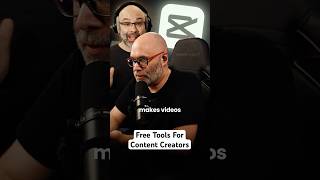
The video provides a concise overview of free tools for content creators, covering video editing, thumbnail creation, audio processing, and live streaming. It highlights Cap Cut and Da Vinci Resolve for editing, TubeSpanner and Canva for thumbnails, an unspecified audio processing tool, and OBS for streaming, all available at no cost.
Cap Cut is a free video editing software. Da Vinci Resolve is another free option, recommended by Daniel Bal, who creates content about it.
TubeSpanner offers a free account with a monthly limit on thumbnail creations. Canva is also free and can be used alternately with TubeSpanner to create thumbnails.
You can use Canva and TubeSpanner for thumbnails, and Da Vinci Resolve and Cap Cut for video editing, leveraging the free tiers of each.
Both Cap Cut and Da Vinci Resolve have audio editing features. There is also a free audio processing tool that allows EQ and voice treatment to improve sound quality.
OBS is a free live streaming tool, and the speaker suggests that these tools are all you really need for content creation.
The video succinctly lists essential free tools for content creators, emphasizing that a complete toolkit can be assembled without spending money.
What free video editing software is mentioned?
Cap Cut and Da Vinci Resolve.
00:01
Which tools are recommended for creating thumbnails?
TubeSpanner and Canva.
00:15
What is the free live streaming tool mentioned?
OBS.
00:55
Free editing tools
Highlights that professional-grade editing is possible without cost.
00:01Thumbnail creation strategy
Suggests a workaround for free tier limits by alternating tools.
00:15Audio enhancement
Emphasizes the importance of audio quality and free tools to achieve it.
00:40[00:01] editing software called Cap Cut that's free. My brother D actually makes videos subscribe to his channel, DM. In addition to that, you also have Da Vinci Resolve. Our friend Daniel Bal makes content about that. You can find him by
[00:15] looking for Daniel Bal in YouTube search. Those will get you editing videos. When it comes to thumbnails, tubespanner.com, they have a free of your account. You're limited on how many you can make per month, but what
[00:27] you can do is you can stagger that with a free Canva account and then whatever to one or the other. So you can make thumbnails in Canva and tube spanner and you can make video or edit your video content in Da Vinci Resolve and Cap Cut.
[00:40] both of them have audio editing features as well. But there is also something processing tool that you can use. And with that you can EQ your voice and you type treatment to your voice as well to make it sound better. that is also free.
[00:55] you're making thumbnails, you're making videos. I mean, I think that's it. When OBS, which is a free live streaming tool. I think it's all you really need tool. I think it's all you really need when it comes to free


⚡ Saved you 0h 01m reading this? Transcribe any YouTube video for free — no signup needed.