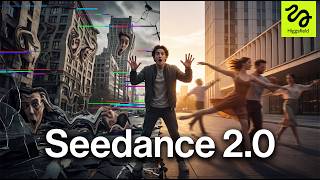

AI Video's Biggest Problem Solved?
45sHighlights a common frustration with AI video models and introduces a solution, sparking curiosity.
▶ Play Clip"Title accurately reflects the tutorial content and the tool's impressive capabilities."
Higgs Field SeaArt 2.0 is a powerful AI video generation tool that creates cinematic multi-shot videos with realistic motion, consistent characters, and synchronized audio. This video tests its capabilities across various scenes, from simple environments to complex action sequences, demonstrating its superior stability and quality compared to other AI video models.
Most AI video models break when scenes become complex, with weird motion, inconsistent characters, morphing objects, and poor camera movement.
SeaArt 2.0 generates cinematic multi-shot AI videos with realistic motion, stable character consistency, synchronized audio, and good camera transitions from a single workflow. It supports multimodal generation using text, images, videos, and audio references.
Higgs Field is a full AI image and video creation platform with tools for cinematic content, AI UGC ads, image generation, multi-shot storytelling, and more. SeaArt 2.0 is accessed via the video section.
Prompt: detective in foggy Tokyo alley at night. Generated 10-second, 16:9, 720p video. Result: cinematic atmosphere with stable fog, lighting, reflections, and consistent background characters.
Prompt: futuristic sports car drifting in neon street. 15-second duration. Result: realistic speed, motion, camera transitions, and consistency with reflections, lighting, and motion blur.
Uploaded image of husky and golden retriever in pickup truck. Generated cinematic sequence with natural fur movement, lighting, and environment changes while preserving dog consistency.
Uploaded image of Persian cats by rainy window. Generated video with detailed fur, subtle motion, warm lighting, and cozy atmosphere. Result: highly realistic and stable.
SeaArt 2.0 is one of the most impressive AI video generation tools tested, excelling in motion quality, cinematic consistency, and multi-shot storytelling.
SeaArt 2.0 delivers impressive cinematic AI video generation with stable motion, consistent characters, and realistic environments, making it a standout tool for creators.
What is the main problem with most AI video models according to the video?
They break when scenes become complex, with weird motion, inconsistent characters, morphing objects, and poor camera movement.
00:02
What multimodal inputs does SeaArt 2.0 support?
Text, images, videos, and audio references.
00:45
What platform is SeaArt 2.0 part of?
Higgs Field, a full AI image and video creation platform.
01:15
What settings were used for the first test video?
Duration: 10 seconds, aspect ratio: 16:9, resolution: 720p.
02:50
What was the result of the action sequence test?
Realistic speed, motion, camera transitions, and consistency with reflections, lighting, and motion blur.
05:13
How does SeaArt 2.0 handle reference-based generation?
It takes a single image and turns it into a full cinematic sequence with realistic motion and atmosphere while preserving consistency.
06:08
What was the prompt for the detailed animal scene?
Two fluffy Persian cats beside a rainy window at night, with subtle camera push-in, warm lighting, cozy atmosphere, and realistic fur movement.
08:20
SeaArt 2.0 Capabilities
Highlights the key features that set SeaArt 2.0 apart from other AI video models.
00:31First Test Success
Demonstrates stable cinematic quality with multiple moving elements, a common failure point for other models.
03:22Action Sequence Stability
Shows that SeaArt 2.0 maintains consistency even in fast action scenes, which is rare for AI video.
05:13Reference-Based Quality
Proves that SeaArt 2.0 can preserve character consistency and natural motion from a single image.
07:26Detailed Animal Scene
Exhibits high detail in fur, lighting, and subtle motion, making it feel genuinely cinematic.
09:10[00:02] insanely fast. But even with all these new models coming out, most of them still have the exact same problem. The moment scenes become even slightly complex, everything starts breaking.
[00:16] Motion gets weird, characters lose consistency, objects start morphing, camera movement falls apart. And honestly, that's been one of the biggest limitations of AI video for a long time. But Higgs Field SeaArt 2.0 genuinely
[00:31] feels different. This thing can generate cinematic multi-shot AI videos with realistic motion, stable character consistency, synchronized audio, and surprisingly good camera transitions, all from a single workflow. And what's
[00:45] even crazier is that it supports multimodal generation. So, instead of relying only on prompts, you can combine text, images, videos, and even audio references together to shape the final result. So, in this video, I'm going to
[01:01] test SeaArt 2.0 myself, try different cinematic scenes and workflows, and see why people are saying this is one of the best AI video generation models available right now. Let's get into it. First, head over to the Higgs Field
[01:15] And once you log in, you'll see that Higgs Field is much more than just a single AI model. It's basically a full AI image and video creation platform with tools for cinematic content, AI UGC ads, image
[01:29] generation, multi-shot storytelling, and more. But for this video, we're focusing specifically on SeaArt 2.0. So, go ahead and open the video section and select SeaArt 2.0. This takes you into the main workspace
[01:45] where all the generation happens. The interface is actually really clean and beginner-friendly, but there's a lot of powerful stuff built into it. At the top, you'll find different presets and styles to speed up your workflow. And
[01:57] below that, you can upload image, video, or audio references to guide your generations. So, instead of relying only on prompts, you can actually control the overall look, motion, and cinematic feel of the final result.
[02:10] But for now, let's start simple and generate our first cinematic scene. So, for the first test, I want to see how well SeaArt 2.0 handles cinematic environments, lighting, and realistic motion.
[02:23] prompt. A cinematic scene of a detective walking through a foggy alley in Tokyo at night. Neon signs glowing through the rain. Steam rising from vents. Camera slowly tracking beside him while people move
[02:38] naturally in the background. Dramatic lighting. Realistic motion. Emotional atmosphere. Ultra realistic cinematic thriller style. 4K. First, make sure
[02:50] SeaArt 2.0 is selected. Then I'll set the duration to 10 seconds and switch the aspect ratio to 16:9 for a more cinematic look. I'll keep the resolution at 720p for this test. And once everything's ready,
[03:05] let's hit generate and see what SeaArt 2.0 creates.
[03:22] The atmosphere feels incredibly cinematic, especially with the fog, lighting, and reflections blending together naturally throughout the scene. surprisingly smooth and controlled
[03:36] instead of looking random or glitchy. What really stands out is how stable everything stays, even with multiple moving elements happening at the same The background characters, rain, lighting, and motion all stay consistent
[03:51] from shot to shot. This is usually the point where most AI video models start breaking apart, but SeaArt's 2.0 handles it really well. Now, let's push things a bit further and try something with much faster motion and more complex camera
[04:05] one thing, but action sequences are usually where but action sequences are usually where AI video models completely fall apart. So, for this one, I'm going to use this prompt. A cinematic scene of a
[04:18] futuristic sports car drifting through a crowded neon street at night. Sparks flying as tires slide across the wet road. Camera rapidly switching between low-angle tracking shots and wide cinematic drone shots. Realistic motion,
[04:33] intense atmosphere, dynamic lighting, slight motion blur, ultra-realistic action film style, 4K. This time, I'm going to increase the duration to 15 seconds to really test the consistency and motion quality.
[04:49] Now, let's hit generate and see how SeaArt's 2.0 handles a much more SeaArt's 2.0 handles a much more demanding cinematic sequence.
[05:13] impressive. The speed, motion, and camera transitions all feel much more realistic than what you normally see from AI video models. Even with all the movement happening at once, the scene still stays stable and cinematic the
[05:26] entire way through. The reflections, lighting, drifting effects, and motion blur all blend together naturally instead of looking chaotic or broken. What really surprised me is how well
[05:38] SeaArt's 2.0 maintains consistency during fast action scenes. Usually, this is where objects start morphing, environments start changing randomly, or the motion completely falls apart. But here, it actually holds everything
[05:53] together really well. Now, let's test one of the most powerful features inside SeaArt 2.0, reference-based generation. So far, we've only been using text But this time, I'm going to upload a reference image and use it as the
[06:08] foundation for the entire scene. For this example, I'm using an image of a Siberian husky and a golden retriever sitting together in the back of a moving pickup truck during sunset. And this is where things get really interesting,
[06:22] because SeaArt 2.0 can take a single image and turn it into a full cinematic sequence with realistic motion and atmosphere. this prompt. A cinematic scene of a Siberian husky
[06:37] and a golden retriever riding in the back of a pickup truck during sunset. Wind naturally moving their fur. Camera slowly tracking beside the truck road. Realistic motion. Emotional atmosphere.
[06:52] Cinematic lighting. Detailed environment. Ultra realistic. 4K. Now, let's hit generate and see how SeaArt 2.0 transforms this image into a full cinematic video.
[07:26] realistic. The fur movement, lighting, and overall motion feels surprisingly natural, especially with the truck moving and the environment changing in the background. What really stands out is how well SeaArt 2.0 preserves the
[07:41] look and consistency of both dogs throughout the entire sequence. Usually with AI video, animals start morphing or losing detail once motion gets involved, but here everything stays stable and cinematic from start to
[07:54] Even the lighting and atmosphere evolve naturally as the camera moves, which makes the final result feel much closer to a real film shot than a typical AI generated video. All right, now let's try something
[08:07] completely different and see how SeaDance 2.0 handles detailed animals and softer cinematic scenes. This time, I'm going to upload a cats sitting together near a rainy
[08:20] apartment window at night. And now, I'm going to guide the scene using this prompt. A cinematic scene of two fluffy Persian cats sitting beside a rainy window at night, city lights glowing softly in the
[08:32] background, one cat slowly turning its head while the other stretches naturally, subtle camera push-in shot, warm ambient lighting, cozy atmosphere, realistic fur movement, ultra-realistic cinematic film style, 4K.
[08:48] Now let's hit generate and see how SeaDance 2.0 handles a more emotional SeaDance 2.0 handles a more emotional and detailed cinematic scene like this. and detailed cinematic scene like this. >> [music]
[09:10] >> And honestly, this might be one of my favorite results so far. The amount of detail in the fur, lighting, and subtle motion looks incredibly realistic. Even the tiny movements feel natural instead of overly animated or artificial.
[09:25] What really surprised me is how well SeaDance 2.0 handles softer cinematic everything stable and visually consistent. The atmosphere, reflections, depth, and lighting all work together in a way that
[09:41] makes the final video feel genuinely cinematic. Overall, I can definitely see why so many creators are starting to pay attention to SeaArt's 2.0 right now. It's easily one of the most impressive
[09:54] AI video generation tools I've tested recently, especially when it comes to motion quality, cinematic consistency, and multi-shot storytelling. If you want to try it yourself, I'll leave my link in the description where
[10:08] you can check out Higgs Field SeaArt's 2.0 with up to 70% off. Definitely test it out yourself and see what you can create.



⚡ Saved you 0h 10m reading this? Transcribe any YouTube video for free — no signup needed.