
AI Tools Breaking Your Code? Try This!
44sAddresses a common pain point with a promise of a solution, sparking curiosity.
▶ Play Clip"Delivers on the promise of using Kilo Code for .NET feature design, though it's more of an overview than a deep dive."
This video demonstrates how to use Kilo Code, an open-source AI coding agent, to design and implement .NET features. The presenter highlights its modes, model flexibility, and cost-effectiveness, positioning it as a valuable tool for software architects.
The video targets developers concerned about AI tools breaking their codebase. The presenter has used Kilo Code for weeks and is impressed.
Founded by the co-founder of GitLab, Kilo Code is completely open-source and has grown rapidly with over 400,000 downloads in 6 months.
Kilo Code offers several modes: architect mode for planning and designing complex features, code mode for implementing features, ask mode, debug mode for solving issues, and an orchestrator for breaking down complex tasks.
Users can choose from a large number of AI models, providing flexibility based on needs.
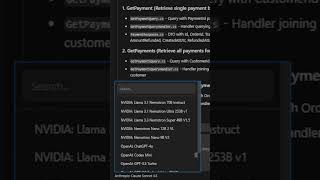
In architect mode, the presenter asks it to analyze a specific module. It generates mermaid diagrams to visualize the codebase and identifies key components, aiding in planning new features.
Kilo Code is free to use; users only pay for the AI models with no hidden markup or extra fees. A team plan is available for additional features.
The presenter directs viewers to the pinned comment for getting started with Kilo Code.
Kilo Code is a powerful, free, open-source AI agent that helps developers design and implement features safely, with flexible model choices and a focus on planning through architect mode.
Who founded Kilo Code?
The co-founder of GitLab.
00:15
How many downloads has Kilo Code achieved in 6 months?
Over 400,000 downloads.
00:15
What is the purpose of the architect mode in Kilo Code?
For planning and designing complex features.
00:28
What does the orchestrator mode do?
Helps break down complex tasks.
00:28
What visual output does architect mode provide?
Mermaid diagrams to visualize the codebase.
00:54
Open-source and rapid growth
Highlights the credibility and community adoption of the tool.
00:15Multiple specialized modes
Shows how the tool addresses different stages of development workflow.
00:28Architect mode with mermaid diagrams
Demonstrates a practical use case for planning features safely.
00:54Free with no hidden costs
Addresses a common concern about AI tool pricing.
01:06[00:02] of AI tools breaking your codebase, this is for you. I've been using Kilo Code as my AI agent for the past few weeks, and I have to say I'm impressed by what it can do. Kilo Code was founded by the co-founder of GitLab. It's completely
[00:15] open- source, and it's growing rapidly with more than 400,000 downloads in just 6 months. Here's what stands out to me compared to other AI coding agents. It comes with a couple of modes. an architect mode for planning and
[00:28] designing complex features, a code mode for implementing features, an ask mode, a debug mode to help you solve any issues, and an orchestrator to help you break down complex tasks. You also get to choose which AI model you want to
[00:40] use, and you really get a large number of options here. Here's an example in architect mode where I'm asking it to analyze my project and I'm giving it the specific module I wanted to take a look at. And for me as a software architect,
[00:54] mermaid diagrams that can give me codebase. It can also identify key And from here, you can move on to the
[01:06] new features. If you're wondering what it costs, Kilo Code is free to use. You'll only pay for the AI models and there's no hidden markup or any extra fees. If you need more features, you can always upgrade to the team's plan. And
[01:19] if all of this sounds interesting, go ahead and check out the pinned comment right below this video to get started with Kilo Code.



⚡ Saved you 0h 01m reading this? Transcribe any YouTube video for free — no signup needed.