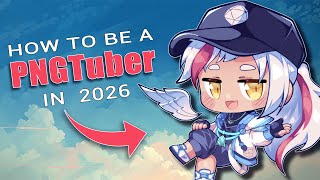

PNGTuber on a Budget? Start Here!
45sGrabs attention immediately by addressing low budget and PC issues, relatable to many aspiring VTubers.
▶ Play Clip"Title accurately promises a quickstart guide for PNGTubing in 2026; video delivers three methods and art tips."
This video is a quickstart guide for aspiring VTubers on a budget, explaining how to become a PNGTuber using three free, popular methods: Fuji, VTube Mini, and PNG Tuber Plus. It covers setup for each tool, including how to add reactive images, use keybinds, and integrate with OBS, plus tips for non-artists to get custom art.
Fuji is a free, browser-based program that detects microphone input via Discord to switch between talking, silent, and muted PNG states. Setup involves adding a model on reactive.fuji.tech, copying the link into OBS as a browser source, and joining a Discord voice channel. It supports multiple users in group calls, automatically adding their PGs.
VTube Mini, created by Almeway and Bella, is a free desktop app that adds more reactivity than Fuji. Users import PNGs into slots, adjust properties, set keybinds for toggles (e.g., singing, gaming), and support GIFs. Setup involves adding a window capture source in OBS selecting VTube Mini.
PNG Tuber Plus by Kai Kyros is a free app that introduces jiggle physics and layer separation for PNGs, mimicking Live2D. Setup is more complex: create a folder with layered sprites, import into the app, reorder layers with Q/E keys, adjust physics values, and save frequently. Use game capture in OBS.
For those without art skills, the video recommends Tsuru Draws' Tsukrew PGs, a customizable PNG tuber based on Picrew with over 9,000 combinations, costing $10. It includes pre-layered sprites and a setup guide. Alternatively, commission artists via VGen, ensuring to read terms.
PNG tubing is an accessible, free way to become a VTuber without expensive equipment. The three methods—Fuji, VTube Mini, and PNG Tuber Plus—offer increasing complexity and features, with options for non-artists to obtain custom models.
What is the only browser-based PNG tubing program mentioned?
Fuji
00:28
How does Fuji detect microphone input to switch PNG states?
It uses Discord voice chat to detect microphone inputs.
00:40
What feature does VTube Mini add that Fuji lacks?
More reactivity and keybind toggles for different states like singing, gaming, and drawing.
02:17
What unique feature does PNG Tuber Plus offer?
Jiggle physics on PNGs through layer separation.
03:36
How do you reorder layers in PNG Tuber Plus?
Use Q to move the sprite behind and E to move it forward.
04:58
What is the recommended source for non-artists to get custom PNG tuber art?
Tsuru Draws Tsukrew PGs, a customizable PNG tuber based on Picrew with over 9,000 combinations.
06:44
How much does Tsuru Draws Tsukrew PGs cost?
$10
07:09
What should you do before using commissioned art for PNG tubing?
Read the artist's terms.
07:35
Fuji is the easiest method
It's browser-based and free, making it the most accessible option for beginners.
00:28VTube Mini adds keybind toggles
Allows users to switch between different states (singing, gaming) with custom keybinds, enhancing interactivity.
02:17PNG Tuber Plus introduces jiggle physics
Brings Live2D-like movement to static PNGs, a unique feature for free software.
03:36Tsuru Draws offers 9,000+ combinations
Provides an affordable, customizable art solution for non-artists, with pre-layered sprites.
06:44[00:01] looking to be a VTuber, but your budget is too low and your PC catches fire the moment you boot anything up. Well, my dear viewer, fret not because PNG tubing you. >> Now you have my attention.
[00:15] guides. And in this video, I'll be showing you how to be a PNG tuber using the three most popular methods that everyone uses right now. And I'll even be showing how non-arts can make their own PGs and join in on the fun. So, make
[00:28] sure you stay until the end. Let's get it. First up is Fuji. It's the only browser based program on this list, but it is by far the easiest method for PNG tubing and is completely free. How it works is simple. You give it two or more
[00:40] depending on if you're talking silent, muted, or definite. Let me show you how to set it up real quick. First, go to this website, reactive.fuji.te. Discord. Don't worry, it's completely safe. This is how Fuji detects your
[00:53] microphone inputs during group calls. More on that one in just a bit. Once to your library and add a model using this button right here. Go ahead and work, too, by the way. Name it and then hit save. Make sure you set it as active
[01:09] once you're done. Now, just navigate into sources and copy your Fuji's link using this button. Open up OBS, create a new browser source, and simply paste the probably now wondering why you're not popping up. Well, that's because there's
[01:22] one last step. Hop into any Discord voice chat, and just like that, you're mentioned earlier about group calls. The cool thing about Fuji is that it supports multiple users. Meaning if you're in a voice channel, one, two, or
[01:34] you're in a voice channel, one, two, or 16 people can join you. Oh my god, what the is this? And it also detects all of those people and automatically adds their PGs into your Fuji session, even resizing everyone to fit. Even if they
[01:47] defaults to using their Discord profile picture. So, how do you set that up? bottom of the page, and add in custom source. [music] This is how I have my the video and copy it down, this is what works for me, but feel free to change it
[02:02] wondering why I'm excluding myself here, it's because I like to have two sources, way, I can maintain complete control over my own Fuji model no matter how thing about Fuji is that you can use its group feature on top of other PNG tuber
[02:17] apps like the next one on our list, Vot Tube Mini. This was created by Almeway and Bella and takes PNG tubing a step further compared to Fuji by adding in more reactivity. Oh, and did I mention it's also free? Let me show you how it
[02:30] First, you'll want to head over to viato.tube and download it here. Once you've got it open, just import your desired PGs using these slots on the you're following the correct labels. You can adjust your PG's properties here and
[02:44] movements here. On the left side of the screen, you can save and load your avatar and even adjust your program settings. I to save on even more resources when you connect to OBS later on. And finally,
[02:57] here. I recommend you set your background to transparent. You can also this button and assign a specific key bind to each one. This basically acts as your toggles. So, for example, I can press my keybinds to toggle singing,
[03:11] gaming, and drawing. And if you're wondering about GIFs, yes, they are supported, too. Once your setup is done in Vat Tube, head over to OBS, set up a new spot capture source, and simply select Vato Tube Mini. And voila, all
[03:24] set up. Pretty easy, right? So, while Vato Tube offers more movement than Fuji, the last program on our list offers even more movement by incorporating jiggle physics. The physics? Yep, you heard that right.
[03:36] physics? Yep, you heard that right. Jiggle Physics on PNG Tubers. It's It's pretty crazy, but it's true. This is PNG Tuber Plus developed by Kai Kyros over on it.io and Steam. Scroll down the page and download it for, yep, you guessed
[03:49] it, completely free, just like the other two apps. Are you noticing a trend? PNG Tuber Plus is perhaps the most popular PNG Tuber app right now, and for good reason. It is the most difficult to learn on the list, but it provides a lot
[04:02] layer separation techniques you see in live 2D Vtuber models. This is exactly why we can get jiggle physics on PGs. Isn't that cool? Let me show you how to set it up. It's a bit more involved than the others, so strap in. First, you'll
[04:16] clicking on it and pressing the trash can icon. Next, you'll want to create a folder with all of your layers and then drop it into your PNG tuber directory. pressing escape whilst in the app. There is a step here where you have to draw
[04:29] would a life 3D model, but I won't be getting into that in this video. But it, and I'll even recommend one later on in this video. Now, click on the add new sprite button up here and select the folder that you just dropped in. There's
[04:43] all at once, so you'll have to go through each sprite one by one. Hit the through each sprite one by one. Hit the time lapse.
[04:58] might look a bit weird. Bros out here looking like Slender Man. Like, come on. So, to fix this, you'll want to reorder everything using Q and E on your keyboard. Q moves the sprite behind and E moves the sprite forward. Keep an eye
[05:10] on this layer number over here on the left panel as it shows the layer of whatever sprite you have selected. Hit the time lapse again.
[05:24] physics, sprite swapping, and positions and rotational values. Tada! And just like that, we have fixed the Slender Man issue. [laughter] It looks a bit stiff physics values, it should look something like this. If you make any edits, please
[05:38] because PNG Tuber Plus doesn't actually have an autosave function, at least not during the making of this video. So, if you don't want to lose any work, save a lot. [laughter] If you ever forget what to press or how to navigate the options,
[05:51] click on this icon down here to see a legend of all the program shortcuts. But other model for the rest of the demonstration. Finally, if you press this big X on the top left, the editor UI will be hidden and you'll be greeted
[06:03] with these new options down here. Click on the cog wheel and the program turning your screen transparent. Once you're done, head over to OBS and create a game capture source and then select PNG Tuber Plus. Make sure you enable
[06:15] basically an in between of live 2D and PNG models. And because of that, there is a bit of a learning curve. So, I recommend you to go watch videos like Zero Draws, PNG Tuber Plus Crash Course, as this video won't be able to cover
[06:28] advanced. Otherwise, it wouldn't be a quick start guide, now would it? But non-arts to get art for their models and then join in on the fun. Can't be a PNG One I highly recommend, especially if you plan on using PNG Tuber Plus, is
[06:44] Tsuru Draws Tsukrew PGs. It's actually the one I've been using the most in this video. It's a customizable PNG tuber based on the popular dressup browser game PC crew. In fact, Tsuru also included a P crew link so that you can
[06:57] even preview your character. And yes, this part is for free. It boasts over 9,000 combinations due to the sheer amount of options available. It's kind of crazy. And before you ask, I'm not paid at all to say any of this. I'm just
[07:09] and work that's gone into it. Well worth the $10 price tag in my opinion, especially considering that it includes saved models so that you don't even have the layers. It's all basically done for you. All you need to do is simply
[07:23] replace each sprite as you'd like and following the guide that Suru has also laid out for us very neatly here. If you plan to use Suru's model, make sure to watch their setup guide video as well, as it goes over basically everything you
[07:35] need to set yours up. Otherwise, you can use VJN to commission a PNG tuber or use another P crew PNG. Just make sure that you read the artist's terms before you actually allow it. But with that said, if you found this video useful or
[07:48] informative, let me know by dropping a like and subscribe. And if you're not want to be a VTuber on a budget, then this video on how to be a VTuber for completely free in 2026 [music] might be the one for you. Down.
⚡ Saved you 0h 08m reading this? Transcribe any YouTube video for free — no signup needed.