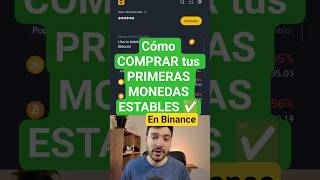

How to Buy Stablecoins on Binance in 45 Seconds
45sQuick, step-by-step tutorial with clear visuals that satisfies viewers looking for fast crypto buying guides.
▶ Play Clip"The title promises a simple how-to, and the video delivers exactly that—concise and on-topic, though it lacks depth beyond the basic steps."
This video provides a quick, beginner-friendly tutorial on how to purchase your first stablecoins (USDT) using the Binance app. The host walks through the deposit, trade, and conversion processes step by step, using Argentine pesos as an example.
Open the Binance app (link in description), tap 'Deposit', then choose 'Buy with' and select your local currency. If the option isn't visible, use 'Deposit Money' instead.
After funds are in your account, go to 'Trade' and select 'Buy Crypto'. Choose TetherUS (USDT) as the cryptocurrency to purchase.
Alternatively, use the 'Convert' option. Set the top field to your local currency (e.g., ARS for Argentine pesos) and the bottom field to USDT.
Enter the amount in your local currency (e.g., 100,000 ARS). The app shows the equivalent in USDT (e.g., 67 USDT). Tap 'Preview' and then 'Confirm' to complete the purchase.
Once purchased, USDT can be used for investing. The host mentions a pinned video with a detailed step-by-step guide on downloading the app and similar processes.
Buying stablecoins on Binance is straightforward: deposit local currency, use Trade or Convert to select USDT, and confirm the transaction. The video encourages viewers to explore further content for investing guidance.
What is the first step to buy stablecoins on Binance?
Open the Binance app, tap 'Deposit', then select 'Buy with' and choose your local currency.
What alternative option can be used if 'Buy with' is not visible?
Use 'Deposit Money' to add funds to your account.
00:13
Which cryptocurrency is selected for purchase in the video?
TetherUS (USDT).
00:26
How do you use the 'Convert' feature to buy USDT?
Set the top field to your local currency (e.g., ARS) and the bottom field to USDT, then enter the amount.
00:26
What steps confirm the purchase after entering the amount?
Tap 'Preview' and then 'Confirm'.
00:38
Simple Deposit Process
Provides a clear, step-by-step method for beginners to deposit local currency into Binance.
Convert Feature as Alternative
Offers an alternative route to purchase USDT, which may be more intuitive for some users.
00:26Example with Argentine Pesos
Uses a real-world example (100,000 ARS to 67 USDT) to illustrate the conversion, making it relatable.
00:38[00:00] ¿Cómo se hace para comprar tus primeras monedas estables? Muy fácil, acá en la aplicación de Binance, que lo vas a encontrar siempre en la descripción de mis videos, vas a apretar el botón que dice Depositar y vas a darle a donde dice Compra con y la moneda de tu país.
[00:13] Pero si no te aparece esa opción, también podés apretar Depositar dinero. Una vez que ya tenés el dinero dentro de tu cuenta, que esto es súper seguro, te vas a donde dice Trade y vas a poner Compra cripto. En este caso, vamos a seleccionar la moneda TetherUS.
[00:26] Apretamos ahí y ponemos cuánto queremos comprar. O poner la opción que dice Convertir. Arriba tiene que estar la moneda de tu país Por ejemplo yo voy a usar pesos argentinos Entonces pongo ARS Y abajo el USDT Buscamos USDT y listo
[00:38] En este caso por ejemplo quiero comprar 100.000 pesos en dólares Entonces pongo 100.000 Vemos que me va a dar 67 Pongo vista previa y pongo confirmar Y listo ya compré mis primeros USDT Así de fácil después los pueden poner a invertir
[00:51] Donde ya se los mostré en otros videos Si quieren un paso a paso de cómo hacer esto Les dejo el video anclado ahí abajo Donde también les digo cómo descargar la aplicación Y obviamente si querés ver más de este contenido no te olvides de dejar tu me gusta y de suscribirte.




⚡ Saved you 0h 01m reading this? Transcribe any YouTube video for free — no signup needed.