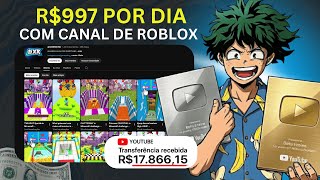
Roblox Dark Channel Viral Secrets
45sReveals a specific strategy for going viral with Roblox/Minecraft content, tapping into curiosity about fast monetization.
▶ Play ClipThis video claims to teach viewers how to create a 'dark' Roblox channel that monetizes quickly on YouTube, using AI tools like ChatGPT and video generators to produce viral content. The creator demonstrates a step-by-step process of copying a popular Roblox or Minecraft video, pasting it into a custom GPT chat to generate a script and video ideas, then using a text-to-video tool to create the final video.
The channel creates Roblox and Minecraft videos that go viral, getting many views and likes.
Open GPT chat (claimed to be GPT 5.2, the most up-to-date version) and paste a copied video from a Roblox or Minecraft game.
The creator promotes a custom GPT chat available via a pinned comment link, which also includes access to Capcut, Leonardo, and 8,500 free credits.
After pasting the video, the GPT chat analyzes it and generates a prompt. The user copies this prompt and uses it in a text-to-video tool (VO3).
The creator promotes a pro version of VO3 with up to 45,000 credits, available by contacting them on WhatsApp.
In VO3, set format to text-to-video, portrait mode, and choose quality (beta version recommended).
The tool generates 10 video options. The user can request more ideas from GPT chat if needed.
The generated video shows a character trying to jump and collect coins, similar to the original viral content.
The video promotes a method to create viral Roblox/Minecraft content using AI tools, but heavily focuses on selling access to these tools via WhatsApp, making it more of a sales pitch than a genuine tutorial.
"Title promises monetization but video is a thinly veiled sales pitch for AI tools."
What type of videos does the channel create to go viral?
Roblox and Minecraft videos.
00:01
What is the first step in the video creation process?
Open GPT chat and paste a copied Roblox or Minecraft video.
00:16
What tools are offered for free via the pinned comment link?
GPT chat, Capcut, Leonardo, and 8,500 credits for VO3.
00:57
What settings are recommended in VO3 for video generation?
Portrait mode and beta quality.
02:37
How many video options does VO3 generate?
10 options.
03:50
Viral Content Strategy
Reveals the channel's focus on Roblox and Minecraft for high engagement.
00:01Free Tool Promotion
Demonstrates the monetization model: offering free credits to attract users.
00:57Final Video Output
Shows the end result of the process, validating the method.
05:02[00:01] teach you exactly what this channel is doing to go viral here on YouTube. As you can see, these are Roblox and Minecraft videos that are going viral. And look, if you create this type of content, you'll
[00:16] get a lot of views and a lot of likes. So stay tuned to this video because I'm going to teach you step-by-step what this channel is doing to get so step, you will open your GPT chat here . So, what are you going to do here in the GPT chat
[00:31] here in high demand. You can literally grab any video. I'm going to grab this video here from this Roblox game, this Minecraft one, right? I'll copy it. And now I'm
[00:43] going to paste it here in the GPT chat. Just do what I'm doing. Simple as that. And as you can see, I'm using the chat department here. This is the most up-to-date GPT chat available. And if you want to have this
[00:57] GPT 5.2 chat, just scroll down this video and tap on the first pinned link in the comments. You can tap there, call me on WhatsApp and I'll send you the GPT chat for you to use. Not only him, you're going to get
[01:11] Capcut, Leonarde, and Leonarde, I'm going to send you the totally pro version, okay? Totally pro. I'll give you 8,500 credits right now, completely free. You won't need to pay anything to get these credits. So, if you're
[01:25] interested, click on the first link and message me on WhatsApp so I can send you this tool. But anyway, here you're going to put this prompt. Oh, I don't know how to write in English, what do I do? Take a screenshot and post it in the
[01:39] GPT chat. It's transcribing this image. Simple as that. Once you've done that, you'll press enter and that's it, the GPT chat is already analyzing the entire video here. He's already generated it here, I say, look, OK, OK. If he can send the
[01:54] files here, I said yes, he can send them to me and here it is, look, the files are ready, ready, ready. Just like you see here. Generate the prompt here. I'm going to copy this prompt here. You're already saying everything, right? I have to
[02:07] saying everything, right? I have to open VO3. And if you want to have the fully pro version of VO3 here, just like I have here, on the pro version, I still need to pay to get more credits. If you want, you know, 1000 credits, 45,000 credits, just
[02:22] call me and say: "Hey Boku, send me 45,000 credits. I want that ultra plan." You can send it to me and I'll put 45,000 credits in your account. And look, if you're interested, you
[02:37] can call me and I'll send you VO3 with 45,000 credits. Here you just put the ready, right? You're going to text to video. In the format, you're going to click here on the settings. You're going to leave it as one, you don't need to
[02:51] leave it as two. And you're going to go here to portrait mode. Just put portrait mode here . You can leave this quality . Or if you want to leave it in this better quality, you can leave it there. You decide, I'm going to put it
[03:05] in this better quality. Portrait mode. Okay? And that's it. I'll press enter and it's already generating. And you'll see here how it will look, look. I only have 20 credits and I'm going to my
[03:20] credits are running out, and now I'll have to log into another account to show you. I'll go to the quality settings, put it in this beta version, and then go to the GPT chat and click " ready." Click "ready," paste, press
[03:34] enter, and it's generating here. Now my credits are gone, but it's okay. I'll show you how it looks. If it's wrong here, I'll log into my VO3 account, which has over 45,000 credits, and show you how it
[03:50] will look. Just wait. It's very quick. 20% 19. Just wait, it will start generating. And as you can see, it generated here. There are 10 ready options. And
[04:02] there you go, 10 ready options for you to use. Oh, I want another idea. Simple, just tell Oh, I want another idea. Simple, just tell GPT. Yes, I want other GPT. Yes, I want other video ideas and show me a picture of... Okay, so I just
[04:17] do this and press enter and that's it. Oh, GPT chat. It's going to generate the ideas for the photo, as you 'll see here now. And look, it just generated here. I'm going to press play so you can see how it turned out. Look,
[04:32] you can see how it turned out. Look, look how it turned out. There you go. See? Keep continuing here. It came out wrong, right? As you can see.
[04:50] but it's okay. You can just click there, continue, right?
[05:02] . This type of content is going viral a lot. And here, until it reaches the top, your video is already made just like this one. See ? Just like this channel is doing with the image, how it will look. You
[05:17] can download this image here, because this image will be the image of your video, just like this channel is doing. I'm going to press play, just for you. See? Look, check it out , you see? He's trying,
[05:32] , you see? He's trying, look, subscribe or like, look, he's trying until he manages to jump. But he almost managed it, huh? He didn't manage it either. Look,
[05:45] this one also managed it. You see? It's that simple to make this type of content, just like I showed you here now, but the only difference is that the other one there, he was running to get the coins and reach the top. You see? This
[06:01] is a very simple video to make. Basically, that's it. If you liked this content, leave your like. Comment if you have any questions, you can comment and I will help you solve any
[06:13] problem you may have. And remember that all the tools I used here are completely professional, you can click on the first link in the comments, call me on WhatsApp and I will send you access to any tool
[06:25] you want. And that's it, apply it and you'll see that you'll be going viral this week with these Roblox, Minecraft videos, whatever you... If you want. And now I'll see you in the next video. Bye. Yeah.
⚡ Saved you 0h 06m reading this? Transcribe any YouTube video for free — no signup needed.