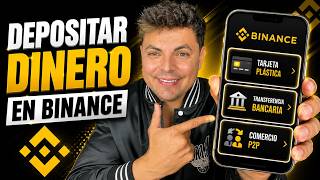

3 Ways to Fund Binance (Fees Revealed)
51sQuick overview of the three deposit methods with fee comparison hooks viewers immediately.
▶ Play Clip"Delivers exactly what the title promises: a clear, step-by-step guide to depositing money via card, transfer, and P2P, with minor fluff."
This video provides a comprehensive guide on how to deposit money into a Binance account using three primary methods: plastic card, bank transfer, and P2P trading. It covers the step-by-step process for each method, including associated fees and regional availability, with a focus on the Mexican market.
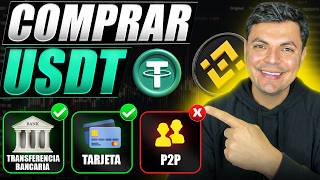
The video covers three main methods to deposit money into Binance: plastic card, bank transfer, and P2P trading. It also discusses fees and country availability.
The creator mentions an official link in the description offering exclusive rewards, including a 20% discount on fees for life, which can save significant amounts for long-term users.
To deposit, users need to tap the Binance icon at the top and then select the full version of the app if their screen matches the default.
The first method is using a plastic card. Users navigate to the deposit section, select 'see more' to find all funding methods, and choose the card option. This method is available in most countries where Binance operates.
After selecting the national currency and cryptocurrency (e.g., Bitcoin), users choose to pay with a plastic card, Apple Pay, or Google Pay. The minimum purchase is 360 (currency unspecified) and maximum 200,000, varying by country.
For a 1,000 Mexican pesos purchase, the commission is 20 pesos, equating to a 2% fee. The user must provide their name and billing address.
The second method is a bank transfer, which in Mexico is done through SPEI. This transfer has no cost and may take up to a day, though usually instant. It is also available in countries like Colombia and Argentina.
The transfer requires creating an account with the intermediary (e.g., Mena) and provides instructions. The minimum amount is 50 Mexican pesos, maximum 1 million, varying by country.
After making the transfer, users press the section indicating they sent funds. The deposited money appears in the spot account, ready to be converted to cryptocurrency.
P2P trading involves buying cryptocurrencies directly from another person in your country. Users select 'P2P trading' in the deposit section and choose to buy USDT or Bitcoin with local currency.
The recommended option is 'quick trade' and buying USDT, as it offers the best exchange rate. The platform automatically selects the local currency (e.g., Mexican peso) and lists all Latin American currencies.
Users enter the amount (e.g., 1,000 Mexican pesos) and receive approximately 57 USDT. USDT is described as the digital dollar. Payment methods vary by country; for example, BBVA offers the best rate, but Banorte may be selected despite a slightly worse rate.
Binance charges a 0.2% commission for P2P, but the seller makes a profit of around 1% through the exchange rate. Users can refresh to see sellers, and the preview shows the seller's order count and completion rate (e.g., 2000 orders, 100% completion) for trustworthiness.
After agreeing, users receive bank transfer details (bank code and person's name). They pause the video to make the transfer, take a screenshot, and upload it as proof. They must confirm they made the transfer from their own account, not third parties.
Once the seller verifies receipt of payment, they release the USDT. The user then transfers the USDT from the funding wallet to the spot wallet to exchange for other cryptocurrencies.
The video concludes by summarizing the deposit methods and encourages viewers to check the description for account creation and cryptocurrency exchange tutorials.
The video effectively demonstrates three practical methods to deposit funds into Binance, highlighting the trade-offs between convenience, fees, and speed. It emphasizes the importance of choosing the right method based on your country and needs.
What are the three main methods to deposit money into Binance?
Plastic card, bank transfer, and P2P trading.
00:02
What is the commission for buying with a plastic card?
2% (e.g., 20 pesos for 1000 pesos).
02:05
What is the minimum and maximum amount for a bank transfer in Mexico?
Minimum 50 Mexican pesos, maximum 1 million pesos.
03:30
What is the commission for P2P trading on Binance?
0.2%.
05:43
Why is USDT recommended for P2P trading?
It offers the best exchange rate.
04:48
What does the seller's completion rate indicate in P2P trading?
It indicates the seller's trustworthiness; a 100% completion rate with many orders is reliable.
06:08
20% Fee Discount
A significant incentive for long-term users, potentially saving hundreds or thousands of dollars.
00:16Card Deposit Fee Breakdown
Clearly illustrates the 2% commission, helping users understand the cost of convenience.
01:52Bank Transfer via SPEI
Highlights a zero-cost method for Mexican users, with instant or next-day transfer.
03:14P2P Fee Structure
Explains the low 0.2% Binance fee but notes the seller's ~1% profit, giving a complete cost picture.
05:43Seller Verification
Emphasizes the importance of checking seller stats to avoid scams in P2P trading.
06:08[00:02] deposit money into Binance. For this we will use the three main methods available: plastic card, bank transfer and P2P commerce. In addition, we will also look at their fees and in which country
[00:16] each of these methods is available. Without further ado , let's begin. If for some reason you do description I'll leave you the official link with exclusive rewards and bonuses , including a 20% discount on fees for life. That
[00:30] 20% can save you hundreds or even thousands of dollars if you use Binance long- term. And right there in the description you'll find a video on how to create and verify an account step by step. Okay, once you have your
[00:42] Binance app. If your screen looks like mine, tap the Binance icon at the top and then tap the the full version of Binance
[00:55] look at for depositing money is to do it with a plastic card. that section where I made a deposit and then we press this that says see more. And here we will find all the methods we have to fund our
[01:09] section I made about buying cryptocurrencies with an Apple Pay or Google Pay card. Here national currency. This method is available in basically all countries where Binance operates. And on this side you select the cryptocurrency you
[01:24] Bitcoin, then select Bitcoin right away. Next, where it says "pay with," you will select either a plastic card, Apple, or Google. enter the amount of Bitcoin you wish to buy. The minimum is 360 and the
[01:40] maximum is 200,000. This may vary slightly from country to country. For the purposes of this video, I will buy 1,000 Mexicanos and will be receiving approximately this amount of Bitcoin. We press preview and it will show you the
[01:52] iPhone, it also gives me the option to pay with Apple Pay, but in this case we'll do it with a plastic card, and it also shows me the commission I'm going to pay, which is 20 pesos for buying 1000. That means that for buying with a card
[02:05] we're going to pay a 2% commission. Below we will add the must be in your name and you must also add a billing address. I will now add this data. After filling in your
[02:18] would simply be pressing "pay" and you will receive this exact amount of Bitcoin in your Binance account. In my case, I'm not going to carry out this operation in order to avoid paying that 2% in commissions. And now I'm going to show you the next
[02:31] two methods. Now let's move on to the second method, which is you press the deposit section, then see more options, and it's that option Mexico we will make this deposit through a Space bank transfer,
[02:46] which does not generate any cost and may take up to a day, although these transfers are usually instant. With this type of transfer you can also make a transfer from countries like Colombia and Argentina. If
[03:00] countries, perhaps your best option is P2P trading, which we'll look at a little later. Then, the next step is to press the continue button. And in need to make the transfer, such as my full name,
[03:14] transfer here in Mexico is done through this institution called process, it will ask you to create an account here at Mena. This takes leave a video up here. As I already mentioned, this transfer does not generate
[03:30] any commission. The minimum amount is 50 Mexican pesos and the maximum amount is 1 million pesos. This may vary slightly from country to country. In my case, I'm going to transfer 1,000 Mexican pesos to him and now I'll be right back. Once I made the
[03:43] transfer, you press this section where I sent the funds and that's money you deposit into Binance, and also what you buy with a plastic card, you will find under this section that I made active, under this
[03:55] account that says spot. In my case, I have here the $1,000 that we deposited next step would simply be to convert this Mexican peso into the cryptocurrency of your choice. This whole thing about cryptocurrency exchanges or converting one
[04:08] interesting topic, and I already have a video dedicated to it, which I'll also leave 'm only focusing on the depositing of money part, but in that other video I for exchanging cryptocurrencies. Now let's move on to the third method for depositing
[04:23] money into your Binance account, and that is through P2P trading. To do this, also says deposit. Similarly, we press see more and here is the option which is P2P trading. This P2P trading means that we are
[04:36] going to buy cryptocurrencies from a person in our country. In my case, I'm going to buy USDT or Bitcoin from someone in Mexico and I'm going to pay them with Mexican pesos. Payment methods will vary from country to country, but let me
[04:48] is to do it with this option that says quick trade. And I recommend that you buy UST here, since it's the cryptocurrency that gives you the best exchange rate. The Mexican peso is already selected automatically here , but
[05:01] here are all the currencies of all the countries of Latin America. In fact, option if bank transfer is not available in your country. Here you will all the currencies of Latin America will be here. So we're going to buy
[05:15] USDT with Mexican pesos. You enter the amount here. Similarly, I'm going to buy about 1000 Mexican pesos and I'll be receiving approximately 57 USD, which by the way, USDT is like the digital dollar, it's the representation of the
[05:28] select payment method and here are all the options I have to vary a little from country to country, but for example, BBVA is giving me the best make that transfer from Banorte, I 'm going to select Banorte, even if they
[05:43] penalize me a little more with the exchange rate. With this method, Vainas charges a commission of 0.2%, which is basically nothing, but what you're going to the exchange rate. Since you are now buying from
[05:56] someone else, that person who sells to you makes a profit. That gain is only around 1%. Then, I press refresh, select north, and press view preview. And here it throws me at this seller, this person
[06:08] who has had or completed close to 2000 orders with 100% means he's a trustworthy person. And it also shows me exactly what I'm going to receive, which is 55.81
[06:20] agree with what I'm going to receive, I gives me the information I need to make the bank transfer. It shows me the bank code and the person's name , which is basically all
[06:32] do at that moment is pause the video to proceed with the transfer, and transfer I'm going to take a screenshot because later I have to upload it here. After we make the payment, we're going to press the section that
[06:45] we're going to upload the screenshot we took of the transfer, which in my press this little box that says I've made the transfer from my account. You also cannot transfer from third parties. and we press the "I
[06:59] screenshot will be sent to the person to whom we made the do is verify that
[07:11] person has received the payment of 1,000 pesos, they will release the UST for me. Likewise, I'm telling you that I've already transferred the money, and at this point, we basically just have to wait for release the UST for us. I'm going to pause the video again and I'll come back when we're
[07:25] minutes and the person has already released the UST for me. I already have the UST in my vainance account and we're going back. Similarly, we will go to the assets section and the USDT we bought will be found in this wallet
[07:39] called funds. Then, to make the exchange, we'll simply press this section that says " transfer" and transfer our funds from the wallet to the spot wallet, which is where we now have
[07:51] transferred. Here you simply enter the amount, I will transfer everything, and that's basically it. Right now I already have that USDT here in the spot account ready to exchange it for Bitcoin or any cryptocurrency I want. And
[08:04] into Binance. If this video has helped you, I would really appreciate it if you gave it a the description to create your account. And lastly, I'm going to the options you have on Binance to exchange cryptocurrencies or
[08:19] to exchange your pesos for Bitcoin or any other cryptocurrency. I think this looking at today. This is where I say goodbye. My name is Miguel Valencia and I'll see you next time .

⚡ Saved you 0h 08m reading this? Transcribe any YouTube video for free — no signup needed.