
AI Summary
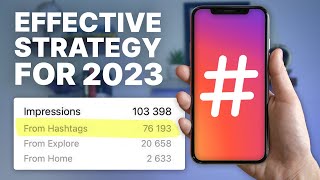
This video provides a comprehensive guide for social media managers on effectively using Instagram hashtags in 2022. It covers strategy creation, avoiding common mistakes, using branded hashtags, tracking performance, and organizing hashtag sets, with a strong emphasis on relevancy and leveraging the tool Flick.
Chapters
Hashtags are a valuable tool to increase ROI by capturing new audiences and helping Instagram understand content and target it to the right people.
Start with a simple hashtag strategy that is easy to execute, avoiding stress, especially for busy social media managers.
Goal is to rank in the top posts section of hashtags. Use hashtags that are the right size for your account and relevant to the content. Always use 30 hashtags if possible.
Using flagged or banned hashtags can restrict reach. Check manually or use Flick's built-in feature to avoid them.
Draw up lists based on content types and what people search for. Organize them for easy use.
Link Instagram to Flick to get hashtag suggestions based on account analytics, saving time. Manual research is possible but more time-consuming.
Branded hashtags increase awareness, create a community, and are essential for collaborations. Choose a hashtag that fits the brand's name, feel, and tone.
Track performance to improve future results. Benchmark against competitors by analyzing their hashtag usage and engagement.
Relevancy is the most important factor. Use hashtags that are relevant to your content and target audience. Example: tech company should use tech-related hashtags.
Use spreadsheets or tools like Flick to organize hashtags into collections based on content type or competitiveness. This saves time and improves reach.
Use metrics like average likes, daily average post count, and total posts to categorize hashtags by competitiveness. Mix low and high competition tags.
Instagram's algorithm is changing to prioritize recent content, making it easier for smaller accounts to rank in competitive hashtags.
Mastering hashtags takes time and practice, but it is a valuable skill for social media managers. Start simple, stay organized, and continuously optimize based on performance.
Mentioned in this Video
Tutorial Checklist
Study Flashcards (6)
What is the goal when using hashtags on Instagram?
easy
Click to reveal answer
What is the goal when using hashtags on Instagram?
To rank in the top posts section of the hashtag.
01:06
How many hashtags does Instagram allow per post?
easy
Click to reveal answer
How many hashtags does Instagram allow per post?
30
01:33
What are the two methods to avoid flagged or banned hashtags?
medium
Click to reveal answer
What are the two methods to avoid flagged or banned hashtags?
Manually checking in Instagram or using Flick's built-in feature.
01:46
What is the most important factor for hashtag performance?
easy
Click to reveal answer
What is the most important factor for hashtag performance?
Relevancy.
05:09
What are the three hashtag metrics mentioned?
medium
Click to reveal answer
What are the three hashtag metrics mentioned?
Average likes, daily average post count, and total posts.
07:51
What recent change did Instagram make to its algorithm regarding hashtags?
medium
Click to reveal answer
What recent change did Instagram make to its algorithm regarding hashtags?
It now prioritizes recent content, making it easier for smaller accounts to rank.
08:17
💡 Key Takeaways
Goal: Rank in top posts
Sets a clear, measurable objective for hashtag use.
01:06Relevancy is key
Emphasizes the most critical factor for hashtag success.
05:09Algorithm change favors smaller accounts
Provides actionable, timely news that can level the playing field.
08:17Full Transcript
[00:01] feels like you wear 101 hats. You're busy AF, but you don't want to sacrifice you're spending so much time on, and you know that hashtags are a crucial element of an effective Instagram strategy. Well, in this video, we solve your
[00:14] share with you all of the tips and tricks that you need to create an strategy to save you time and bring you more results. So, let's get right into hashtags can't be slept on. Hashtags are
[00:28] still a valuable tool to up the ROI of your social activities by capturing new seen or heard of your content. Instagram cares a lot about its user experience and wants to push the right kind of content to the right audiences, and
[00:41] Instagram understand what kind of content you're creating and who it's for. So, by using high-quality and very relevant hashtags, you can actually help many people are confused by hashtags, but it actually doesn't have to be
[00:54] you a quick and simple guide here today. So, first, create a simple hashtag strategy that's easy for you to execute. When you're just getting started with that helps you succeed, not something that adds stress to your workload
[01:06] you're extremely busy. Firstly, make sure you're avoiding the common mistakes hashtags. To get the results that you want, you should be ranking in the top post section of the hashtag. So, think of this as your goal with every single
[01:19] are the right size for your account and make sense in relation to the content of actually ranking. Relevancy is that time and time again here because it is so important. Next, always use 30
[01:33] conflicting advice here when it comes to how many hashtags to use, but we are using more hashtags see more results. So, Instagram lets you use 30. If you can find 30 relevant hashtags, do so every time. Next, don't use flagged
[01:46] or banned hashtags. This can restrict reach on your content and also get your ways to make sure you never do this. The first is to go into Instagram manually using to make sure they're not banned. And the second, and our preferred
[01:58] method, is to use Flick because with InFlick, we actually have a built-in hashtags you select to make sure that none of them are flagged or banned. Those are some general do's and don'ts when it comes to hashtag. Now, for your
[02:10] end in mind. Create your hashtag lists ahead of time and organize them in a way that makes sense for you when you're using them. Start by drawing up a list relevant to the types of content that you post, and base this on what people
[02:24] search for if they were looking for content like yours. And once you have this broad list, it's time to talk about strategy for your specific hashtags. A word that we know you'll love as a social media manager because strategy is
[02:37] is by linking your Instagram account directly to Flick and turning on have a Flick account, you can start a 7-day trial using the link down below to make this far more efficient and save you a ton of time, but you still can do
[02:51] video manually. You just have to put a little more time and effort into it. So, when you start searching, our tool will are likely to rank on based on your specific account's analytics. Start by
[03:04] you've already created to get relevant hashtags to those keywords that you are type in a keyword directly into Flick, it's also going to auto-populate a ton research you did earlier will help you out a ton right here. Save these into
[03:18] on the post that you're going to make in the future, and voila, your strategy is hashtag strategy is definitely a marathon and not a sprint. So, get started with something simple and optimize your results as you go and
[03:32] will help you do all of that. The next hashtag topic we're going to cover is using branded hashtags for increased awareness. A branded or campaign hashtag comes to fleshing out your image beyond your website, advertisements, or press
[03:45] coverage. By implementing a solid branded hashtag, you not only create an can tag their content into, but you also provide a recognizable tagline that product or service. This is also essential when you collaborate with
[03:59] other creators as it brands the post that they are sharing as part of your way of reaching your consumers as it allows an influencer's audience to independently check out all of the content posted in that hashtag rather
[04:12] Pick a hashtag that fits well with the name, feel, and tone of the brand you're campaign hashtags when you release new products or initiate launches, making associated with your brand. Next, we're going to cover hashtag performance and
[04:27] you're actually tracking this for future increased performance. And the best way performance. Another way to increase your reach via hashtags is by actually manager, it's likely you will have a list of competitor accounts that you
[04:42] posting and what they're doing in your industry. Just like you would benchmark content you were posting, you can benchmark your performance in terms of If an account within your industry has great engagement in comparison to their
[04:56] type of hashtags they're using when they post. Draw up a list of some of the key hashtags you see that are also relevant to the type of content that you produce. your hashtag research directly within
[05:09] relevant high-performing hashtags tailored to your account. Now, we're relevancy once again because it cannot be overstated. Relevancy is wildly the performance you actually get from them. So, let's give you an example to
[05:23] more results. If you're a social media manager for a tech company, you want to interested in tech. I know it sounds obvious, but too many people get this specific detail. If someone searches for the hashtag how to SEO, for example,
[05:37] resources on Instagram that will help them improve their SEO strategy. Take a has drawn up and start to think about what they might actually search for when content. Put yourself in their shoes and apply this to your hashtag strategy. And
[05:53] up consumer profiles based on your Instagram strategy yet, communicate with really figure this out. The better you know who you're trying to reach, the more effective your strategy can be from a content perspective as well as a
[06:06] front of the right people that will move the needle for you and your business or next piece we're covering here is the importance of organization, and as a social media manager who's incredibly busy, organization is absolutely key. As
[06:20] very familiar with using spreadsheets and calendars to keep yourself should definitely take a similar approach to keeping your hashtags flow smoother and help you get more results from using tags. And a great way
[06:33] hashtags into collections based on the different kinds of content that you post a ton of time and also help to improve your reach for potential new followers can create collections of hashtags based on a number of different elements, and
[06:47] each of these collections can easily be copied and pasted directly into your content. And this all means once you've done your research and organized your hashtag sets, you have better performing hashtags stored in an app right on your
[06:59] desktop for easy plug-and-play use. And this organization is really critical for And there are a few different ways that you can go about categorizing your based on content type. For example, if you were managing an account in the
[07:11] collections of hashtags for menswear, streetwear, or womenswear. If you content type, then you should make sure to include a mix of low competition, tags in each individual set. But collections are a must when it comes to
[07:26] do this all manually within, say, the notes app of your phone, but Flick makes it very easy to do this in a centralized place that you can also change the lists over time based on performance, which perfectly segues into our next point,
[07:38] that can actually improve your performance. Another way that you can categorize your hashtags is by looking at their competitiveness in relation to number of hashtag metrics such as average likes, daily average post count,
[07:51] and total posts. Average likes is the average number of likes that the posts which stands for daily average post count, is the number of posts made into a hashtag averaged over the previous 7-day period. Total posts is the number
[08:04] And that was a super quick run-through of the major hashtag analytics that you a deeper dive to really understand this stuff, we made an entirely dedicated video to that specific subject that you can find right here in the card above.
[08:17] competitiveness in mind because this will play a big part in your ability to your performance. But on that note, some good news is that Instagram just recently announced that their algorithm is changing slightly within hashtags to
[08:30] prioritize recent content, which should make it easier for smaller accounts to competitive tags, which is obviously great news. At this point, we've covered a ton and thrown a lot at you. So, if anything was confusing, feel free to go
[08:42] back and rewatch sections of this video. And as we mentioned, Flick will help you here substantially faster and easier. And if you've never tried Flick out for access a completely free week trial of all of our different services using the
[08:56] And if you do end up trying it out, definitely let us know how you like it in the comment section of this video or any other ones. We do check them all. here today is to take your time and enjoy mastering this new skill because
[09:09] like with any other skill, it's going to take time to improve your skill and understand this and have it hammered down, it is a massive value add for all the clients that you're managing. And we here at Flick are huge Instagram nerds
[09:22] yourself, as well as creators, better use Instagram and specifically better to up your performance and save yourself some time, definitely subscribe to our channel. We'll talk every single week on all things Instagram to help you level
[09:35] crushing it on Instagram, building a connected community is one of the most going live is one of the most powerful ways to do that. And we made a full Instagram live guide to help you go live and find success and connection with
[09:48] here. So, go ahead and click that. You'll become an IG live pro and connect So, go ahead and click that. I will see you over there. We'll keep talking. you over there. We'll keep talking. Peace.