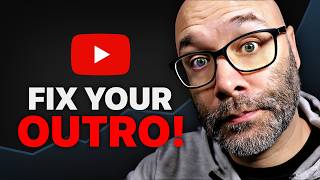

The Hidden Graph That's Killing Your Views
45sReveals a shocking insight about audience retention data that creators overlook, prompting immediate curiosity.
▶ Play Clip"Delivers solid, actionable advice on ending videos, though some points are common knowledge for experienced creators."
This video offers practical advice for YouTube creators on how to end their videos to retain viewers, encourage engagement, and drive more views. The creator emphasizes avoiding 'finalizing language,' strategically asking for likes and comments, and using end screens to link to playlists, thereby increasing watch time and channel growth.
The video starts by pointing to the audience retention graph in YouTube analytics, noting that a drop-off at the end of the video costs views and watch time.
Using phrases like 'in conclusion' or 'to recap' signals to viewers that the video is over, causing them to leave early. Instead, use transitional phrases like 'next up we have' to keep viewers engaged.
When listing items (e.g., in tech reviews), use phrases like 'next up we have' to smoothly move viewers from one item to the next, avoiding the impression that the video is ending.
At the end of videos, creators should ask for likes and comments. It's effective to casually work these requests into the content rather than making them abrupt.
Ask specific, easy-to-answer questions in the comments to encourage viewer participation, and avoid cluttering the screen with too many in-screen graphics that distract from the call to action.
Instead of letting the video end abruptly, use end screens that integrate with the video content. Link to playlists or videos that are relevant to what the viewer just watched.
Before making a video, decide which playlist or video to recommend at the end. Use phrases like 'This is just one part of...' to guide viewers to more of your content.
Always link to playlists rather than individual videos, as this keeps viewers on your channel longer and increases the chance of them watching more of your content.
Ensure that the videos in the playlist are relevant to the current video's topic, so viewers are likely to continue watching.
The key takeaway is to avoid signaling the end of your video, engage viewers with easy prompts, and use end screens to funnel them into playlists, thereby maximizing watch time and channel growth.
What is 'finalizing language' and why should it be avoided?
Finalizing language includes phrases like 'in conclusion' or 'to recap' that signal the video is over, causing viewers to leave early.
01:10
What phrase can be used instead of 'last one' to keep viewers engaged?
Use 'next up we have' to transition smoothly between items without signaling the end.
02:31
Why is it beneficial to link to playlists rather than individual videos?
Linking to playlists keeps viewers on your channel longer and increases watch time, as they are more likely to continue watching your content.
07:23
What is a recommended way to ask for comments?
Ask a specific, easy-to-answer question that viewers can respond to in the comments.
04:09
Avoid Finalizing Language
This is a counterintuitive insight that directly impacts viewer retention at the end of videos.
01:10Integrate End Screens with Video
Seamless end screens prevent viewer drop-off and encourage continued viewing.
05:03Link to Playlists
Playlists are a powerful tool for increasing watch time and channel visibility.
07:23[00:00] that if you go into your audience retention reports that if you look at the very end of the video And just in case you're very new to YouTube
[00:14] this graph is available on every video on YouTube. if you're in the partner program, it's costing you views and watch time.
[00:27] that might not have subscribed it can also help you when it comes So if you wanna turn this into this,
[00:41] and you wanna fix all of those problems that I just listed, and all it's gonna take is just a few minor modifications and I'm gonna tell you what you need to start doing instead
[00:56] And we're starting right now. but everybody overlooks it, so I have to mention it. and I've got a really good one for you at the end.
[01:10] to make the one at the end even matter in the first place. is to not use finalizing language. Have you ever been watching a YouTube video
[01:24] and that's why I think fill in the blank, Or to recap every single one of those words and phrases
[01:37] tell the viewer that the video And because of that, nine times out of 10, to give some wiggle room here,
[01:49] So what you're doing when you say those types "Hey, everything you're here for is finished And the viewer's reaction to that is to leave
[02:03] So let's say you're a content creator that makes videos So let's say you're doing tech reviews and you're reviewing X amount of products,
[02:18] or the worst whatever list. as they start getting to the end of the list. when it comes to your finalizing language.
[02:31] or our last one is, or next up we have, Doing this makes it easy to move the person from one item
[02:45] that you're on the last item. if you start doing this before the end. then that's where you can start applying this idea.
[02:57] the end of your videos is you're probably asking or for people to like the video, once your video starts coming to an end.
[03:10] across genres of content on YouTube, as using the finalizing language, That's the stuff that YouTubers do at the end of the videos,
[03:24] "Hey, it's over," and the same thing happens. you're gonna see the impact immediately And remember, I'm gonna be showing you how to amplify
[03:39] Second, because you're a content creator you want people to subscribe. try to casually work it into your video somewhere.
[03:54] But a really easy way to ask for comments "Hey, let me know what you think about that And as a quick side tip, while you're asking for comments,
[04:09] that they can simply answer down in the comments leave a comment. makes the whole thing easy for people.
[04:22] just because they see other content creators doing it, they say all these things about leaving comments then they have this in-screen graphic up there
[04:37] and people abandon those like crazy. is instead of having those in-screen graphics if you want to have a video playing
[04:50] instead of having the video just end instead let your video be a part of that graphic. your video transitions into that graphic,
[05:03] So that way, without your viewer being queued That approach is a good solution Otherwise, just put the in-screen elements
[05:17] What you wanna do is before you make your video, and you wanna think about your channel like this. what would be the best video or playlist on my channel
[05:35] Do that first. or your bullet points to recommend that the viewer watch You'll see exactly how to do this at the end of this video
[05:48] But the idea is that you want to recommend you wanna say something the lines of, This is just one part of, fill in the blank,
[06:05] For example, if we put it into a real life situation, and you have a video that teaches people In that case, once they get to the end of that video
[06:17] or how to make the great steak dinner, is it create or make? on cooking a great steak dinner, in that case, and that's the recipe for this,
[06:32] and all of those types of things. if you never wanna run out of dinner recipes, I've collected all of my best recipes
[06:46] What you're doing there is you're setting up that playlist, that they came in on, dinner and dinner, or just sending them into a video,
[06:59] You can also go another direction where once you got to the end of that steak recipe video, you wanna make sure that you have a great dessert, right?
[07:11] of my best dessert recipes, so you can find yourself an awesome dessert to make." they watch another video,
[07:23] based on the video that they're currently watching. and don't worry, I'm not sending you into another video yet, make sure that you always link into playlists
[07:38] If somebody clicks in on a mobile device, your videos are going to be the videos underneath it If somebody clicks into that playlist on a computer,
[07:52] and the suggested videos are gonna be pushed down. the first row of videos underneath that instead of it being somebody else's content.
[08:06] for your viewer to find more of the content which will in turn help you get more views, ad revenue, So what you're going here is you're making it
[08:21] then in that case, on the sidebar or underneath the video and things like that, but the content that is featured is all yours.
[08:37] that you're linking to, in that playlist are relevant to the video So it doesn't have to be topically exact,
[08:51] that's watching that current video would be very likely Right now you're thinking to yourself, you know what? all of my videos where I'm getting people to the end
[09:07] and make sure that I'm sending everybody into playlists. But if you wanna get people to the end of your video, that end up hurting the beginning of your video.
[09:20] So I put together a video about how to start your videos Thank you so much for watching. I'll see you in the next video.


⚡ Saved you 0h 09m reading this? Transcribe any YouTube video for free — no signup needed.