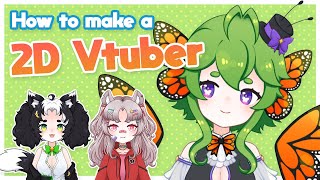

I Made a VTuber Model in a Week
45sRelatable and inspiring for aspiring VTubers who think it's too hard.
▶ Play Clip"The title accurately promises a tutorial on making a 2D VTuber model, and the video delivers step-by-step instructions."
This tutorial explains how to create a 2D VTuber model within a week, focusing on drawing and rigging. The creator shares their process using limited digital art skills and a basic tablet, emphasizing that 2D models are flat images cut into parts, not 3D.
The video covers how to create a 2D VTuber model, focusing on drawing and rigging.
You need a good quality model, a decent computer, and a microphone.
2D VTuber models are flat images cut into parts, not 3D models.
Use Photoshop, Clip Studio Paint, or similar, and export as PSD. Have a character design ready.
Sketch the model, separate moving parts into layers, and use symmetry tool. Key parts: head, hair, torso, arms, clothing, eyes, mouth.
The face is the most complicated part; keep eye whites, irises, shine, and lashes separate.
Ensure layers are flat, separated left/right, no folders or effects, and clearly labeled. Export as PSD.
Use Live2D Cubism (free trial) for rigging. Alternatively, hire a rigging artist.
Use VTube Studio or PRP Live to simulate the model after rigging.
With basic digital art skills and free software trials, you can create a functional 2D VTuber model in a week. The process involves drawing separated parts, rigging in Live2D, and simulating with free programs.
What is the key difference between 2D and 3D VTuber models?
2D models are flat images cut into parts; 3D models are a different process.
0:41
What file format should you export your 2D VTuber model in?
PSD format.
1:06
What are the key parts of a 2D VTuber model?
Head, hair front, hair back, torso, arms, clothing, iris, eye shine, eye lashes, mouth parts.
2:13
Why should you keep eye whites, irises, eye shine, and lashes separate?
Because the face moves the most and they need to be animated independently.
2:29
What software is recommended for rigging 2D VTuber models?
Live2D Cubism.
3:32
What are two programs to simulate a rigged VTuber model?
VTube Studio and PRP Live.
4:25
2D Models Are Flat Images
Clarifies a common misconception that 2D VTuber models are 3D.
0:41Separate Moving Parts into Layers
Key technique for creating animatable 2D models.
1:35Face Complexity
Highlights the most challenging part of model creation.
2:29Rigging with Live2D Trial
Shows that rigging can be done for free using the trial period.
3:29[00:00] So, you want to become a VTuber, huh?
[00:02] Well, it's actually not that
[00:04] complicated. Today, I'm going to be
[00:05] showing you how I created my first 2D
[00:07] VTuber model within a week.
[00:11] If you want to become a VTuber, you are
[00:13] first going to need a couple of things.
[00:15] A good quality model, a decent computer,
[00:18] and a microphone. But today, we'll be
[00:20] focusing specifically on how to create
[00:22] and draw a 2D Vtuber model. I get asked
[00:25] a lot about how I created my VTuber
[00:27] model or avatar. And a lot of times
[00:29] people expect my answer to be complex
[00:31] and something they wouldn't be capable
[00:33] of on their own. But in reality, I
[00:35] created my first VTuber model within a
[00:37] week with very limited digital art
[00:39] skills and a crappy Wacom tablet. 2D
[00:41] Vtuber models are often mistaken for 3D
[00:43] models because they are so well
[00:45] animated. But in fact, they are just a
[00:47] flat image cut up into a bunch of
[00:49] different parts. 3D Vtuber models are a
[00:51] totally different process, and I will
[00:53] not be showing you how to make a 3D
[00:54] Vtuber model in this video. It's all 2D
[00:57] here baby.
[00:59] To create this model, you are going to
[01:00] need a program like Photoshop, Clip
[01:02] Studio Paint, or Whatever program
[01:04] you use, make sure you can export your
[01:06] work into PSD format. I also recommend
[01:10] that you have a character design or
[01:11] reference sheet done for your VTuber
[01:13] character before you begin working on
[01:14] your model. You can, of course, just
[01:17] wing it, but it's better if you already
[01:19] know what you want to look like ahead of
[01:21] time. Once you've picked your program,
[01:23] then sketch your model out fully.
[01:25] Recognize whether you're going to create
[01:27] a halfbody model or a full body model.
[01:29] And yes, halfbody models are perfectly
[01:31] fine. My first model was a half body
[01:33] model. Once you're happy with your
[01:35] sketch, it's time to start with actually
[01:36] creating your model. Figure out which
[01:38] parts will be moving individually from
[01:40] each other as you draw them and keep
[01:41] them in separate layers. If you aren't
[01:44] sure if certain pieces need to be
[01:45] separated or not, it's best that you
[01:47] just separate them anyway. I use a lot
[01:49] of layers when I create models.
[01:50] Typically, I use a line art layer, color
[01:53] layer, and a shading layer for each
[01:55] piece, and then I merge them together
[01:56] when the piece is done. However, this
[01:58] isn't a rule at all. Every artist has
[02:00] their own style and their own way of
[02:02] working, so do what works best with you.
[02:04] Typically, when creating models, the
[02:06] symmetry tool is your best friend.
[02:07] Although you will be separating the
[02:09] parts between left and right, you can do
[02:11] that at any time. The key parts in your
[02:13] model should be head, hair front, hair
[02:16] back torso arms clothing iris eye
[02:20] shine, eye, lashes, and mouth parts. And
[02:24] if you're doing a full body model,
[02:26] hands, waist, and legs. The face of your
[02:29] model is the most complicated part
[02:30] because it will move the most. Make sure
[02:32] you keep your eye whites, irises, eye
[02:35] shine, and lashes separate and do not
[02:36] merge them together. Mouth parts can be
[02:39] done in multiple ways. The easy way is
[02:41] to just draw an open and a closed mouth.
[02:43] But if you want better movement, here's
[02:45] a better way to do it.
[02:47] Any expressions, accessories, and other
[02:50] items should be made in different layers
[02:51] as well. Do not merge two parts together
[02:53] that you want to act separately. And of
[02:55] course, if you want your model's
[02:57] animation to be more complex, break up
[02:59] certain parts into more pieces so that
[03:00] they can move separately from each
[03:02] other. Now that you've finished creating
[03:04] your model and you are ready to export
[03:06] it, make sure that all the layers are
[03:07] separated between left and right if
[03:09] needed and are completely flat. There
[03:12] should be no folders, no effects on your
[03:14] layers, no hidden layers, and they
[03:16] should all be labeled clearly. Do not
[03:19] worry if it looks a little strange at
[03:20] this point. That can be fixed in the
[03:22] rigging process. Export this as a PSD,
[03:24] and you've officially created your
[03:26] model.
[03:29] Now it's time for rigging or the
[03:30] animation. The only program that I know
[03:32] of for animating VTuber models is Live
[03:34] 2D Cubism. Thankfully, Live 2D Cubism is
[03:37] a lengthy trial period for you to get to
[03:39] know the software without paying a
[03:40] scent. And that's exactly what I use to
[03:43] rig my original model. Now, I have never
[03:45] bought the Live 2D software, and my
[03:47] rigging abilities are limited and rather
[03:49] rusty at this point. Live 2D can be very
[03:52] intimidating and seem complex. But if
[03:54] you are diligent and adamant to not pay
[03:56] a scent for your model like I did, you
[03:58] can certainly rig your model fairly well
[04:00] and fully functionally before the trial
[04:02] period ends, which I do recommend you
[04:05] try if you have the time to do. If you
[04:07] can't or don't want to rig your own
[04:09] model, you can always look for someone
[04:10] else who's more experienced and can do
[04:12] it for you. There are plenty of rigging
[04:13] artists on Twitter who will rig your
[04:15] model for a fee. And there's an entire
[04:17] live 2D community that will be willing
[04:18] to help you regardless of which path you
[04:20] decide to take. Once your model is done
[04:23] being rigged and exported, you can use a
[04:25] couple of different programs to simulate
[04:27] your model, including Vip Studio and PRP
[04:30] Live. Simply take the files needed from
[04:32] your exported model and import them into
[04:34] the program. Most programs work very
[04:36] similarly, but this is how you do it
[04:38] with Vip Studio, and this is how you do
[04:40] it with PRP Live.
[04:43] And boom, you're a ding-dang Vtuber.
[04:45] Thank you for watching my tutorial.
[04:47] Hopefully you found it helpful. If you
[04:48] did, make sure to boop that like button
[04:50] on the nose and subscribe to my YouTube
[04:52] channel for more content featuring me. I
[04:55] will be making more VTuber tutorials in
[04:57] the future if this one does well. So,
[04:58] make sure to let me know how I did in
[05:00] the comments. And share this with
[05:01] friends who might need it. I hope you
[05:02] have a fantastic rest of your day. Bug
[05:04] out.
⚡ Saved you 0h 05m reading this? Transcribe any YouTube video for free — no signup needed.