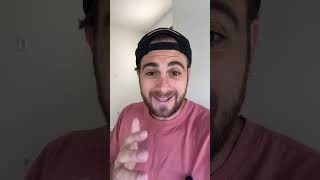
The Secret to Viral Shorts Thumbnails
45sThis segment immediately reveals a 'secret' to going viral, which is highly engaging for viewers seeking growth tips.
▶ Play Clip"Title promises viral thumbnails but delivers a 45-second ad for a tool with no proof or examples."
This video demonstrates how to create custom thumbnails for YouTube Shorts using a new AI-powered thumbnail generator from ContentBuddy. The creator claims that using custom thumbnails has consistently contributed to their viral success on Shorts, and explains the simple workflow of generating, downloading, and adding the thumbnail to the video.
The creator states that every time they've gone viral on YouTube Shorts, it was because they used a custom thumbnail.
ContentBuddy's new YouTube Shorts thumbnail generator lets you describe your video or desired thumbnail style, and it automatically creates a thumbnail for you.
Download the generated thumbnail and add it to the first or last 0.5 seconds of your Short, or use it as the video cover, to help increase views.
The generator is available at contentbuddy.ai under YouTube Shorts > Content Creation, labeled as the Thumbnail and Cover Generator, with a free trial.
The video is a brief promotional tutorial for ContentBuddy's AI thumbnail generator, positioning custom thumbnails as a key factor for Shorts virality and offering a free trial to get started.
What does the creator claim is the reason for their viral Shorts?
Using a custom thumbnail every time.
Where can you find the Thumbnail and Cover Generator in ContentBuddy?
Under YouTube Shorts > Content Creation.
00:38
How do you use the generated thumbnail in your Short?
Add it to the first or last 0.5 seconds of the video, or use it as the cover.
00:26
Custom thumbnails = viral success
Provides a concrete, actionable claim that viewers can test in their own Shorts strategy.
AI generates thumbnails from description
Highlights a time-saving workflow for creators who struggle with design.
00:13Placement matters
Specific placement advice (first/last 0.5s or cover) adds practical value beyond just generating the image.
00:26[00:00] Do this if you want to make viral thumbnails for your YouTube Shorts in seconds. Because every single time I've gone viral on Shorts, it's always because I used a custom thumbnail. So what you want to do is use this brand new YouTube Shorts thumbnail generator,
[00:13] where you could tell it exactly what your video is about or what kind of thumbnail you want to make. And then this literally goes off and makes a thumbnail for you. From here, you're able to download the thumbnail, and then you could add it to the first 0.5 seconds or last 0.5 seconds of your video,
[00:26] grab it as the cover, and this will help increase your views. And if you want to try this thumbnail generator for free, simply just come over to contentbuddy.ai, get started today with a free trial, because under YouTube Shorts,
[00:38] and then Content Creation, you're going to see the Thumbnail and Cover Generator.

⚡ Saved you 0h 00m reading this? Transcribe any YouTube video for free — no signup needed.