
YouTube's AI Now Watches Your Shorts Before Upload
45sReveals a shocking new algorithm change that directly impacts creators' growth, making them curious to learn more.
▶ Play Clip"The title accurately reflects the algorithm update and growth tips, though the promise of 'MORE Subscribers FAST' is slightly exaggerated."
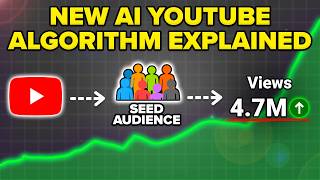
YouTube has released a new Shorts algorithm update that uses AI (Gemini) to analyze content before pushing it out. Creators must adapt by ensuring their content is original, visually aligned with titles, and optimized for thumbnails and audience targeting.
YouTube now uses Gemini, a multimodal AI, to watch content before upload, checking for alignment between visuals, text, and title/description.
The AI checks if the video shows what it promises within the first 3-5 seconds.
Content must not be a carbon copy of existing videos; it must provide new information to avoid being flagged as low quality.
Simply reposting or slightly altering others' content will not work; creators must offer unique value.
Relying solely on YouTube is insufficient; creators should use strategic external promotion, like directing to specific playlists.
YouTube's auto-dubbing can hurt views if certain languages have low watch time; creators should unpublish those audio tracks.
With Shorts appearing in search results, thumbnails have become a key factor for clicks; bright colors and clear text help.
To succeed with YouTube's new algorithm, creators must ensure originality, optimize early seconds, strategically promote externally, disable harmful auto-dubbing, and invest in eye-catching thumbnails.
What AI model does YouTube now use to analyze Shorts content?
Gemini
0:28
What three things does Gemini check for alignment?
Visuals matching the topic, on-screen text matching title/description, and originality.
0:47
How many seconds are critical for showing the video's topic?
First 3-5 seconds
1:04
What is the wrong way to promote your YouTube channel externally?
Putting a link to a YouTube video in your bio or just your channel name.
4:16
What tool does the creator recommend for scheduling content across platforms?
Metricool
6:00
How can you disable auto-dubbing for low-performing languages?
Go to video language settings, unpublish or delete the audio track for that language.
8:22
Why have thumbnails become more important for Shorts?
Because Shorts now appear in search results, requiring a click before viewing.
9:13
Gemini watches your content
Reveals YouTube's shift to AI-driven content evaluation before upload.
0:28Originality is key
Highlights that reposting or slight modifications will be flagged as low quality.
1:23Auto-dubbing can hurt views
Shows a practical fix to prevent low watch time from dragging down performance.
6:53Thumbnails now crucial for Shorts
Explains a new metric (click-through) introduced by Shorts appearing in search.
8:54[00:00] YouTube just released a brand new shorts
[00:01] algorithm that completely changes
[00:03] everything because now they're using AI
[00:04] in order to actually monitor your
[00:06] content to determine whether or not they
[00:07] should push it out. They change the
[00:09] [music] settings that you need to make
[00:10] sure are turned on and so much more. And
[00:11] if you simply adapt to the changes that
[00:13] I share with you in this video, it's
[00:14] easier than ever before for you to be
[00:16] able to get subscribers on YouTube. In
[00:17] fact, I just helped this creator, this
[00:19] creator, and this creator get over
[00:21] 100,000 subscribers on YouTube by simply
[00:23] implementing what I'm going to share
[00:24] with you. Change number one that YouTube
[00:26] has now implemented is now they're using
[00:28] Gemini to actually watch your content
[00:30] before they ever upload it. And
[00:31] essentially the way that this works is
[00:33] that Gemini is a multimodal model. If
[00:35] you don't know what Gemini is, it's
[00:36] basically YouTube's version of ChatGPT
[00:39] or Google's version of ChatGPT. And
[00:40] Google owns YouTube. So now what they're
[00:42] doing is they're running your content
[00:44] through that before your content ever
[00:45] gets posted. And what they're looking
[00:47] for is alignment on three things. First
[00:49] and foremost, they want to make sure
[00:51] that whatever you're creating content
[00:52] about, you are actually showing in the
[00:54] video. For example, if I was making
[00:55] content about an iPhone, I'd want to
[00:58] make sure that I actually show an
[00:59] iPhone. And you need to make sure that
[01:01] you're doing this in the beginning of
[01:02] your content. In fact, the first three
[01:04] to five seconds is really where they're
[01:05] looking for whether or not you're
[01:06] showing whatever you're actually
[01:08] telling. In addition to that, they want
[01:09] to make sure that the text that you have
[01:11] on the screen, which yes, their AI model
[01:13] can also see, matches the text that
[01:16] they're going to find in the title of
[01:17] your video, in the description of your
[01:19] video, in the subtitles of your video,
[01:21] and in the tags of your video. And then
[01:23] the other thing that they're looking for
[01:24] is they want to make sure that your
[01:25] content isn't just a carbon copy of
[01:28] somebody else's content because if
[01:29] you're not providing people information
[01:31] on a topic, well, guess what? Your
[01:33] content isn't going to get pushed out.
[01:35] What I'm saying is that you need to make
[01:36] sure that you can still create content
[01:39] about topics that are popular in your
[01:40] niche or topics that are outliers or
[01:42] that are trending in your niche. But you
[01:43] need to make sure that whatever you're
[01:45] actually saying about that topic is
[01:47] going to be something that's new because
[01:49] otherwise YouTube's going to say, "Hey,
[01:51] we have 100,000 people interested in
[01:53] this, but they've already seen this
[01:54] information. So if they get shown this
[01:56] information again, they're going to get
[01:57] bored, they're not going to watch us,
[01:59] and then they'll just stop pushing out
[02:00] your content." This brings me to change
[02:02] number two, which is kind of
[02:03] piggybacking on that point. And that is
[02:05] that you can't just upload content that
[02:07] already exists on YouTube now. So you
[02:09] can't repost content, you can't take
[02:11] somebody else's content, and you can't
[02:13] just take somebody's content and change
[02:15] the script a little bit. You need to
[02:16] make sure that you're actually giving
[02:18] YouTube new information. And I actually
[02:21] have a really easy way for you to be
[02:22] able to do this by leveraging AI. Check
[02:25] this out. So, let's say for argument's
[02:27] sake that I wanted to recreate this
[02:28] video right here about the five best
[02:30] online business ideas for 2026. What I
[02:32] would do is I would come over to ChatGPT
[02:34] right here, or you could use Claude or
[02:36] any other AI that you want, and you
[02:38] could say, "I want to create a YouTube
[02:41] video on this topic." And then you're
[02:43] going to put in the title right here,
[02:45] and we're going to say, "But I want to
[02:47] include completely different
[02:50] information." And then what you're going
[02:52] to do is you're going to get the
[02:53] transcript of this video. You're going
[02:55] to put this in here and say, "I want you
[02:57] to give me different information than
[02:59] other people have thought of." Or what
[03:00] you could do is just say, "I want you to
[03:03] give me five things that aren't popular,
[03:06] but would appeal to a very large
[03:10] audience." Now, what this is going to do
[03:12] is this is going to give you other
[03:13] things that aren't going to be things
[03:15] that are really popular. For example, AI
[03:18] inbox manager, it literally goes through
[03:19] everything that you could do here.
[03:21] Personal AI setup, goes through
[03:23] everything that you could do here. And
[03:24] basically, you want to use AI in order
[03:27] to be able to uncover things that other
[03:28] people haven't spoken about on YouTube.
[03:30] Because if you're just copying what
[03:31] other people have already spoken about
[03:33] on YouTube, it's going to increase the
[03:34] odds that YouTube actually flags your
[03:35] content and says, "Hey, this isn't
[03:37] original content. We're not going to
[03:39] push this out because we already have
[03:40] two creators, three creators, 10
[03:42] creators that have said the same exact
[03:44] thing." That's what you're trying to
[03:45] prevent, especially as YouTube rolls out
[03:47] more and more of their AI systems that
[03:49] are going to be detecting these things
[03:51] and are going to be blocking content
[03:52] that is low quality.
[03:54] Change number three is you need to make
[03:56] sure that you're not only relying on
[03:58] YouTube to push out your content because
[04:00] there's so many other ways for you to
[04:01] actually push out your YouTube channel.
[04:03] And guess what? None of these really
[04:04] require doing that which work. But I do
[04:07] want to warn you, there's a right way to
[04:08] do this, and there is a wrong way to do
[04:10] this. So I want to show you the wrong
[04:12] way, I want to show you the right way,
[04:13] and then I want to show you how I'd
[04:14] actually do this.
[04:16] Okay, so the wrong way for you to
[04:17] promote your YouTube channel is doing
[04:19] what Dr. Jones is doing right here. We
[04:20] could see it has youtube.drjonesdc.
[04:22] This is at the end of his description.
[04:24] This isn't really helping. The other way
[04:26] that would be the wrong way to promote
[04:28] your YouTube channel is if you put a
[04:29] link to a YouTube video in your bio, or
[04:32] if you just put your YouTube channel in
[04:33] your bio. Instead, you want to do what
[04:35] this creator does right here. If we come
[04:37] over into their content, for example,
[04:39] this video right here, we could see in
[04:41] their description they have this right
[04:43] here. "Start at the start here playlist
[04:45] on my YouTube channel, or go to the 100%
[04:49] free course." And then we could see
[04:50] right here, "Search baddie and business
[04:52] torrent." So actually, if we grab this
[04:54] right here, and we come over to YouTube
[04:57] and we do a search for this, here's the
[04:58] experience that we're going to have.
[05:00] When we do this, we're going to see a
[05:02] bunch of their viral videos. We could
[05:04] see that they recently dropped this
[05:05] video. We could click on their channel.
[05:07] We could come over into their playlists,
[05:09] and we could see that they have all
[05:10] these playlists about how to get
[05:11] started, and a ton of people are
[05:13] actually coming to these. In fact,
[05:14] playlists on YouTube don't get a lot of
[05:16] views unless you drive people there. We
[05:18] could see this right here, 14 people
[05:20] every single hour are coming over here
[05:22] and watching this. I know that that
[05:24] doesn't sound like a lot. But if we
[05:25] actually click into this playlist right
[05:27] here, we could see that all of these
[05:29] videos are going viral. And more
[05:31] importantly than going viral, I bet that
[05:33] all of these videos are making this
[05:34] creator a ton of money because she is
[05:37] actually directing people to a very
[05:38] specific place instead of just saying
[05:41] type in my YouTube channel. Because what
[05:43] if other people made content under that
[05:44] or something along the lines of that,
[05:46] they might not actually go to your
[05:48] specific channel. And you want to make
[05:50] sure that they're searching for it, not
[05:51] just going in and trying to find your
[05:53] channel because they might not be able
[05:54] to find it. Now, if you want to make
[05:56] doing this as easy as humanly possible,
[05:58] I would strongly suggest that you use
[06:00] Metricool because Metricool's going to
[06:01] allow you to publish your content to
[06:04] YouTube shorts, Instagram, to Facebook,
[06:06] to TikTok, to almost every single social
[06:07] media platform you could think of, all
[06:09] from one click. On top of that, they're
[06:11] the only platform I've ever used that
[06:13] doesn't actually decrease your views
[06:15] when you schedule out your content. And
[06:17] if you go to the pinned comment below
[06:18] right now, you could get 30 days free
[06:20] access to any of Metricool's premium
[06:21] plans with code Robert. In addition to
[06:24] letting you schedule out content and put
[06:26] content across all these different
[06:27] platforms, they also make it incredibly
[06:29] easy for you to be able to figure out
[06:30] exactly what's trending in your niche,
[06:32] and you could respond to all your
[06:34] comments and all your DMs from all these
[06:35] different platforms from one place, so
[06:37] you never miss a message that your
[06:39] audience sends you. So what are you
[06:40] waiting for? If you want to grow faster
[06:42] on YouTube while spending less time
[06:43] creating content, I would strongly
[06:45] suggest you go to the pinned comment
[06:46] below and get started with Metricool
[06:48] today. Again, use code Robert for 30
[06:50] days free access to any of their premium
[06:52] plans.
[06:53] Now, change number four is you need to
[06:54] make sure that you stop YouTube from
[06:56] auto dubbing your content into any
[06:58] languages that are destroying your
[06:59] views. And I can pretty much guarantee
[07:01] you that this is probably happening on
[07:03] your channel, so you need to make sure
[07:04] that you stop everything right now, see
[07:06] what I'm about to show you, then look
[07:08] into this for yourself. Okay, so in
[07:10] order to actually figure this out, you
[07:11] want to come over into your analytics.
[07:13] From here, you want to click on advanced
[07:15] mode. You're now going to come over into
[07:17] breakdown right here. You're going to
[07:18] click on geography, and this is going to
[07:20] show you who is actually watching your
[07:22] content the most right here. So if we
[07:24] come over here, we could see average
[07:26] view duration 46 seconds. Now, this is
[07:28] including both long-form content and
[07:30] shorts, which is why it's showing so
[07:31] low. But we could see right here that
[07:33] the United States watches my content for
[07:35] 59 seconds. India watches my content for
[07:38] 30 seconds. The Philippines, 38 seconds.
[07:41] And if we scroll down a little bit, we
[07:42] could also see that some other countries
[07:44] are really poor like Nepal or
[07:47] Bangladesh. And I'm not saying poor
[07:48] monetarily, I'm saying poor in terms of
[07:50] watch time. So if we actually come over
[07:52] here, what we're going to notice is if
[07:54] we come over into one of my videos, for
[07:56] example, this video right here, and we
[07:58] come over into languages, we could see
[08:00] right here that we have all of these
[08:03] different audios that my content is
[08:04] being published in Arabic, it's being
[08:06] published in Dutch, it's being published
[08:08] in French, Hebrew, Hindi, Indonesian. So
[08:12] what I want to make sure that I do is
[08:14] actually want to look at those analytics
[08:15] and see if there are any countries that
[08:17] are really holding things back. Because
[08:19] the last thing that you want to do is
[08:20] have one of these languages turned on.
[08:22] In fact, you could literally just come
[08:23] over here and unpublish it or delete it,
[08:25] and it will stop YouTube from serving
[08:27] content to those people. Because what
[08:29] you don't want to happen is for YouTube
[08:30] to be showing your content to a specific
[08:33] language, it lower your average view
[08:35] duration or lower your click-through
[08:37] rate, and then as a result, YouTube
[08:38] thinks that your video wasn't good, and
[08:40] they stop pushing it out. That is the
[08:42] last thing that you want to happen. So
[08:44] please make sure that you're going
[08:45] through, you're fixing these, and you're
[08:47] adjusting these. Because if you're not,
[08:48] this could silently be holding your
[08:50] content back, and I see this happening
[08:52] to so many people's channels. Change
[08:54] number five is that thumbnails on
[08:55] YouTube are quietly becoming the most
[08:57] important part of you getting views on
[08:59] YouTube. Because here's the deal. In the
[09:00] past, the main thing that required you
[09:03] to get views from a YouTube short was
[09:05] one, that people watch your video past
[09:07] the first three seconds, aka they didn't
[09:09] swipe away, and two, that your average
[09:11] view duration was high. But now we have
[09:13] a problem because YouTube shorts are now
[09:15] getting shown in Google search results,
[09:17] they're getting shown in Gemini, inside
[09:19] of ChatGPT, on the homepage, inside of
[09:22] search. And now guess what? This
[09:24] introduces a new metric that YouTube
[09:26] needs to care about because before
[09:28] somebody ever gets a chance to swipe
[09:30] away from your video or they ever get a
[09:32] chance to watch your video all the way
[09:34] through, they're now going to have to
[09:35] click on your video, which silently made
[09:37] YouTube thumbnails more important than
[09:39] ever before. So I want to show you a few
[09:41] examples of how you can do this
[09:43] correctly. Now, the first example of
[09:45] this that I want to show you is actually
[09:46] going to be looking up something like
[09:48] how to upload a YouTube thumbnail. So we
[09:49] could see right here that all these
[09:50] videos have done pretty well, but this
[09:52] one right here has a custom thumbnail.
[09:54] And look at it, it got 1.4 million
[09:56] views, which is quite frankly almost
[09:58] more views than every single other video
[10:00] here. Reason for that is because they
[10:01] put text here that says how to change
[10:03] your YouTube Shorts thumbnail and they
[10:05] circled it in bright green. That
[10:07] captures people's attention and it makes
[10:09] them think, "Hey, I need to click on
[10:10] this." Now, if we come over here and
[10:12] type in something like YouTube settings,
[10:14] we could see something very similar
[10:15] here. This video right here crushed it.
[10:17] It's actually my video that got 3.3
[10:19] million views because I did the same
[10:20] thing. I pointed with my finger. I have
[10:23] bright red text. This creator right here
[10:25] did something similar, but they're just
[10:26] showing their laptop. And this one right
[10:28] here has Mr. Beast, which is why it did
[10:30] well. And this one right here also
[10:32] pointing their finger, it just wasn't as
[10:34] bright, so you could see that these
[10:36] different types of formats that capture
[10:37] people's attention do lead to people
[10:39] getting more views. And if we come over
[10:41] here, we could see the same thing with
[10:43] squats right here. We have a squat
[10:44] checklist right here. Captures people's
[10:46] attention. We have this woman. Looks
[10:48] like she's not actually squatting
[10:50] correctly and green check mark, which
[10:52] captures people's attention. And then
[10:53] fix your squat mistakes also has this
[10:55] red. So, you can see that the creators
[10:57] that are getting the most views are
[10:59] choosing a very specific frame inside of
[11:02] their content. They're adding in very
[11:04] bright colors. And this is all capturing
[11:06] people's attention to increase the odds
[11:08] that people click on the video. As a
[11:09] result, they watch your video and the
[11:11] YouTube algorithm pushes out your
[11:12] content more. Now, if you enjoyed this
[11:14] video and you don't still have your
[11:16] first 1,000 subscribers on YouTube, I
[11:18] would strongly suggest you check out
[11:19] this video right here that walks you
[11:21] through how you could get 1,000
[11:22] subscribers on YouTube in 24 hours or
[11:24] less. That sounds interesting. I'll see
[11:26] you over there.
⚡ Saved you 0h 11m reading this? Transcribe any YouTube video for free — no signup needed.